Log in
EN
FR

Atomix Productions

17 products found

Categories
Series
Filter
Sort by
Evaluation
  • Reviewed or not
  • Editor’s award
  • Reviewed by Audiofanzine
Availability
  • Available or not
  • Sold new or used
  • Sold new
  • Sold used
Must-have products
  • All products
  • Flagship products
  • Best rated products
  • Hot products
  • Popular products
Price
  • Freeware
€
Clear
Sort by
  • Popularity
  • User ratings
  • Price - low to high
  • Price - high to low
  • Used price, increasing
  • Used price, decreasing
  • Name (from A to Z)
  • Name (from Z to A)
  • Added on
Choose a category
Choose a series
Sort results
  • Popularity
  • User ratings
  • Price - low to high
  • Price - high to low
  • Used price, increasing
  • Used price, decreasing
  • Name (from A to Z)
  • Name (from Z to A)
  • Added on
Filter results 17 results found
Evaluation
Availability
Must-have products
Price
  • Freeware
Show results

The best Atomix Productions reviews

The reviews Audiofanzine members found the most helpful.
  • Audiofanzine FR's review

    (Originally written by Jerekmirko/translated from Audiofanzine FR) Which technical specifications motivated your choice? The auto-mix allows you to go away during 5 minutes to smoke a cigarette. The sync function allows you to mix very fast and precisely (I also mix with turntables so I know the problem) and generally it gives you all possibilities of digital mixing. My system: Asus motherboard, Pentium 4 Dual core 3.8 GHz, 1 Gb Ram. Windows XP. Professional usage: I'm a resident DJ so I use it every weekend. Do you use it with other instruments or systems (mixing console, preamp, DtD, ...) and what's your setup? USB2 connection, Stanton mixer, external Aureon sound card, good headphones and that's it!! GETTING STARTED Did you have any problems during the installation? No installation problems. Did you encounter any incompatibility problems? Nope. - How complicated is the overall configuration? It was a bit hard in the beginning to find out if it fitted my needs, but nothing too difficult. I didn't need the user's manual. SUITABILITY/PERFORMANCE What about the hardware+software configuration stability? No problem, It has never crashed. OVERALL OPINION I've been using it for one and a half years. Which feature do you like the most / the least? The most: The song search engine (don't compare it with other software, VDJ is the best), the GUI and the simplicity. I love the Matcher window, definitely the best of all softwares I've tested. I also like the precision and the simplicity of the sync function. The Magicbeat function makes synchronization very easy especially at the end of your set when you are tired. I like the different skins! Of course everyone has its own taste (I like the Pioneer CDJ 700 skin because it shows everything I need). The loop function (4, 8, 16 and 32 beats) is very handy. The ergonomics. I like the fact that you can record and save several Cue points per song (you don't need to redefine your Cue points during each performance!). Of course I also like the fact that I can now have tons of MP3 songs in my PC so I don't have to carry heavy CD cases along with me. Especially when someone in the audience wants to hear an old hit... You don't have to carry a CD only for one song (and one person)! The least: The EQ and its too wide frequency ranges (kill the bass or the mids and you won't hear the song anymore). You'd better use the EQs of a good mixer. I wish you could add or remove windows from skins (sampler, effects, etc.) like on Mixvibes. Did you try any of other models before buying this one? Traktor, Mixvibes Producer (this one is really great but it has no accurate matcher and not enough skins, so I prefer VDJ). How would you rate its value for money? It's ok. It's an excellent software. Other ones have more features but it is clearly the most ergonomic. My only critique is that if you buy a Midi controller (RMX, Berhinger BCD3000, etc.) with the software, the price is not so attractive anymore... Based on your experience, would you buy this product again? Yes, for sure. It's very comprehensive and it even allows to mix video files. It's the only program I will keep.

  • « helped me alot »

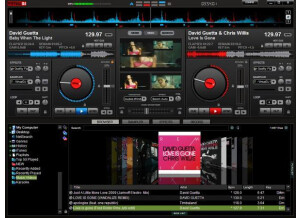
    Lately I have been mesing around in Atomix Virtual DJ 4 just to start to learn some digital DJ stuff. I am not a DJ by any means and probably will never be one but it is fun just to mess around and mix and blend my own music for my own online radio show that I put on from time to time just for friends and family. I also used Virtual DJ 4 to do mixes of top 40 songs to make my own DJ tape for family events and reunions. I have kind of become the DJ of all of our events thanks to Atomix Virtual DJ 4. Without Atomix I would have never been able to mix stuff together and match tempos manualy. I love how easy everything is in Atomix and it really made being a “DJ” fun to me. GETTING STARTED Very easy to understand once you get the basics of it out of the way you will be able to do some really cool do stuff and put your own DJ cd’s out to friends and family and you will be known as a DJ. Or even if you are taking DJ’ing serious and its not just a hobby then Atomix as gave you all the options that you need. I think this software is great for the first time just staring out DJ too, so you can understand the basics of how DJ’ing works. SUITABILITY/PERFORMANCE The Program is very stable on my dual core pc running windows business vista. I can take this with me any where on my laptop and mess around and put together some good blends and mixes. As I stated im not a pro, but Atomix is teaching me to be a digital DJ pro and I will be continuing to use this software for fun for a long time to come. OVERALL OPINION Overall, I love this software. I havent used many DJ softwares so I can compare it to a lot of them. But out of the few that I have tried this one works the best for me and it is the easiest to understand and use.

  • « Under-rated, but does the job well. »

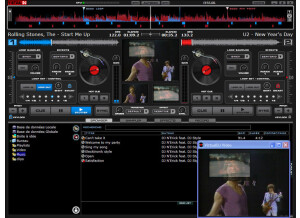
    Unfortunately no particular technical features or characteristics motivated my choice to download and purchase the Virtual DJ 7 Pro version. I was at a gig in a crunch for time and needed a software that could play music videos in high-definition and cross-fade between them. After a frantic search through numerous blogs, Virtual DJ surfaced as the right choice. And I'm glad I made it. I performed with it connected to my Denon DN-MC6000 and an external mixer and it worked flawlessly. Music videos easily handled by my 2.7 Ghz Intel MacBook Pro with 4GBs of RAM. GETTING STARTED There were no compatibility issues, but there was a compatibility success. Using the recently added ReWire support new in Virtual DJ 7, I was able to connect V DJ to my Ableton Live 8 set-up, and then to my DN-MC6000, and mix effects, scratches, etc. onto my music as a sort of post-production. Although this is supported through digital DJ software competitors such as Native Instruments' Traktor, V DJ's vibrant, user friendly interface won me over in the end. After the show I went back and surfed through the manual and it makes apparent many things you would intuitively know about the software with minimal exposure and some musical talent, but also highlights some of the nuances of this most recent version. Bottom line, it is worth reading the manual and reaping all possible benefits of the V DJ experience. SUITABILITY/PERFORMANCE The software works well on my mac and with every midi controller that I have plugged in and configured. No lag or excess CPU use, so I can't complain. I've been using this software for about three months now and am starting to prefer it over Traktor for my on-the-fly mixes. OVERALL OPINION What I like most about Virtual DJ 7 is that, despite it's many advancements from Virtual DJ 6 it is still free to try the "home" version. I say that for the price of on-the-house, it's worth the try. Heck, you might actually like it. Although it has been ridiculed for being simplistic, Virtual DJ 7 is an aesthetically pleasing yet complex system that is capable of much more than just cross-fading tracks. Take time to explore the free version and if it strikes your fancy, upgrade and reap the benefits.

  • « i love it »

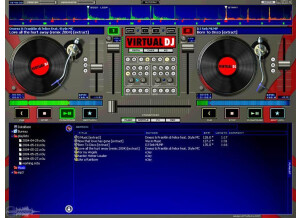
    Atomix Virtual DJ 3.x is the first piece of DJ software that I have ever used. At first glance it looked great and seemed simple. But after using it I realized I wasn’t going to be able to do it without some help. I had to look around for some help online on the forums and in the virtual manual that I had for it. GETTING STARTED After I got the hang of out the basic functions work it was a lot of fun to use. I am not a d j but I do enjoy creating my own mixes and just messing around from time to to and may become a d j someday but for now its just for enjoyment to me but I don’t see why a real d j wouldn’t be able to use this software to d j with even in a live setting , if you have a good computer that can handle it you could probably do your whole d j set with it. SUITABILITY/PERFORMANCE The price of it was pretty cheap, I think I got it off a clearance rack for around 100 bucks or so and it ran great on my dual core pc. OVERALL OPINION I haven't used in other d j softwares before this one so its hard to judge how good it was at the time. But since then I have messed around with a few other softwares but I must say this one seems like its one of the better ones. All the functions are right there in front of you and pretty easy to understand. Its just like having a real d j set up just on the screen instead of actually having the tables in front of you. I love how d j’s now can just carry a laptop around and that’s it. I have been seeing d j’s do this for a few years now so I had to get the program and try it for my self and im pretty impressed with it.