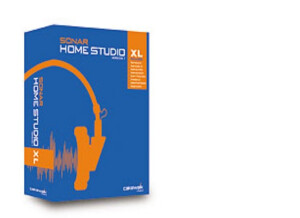
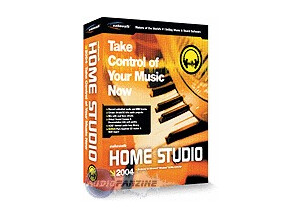
I paid $129 direct from Cakewalk. I wanted an inexpensive digital recording software package for my PC. This product is fairly easy to use...but you have to READ THE MANUAL. There are so many features with this product that it simply can't be too intuitive. The sound reproduction/capture is very good. I've had the software for about 5 months now and it has proven to be very stable. And the software does so much that, for the small home studio user, its really all you need. Recoding, mixing and rendering to .wav or .mp3 is really simple to do once you get the hang of it. And the on-board audio effects and decent sounding. I recently figured out how to create a drum track with the software despite the fact that my audio card doesn't support MIDI (thanks to Cakewalk tech support!). It really sounds good and it easy to do. There's a lot about this software that I haven't learned yet. And the manual, though it does a good job getting you started, simply doesn't go into enough depth. Thankfully, Cakewalk has a good web site and provides good tech support. I've run into just a couple of minor problems with the software...and I'm not even sure its the software's fault. About every 10th recording I find there's some sort of "static" or interference in the track I just laid down. There's a rhythm to the static. I don't have a clue what might be causing it. But I do know that it is extremely frustrating to be on the 10th take of a track and think you nailed it just to find that its totally useless due to that static! That really stinks. But, again, I'm not sure it's a Cakewalk problem. I'm using an M-Audio Omni Studio as my PCI interface. Another thing I didn't like was the fact that the .wav to .mp3 converter that comes with the package (which is very good) is only a trial version. The full version costs $30. Besides the "static", Cakewalk is a feature-packed software package that does a really good job for the money. But keep in mind the GIGO (garbage in, garbage out) principle...if you don't have good recording gear (mics, instruments, amps, audio card, etc.) you're not going to get a good sound. I've got a Shure SM58 and a Shure Beta 57A that work really well. Cheap mics give a cheap sound. And your basic "sound" card simply won't do the job. I'm not a tech guru, but I did realize early on that you have to invest in a quality audio card (like the M-Audio Delta66; $319 at Musician's Friend) before you can ever hope to get decent results. As a matter of fact you should spend about 2X as much time researching your audio card as the software you're going to buy. One other word of advice...I hope you've got a high-end PC. You'll need at the very least 256MB RAM to run this software. Recording really taxes your system. I'm running 384MB with an 80GB 7200 rpm hard drive with MS XP Pro. I've not had any problems yet. This is a very handy, feature-packed software package that is absolutely perfect for the small home studio. It's reasonably priced and does a very good job. This review was originally published on http://www.musicgearreview.com
It costs about 90 dollars at Guitar Center. I wanted a product that could record at 24 bit, as well as record audio and midi. The software definitely records, audio, midi and 24 bit. The Home Studio getting started manual is very good. It tells you how to set up for midi and record tracks, as well as set up for audio and record audio tracks. Suprisingly, I didn't find the audio quality much more amazing recording in 16 bit versus 24, possibly just more headroom before clipping (for newbies, that when the audio level exceeds what the digital converters can handle, so you get crunches and crackles in your recording). The most important factor to good audio recording is getting good levels (true both in audio and on tape, isnt that interesting?). The Home Studio 2002 Getting Started manual is excellent, but pity it doesn't include a full manual telling you how to use all the features if you choose to try any of them. The advanced features are documented in help files, which is more difficult to use then just cracking open a printed manual. Also, this software is not really suited to the beginner. I would say its more aimed at the intermediate to intermediate-advanced user who wants to get into recording audio (guitars, vocals, bass etc) as well as some midi. Also, this software has some advanced features like DXI synth (haven't gone there yet), printing sheet music from midi (which I heard doesn't work well, but havent tried it myself), as well as assembling drum loops etc. etc. For the serious home recording hobbiest, this software has lots of features to discover, so for months and months you won't feel like your bored or have covered everything you need to know. The quality of the software is very good. It seems pretty rock solid. I've been using it under Windows XP with an Echo Mona, at 24 bit using WDM drivers, and I've never experienced any latency problems. Seems to record very good sound quality. Hasn't crashed yet, in many hours of use. Very good chunk of software for the intermediate to advanced home recording enthusiast, who wants to do both audio and midi recording. As always, Cakewalk has an excellent Getting Started manual, as well as email and phone support. A pity the software doesn't come with an equally as good comprehensive manual so one could spend many a Friday night thumbing thru, experimenting with some of the more advanced features. This review was originally published on http://www.musicgearreview.com
I was using this program about 6 years ago when it first came out. I actually used it a lot then and fell in love with it. It was very basic in my opinion even though its not the main original version of Cakewalks music creation software. SUITABILITY/PERFORMANCE When using this at the time I had a pretty good computer, and I had 2 gigs of ram space which was great back in 2005. I used an Echo soundcard I think it was the audiofire 2. I really didn’t have too many latency problems even when maxing out the mixer tracks with all types of effects that are pretty heavy on your cpu. But I used my buffer speed at 148 ms 8 ms. The software and hardware configuration was very stable for me, but I did run into some small bugs here and there when trying to use other programs with Cakewalk Home studio XL. OVERALL OPINION Overall I used it for a bout a year and thought it was a great music creation software and I don’t regret my decision when purchasing it, I wouldn’t have it any other way. The interface is pretty good and very well put together everything is very easy and accessible. I haven’t tried any other cakewalk productions before this one so this one opened my eyes to Cakewalks software and I will be purchasing more software from them in the near future as I am currently looking into buying one of the newest versions of this software that they have came out with in the last year or so. For some reason I cant really compare this to Cubase or Logic because these three programs felt completely different to me in my opinion. But this software stands out on its own and is just as powerful as all of the other softwares that are out.