2 products found
Choose a category


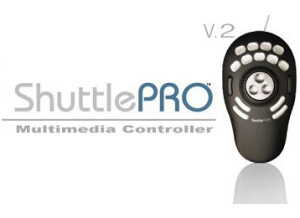
The Contour ShuttlePRO V.2 is a USB control surface that comes in handy if you use it the right way and understand its functions. It comes with presets or pre configured for a bunch of different software applications but in my case I wanted a control mouse that I could use and make it fully customizable to the way that I want it set up. It let me do that, it was very easy to set up and assign any of the 9 buttons to whatever I wanted to set them up with. It works great for your music production software and for video production software. I use it frequently with Sony Vegas Pro 11; I have it all set up to work with Vegas Pro the way that I need it to work. Sometimes I do have a difficult time getting it to recognize what software I am working with. I wish it would automatically know which software I am on and open up my preset for that software. I have not found out a way to do this yet, and the manual does not explain it very well. Setting it up was simple if you want to keep the basic presets that it has for software. If you don’t have the software that it is set up for or you want to have your own configurations then it will take a little more time to do this but it is not hard. It is very handy to have a mouse like this around. I have been using the ShuttlePRO V.2 since 2010 and it has never let me down, it is a must have for any one into creating music and editing videos from home. It is affordable and has 15 buttons that you can program. It feels great in your hand because of its shape. This is a must have especially for Cubase and Sony Vegas Pro.