Log in
EN
FR

SeriesKorg nano

9 products found

Filter
Sort by
Evaluation
  • Reviewed or not
  • Editor’s award
  • Reviewed by Audiofanzine
Availability
  • Available or not
  • Sold new or used
  • Sold new
  • Sold used
Must-have products
  • All products
  • Flagship products
  • Best rated products
  • Hot products
  • Popular products
Price
  • Freeware
€
Clear
Sort by
  • Popularity
  • User ratings
  • Price - low to high
  • Price - high to low
  • Used price, increasing
  • Used price, decreasing
  • Name (from A to Z)
  • Name (from Z to A)
  • Added on
Sort results
  • Popularity
  • User ratings
  • Price - low to high
  • Price - high to low
  • Used price, increasing
  • Used price, decreasing
  • Name (from A to Z)
  • Name (from Z to A)
  • Added on
Filter results 9 results found
Evaluation
Availability
Must-have products
Price
  • Freeware
Show results

The best Korg nano reviews

The reviews Audiofanzine members found the most helpful.
  • « Not so good velocity pads, great XY pad! »

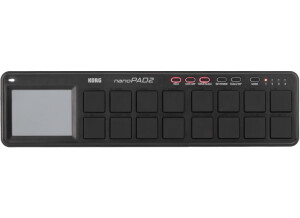
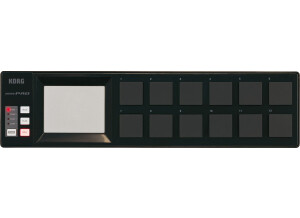
    The unit is USB powered with one mini USB port. It features 16 velocity-sensitive pads and a single X-Y pad. It's very small, light, and portable. It's entirely plastic and a little flimsy. The pads themselves are significantly smaller than full-sized drum controller pads, but still big enough to be played without accidentally hitting multiple pads. Unfortunately, the quality of the pads is not as good as other pad controllers out there. The pads are a bit mushy with a bit of play before they'll trigger a sound. This means you have to hit the pad fairly hard to trigger a sound reliably, which makes playing lightly to get very low velocity notes very difficult if not impossible. It's pretty easy to get started with, you simply plug it in and play. There are 4 lights used to represent 4 scenes which you switch between with the scene button. Each scene can be customized to send different midi values or behave differently with the Korg Kontrol Editor software. Each pad can also be customized to send up to 4 notes per pad. The software itself has a nice layout with everything on one page and you can easily change each pad to act as either a standard drum pad or as a toggle for things like clip launching in Ableton Live. One interesting function is the touch scale which turns the X-Y pad into a midi ribbon controller sending notes determined by where you press on the pad. With the Gate Arpeggiator enabled, your notes will trigger in sync with your host. The velocity sensitive pads each have a note and scale written above them on the controller and when you hold down the Scale or Key button and press one of these pads, the XY pad will be quantized to that particular scale or key. The unit has most of the significant musical scales including Chromatic, Major, Minor, Pentatonics, Blues scale, and it also supports one user made scale that you can define in the Kontrol Software. The NanoPad2 doesn't generate sounds itself but Korg does supply a very nice software bundle with the NanoPad which includes Korg M1LE, UVI Digital Synsations, EZ Drummer Lite, AAS Ultra Analog Sessions, Lounge Lizard Sessions, and Strum Sessions. I haven't tried other pad controllers in this price range, but while the velocity sensitive pads aren't very good compared to more expensive products that feature drum pads like Native Instruments Maschine or Akai MPCs, the touch scale feature of the XY Pad makes the NanoPad2 worth purchasing. It's a pretty cheap unit at around $50 USD and the build quality certainly reflects that, but with the touch arpeggiator you get a pretty fun and inspiring way of creating leads and arpeggiated melodies.

  • « "Making music on the road? Grab one!" »

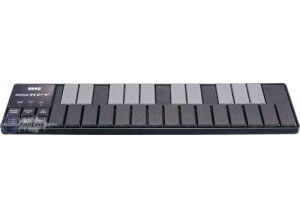
    I am a musician who constantly writes music on the roads, and the Korg nanoKEY2 was a great addition to my backpack. This 25- key USB powered midi keyboard is tiny, cute and responds to your finger tips in a much more better way than its predecessor nanoKEY. Having used the old version nanoKEY that I was not quite happy with, I wanted an upgrade for this. Having gone through several other options, finally was happy to see the release of the nanoKEY2. Weighing only 0.54 Ibs, this tiny midi keyboard is easy to program with and make music. "Plug n Play" would be the right term I give to this "smaller than your keyboard" device that attracted me always. Using Logic 9 and Logic X, The nanoKEY 2 immediately gets recognised as a new midi device. The new sustain add-on was a very good thought, as this was not there in nanoKEY1 (Also note that the CC feature in nanoKEY1 is not available in this version anymore). Connectivity to an Apple's iPad (supports from iOS 4.2.1) using Apple's iPad camera connection kit is very handy for musicians on the go these days. Imagine you have the nanoKEY2 and your iPad (Make sure to have a music application that supports Apple Core Midi) and you want to write some music. Its possible now with the nanoKEY2 and only you would see playing the keyboard, because it is that tiny! This is also a perfect addition if one has the dual USB ported MicroKey (another product by Korg). I usually connect the nanoKEY2 to the latter when in need of more keys while writing music. UTILIZATION The nanoKEY coming in two colours white or black, can be plugged directly onto your Mac (OS X 10.4 or later) or PC. Open up your favourite DAW and start using it. The manual is clear and to the point. Though I must say that it is a bit geeky. There are two buttons for shifting the Pitch up/down. An Octave shift up/down with octave ranges up-to +4 or -4. The modulation button is similar to the previous version, though I have not found this feature useful unless one is performing live. For those who are into extreme and advanced midi features, this also integrates with the Korg Kontrol Editor software, that comes as a free download on the Korg website. One can choose from four different velocity settings provided, which in-turn affects, reacts and responds with the modulation and sustain buttons of the nanoKEY2. OVERALL OPINION Pros 1) Soft key-bed and strong keys. 2) More velocity friendly than the nanoKEY1. 3) Easy Plug and Play. No driver needs to be installed. 4) Sustain button is very helpful. 5) Light weighted and gets into your work backpack. Cons 1) The Keys could be more softer and a little longer. Some fingers might find it hard to get used to playing. 2) No free additional - bonus software licenses. 3) Be careful not to give this to a 5 year old kid. This is going to break. 4) No LED's displaying the Octave shift range. I would say that for $68, the nanoKEY is a bit overpriced. Given the fact that one can't perform extreme musical and advanced writing nor put this inside a heavy tight luggage (as it would break), I wish this was priced a little more less. But having said that and having a previous experience with its predecessor and using other midi devices like the Axiom keyboards etc, the precision and quality while playing the nanoKEY2 is worthwhile. If you travel a lot and if you are looking for something small that could fit in to your quick midi-input needs, then this is a quick and easy solution. The Plug and Play feature makes it easy to connect to any system you need, wherever you go. Lastly, while thinking about the price at this moment, I would have gone for a better and cheaper option that time, even though if it is more larger in size and weight than the nanoKEY2.

  • « A must have »

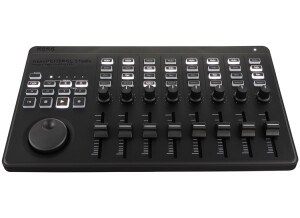
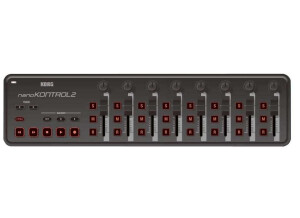
    The Korg nanoKONTROL 2 is a MIDI controller that connects to a computer USB port. It is very affordable and can be purchased in white as well. This controller is relatively small and does not take up much space at all. It cannot be racked; it will have to be used as a table top unit. I use this controller to control synths and effects racks in my DAW and it works great. At this price, I cannot believe more people are not purchasing it. It works great and has never giving me any issues. Sometimes I use it during shows to tweak synths and other sound in real time and it has never let me down. I think I will be using it for a long time. Setting up the nanoKONTROL 2 is very quick and easy. It is just like setting up any other MIDI controller or USB controller. I have only used it on my PC running Windows 7 and with Ableton Live. But I am pretty sure it can be used in just about any DAW. I do wish there were some presets built into Ableton for it so I could have had some templates to go off of instead of having to program it all myself. It would have just made it a lot easier but it still wasn’t hard to do it. It was just time consuming getting it all how I wanted it. But after I did it once, I didn’t have to do it again because I can save the template. I recommend this controller to any DJ or computer musician who wants to use some hardware to tweak things instead of using all software. It really helps me being a DJ having something that is small and doesn’t take up much space to teak sounds and effects with. It is also well built and doesn't seem cheap even though the price is low.

  • « compact »

    The Korg Nano Key is a great midi keyboard. Korg always brings some of the best midi keyboards on the Market. After using the Axiom 61, I didn’t think that the mini would have much for me. But I gave it a chance and its great, this midi keyboard is very small and portable. I packed it right in my laptop bag with my laptop and had my production studio go anywhere that I went. On the Nano, there aren’t knobs and sliders that you can use to sync with your software to automate certain things. That is really the only thing that is missing from the mini that is on most other models that Korg creates. UTILIZATION Even though this is a small midi controller its still very sturdy and holds up great. Its all plastic but still holds its own weight. I didn’t even have to load the drivers. I just plugged it in via usb and it automatically was recognized by my windows computer and was ready to use in Cubase and Fl Studio. But if you need to load the disk up to get your drivers in you can and will have no problem doing so. Even if you need to update your drivers M Audio makes it extremely easy to do so on their website you can go on there and update the drivers for free anytime you wish for any of the products that they create. OVERALL OPINION Overall this is worth it, the price is affordable and all producers need a midi keyboard that can be hooked up with usb or with midi cables. You can take this with you anywhere and have your studio on hand no matter where you are so when inspiration hits you are prepared to start creating on the spot. This little midi controller is well worth it.

  • Audiofanzine FR's review

    (Originally written by Iriebassman/translated from Audiofanzine FR) I bought the Nano Kontrol yesterday. Very light. Faders are a bit soft, but switches are a bit tighter. The provided cable is long enough. The 6 rubber foots ensure a good stability. It has 4 interesting layer modes. The 4th mode is the best for me because in all others modes a switch can control the mute function (for example) but the function will be deactivated as soon as you release the switch. It can be useful for some applications but it's a problem if you need latching switches... But it seems that the KORG Kontrol Editor allows you to configure switch interaction more precisely. In Momentary mode, the transmitted value is "On" when you depress the switch and "Off" when you release it. In Toggle mode, when you depress once it's "On" if you depress it again then it's "Off". The only problem is that the KORG Kontrol Editor will be available in November so I will have to be patient hoping it will work fine with Linux via Wine. Speaking about Linux, the Nano Kontrol works perfectly with Ardour, Jack-Rack and every other Midi software that allows you to configure a hardware controller. I'm very satisfied with it in my home studio and I think it will be easier to mix my songs with Ardour, given its customization possibilities. _________________ Edit: Korg already released the KORG Kontrol Editor and I can tell you more about the product. This compact controller is good... The software makes it entirely customizable. I think it's good that the presets are stored directly in the Nano Kontrol. In other words, once you configured the controller to meet your needs, you can write the parameter names on the unit, unplug it and then plug it again without losing your settings. It's also possible to change the response of the switches (form MMC to note message). It gives you a wide range of possibilities. And it works wonders with Linux using Wine and Midi. I'm pretty satisfied after several hours of use.