Log in
EN
FR

SeriesM-Audio Delta

13 products found

Filter
Sort by
Evaluation
  • Reviewed or not
  • Editor’s award
  • Reviewed by Audiofanzine
Availability
  • Available or not
  • Sold new or used
  • Sold new
  • Sold used
Must-have products
  • All products
  • Flagship products
  • Best rated products
  • Hot products
  • Popular products
Price
  • Freeware
€
Clear
Sort by
  • Popularity
  • User ratings
  • Price - low to high
  • Price - high to low
  • Used price, increasing
  • Used price, decreasing
  • Name (from A to Z)
  • Name (from Z to A)
  • Added on
Sort results
  • Popularity
  • User ratings
  • Price - low to high
  • Price - high to low
  • Used price, increasing
  • Used price, decreasing
  • Name (from A to Z)
  • Name (from Z to A)
  • Added on
Filter results 13 results found
Evaluation
Availability
Must-have products
Price
  • Freeware
Show results

The best M-Audio Delta reviews

The reviews Audiofanzine members found the most helpful.
  • Deleted member's review

    I bought it less than 5 months ago due to its 8 ins/outs And also for the high-quality converters USE Very good indeed Simplicity, stability I use it with cubase with an old lucid audio Playback with Cubase and ins/outs management is impeccable I've also tested it with two deltas...and it's awesome!! OPERATION It's very easy to use on a PC with cubase OVERALL OPINION A highly competent professional recommended it to me when it came out. I was just starting out with my home studio, so the price was quite remarkable. I think its value for money is almost unbeatable, given the quality of the converters. I've been in some home studios with more expensive gear that isn't as good. Having hardware gear, its 8 ins/out are a real treat. I'm seriously considering buying a second one for more comfort :)

  • « M-Audio Omni Studio »

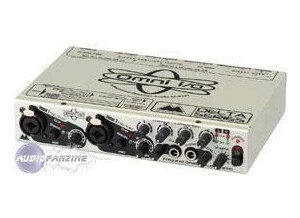
    Bought this piece of equipment from Musician's Friend for $319. It came with the Delta66 audio card (PCI) and the Omni breakout box. I just needed an inexpensive way to turn my PC into a digital recording studio for home use. The audio card installs just like any PCI card into your PC's motherboard. It was very easy. My PC detected the new hardware and I installed the drivers included with the card. The Omni breakout box connects to the audio card via a 15-pin DB cable. The breakout box is a "must have". Instead of fumbling around behind your pc to hook up and unhook instrument cables, you just plug your instruments into the breakout box. The DB cable included with the Omni Studio is 6 feet long, so it gives you enough length to set the breakout box in a convenient place. And the breakout box has all sorts of controls, input and outputs, so its very versatile. And the sound is great! Very, very low noise with this model and the digital reproduction of live sound is extremely accurate. It came with 2 manuals (one for the Delta66 audio card and one for the Omni breakout box) that were well written and relatively easy to understand (though this isn't a simple piece of equipment!). Another handy feature is that the 2 analog inputs are "Neutrix" jacks, meaning you can plug an XLR or 1/4" cable into them. Very handy! This is an awesome unit for the money. I do with the DB cable was a little longer. The breakout box is rather smallish (2in high X 9in wide X 6in deep). There are so many knobs, inputs and outputs that everything is sort of crammed onto the unit. Some of the knobs are hard to turn because of their close proximity to other knobs. But everything is well labeled and, if you have some background with basic music gear, rather intuitive. But be sure to read the manual BEFORE you even hook it up! One other thing...you only have 4 inputs (2 Neutrix jacks and 2 1/4" jacks), so if you plan on recording more than 4 voices/instruments at once, you'll have to use an external mixer. The Delta66 audio card seems well built, but all PCI cards look the same to me. The Omni breakout box is very well constructed. It has a heavy metal frame and the knobs and buttons feel like high-quality components. All in all, it seems very heavy duty. I've had this unit for about 4 months now and I've been very impressed with the quality construction of the unit. But the true test of any equipment like this is the sound quality. Trust me, this unit sounds great. It's fairly easy to use (but you MUST read the manual!). I would highly recommend this unit to anyone interested in home recording. This review was originally published on http://www.musicgearreview.com

  • « Great card in it's day »

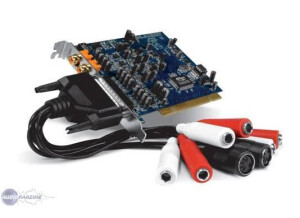
    I purchased this card because it was affordable and it and it allowed me to connect both my Midi controller (before usb midi controllers were popular) as well as my turn table. I use this card for music production and a little armature vocal recording (thought I was a vocalist at the time). I was tempted to use it for other instruments but never really enjoyed using 1/4 to RCA connections. I mean I've done them here and there and just had bad results but I've heard good results as well. UTILIZATION When I used this audio card the drivers were stable M audio has updated the drivers since the release of the original. For the best possible experience with this maudio card I would suggest installing ASIO4ALL drivers as well. I don't remember exactly how much latency I encountered with this card I do remember that whatever latency i did experience wasn't enough to hurt my music creating experience especially with the use of ASIO4ALL.. I used a few different applications with this card. Reason Cubase Ableton live Sonar Mostly reason but I had to run over to the daws and record my vinyl records from my turntable because at this point and time reason didn't record audio. GETTING STARTED I didn't run into any compatibility issues I did however run into a driver issue but that was my fault because I installed an older version of the driver then tried to install an updated version of the drivers over the older driver. So what must be done is uninstall the old drivers before installing the new drivers (just to be safe). The configuration for the card is simple and easy to adjust/reconfigure. The manual is very easy to follow and understand, basic but easy to understand none the least OVERALL OPINION I wish this card had more I/Os and or option I/O connections. I feel the sound quality was more than sufficient,it got the job done and it got the job done well (very well). I think the card was fairly price just wish it had a few more bells and whistles but fairly priced. The only other cards I've had experiences with before this was gaming sound cards primarily "Sound Blaster". Knowing what I know now I'd go with a higher quality USB or fire wire interface but back then they weren't an option so had to work with what was available

  • « i prefer m audio's external sound cards »

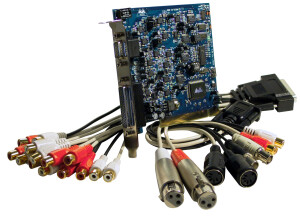
    The M-Audio Delta 1010 LT is a high powered sound card that will definitely do exactly what you need it to do for your home set up, it has a 24 bit/96.6 khz sound card that has eight analog inputs and outputs, SPDIF in and out, and MIDI in and out. And just the fact that this is made by M audio says enough. M Audio has always put products out that they stand by and offer great support for. This card can record up to eight tracks simultaneously. Two of the analog inputs are XLR, allowing for direction connection to microphones. UTILIZATION I have used this with windows xp and vista and there is some latency, but this may be due to my computer being older. I know latency is an issue with digital recording, which is one of the major reasons why I generally record on analog equipment. GETTING STARTED There are some issues with routing the hardware to the output but its nothing that will hold you back for too long. I have used this for quite some time and it is a great product for the money. OVERALL OPINION The M Audio Delta 1010 LT is a card for someone that wants to do some good recording from home with there small set upt Most peoples first recordings come from home so this fits righ tin. I still could have transferred my sound files from a machine like the 788 into the computer, allowing me to mixdown in the computer, but I did not know then what I know now. Still, for someone who wants to do everything on the computer, and doesn't care about the potential for crashes, interrupted recordings, jitter, latency, but overall this is a great pc card if you are looking for a soundcard that is built in, but at the end of the day most of us choose to go with an external supply because they are easier to install. I suggest looking into M Audio’s External controllers. They will be way better.

  • « Good entry level sound card »

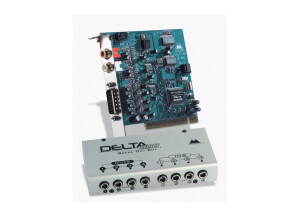
    The M-Audio Delta 44 has a PCI card that connects to your computer, which is connected to a breakout box via a cable. This is a four input/output sound card. Up to four tracks can be recorded simultaneously to your home PC DAW. With the virtual mixer in your DAW software, multiple tracks can be recorded, you are only limited by the hardware capabilities of your PC. This means overdubs can be recorded with up to four separate tracks at a time. There are no MIDI facilities on this card. Multiple Delta 44's can be installed onto the computer for more simultaneously recordable tracks, but I haven't had any experience in performing this operation. UTILIZATION I use this hardware with Windows XP Service Pack 2 and haven't had any problems. There is some latency, but this is the nature of the beast with digital audio workstation recordings (on of the big reasons why I record mostly analog). GETTING STARTED It is a pretty easy, straightforward installation. If you get confused, just refer to the manual. As with any sound card or other hardware installation, there may be compatibility issues, but I had none with my Dell desktop. OVERALL OPINION This is an OK sounding card. Much better sounding cards with better sounding digital converters exist, but not really at this price range, and those installations are a bit more complicated. It served its purpose. For my desktop I know have a Delta 1010, which also adds MIDI and SPIDF, a greater number of channels and direct XLR inputs for microphones. If I could go back in time, I probably should have gotten the Delta 1010 instead, because the type of recording I do usually requires more tracks at a time than a mere four. But, for a solo recordist, four tracks may be plenty.

  • webstersays's review

    I got this as my first sound card for when I wanted to record at home. I used it to record my guitar and singing. I have a windows vista computer, it's a dell. It has a pretty fast double core processor and 2 gigabytes of ram. It has a CD drive as well. I use it with the ableton live recording program. It works very well and I am able to get pretty good recordings with it. UTILIZATION I had someone install it for me who works with computers. It only took them about 10 minutes to get it in the computer. It seemed to work perfectly, they didn't say there were any problems with it. There weren't any issues with compatibility with my recording program and this sound card. It is really easy to use - there isn't much to it. I never actually needed to use the manual because it's so easy to use. The manual was pretty thick though so I would say that the manual should be sufficient. GETTING STARTED The drivers for the sound card work very well and there are no problems so far. I don't know if they are often updated, but I have never had any problems so I never had to get different ones. I always use this with Ableton Live so you can tell it works really well with that program. I get really good latency, which means it doesn't lag behind a lot. I can record a couple tracks at the same time, but I only ever use one. It works great for that - just plug in your microphone and you can record. OVERALL OPINION I have been using this for a couple of years. I like how easy it is to use and that it sounds very clear. I used to use a different sound card and it was not even close to being as clear sounding as this one. I haven't tried that many other models, but this one sounds very good to me for just a small home studio kind of thing to record myself. It was not that expensive compared to the other options, so I think it's a very good value. I would get it again if I had to choose another sound card, I have had no problem with it and it's so easy to use. It's a good buy!