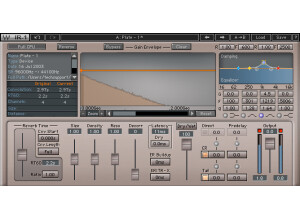
With the IR-1 being such an extremely versatile and somewhat hard to use plugin, it's no surprise that they'd create a sister program for those who don't need all that versatility and just need a solid reverb. This plugin has a very similar sound to the IR-1, but it's so much easier to use. The interface is upgraded a bit, and it's laid out in a much easier to utilize manner. You have a setting for CPU mode, an IR graph, a reverb time section, dry, dry/wet mix, crosstalk, direct, pre-delay, gain fader and an output knob. I never experienced any compatibility issues when running this, so I can't comment on anything negative regarding that. I also never read the manual, so I can't tell you how clear that is. I can tell you that the plugin itself is a lot easier to use, so there shouldn't be any real need to use a manual with it. If you're confused about anything, adjust it. That should give you an idea as to what it does. SUITABILITY/PERFORMANCE This plugin is as solid as a rock, just like every other Waves plugin out there. They've very well known for having some of the most stable plugins in the music business, and this is no exception. The coolest thing about this is that it has a CPU feature to make sure you're not hogging your entire processor when running this. While it wasn't an issue on my Mac Pro, it could be for those who have somewhat dated hardware. The biggest issue with this is that they're all 32 bit plugins for OS X. I run Logic Pro, and while it has a 32 bit bridge to utilize these in a 64 bit environment, I'd still like to see these be fully 64 bit native. It would help out in so many ways regarding efficiency and clutter. OVERALL OPINION I generally use this plugin more than the IR-1 simply because it's easier to use. IR-1 can get very complicated, and this plugin is more than powerful enough. I like using this on everything from guitars to drums to vocals. It really does work well on everything since it's so versatile. Give it a go if you get the chance. I'm sure you'll be using it often.
The IR-1 is like the mack daddy of reverbs. It has everything you can think of and then some. They have some crazy algorithms going on in this, and tons of different spaces were pre installed on this thing. As for the list of features, it has tons: a CPU mode, reverse knob, IR graph, reverb dampening, reverb EQ, reverb time section, reverb control parameters, latency, dry, ER buildup, ER/TRX crossover, crosstalk, dry/wet, dry gain, wet section, output gain fader and an output meter. This plugin is fairly hard to use because of everything that's going on. I can't stress finding tutorials on this enough. I've used it for months, and I'm still discovering new things about it simply because of everything you can do with the plugin. In fact, it's almost too versatile for its own good. Whenever I decide to make a reverb, I find myself messing with the options more than actually creating a fitting reverb at times. You can get that tweaking syndrome going on where it's never perfect enough. SUITABILITY/PERFORMANCE Waves has a well known reputation for having some of the best and most stable plugins ever to have graced the music software industry. This plugin is just like every other Waves plugin out there -- it's rock solid. The main issue I have with this plugin is that it's 32 bit. Logic and OS X are now fully 64 bit, and to utilize this plugin, a 32 bit bridge is needed. I'd like to see these plugins move towards 64 bit in the next update. It would alienate some of the older hardware users, but I have a feeling most people would upgrade their hardware to utilize these plugins. The other issue is that it can take up quite a bit of memory when in full CPU mode. I have a Mac Pro, so it's never a huge issue for me. However, others might run into trouble. Thankfully, they have a switch to allow you to select full or low CPU mode. OVERALL OPINION This plugin is so complex that it can be a bit overwhelming. I usually just want to create a basic reverb, but I tend to get tweaking syndrome with this thing. There's so much going on that I can't stop messing with what I have. Definitely try it if you're a tweaking fan, but if you need something that sounds great with less clutter, check out the IR-L.
Waves IR-360 is a plugin that's mostly used for people who are doing things involving movies. The plugin itself is a 5.1 surround reverb plugin, and it's crazy powerful. It has a CPU mode, Reverse, IR graph, reverb damping, reverb EQ, reverb time section, various reverb control parameters, latency section, dry, ER build up, ER/TRX crossover, crosstalk, dry/wet, dry gain, front/rear balance, front/rear pre-delay, wet section parameters, output gain fader and an output meter for you to monitor everything. As you can see, the plugin itself is packed full of features, and a lot of this might go over some beginners' heads. There were no compatibility issues with this plugin at all. I can't comment on the manual as I never read it, but that's because I'm used to working with plugins like this. If you're a beginner, you might want to watch a few tutorials on this to see how everything works. Thankfully, pulling up this plugin and getting a usable sound is fairly easy. SUITABILITY/PERFORMANCE Waves plugins are the king when it comes to compatibility. I've never experienced a single issue when it comes to compatibility with these things. They're cross platform compatible, so you can use this on both Windows and OS X. If I had to list one gripe, it would be that these plugins are 32 bit. In a 64 bit world, the 32 bit plugins can be a bit annoying as a separate bridge program usually needs to be activated for them to work in a 64 bit environment. That aside, the plugin is great. The cool feature about this is that, despite it being powerful, you can use it on some lower end systems if you remember to press the CPU button in the plugin. That'll prevent it from wreaking havoc on your RAM. OVERALL OPINION The plugin itself has some limited uses for my application as I mainly deal with stereo sounds. However, when I tried this with my Final Cut Pro movie I made, it worked awesome. I find it sounds very natural and authentic without having that fake harshness that so many reverbs out there can have. I recommend anybody who deals with 5.1 sound to check it out.