Log in
EN
FR

Acoustica

18 products found

Categories
Filter
Sort by
Evaluation
  • Reviewed or not
  • Editor’s award
  • Reviewed by Audiofanzine
Availability
  • Available or not
  • Sold new or used
  • Sold new
  • Sold used
Must-have products
  • All products
  • Flagship products
  • Best rated products
  • Hot products
  • Popular products
Price
  • Freeware
€
Clear
Sort by
  • Popularity
  • User ratings
  • Price - low to high
  • Price - high to low
  • Used price, increasing
  • Used price, decreasing
  • Name (from A to Z)
  • Name (from Z to A)
  • Added on
Choose a category
Sort results
  • Popularity
  • User ratings
  • Price - low to high
  • Price - high to low
  • Used price, increasing
  • Used price, decreasing
  • Name (from A to Z)
  • Name (from Z to A)
  • Added on
Filter results 18 results found
Evaluation
Availability
Must-have products
Price
  • Freeware
Show results

The best Acoustica reviews

The reviews Audiofanzine members found the most helpful.
  • « Just like a real piano »

    Acoustica Pianissimo is virtual piano software that can be used as a standalone piece of software or as a plug-in in your DAW. It is available in AU, VST, or RTAS formats as a plug-in. I've used it both as standalone software and in Logic, but I don't own this software on my home system. Since I don't own this software myself, I wasn't involved with the installation process and can't really speak about it. The interface of the software offers up a whole lot of control over your sound, with a ton of different preset starting points that model all sorts of different acoustic pianos. For example, there are piano sounds modeled after Yamaha, Steinway, and many other famous piano brands. The amount of control over the different pianos is really outstanding, as you have absolute complete control over what you're end result is. Beyond the control, which would is too in depth to go into detail here, the sounds are some of the best that I've heard when it comes to digital piano modeling. It's definitely the most realistic sounding virtual piano that I've heard, as I really can't think of another that I like more. I'm usually not opposed to using this on recordings of all types, but in general I do like to use a real piano when possible. However, this isn't always something that is possible, so when it's not Ivory would definitely be my first choice for a virtual piano. The price is definitely reasonable, as it isn't too expensive but also isn't dirt cheap. It's definitely worth it if you're going to be using a virtual piano a lot, as in my opinion you're getting the closest thing to a real piano in the digital world. Pianissimo virtual piano is a must have more anyone putting together a virtual suite of instruments.

  • « last »

    vsdergdfgzerthgrthzrthzrtrtazertyuilsdhghfghdfghfhfghtrherhrthzehrthertherthrthztrhhzhtrhzthzrthztrhzttzmiphiortpkhrtjhmlkgjhlkfjgklh,f;h,dlkfgjhkjf shofdj hpeirtj opiiij hoitr jhpoij triophjz prh pozh ^z rtjhzortjhitjrit iojhzjtr hiojiogjiojr oigrioio ueoirtoizeurotiuozrutoirotizeurtozriotuzoeir utoizerutouroiutozperioutpoiureoituoierutioueropzeroipzeoirut oizeru toiuroitu eroituzoierutioeuriuituzperoi utpzerio utpaoiuertiaouioertuoierutioueoriutaoiureiotaoiutoiautioauioerutaioueriotauiouetoiauioeutioaertioeuoirutioerutaiopuitueriotu aiouertoiaureoitueroitueriotuiaoretuaioruejrhjth zkjerh rht eherhtio rterhtio ehrtioehroith ertoiaiitihaoh hoirtherithk itihi'a ithihj iriteit irijaiiuiuid ieiidui diititirutiuiru duiuiduiudiuiiruitu ir fgiuiusigodfoig gisdfogisirfitosurotsd sirueoitueori eioriotu eeiouroeir eioritu eoritzo ie rtoizer tizeeoirutioueior teioirt eori tuioeori toze.

  • « had some issues with plug ins »

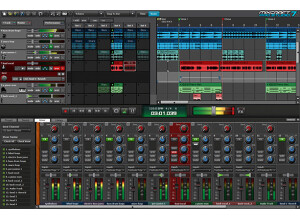
    Acoustica Mixcraft 6 is software that has 22 effects and 11 VST instruments. You can audio and video editing with this software. It is very quick and easy to install it, it will only take a few minutes to install and start using it on your Windows PC (it is only available for Windows Users). Your Windows system will need to be XP, Vista, or Windows 7. You will also have to have at least 1GHz CPU with 2 GB of RAM and it never hurts to use it with an ASIO driver to reduce glitches in the audio if you have a lot of plug-ins and effects going on at the exact same time. SUITABILITY/PERFORMANCE It does come with a manual, I have only looked at it once and never needed it. I just sort of figured out the Acoustica Mixcraft on my own. The Acoustica Mixcraft 6 comes with 6000 or more profession sounding patches and loops. They are all royalty free and you can use them in your music right away. You can also record an unlimited number of audio or MIDI tracks with Acoustica Mixcraft 6. OVERALL OPINION The Acoustica Mixcraft 6 has some really great features to it. I just didn’t like the mixer track at all, the process of arming those tracks with effects was not the way that I like to do it. Also the layout of the main screen of Acoustica Mixcraft 6 was a little weird to me, I think they could have had a better interface color too (maybe you can change it). Acoustica Mixcraft 6 just seemed more like a beginner type of program with all of the basic features. I have also had some major issues trying to run my VST instruments with Acoustica Mixcraft 6. Some of them just would not work and others would. Acoustica Mixcraft 6 was not reliable enough for me to use it as one of my main programs.

  • « Acoustica Mixcraft 4 »

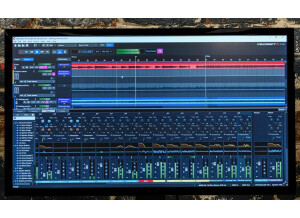
    Acoustica Mixcraft 4 is a PC-based software recording studio. Unlimited tracks, virtual instruments, loops, effects and more. I've been playing bass for 45 years. Three years ago, seeking to record simple demos on my PC at home, I purchased Steinberg’s Cubase 4, mainly because the software had a great reputation and I was able to get it at an educational discount. Still, the software set me back $400, and the learning curve was rather steep. I had recorded on four track analog machines for years and was familiar with tracking and overdubbing and knew computer interfaces well enough to make editing less than a chore. Still, I found Cubase frustrating and, after a few months, I pretty much gave up. <br><br>A friend had ProTools, but I couldn’t see sinking that kind of money into software I didn’t plan to use professionally. He also had GarageBand, but I had a PC. What to do? An Internet search led me to Acoustica Inc. and Mixcraft, 4.0. Acoustica offered a free trial, and even better, they bundled its virtual drum software, <b>Beatcraft</b>, for less than $100. <a href="https://www.acoustica.com">https://www.acoustica.com</a> I had been using Acoustica’s <b>CD Labelmaker</b> for some time and knew their software was reliable. I downloaded the trial program of Mixcraft and had a song laid down, with drums, keyboards and bass, within three hours. I bought the package the same day. I found it intuitive, easy to use, and flexible. The program is very easy to figure out and the amount of virtual instruments provided gives you great flexibility if you have even simple MIDI keyboard. I have no negative comments. It's a great deal and fun to use. Obviously, a large, widescreen monitor is best to get the maximum size for the interface. It's software, so there are no 'physical' aspects to comment on. Download and installation was flawless. It has never crashed or hung up on my current machine, which has 6GB of memory and a 2.4 GHz processor. Mixcraft 4 is a n very affordable, easy to use recording software package from Acoustica, Inc. I was recording and mixing within hours of downloading the free trial and purchased the same day. I expect similar results from <b>Mixcraft 5, </b>just released (March 2010) with an upgrade price of $19.95 for previous users and a first-time user price of $74.95 This review was originally published on http://www.musicgearreview.com