Log in
EN
FR

Dr. Scientist

15 products found

Categories
Filter
Sort by
Evaluation
  • Reviewed or not
  • Editor’s award
  • Reviewed by Audiofanzine
Availability
  • Available or not
  • Sold new or used
  • Sold new
  • Sold used
Must-have products
  • All products
  • Flagship products
  • Best rated products
  • Hot products
  • Popular products
Price
  • Freeware
€
Clear
Sort by
  • Popularity
  • User ratings
  • Price - low to high
  • Price - high to low
  • Used price, increasing
  • Used price, decreasing
  • Name (from A to Z)
  • Name (from Z to A)
  • Added on
Choose a category
Sort results
  • Popularity
  • User ratings
  • Price - low to high
  • Price - high to low
  • Used price, increasing
  • Used price, decreasing
  • Name (from A to Z)
  • Name (from Z to A)
  • Added on
Filter results 15 results found
Evaluation
Availability
Must-have products
Price
  • Freeware
Show results

The best Dr. Scientist reviews

The reviews Audiofanzine members found the most helpful.
  • « From Simple Reverbs to Amazing and Unique Soundscapes »

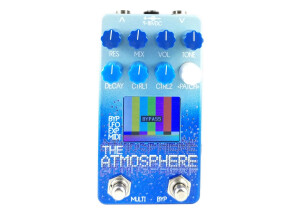
    SOUND: Sound-wise, there are two aspects to consider. First, the quality and clarity of sound of The Atmosphere is superb (24 Bit A/D converters at 33.2kHz sample rate); and second, the effects produced are amazing and unique. If we consider something traditional and basic, the Plate reverb sounds like any other plate reverb in some respects (if kept subdued), but as you tweak the controls to affect pre-delay, bass, resolution, tone and decay, it no longer sounds like a plate reverb. It may have plate characteristics, but it morphs into something on a grand scale. Couple in the fact that you can ‘freeze’ the reverb into a drone (as you continue to play, or not) and you would be hard pressed to think of it as a simple plate reverb. The latter aspect is what makes The Atmosphere so usable, as you can have a hint of reverb to fill out your sound (even the crazy ones sound apropos when low in the mix), but can create enormous and flowering sweeps that go far beyond the typical canyon and space reverbs currently on the market. Some of the bizarre and utterly fascinating sound-scapes on The Atmosphere include Smear, Swell, Filter Mod FX, React, Aether and Alias (at least those stood out for me as being more unusual and original, but hats off to all the algorithms… not a stinker in the bunch). And to make these sounds even more dynamic is being able to include an Expression Pedal so that you can affect the reverb’s volume, mix, decay, etc., as well as the two elements controlled by the Ctrl knobs (e.g., controlling the low-pass and high-pass filters with the Filter algorithm). As stated, although The Atmosphere’s Multi footswitch can be assigned to do several things, you would be hard-pressed not to assign the ‘freeze’ function – nothing like a mesmerizing spaced-out drone to play a melody over. OVERALL IMPRESSION: The Atmosphere is not a budget pedal at $399 USD, but the tones, sounds, and flexibility (besides many of the original algorithms and MIDI capability) make The Atmosphere a must have. The best way to think of The Atmosphere is not as a traditional pedal, but a computerized multi-effects unit (this may be a ‘reverb’ unit, but there are modulations, delays and other effect elements involved). There are some basic industry standards here, including Spring, Hall, Room and Plate reverb, but even then there are some unique features that turn those basics into massive and spacey reverberations. And then you have some unique ‘atmospheres,’ including Alias, React, Swell and Smear. In total you have access to 16 fantastic algorithms, each being a Preset that you can edit and save (if so desired); as well, you can take an algorithm/preset and manipulate any of the elements on the fly to produce sweeping sounds, glitches and anything between. Two of the more entertaining functions include using the Multi footswitch as a Freeze button, so that you can create a drone that you can play over, and adding an Expression Pedal to produce unusual life into compositions. This is such a high-end effects unit (producing awesome sounds) that the only thing lacking is a stereo out. Nonetheless, the uniqueness of reverbs and soundscapes will make The Atmosphere a much desired addition for any ethereal artist. GENERAL USE: When turning on The Atmosphere, it picks up where you left off (when it was turned off last). There are 16 Presets that you scroll through, each being a different algorithm or ‘atmosphere’ (scrolling can be done via the Preset knob or the Multi footswitch). For instance, the first preset is Spring (spring reverb), and you can be in preset mode (as created by the factory) or you can tweak any of the elements (e.g., mix, decay, etc.), which takes you automatically in default/editing mode. And you see all this information live and on the LED screen (it takes mere minutes to learn how to use The Atmosphere effectively). You can save your changes as a new preset of that algorithm if desired (and there’s also a function to restore the pedal to factory default). With any of the reverbs you can adjust the resolution (slower, longer and grainer reverb vs. smooth and refined), the overall mix (wet/dry), the volume, tone (more bass vs. treble), decay (how long the reverb lasts) and then two other elements. Those other elements are set by the Ctrl knobs, and the two elements differ from one preset/algorithm to the next. For example, and with the Hall reverb, Ctrl 1 affects the amount of pre-delay, whereas Ctrl 2 affects the amount of bass. With the Smear reverb Ctrl 1 affects the diffusion, whereas Ctrl 2 affects delay time. Any of these can be manipulated to produce real-time changes and effects, done either by hand or via Expression Pedal (you can assign things like mix, decay, resolution, volume and the elements associated with the two Ctrl knobs). The Multi footswitch also can take on different roles, whether you assign it to select different presets, used as a ‘freeze’ switch, a tap tempo, etc. Two roles can be assigned to the Multi, whether you hold the footswitch or click it once. OTHER DETAILS: A standard sized pedal, The Atmosphere measures about 120 mm (L) x 65mm (W) x 65mm (H) with knobs (4.7 x 2.6 x 2.6 inches). The heavy-duty metal chassis has powder coated and textured blue that blends/shades from dark to light. You can feel the paint texture of the graphics, indicating a good paint thickness. The eight knobs (Res, Mix, Vol, Tone, Decay, Ctrl1, Ctrl2 and Patch) feel of heavy plastic and will withstand normal use and abuse (they are far removed from the two footswitches). All knobs have good quality pots (smooth and very solid when turned without any static or noise, although the Patch knob has a ‘click’ factor when turned and when choosing patches). The two soft footswitches (Multi and Bypass) are solid in feel with a good spring to them. The LED screen is near the footswitches, which is inconsequential since the switches sit well above the screen. The cable input/output and power supply are located in the back, keeping any small cable inserts away from a stomping foot. The MIDI output is located near the front end on the left side, which may eat up a bit of pedalboard space (no way of having it in the back due to the pedal’s size). The Atmosphere does not run on batteries and requires a 9VDC 300mA power supply, which is included.

  • « Dozens of sounds for multiple patches - a tweakers dream! »

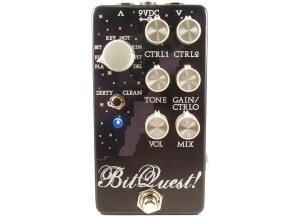
    SOUND: Below is a YouTube video that demonstrates some multi-layering of tracks while using each of the patches or effects: Many of the patches are very unique in what they offer or can offer (as you turn knobs you get very different results). An example is the Ring Modulator, which actually sounds good and is usable. I’m not a fan of Ring Modulators… never could find a use for them because they often sound like fingernails on a chalkboard to my ears. This one is different, as are the other effects. As with the Flanger, which can produce typical flange-type sounds (obviously), you also can achieve some unique chorus sounds and modulating comb filter effects. Likewise, the Reverb can sound sinister and ominous on some settings, and the Delay has its own creepiness about it. I’ll address the other effects later, but you also get High and Low Pass Filters, a Notch Filter, a Bit Crusher and Octave Pitch Shifter/Harmonizer. And if that’s not enough you can play clean (your guitar’s original signal) or flip a switch for the built-in Fuzz, which can range from lo-fi to fat and chunky, depending on the settings among the various patches. OVERALL IMPRESSION: There is so much to like about this pedal, a Swiss Army Knife with several patches and dozens of tonal possibilities offering hours of investigation and experimentation. It would be cool to utilize more than one patch at a time, but then we’re getting into digital territory and defeats the BitQuest’s footprint (and price tag). What’s is most impressive is the sound and quality of each patch or effect, which stands apart from what you typically hear as a flanger, bit crusher, or even a reverb. The ability to tweak various knobs (and that the knobs can ‘mean’ something different whether playing clean or if engaging the built-in fuzz/distortion) can produces such a wide array of possibilities that the BitQuest has become an obvious ‘most popular’ Dr. Scientist pedal. BitQuest is an eye-catching pedal, with one half boasting a sparkle paint that is reminiscent of deep space and its stars (with two black knobs), whereas the remainder of the pedal involves two color zones with matching knobs (pink paint with pink knobs and purple paint with purple knobs). You can’t miss this on a pedal board. EASE OF USE: Those who want a simple plug ‘n play type pedal should avoid the BitQuest, but those who want a lot of tools, sounds, effects and a greater potential for diverse music composition will not be disappointed. There is so much possible tweaking with this pedal, and in that regard BitQuest literally is addictive to a gear junky. The Mix knob is not overly sensitive until you get past 12 noon (when you really start to hear an effect). It’s around 2-3 o’clock that you get anequal mix of both the guitar’s signal and the effect. Up full and you may start to salivate! The Fuzz/Clean switch is obvious, although how it affects each patch can differ. For example, when using a clean signal Control Knob 2 sets the delay time of the delayed signal giving you the flanger effect. Conversely, when using the Fuzz, Control Knob 2 controls the flanger level. And so there is a learning curve to BitQuest and it may be helpful to write down settings when you happen upon something cool. Fortunately, Dr. Scientist not only provides full descriptive details of each patch, but also a quick reference Control Guide for your deep-space travels so that you know what Control 0, Control 1 and Control 2 does with a particular effect (e.g., Flanger, Reverb, Bit Crusher, etc.) and whether playing Clean or with Fuzz. One thing to note about the BitQuestnote is that when you switch from Clean to Fuzz (or vice versa) the opposite does not click in automatically. For example, say you are using the Reverb with a Clean signal and you want Fuzz. You have to click off Reverb (to a different patch effect), flip on the Fuzz and then dial back to Reverb. It sounds a bit glitchy at first, but it’s not a big deal when you’re used to it. RELIABILITY & DURABILITY: Dr. Scientist has a great reputation in the pedal industry, for producing quality products, but also products that last. Typical of most pedals is the steel outer casing with very decent looking paint quality. The ‘mini’ on and off ‘soft’ foot switch (no hard clicking) sits on the very edge of the front of the pedal, to provide some clearance for the knobs and Fuzz/Clean switch. The Fuzz/Clean switch sits back from two of the knobs (Volume and Mix), which offers it some good protection. The knobs are plastic, but of a decent quality. All the connections are in the back, which not only saves on pedal board space, but keeps the inputs and cables from harm’s way. Lastly, BitQuest does not run on batteries, but its advanced circuitry allows you to utilize a 9-18VDC power supply.

  • « Digitally controlled Analog Filter Pedal for quality sound »

    Filter pedals are nothing new, but the Dusk not only sounds robust, it has plenty of nifty features, ideal for keys/synth, bass and guitar. Sound-wise, Dusk is an analog +/-24dB/Octave low pass filter that is controlled digitally. This means you can save four preset (although not the Resonance setting, which is analog) and still have old-school tones, thanks to its Operational Transconductance Amplifier (OTA) circuit. The OTA runs off split +/-9V rails, which is tech talk that goes over my head, although Dr. Scientist indicates this is how Dusk achieves its high quality, yet deep filter sound. The digital side of things provides features like the preset saving mentioned, but also filter setting, tap tempo, MIDI and six LFOs that fit under a typical-sized pedal chassis. Now, I do not need to explain the virtues of Dusk’s sound beyond the above, since the accompany demo speaks volumes. When integrated within an amp’s FX Return, the filter sweep and resonance are both more subdued… calm, gentle and providing a nice accompaniment to one’s playing. Place Dusk in front of the chain (in front of an amp), however, and the result blooms into a far more aggressive effect. Consequently, Dusk’s result does vary depending on where you place it, as demoed in the video. I’ll go over the features in brief, which also addresses Dusk’s overall potential. There’s the basic Volume knob, and obviously a Filter knob (mode dependent that controls the filter cutoff or filter range) and a Resonance knob (analog feedback), since we’re dealing with a filter pedal. The diversity comes in with the other controls. The Mode button offers a selection of Cutoff (manual mode that requires you to control the filter with the filter knob), Envelope (filter responds to input dynamics) or LFO (six waveforms that react to tap-in rate). The Alt Features button allows you to choose the manual speed (Cutoff mode), whether to include a regular or reverse direction of the envelop (Envelop mode) or which of the six waveforms you want (in LFO mode). The LFO waveforms include Sine, Ramp, Saw, Square, Sample & Hold, and Random. Next, there are two stomp switches, the right controlling on/off of this true-bypass pedal, and the left being a multi-stomp (hold for filter sweep in Cutoff mode, hold for freeze filter in the Envelope mode, and press for tap-tempo or hold to ramp rate down in the LFO mode). Finally, besides having MIDI capabilities to control the digital aspects, there is an expression pedal/CV control over the filter cutoff (demoed in the video). This may seem like a lot, and it is, but operation becomes very straight-forward with an hour or so of fiddling. Overall, this is one of the better filter pedals I have used and heard, with its mono-in/mono-out operation and multiple functions that offer a great number of effect possibilities via its high-quality analog signal path. Perhaps one drawback is that you cannot combine one feature from a particular mode with other features, e.g., adding a reverse filter or freeze filter to the LFOs. Regardless, the sound is full and very vigorous, certain to make an impression with keys or strings. At $199 USD, the price of Dusk is reasonable and typical among quality pedal builds. Engineered in B.C., Canada, Dusk has some premium quality parts, as would be expected from Dr. Scientist, including top mounted audio and power jacks and a dark ruby red sparkle paint on its aluminum chassis (70mm wide, 129mm long, 59mm tall ). Both footswitches are soft touch, producing no popping or noise when engaged. The pots are smooth, and the two pushbuttons select features/functions without glitching or making noise in the signal. It requires 150mA power via a 9VDC 21.mm center negative plug.