Line 6 recently unveiled the revamp of its Helix ecosystem, known for offering guitarists and bassists a complete simulation of the sound chain. In this review, we take a look at the flagship Helix Stadium XL Floor. Enjoy your reading!

Line 6 Helix Stadium XL Floor: presentation and technical specifications
For example, my HX Stomp is not quite the same machine today as it was when I bought it several years ago, so many firmware updates have made it evolve. It’s actually quite impressive: you get the feeling that the developers are doing their best to push the pedalboard OS to its limits.
The arrival of this “new generation” Helix series is therefore excellent news, as we can reasonably assume that we’re in for several years of evolutions. But you’ll see that, as it stands, Line 6's expertise already allows the Stadium XL Floor to establish itself as a very good road companion.
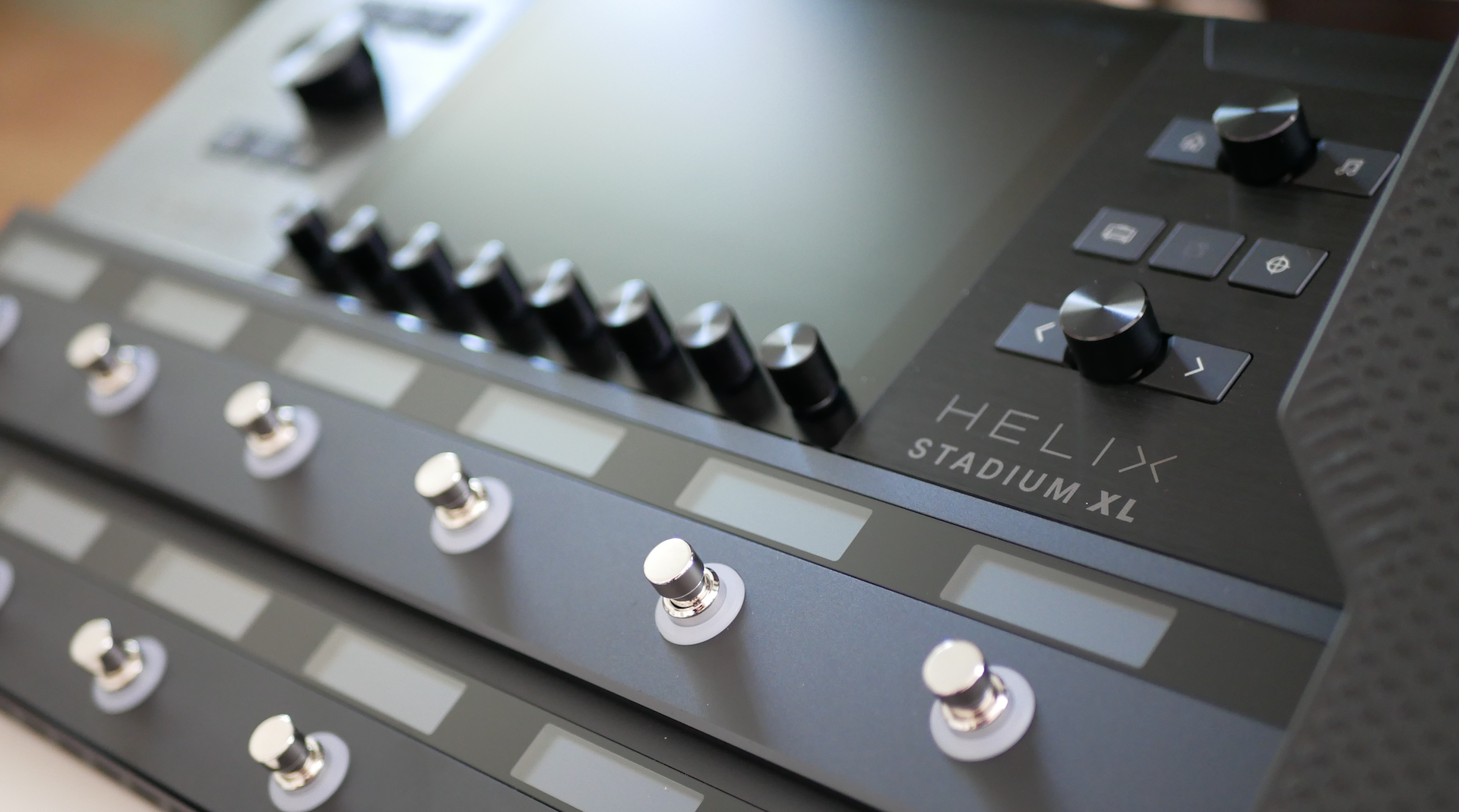
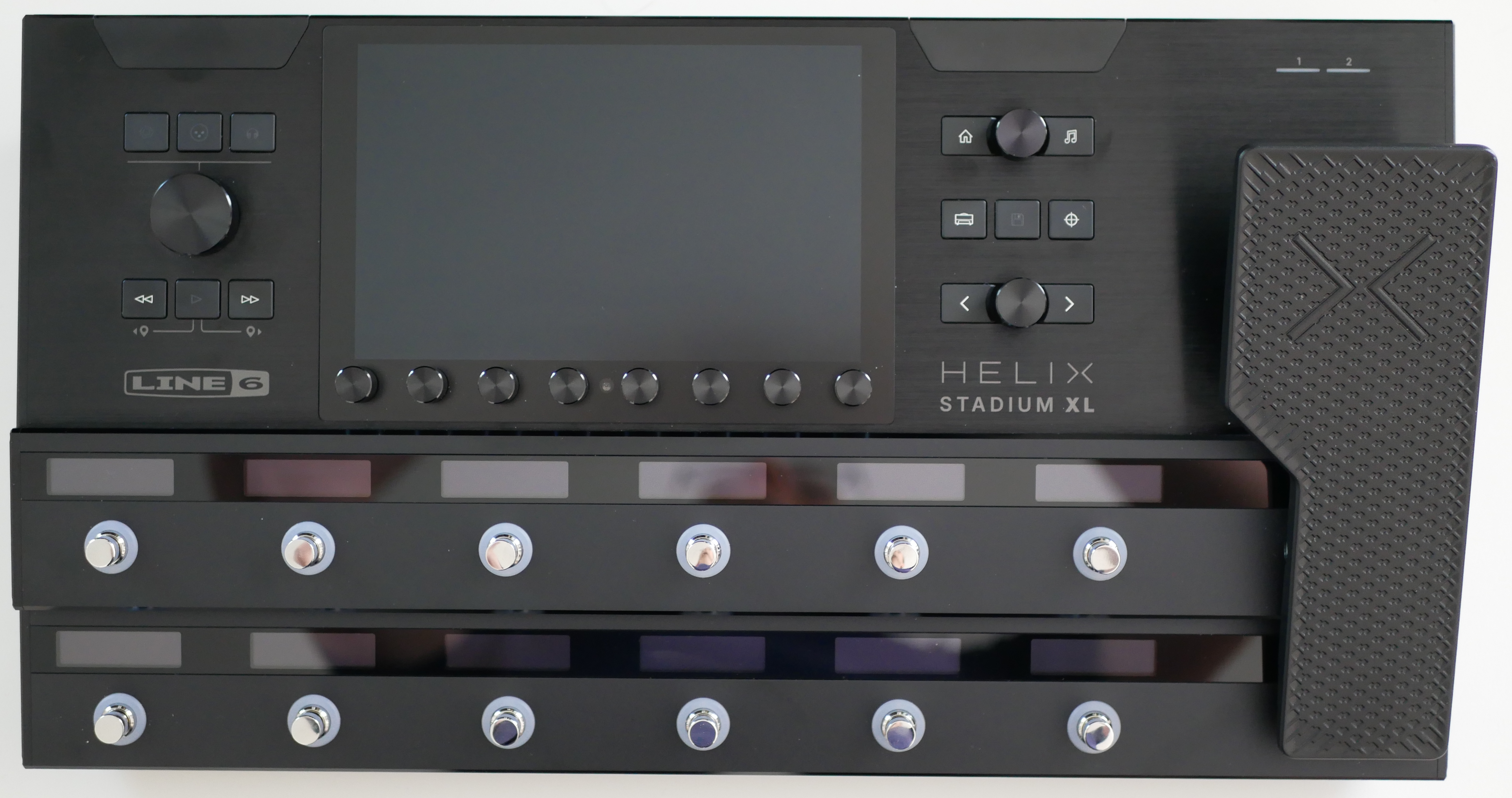
Let’s start by unpacking what is clearly the Helix mothership. The Stadium XL Floor lives up to its name, measuring 110 × 492 × 262 mm (4.33 × 19.37 × 10.32 inches) and weighing 5.25 kg (11.6 lbs). The chassis is made entirely of steel, with an attractive brushed black finish. As someone who usually likes compact multieffects, I was surprised to find the footprint ultimately rather reasonable for a device that aspires to replace all others.
Of course, the first thing that immediately jumps out is the 8-inch, high-resolution, touch-sensitive color display. It’s accompanied by 12 capacitive footswitches, each with its own, small OLED. The unit’s display technology offers pronounced contrast and a far more up-to-date rendering than the screens on my older HX Effects units. There are eight clickable encoders beneath the main screen, complemented by three more encoders on the sides and 13 pushbuttons dedicated to global functions. The XL model also features a built-in expression pedal.
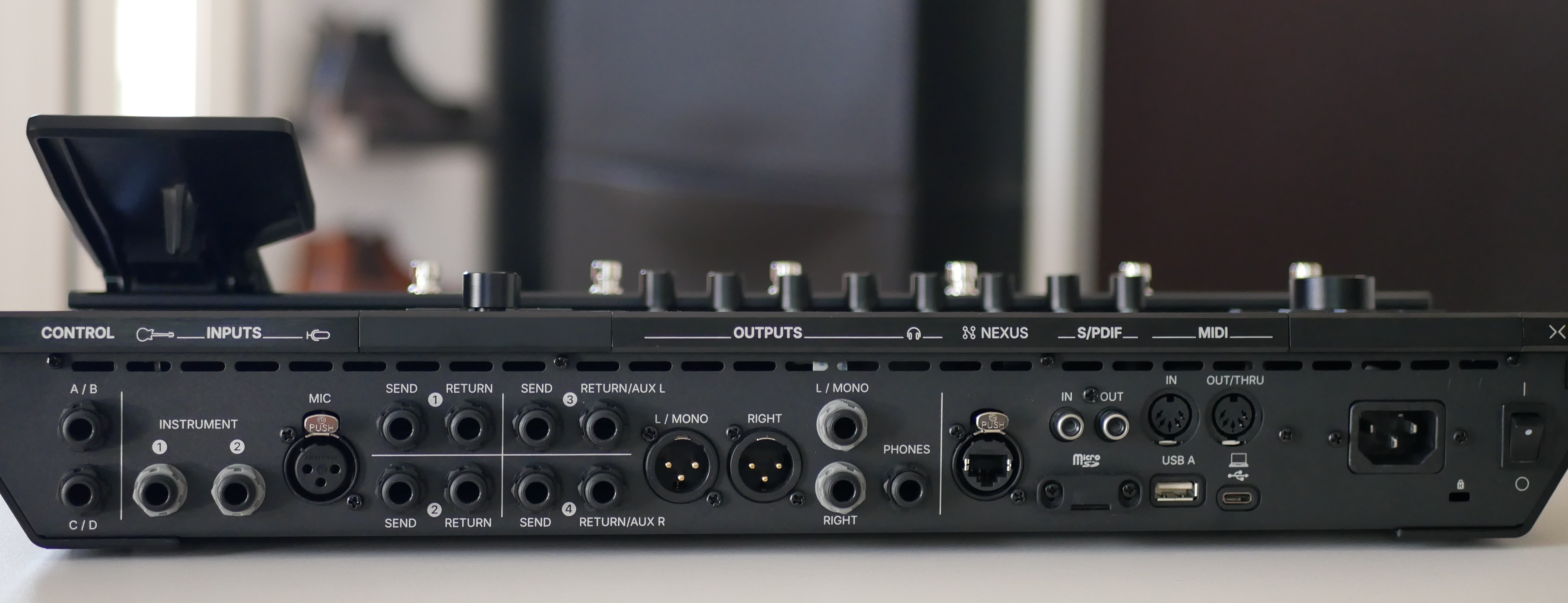
Four send/return effect loops are also available. Outputs are just as complete, with two XLRs for use with a console or audio interface, two other outputs and a TRS headphone jack, all on 6.35 mm (1/4-inch) connectors. It’s worth noting that these outputs can be used independently, enabling quite advanced routing.
The rest of the connectivity includes MIDI In and Out/Thru on DIN connectors, S/PDIF digital input/output on RCA jacks, USB-C and USB-A ports, and storage via a microSD card slot. We can also connect up to four additional expression pedals, control amplifier channels, or integrate more specific elements, such as triggers.
Finally, there’s a Nexus port for connecting extensions, such as the Expand D10 unit and potentially other devices in the future. For the time being, its utility is limited, but the idea of an evolving ecosystem is definitely there.
The build quality is quite good. The chassis looks solid, and the power supply is internal, in IEC format, which is an excellent feature. The expression pedal also seems high-quality, though we’ll have to see over a longer period of use to confirm its reliability; its size is quite standard. Of course, I refrained from crash-testing the Helix Stadium XL to assess the touchscreen’s resistance. The more cautious will probably, quite rightly, go and stick a protective glass cover on it. At about 2300 euros ($2199) at the time of this writing, it would be a shame to damage the unit.
Firmware version used during the test: 1.3.2
A well-thought-out user interface
Getting up to speed on the Helix Stadium XL Floor is actually easier than it looks. If you’ve used Line 6 HX/Helix pedalboards in the past, you’ll quickly find your bearings. The interface has, of course, undergone a slight graphic overhaul to offer something more up-to-date, but the operating logic remains familiar. The touchscreen is responsive, the definition is high enough to give a “retina” look, and the dimensions make it easy to see. In general, menu navigation is well thought out, with the ability to alternate between touch and physical controls.
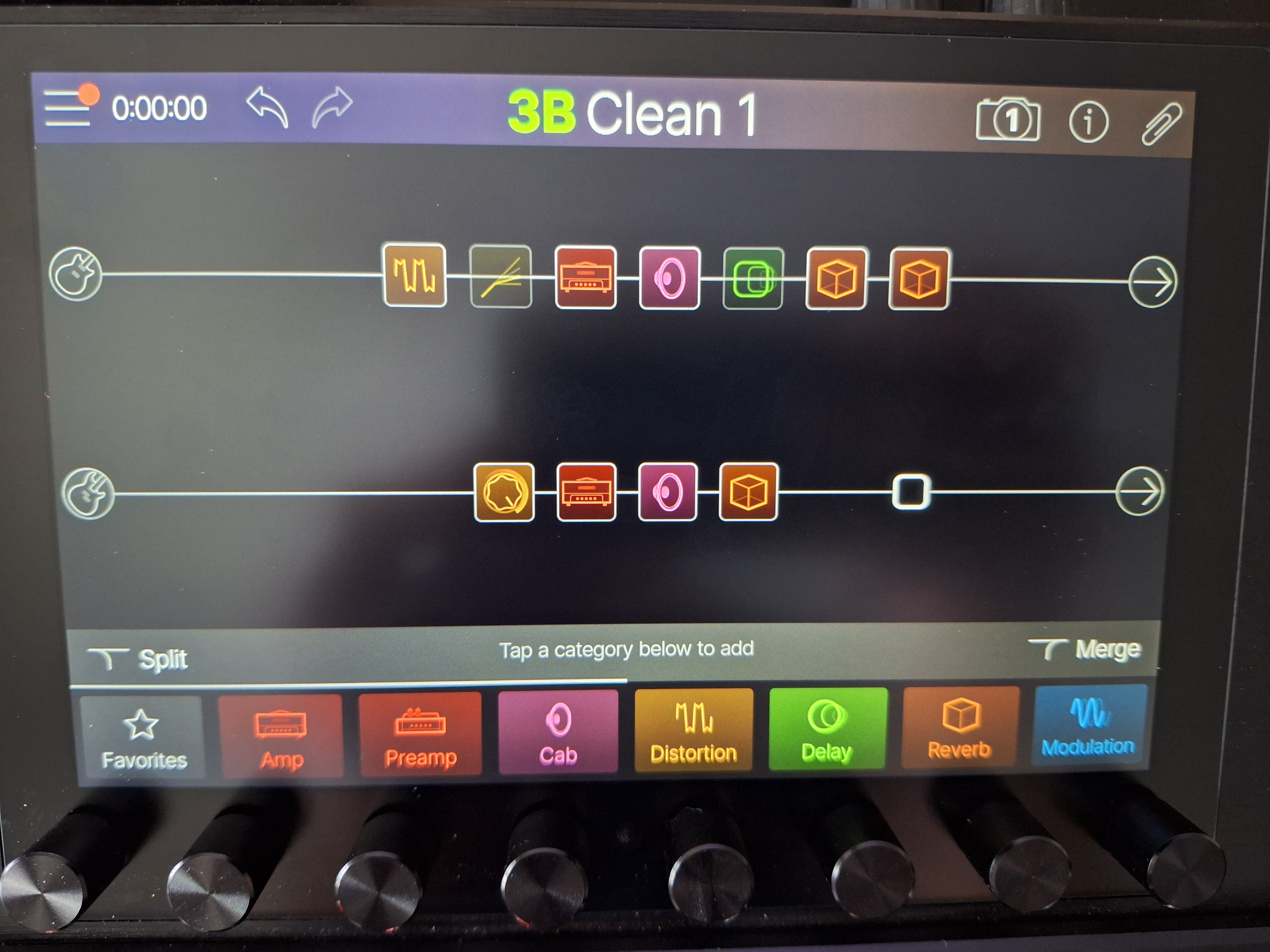
Concretely, there are two DSPs, each managing a line of effects. On each line, up to two amplifiers with their speakers can be loaded, in addition to the other effects. Since several inputs are available, two independent chains can be created. Otherwise, it’s a good idea to link the two lines to distribute the effects as evenly as possible between the two DSPs. The advantage of having so much processor power lies not only in the ability to load dozens of effects simultaneously, but above all in taking full advantage of the eight snapshots to activate or deactivate groups of effects without having to change presets.
As for the effects catalog, it was already generous on previous generations, and it’s even more so here, particularly with the addition of the Agoura amplifiers. It’s hard not to find what you’re looking for among the various categories on offer. From experience, Line 6 customers also know that each update generally brings its share of new simulations. On this point, then, no worries for the future.
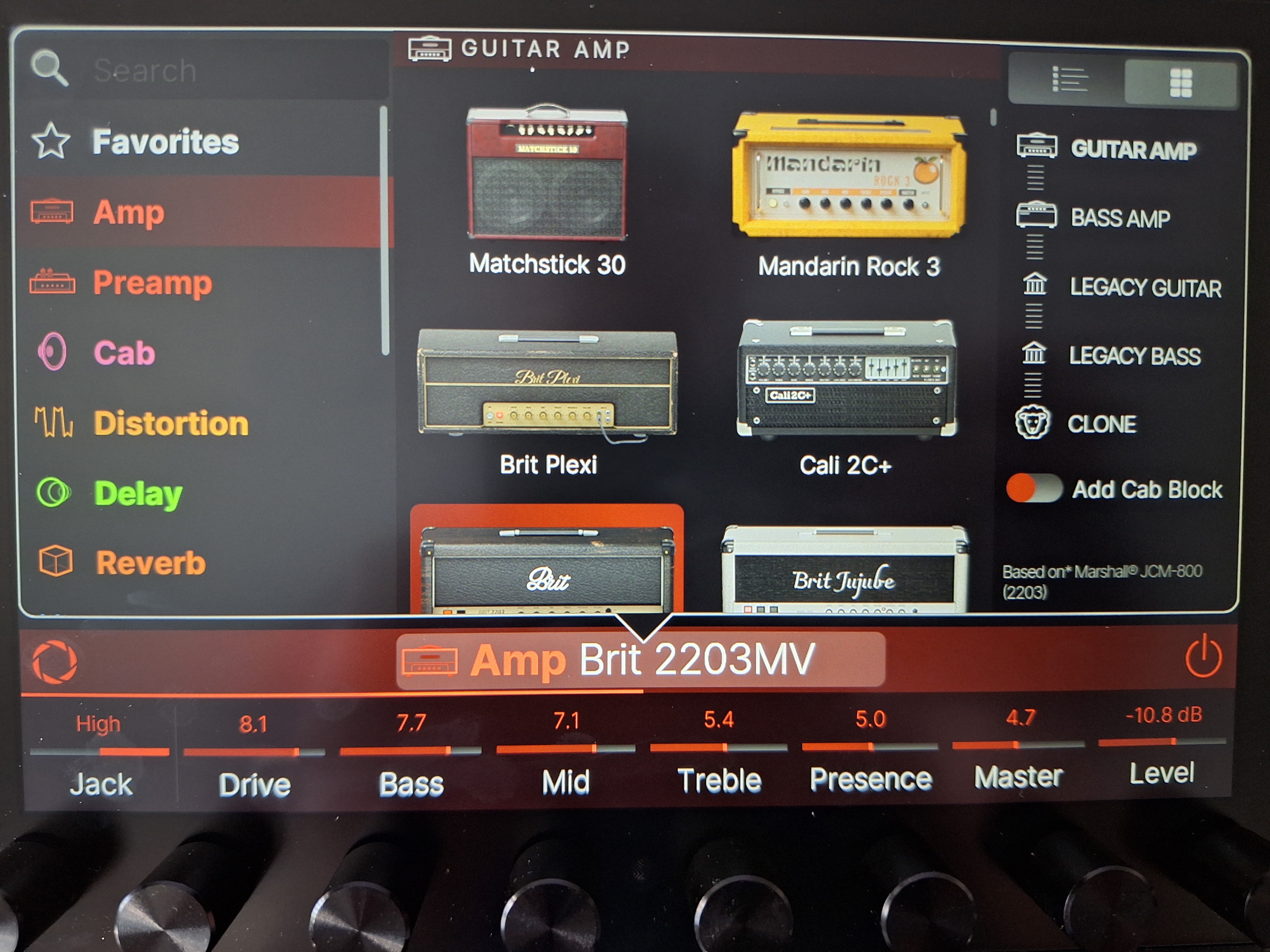
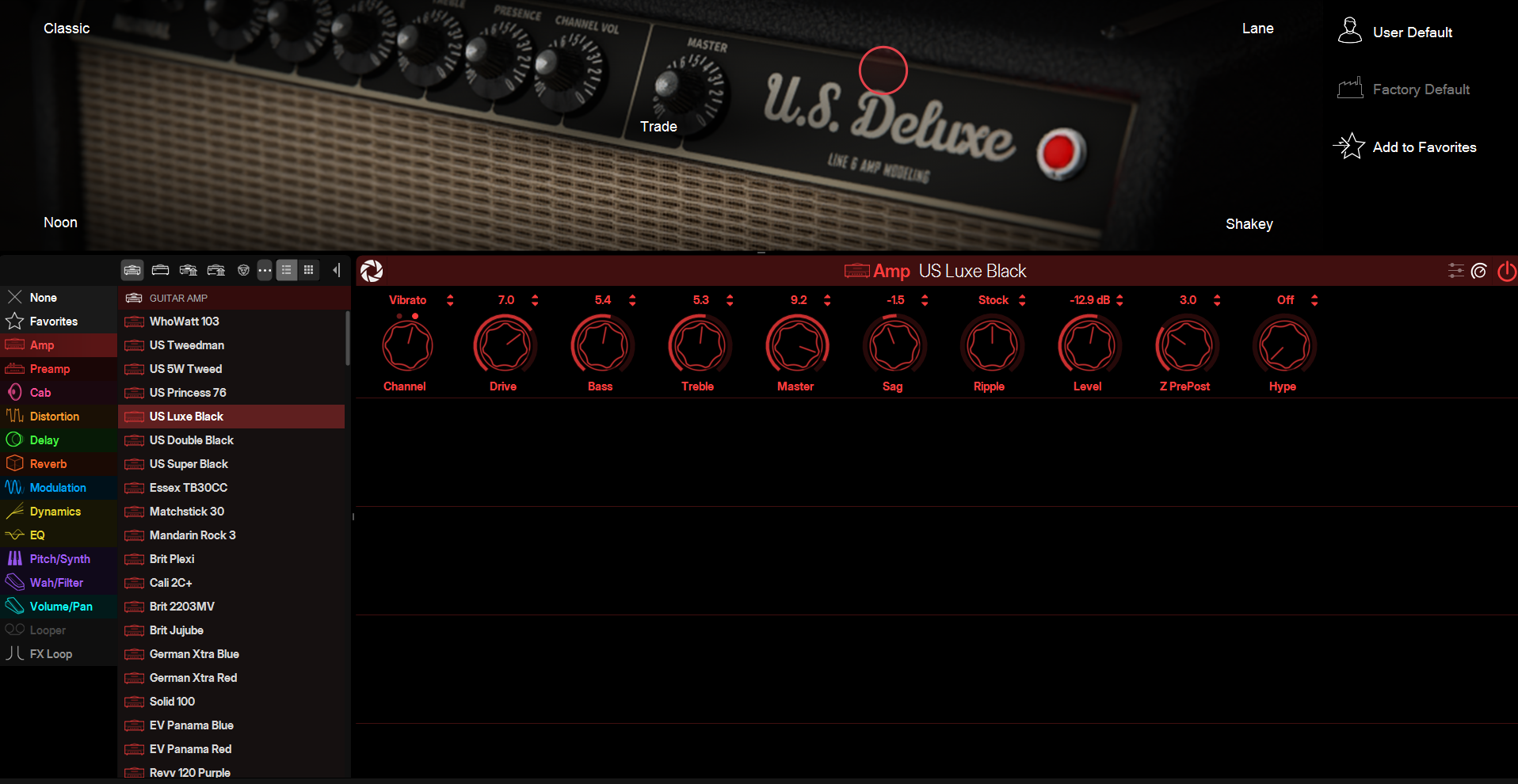
Among the interesting new features is the Focus View mode, which displays a visual representation of the selected amp or pedal. By sliding your finger like an X/Y pad, you can navigate between five presets, with all the nuances possible between two positions. It’s quite a fun mode and can save time when creating sounds, especially if you’re a little lost in the many parameters available (especially for amps).
Another new feature I found relevant concerns the Hype parameter. This allows you to orient the rendering either towards a more realistic and raw amplifier sound, or towards something more “produced." There’s really no right answer, and this parameter comes into its own in real-life conditions, particularly in groups or at high volume. Specifically, a very flattering sound that plays well alone at home may prove far less effective in a mix with drums and bass.
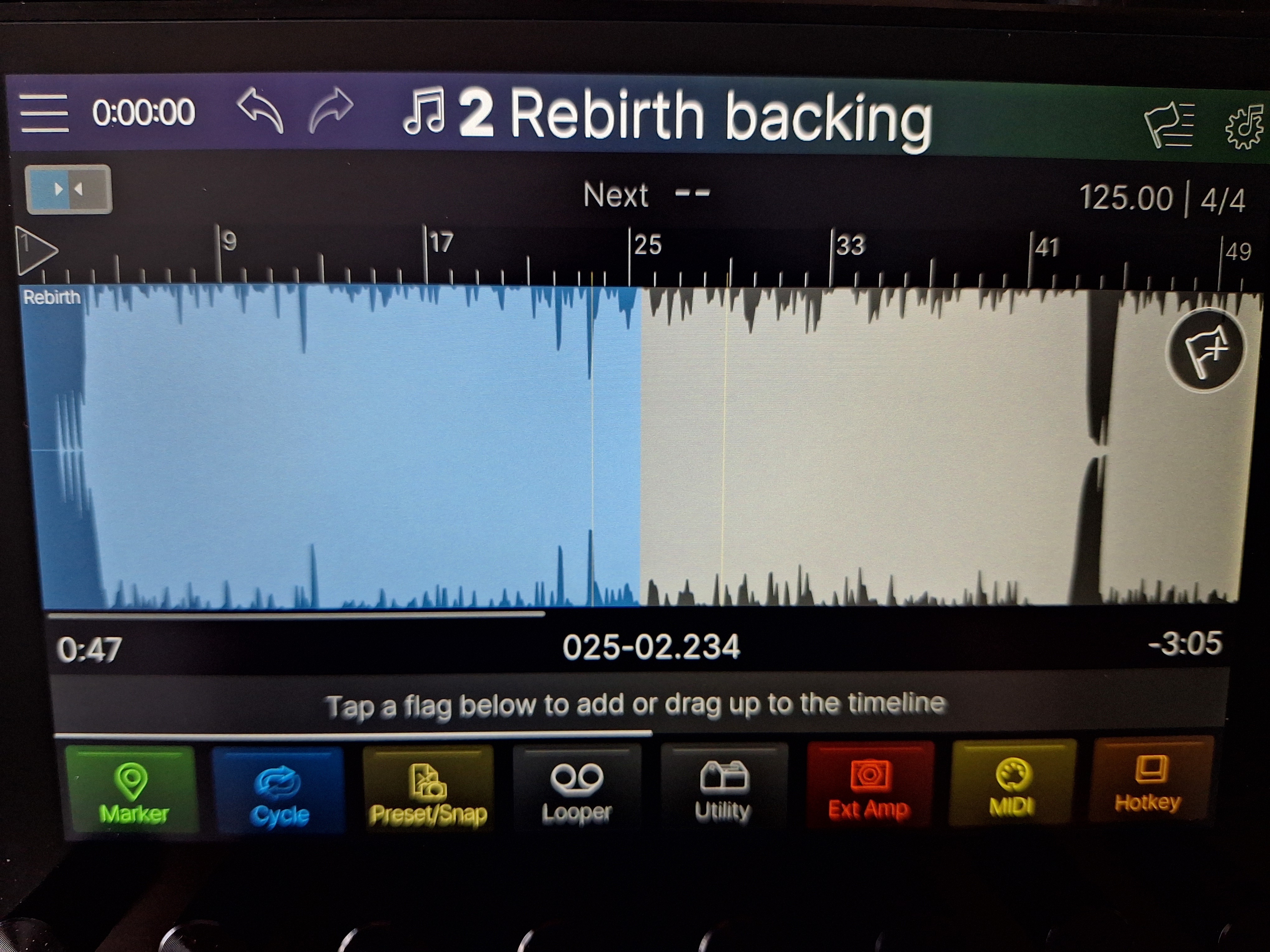
I do, however, have a few reservations about this mode’s interface. The workflow isn’t totally fluid, and I sometimes got lost among the various cues I’d placed. On the other hand, the Trim function, which lets you adjust the volume of each track, is really handy for the stage.
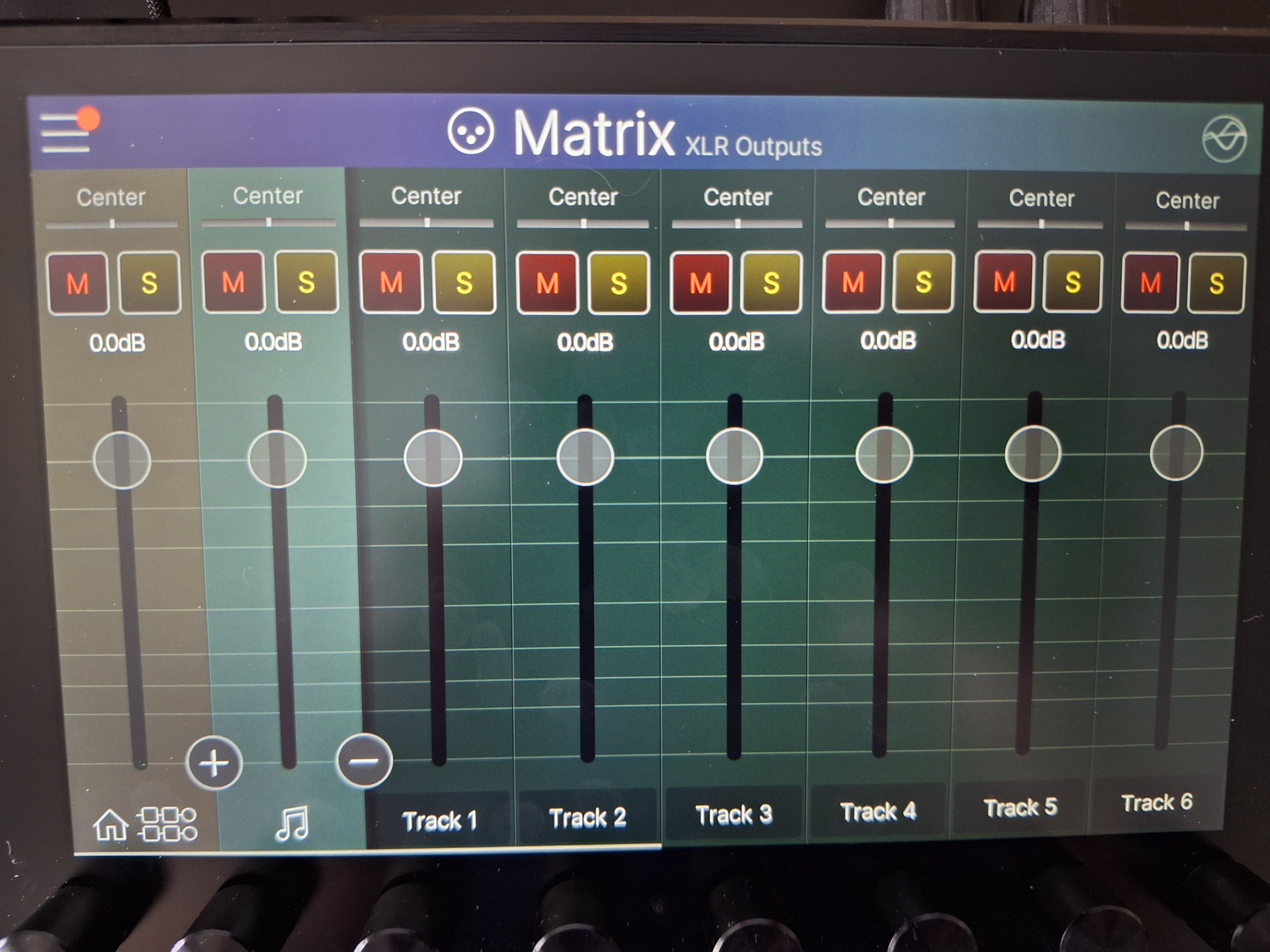
As mentioned earlier, the Helix’s various outputs are independent and can be easily managed via the virtual mixer. This makes it possible to dispatch signals in a very flexible way. It makes life much simpler in projects played over sequences, where track management can quickly become a headache.
While Wi-Fi is handy and, in theory, allows you to do without a wired connection altogether, there still seem to be a few bugs. During my test, updates never completed via this means, with the download regularly stalling. So there are still a few areas in need of improvement.
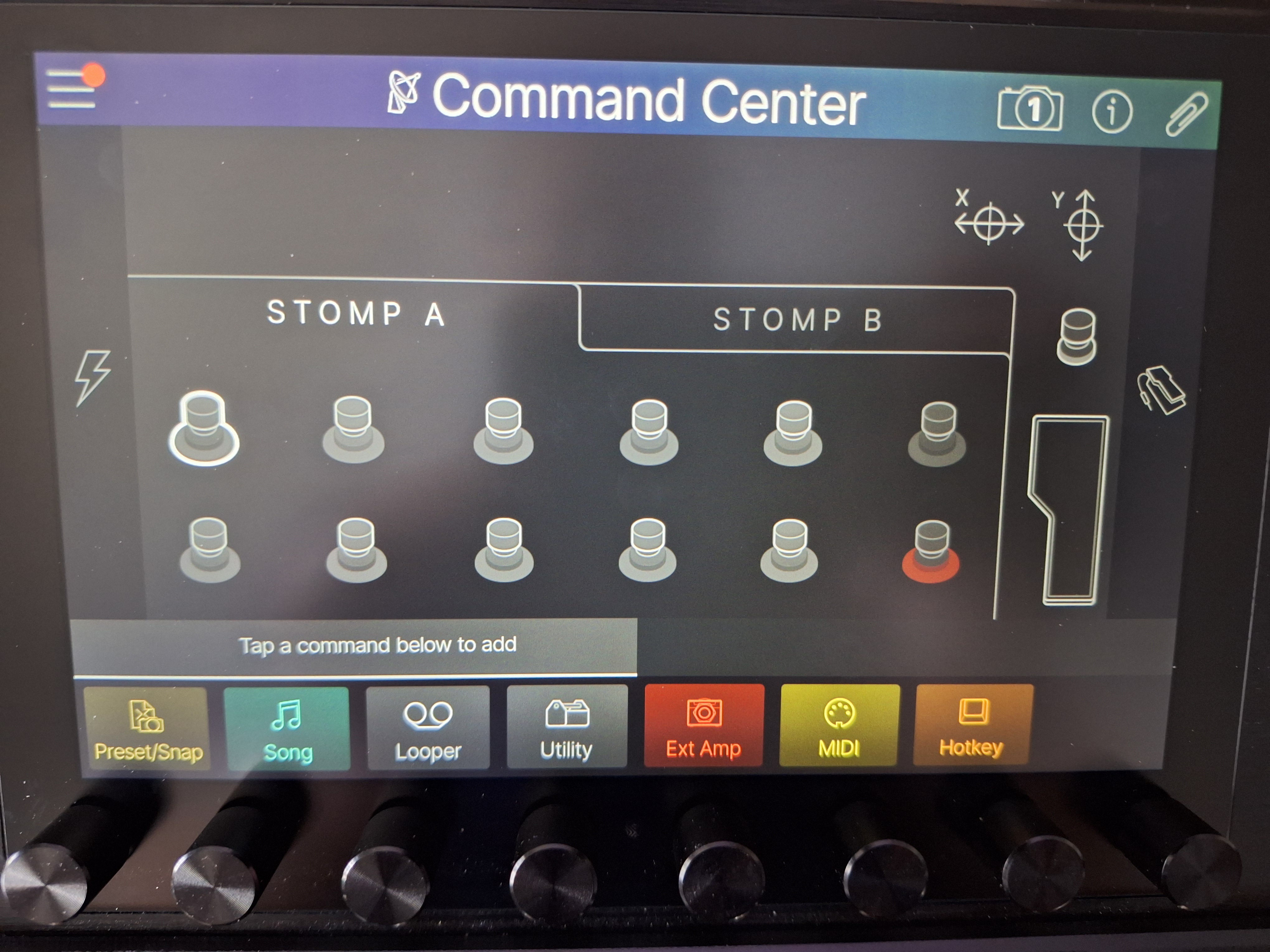
Finally, the Command Center is as excellent and powerful as ever. In concrete terms, you can program any type of action on the footswitches and expression pedals. Line 6 has even gone so far as to add the ability to simulate a USB keyboard for, say, DAW control.
Sound quality and playing feel of the Helix Stadium XL Floor
.
As a first step, I’d like to listen to a few clean sounds:
I was instantly pleased with the sounds. I managed to achieve fairly realistic results more quickly than with my HX Stomp, whose tones remain those of the original Helix. The reverbs and delays are of sufficient quality that I don’t feel the need to add an often-expensive external pedal for this part.
Beyond the rendering, which can be, as you know, customized ad infinitum on this type of machine, it’s the playing sensations that I found pleasing, above all. Dynamics are translated well and the effects chain reacts credibly. More precisely, I managed to find sensations close to those I get when pushing a tube amp with a clean boost or an overdrive.
Here are a few saturated tracks now:
Here again, I found the new Agoura amps more convincing than the original models, which I’ve always found a little too garish. The rendering is thicker and more organic. At times, however, there’s a certain excess of shine, a bit harsh. You then need to take the time to adjust the equalization, choose the right virtual loudspeakers, and select the microphones and their positioning. But it’s still more immediate than in the past, with a much more usable work base right from the start. Does this make it superior to the competition? Basically, no.
Here’s the Hype parameter in action on these two examples:
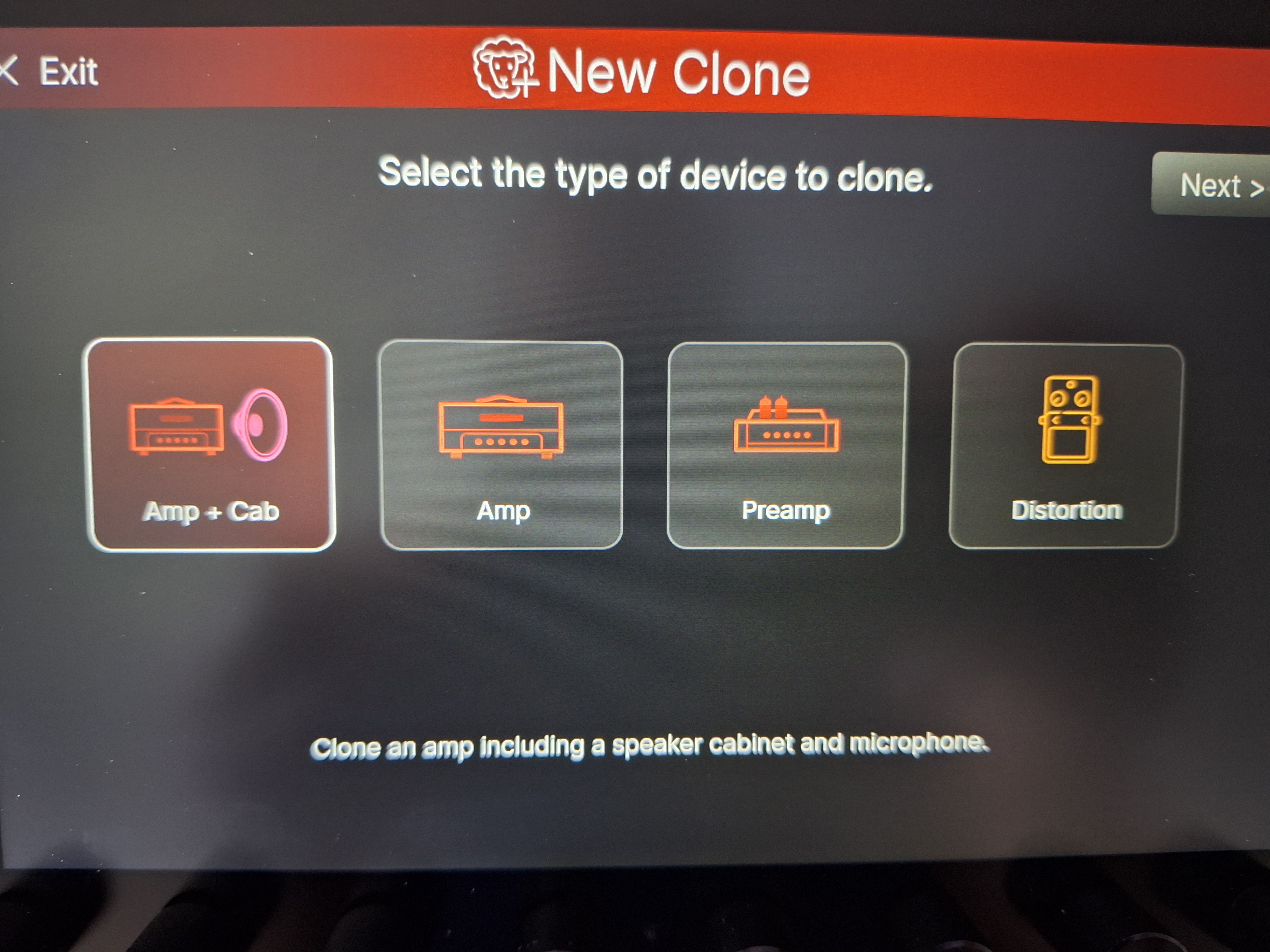
Finally, to complete this test, we waited for the update that allows you to clone your hardware. This is now a widespread feature in guitar multieffects devices, but the interest here lies in the potential to combine modeling and cloning within the same machine.
I used my Victory V30 MKII amp for a before-and-after test. Note that the cloned version is deliberately left raw to keep the comparison relevant, although it is of course possible to refine the result.
In this respect, Line 6 is on par with the competition, and the process seems well mastered. The cloned versions have a little more shine, but this is easily corrected. It’s also worth noting that the process is simple to implement: the connections are clearly indicated on the screen, and cloning takes just a few minutes.