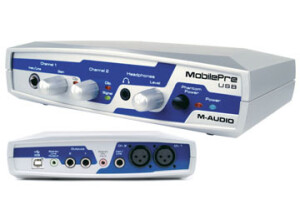
The Mobile Pre is a basic 2 in and 2 out interface that has zero latency monitoring. It is one of the most affordable interfaces on the market and it also comes with Pro Tools SE to record with. There are 2 preamps on this model from M Audio. The preamps are decent, but nothing that I would want to use long term. When using this interface it will really depend on which microphone you will be using with it. It is phantom powered and it does not require you to have it plugged into a wall because the power runs from the USB connection to your computer. UTILIZATION Setting the Mobile Pre up is really quick, just like most of the other interfaces from M Audio. It will only take a few minutes to load the drivers and if you want to load up Pro Tools SE it may take a few more minutes depending on how fast your computer is. You can use this interface in almost any DAW that you want, I have used it with Pro Tools SE and with Cubase the most. GETTING STARTED The sound you will get form recording with this interface is nothing to brag about but it will get the job done for the time being. You will need to have a good microphone to make up for the preamp quality. The interface itself is made out of a plastic material and does not seem to be able to stand any drops or abuse. Not that I would expect it to because it only cost 99 bucks. OVERALL OPINION The best part of this interface is that it comes with Pro Tools SE, this version of Pro Tools comes stocked with a lot of VST instruments and can work on your PC and your MAC computers. It is a basic version of Pro Tools because it will only allow you to record up to so many tracks but it is a great foundation to learning Pro Tools for a beginner.
When I bought the M-Audio Mobilepre USB I got it because I was looking for a small audio interface that I could easily bring around where ever I needed to go. I usually it only to get down ideas, as this really isn't a suitable interface for serious recording. I will outline why in the later sections. I was running this with a HP Pavilion lap top that had a 3.0 Ghz processor and 2 GB of RAM. I was running it with Cubase SX 2.0 and it worked pretty well with both of these things. I used this primarily to record scratch guitar and vocal ideas. UTILIZATION I was able to use this without any problems for the most part and I had no compatibility issues with my set up. The configuration is very simple as it has 2 XLR mic pres, a few different outputs, a headphone jack and a DI jack. It also has a USB port which send the signal to the computer. The manual seemed to be pretty clear, but I didn't need to use it all that much. GETTING STARTED The drivers are stable as I never had a problem with them when using it. I used it only with Steinberg Cubase SX 2.0 and had only a minimal amount of latency. Most of the time I had no latency but when I did it was still playable. You can record two tracks simultaneously as it has 2 mic preamps. The real downfall of this interface is how poor the preamps are. To me they don't sound full enough and don't represent a fully accurate portrayal of the sound I am recording. That being said, for this price I wouldn't expect to get anything more than this. For this reason I bought it only to bring it around and to have the ability to record ideas on the go. OVERALL OPINION I had the M-Audio MobliePre USB for about a year and half before I sold it. It did the job I got it for, but it is poorly built and I had problems with a few of the jacks breaking. The mic preamps just don't sound all that usable to me and while the model is cheap, you get what you pay for. I sold it because I can now record directly into my new computer without a small interface like this out. While this is good for what it is, you can probably find another model around the same price that is made at a higher quality.