Log in
EN
FR

QuikQuak

15 products found

Categories
Filter
Sort by
Evaluation
  • Reviewed or not
  • Editor’s award
  • Reviewed by Audiofanzine
Availability
  • Available or not
  • Sold new or used
  • Sold new
  • Sold used
Must-have products
  • All products
  • Flagship products
  • Best rated products
  • Hot products
  • Popular products
Price
  • Freeware
€
Clear
Sort by
  • Popularity
  • User ratings
  • Price - low to high
  • Price - high to low
  • Used price, increasing
  • Used price, decreasing
  • Name (from A to Z)
  • Name (from Z to A)
  • Added on
Choose a category
Sort results
  • Popularity
  • User ratings
  • Price - low to high
  • Price - high to low
  • Used price, increasing
  • Used price, decreasing
  • Name (from A to Z)
  • Name (from Z to A)
  • Added on
Filter results 15 results found
Evaluation
Availability
Must-have products
Price
  • Freeware
Show results

The best QuikQuak reviews

The reviews Audiofanzine members found the most helpful.
  • moosers's review

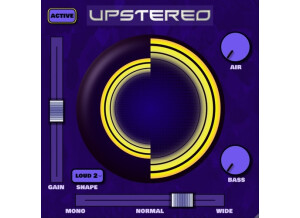
    QuikQuak's UpStereo v2 is a free piece of software designed as a stereo enhancer. The plug-in is available for Mac systems and in VST and Audio Unit plug-in formats, so unless you've got the FXpansion VST to RTAS converter as I do, you won't be able to use this in Pro Tools. You can download the plug-in straight from QuikQuak's website and can have the plug-in up and running within a few minutes. I got the plug-in straight from a friend so I didn't download it from their site, although I did go back and try some of the other demo plug-ins they have. As far as the interface is concerned, it's not a difficult one to understand. It's got sliders for gain, stereo width (ranging from mono to wide), bass and air control, as well as a loud button and a cool 3D graphic to show your adjustments. No manual should be necessary as this one should be as easy as any plug-in to figure out on your own. SUITABILITY/PERFORMANCE I'm currently running QuikQuak's UpStereo v2 on my system at home, where I've got both Pro Tools 9 and Logic Pro 9. I've used this mostly in Pro Tools, but as I said earlier, since it's not an RTAS plug-in you'll need a VST to RTAS converter like the one made by FXpansion. I've used the plug-in only a handful of times, but I've yet to have any issues at all when it comes to performance. Most will be using it on the master buss anyway, so performance shouldn't be much of an issue in general. OVERALL OPINION Being that it's a free one, it's kind of silly not to add QuikQuak's UpStereo v2 plug-in to your DAW as long as you've got a compatible system. While there are indeed a bunch of free ones out there that serve this same purpose, this will stand it's ground with any of them, as it's one of the best stereo enhancers I've used to date. While this type of plug-in isn't something that I'm going to use very often, when I do I'm definitely going to use UpStereo in the future.

  • « Useful but cpu hungry »

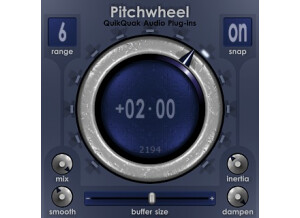
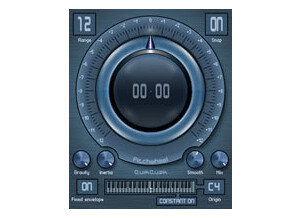
    So far I have had no compatibility issues on a MacBookPro i7 with 8gb running Ableton 8. As far as a manual goes, I didn't need to reference one as this is a fairly simple plugin. Setting up the plugin is as easy as dropping it on any midi/audio track after a sound source. I run it in Ableton which is very easy to midi assign any parameter you wish. Yes, the functions are all laid out on the front face. SUITABILITY/PERFORMANCE The software performs relatively well. They claim it to be flawless with perfectly smooth pitch transition but I can definitely still hear some artifacts. Not nearly as much as other pitch software, but its not perfect. Overall I give it a 9 out of 10 because it is still very usable and a step above any other pitch software I've used. I have been using this for about month or so. OVERALL OPINION What I like about the plugin is its very easy to understand interface and the fact that it is a "stand alone" pitch plug. You still need it in a host but its nice to have this option as most pitch shifting is found on synths and vst synths. Now I can run it after my guitar, bass, keys, etcc.... I do this because my setup is designed so I loop all my samples live, then re route them in to several effects and start remixing. This plugin has definitely come in handy BUT...... here is the negative. I need to run two of these simultaneously for my setup but this thing is a CPU Hog! Almost 10% cpu per instance in Ableton and my machine is pretty strong. I guess that is the trade off for the quality. Hopefully they will be able to reduce this need for cpu as it is almost too much for me and I have been considering just not using it. I mean, I have huge soft synths that use less cpu than this. The price is not bad, but will be better if they can make it more cpu friendly. The smoothness of the pitch shift is fairly nice and better than most. I have used built in Logic pitch and many soft synths that have pitch and offer audio inputs. I would actually hold off on buying this unless you are dragging a Mac Pro or loaded IMac around for live stuff. In studio in works great.