Log in
EN
FR

Slate Digital

64 products found

Categories
Filter
Sort by
Evaluation
  • Reviewed or not
  • Editor’s award
  • Reviewed by Audiofanzine
Availability
  • Available or not
  • Sold new or used
  • Sold new
  • Sold used
Must-have products
  • All products
  • Flagship products
  • Best rated products
  • Hot products
  • Popular products
Price
  • Freeware
€
Clear
Sort by
  • Popularity
  • User ratings
  • Price - low to high
  • Price - high to low
  • Used price, increasing
  • Used price, decreasing
  • Name (from A to Z)
  • Name (from Z to A)
  • Added on
Sort results
  • Popularity
  • User ratings
  • Price - low to high
  • Price - high to low
  • Used price, increasing
  • Used price, decreasing
  • Name (from A to Z)
  • Name (from Z to A)
  • Added on
Filter results 64 results found
Evaluation
Availability
Must-have products
Price
  • Freeware
Show results

The best Slate Digital reviews

The reviews Audiofanzine members found the most helpful.
  • « Efficient and cheap, an instant favorite »

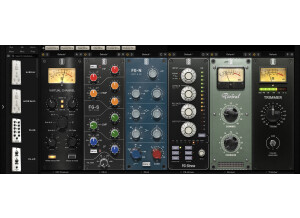
    My configuration : 3rd gen iCore 5 laptop with 12GB RAM + UR 242. Used to mix my first EP – along with other plugs, of course. Very stable, but it takes long to start. Not CPU-hungry, which is great. It’s very easy to use, provided you know what an EQ and a compressor are. The concept of a rack allowing to switch the plugs’ place is pure genius and allows to work your audio chain… At first I was a bit surprised by the sound of the plugs – before that I only used free plugins, including the Reaplugs, plus a few paid ones such as the CLA which I soon got tired of. Tweaking the settings, I managed to find THE sound that comes well for each instrument, and instead of using truckloads of plugins a few ones are enough – a VMR EQ, a comp, then also Revival which contributes to carving the sound. In the end, my virtual drums have THE sound, and I use each of my VSTis like real instruments in the mix – which works wonder. You’d put it everywhere, so you have to take care to avoid overdosing! The alliance of VMR to Native Instruments (the "solid" suite and "transient master") and reaplug plugins allow me to get the sound I was after with my humble solo home studio artist level. I’m finally satisfied with my sound, and I’m finally gonna be able to release my own record (I’m going to do everything, music, texts, arranging, recording, mixing – all except mastering). For such a price, this pack of plugins is really great – though not exempt of faults… One of these is the violence of the sound : you soon get everything distorted, especially on the Neve EQ replica which preamp really is heavy-handed. Thankfully, Slate also provides a free trimmer plugin, which integrates within VMR. Something else : the compressor (FG116) is great, but it seems to “darken” the vocals, so I prefer the “reacomp” plugin which sounds cleaner and less “violent” to my taste (I find its threshold setting to be more progressive, allowing for a lighter compression – more “refined” I’d say, even if I still don’t know the FG116 that well and my opinion might change as I use it more). Anyway, that depends on the music you make, as the FG116 will perfectly suit heavy rock and works wonder on drum tracks when associated with the Neve emulation: the drums stand out of the mix easier than ever! As for the “SSL” EQ, it makes a great job to add frequences or take them away, and if ReaEQ can’t do the job properly on any given material I’ll use the “SSL” instead. On vocals, it also provides all that’s needed. To conclude: Not so many features, but the essential is here – and it’s really well done. For serious mix work, I’d say this plugin is a must-have to give your mixes both punch and color. Value-for-money is excellent to me, as i got a double discount when i bought it from jrr shop – i paid it almost half off compared with the price anywhere else, so i don’t regret seizing that opportunity. I had used it in trial mode for 15 days before deciding to buy.

  • « It has become indispensable »

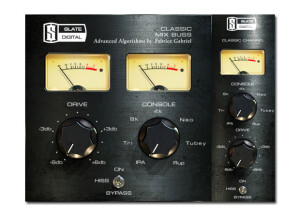
    No installation problems, as always with Slate Digital. Clear and comprehensive manual available for download. Simple setup. SUITABILITY/PERFORMANCE I have a Mac Pro i7 4770k with 32 Gb ram and an SSD. I can easily use an instance on each track and mix without any problems. No issues during operation and everything seems stable. OVERALL OPINION I've been using it for some months. This small jewel has become indispensable and it's only second place in my plug-in chain (after VTM). Console emulations are very satisfying. My favorites are API and Neve, the API due to its aggressiveness and clarity, the Neve due to its depth and lows. Right now, its only negative point is the incompatibility with ProTools 11 and the AAX, which is still in development To sum it up: Yes, I would buy it again and it's only due to this plug-in that I still use ProTools 10 even though I have a ProTools 11 license....

  • « Accurate Tape Simulation »

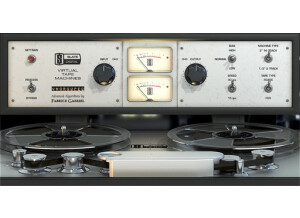
    Slate Digital Virtual Tape Machine is a software plug-in to be used inside a DAW. Installation is performed after a direct download of the software from the slatedigital.com website. Authorization is achieved on an iLok2. This plug-in can be used to simulate the sound of your tracks being recorded to tape. There have been many people dissatisfied with the digital recording medium for sounding sterile in comparison to tape. To this day it is common for mastering engineers to bounce a mix to tape just to capture that extra punch of having the music on tape. If you think your recordings sound too digital, this plug-in might help you solve that problem. You might also want to check out the Virtual Console Collection from Slate Digital that emulates the sound of analog hardware. SUITABILITY/PERFORMANCE This plug-in is easy to use. The main control is to set the simulated level of the input signal to the tape. Increasing the input level will add more 'saturation' to the signal, similar to what happens if you record loud signals to tape. Apart from that, you can select tape speed as either slow/fast. A slower tape speed emphasizes lower frequencies. 'Bias' allows you to control if the plug-in emphasizes low or high frequencies as well. You can select between single channel tape simulation for individual tracks, or 2 channel tape simulation for mix-down by emulating a mastering tape machine. You can also select between two different kinds of magnetic tape from different manufactures. These last two controls are really subtle and probably only important for the most anal engineers and tape aficionados. Hidden under the settings panel are controls for tape hiss (if you really want to sound realistic), and bass emphasis. One of the main reasons people like the sound of tape is that it beefs up the low-end, perfect for bass guitar and drums. This control allows the user to dial in the desired about of extra 'umph to the low-end. OVERALL OPINION This plug-in does a good job of making your tracks sound like they were recorded to tape. I have never seriously recorded with tape, so I can't make a direct comparison of how well it simulates tape. I can also say, that I have no desire to buy a tape machine and tape, and have to maintain the whole set-up. However, I would like my recordings to sound like they were recorded to tape. I'd prefer to have a close simulation that have to deal with the hassles of the real thing. VTM is the most accurate emulation that I have used. I also own Waves Kramer MPX Master Tape. I prefer to uses the MPX plug-in when I want heavy tape-saturation effects. I really like MPX for the extreme effects, but think VTM does a better job on gluing all my tracks together when used subtly. I don't really like how VTM sounds when you really overdrive the input. A few small things to be aware with VTM - it is extremely CPU intensive, and adds over 2000 samples of delay to your tracks when inserted.

  • « Powerful compressor »

    Installing Slate Digital FG-X was quick and easy, it only took a few minutes and I had it up and running in a few different Digital Audio Workstations very easy. The interface is very basic, it takes little to no time to learn how to use it and understand its functions. It uses very little CPU and you can use many instances of it simultaneously at the same time on different channels and not have to worry about it freezing or slowing down your PC. Mastering your mixes comes easy with FG-X because of the compression capabilities. SUITABILITY/PERFORMANCE This software runs great on a PC and my Macbook as a VST in Cubase and FL Studio. I just recently started using it in Reason and it works fine there too though it does take up a little more CPU in Reason than it does in FL Studio and Cubase but this is an issue with Reason not with Slate Digital FG-X. OVERALL OPINION One thing to keep in mind is that the FG-X does require you to have iLok to work it. This mastering plug-in only cost 249 dollars, if I were to compare this and iZotope mastering suite I would still say that iZotope is better because you get more flexibility but the compression in FG-X is second to none.