Log in
EN
FR

Sonicake

33 products found

Categories
Filter
Sort by
Evaluation
  • Reviewed or not
  • Editor’s award
  • Reviewed by Audiofanzine
Availability
  • Available or not
  • Sold new or used
  • Sold new
  • Sold used
Must-have products
  • All products
  • Flagship products
  • Best rated products
  • Hot products
  • Popular products
Price
  • Freeware
€
Clear
Sort by
  • Popularity
  • User ratings
  • Price - low to high
  • Price - high to low
  • Used price, increasing
  • Used price, decreasing
  • Name (from A to Z)
  • Name (from Z to A)
  • Added on
Choose a category
Sort results
  • Popularity
  • User ratings
  • Price - low to high
  • Price - high to low
  • Used price, increasing
  • Used price, decreasing
  • Name (from A to Z)
  • Name (from Z to A)
  • Added on
Filter results 33 results found
Evaluation
Availability
Must-have products
Price
  • Freeware
Show results

The best Sonicake reviews

The reviews Audiofanzine members found the most helpful.
  • « High-Quality Sounds on a Budget »

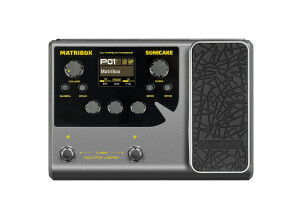
    Of all the budget multi-effects modelers, the MATRIBOX is my favorite, and I would venture to say that some of the guitar tones (particularly hi-gain) sound impressive. They are ‘dry’ and sound decently authentic without that high-end fizz that often exists with other modelers. The cleans also sound good, as do tones for Bass and Acoustic (I do have an acoustic sample on the demo, which has the highs turned down, for a warmer quality to match the composition’s somewhat biting lead). I can continue to praise the amps and cabs on this unit, but the demo speaks for itself and the MATRIBOX may sound exceptional for the money due to Sonicake’s ‘White-Box Digital Modeling Technology.’ No idea what that comprises, but the company is bragging and this may be the reason. There also are several demos on YouTube that emphasize the hi-gain tones, and so, I do recommend investigating those since I only sample a few in my demo. The MATRIBOX is simple to use, even without the software (PC & Mac). The on-screen LCD menu is clear enough to read, although some older folk may need their glasses on. It also is easy to access, edit and move around blocks. Of course, this is effortless if accessing the software, which is one of the better ones I have seen and used. In that regard, the MATRIBOX is one of the best for accessing and editing presets, no matter if doing it from the unit or the software. Now, I wanted to address sound and ease-of-use first, since that is what most musicians are interested in, but then we have what is on-board or what you get for $129 USD. The MATRIBOX is no different from other such units, in that you have a host of gear and features, and so, I will address that in brief. You get 40 legendary amp models with 38 cab IRs (and you can import 15 IRs), ranging from Fender, to Orange, to Mesa, to Soldano, etc. Usually cab IRs are on the ‘cheap’ side and people tend to import their own. For hi-gain tones, I do prefer the KSR Amps’ V30 IR that I imported, but those included with the MATRIBOX do have some respectable qualities and stand on their own. There are 130 effects (compressor, octave, drives, fuzzes, delays, reverbs, etc.), and with the amp/cab, there is a total of 9 ‘blocks’ that can be arranged in whatever order you see fit. All these effects, amps and cabs are shared among guitar/bass/acoustic, although with the majority for electric guitar. Other features include 100 drum patterns covering different styles, a 90-second looper (45-sec if running with effects), 198 presets (99 factory & 99 user), chromatic tuner, expression pedal (volume, wah or effect morphing), stereo out, headphone out, stereo aux input (for MP3s, etc.), and USB audio interface function with stereo streaming. With 24-bit 33.1kHz signal processing, the MATRIBOX is something I wish I had when first learning guitar and getting into effects, and the sound quality under its metal chassis make it very desirable to use just as a practice unit for those not wishing to power up a tube amp and pedal board – it is a pleasure to use as opposed to the thin, sterile sounds found with many of its competitors. You also get a power adapter, but any source with 500mA supply will work. Overall, I believe Sonicake has set a new standard for multi-effects processors, and particularly at this price point.

  • « Great set of new 2023 pedals from Sonicake at excellent prices »

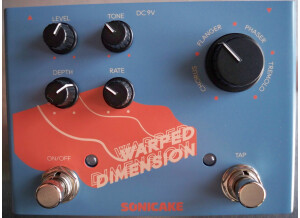
    https://www.youtube.com/watch?v=9us-MfQl01g TONE GROUP Tone Group is a true bypass 10-band EQ, ideal for any instrument, including bass (basic frequency range for bass is 40Hz-400Hz-4000Hz, whereas Tone Group ranges from 31.25Hz to 16kHz). Like other EQ pedals, this can be used to cut or boost specific frequencies; Tone Group’s cut or boost is up to 15dB (per frequency and the Volume slider). As a result, if you keep everything flat, the Volume slider can be used as a clean boost, and this works exceptionally well with the Tone Group as it is very clean and quiet; there is a hint more dirt if you crank the Volume, as it’s pushing the amp harder, but the added dirt is more noticeable with dirty channels. The amount of gain can increase or decrease, relative to whether any sliders are cutting or boosting, but while retaining the honesty of the amp. Certainly, Tone Group helps to mold or craft your tone, to make it a bit darker, brighter, to increase or decrease mids, remove the bottom muddy end, etc. Usually, EQ pedals are used often to provide a fatter sound, to cut the mids for more of an 80’s metal sound, or to add darkness for more modern rock tones. I provided a few examples in the demo. Tone Group has an analog circuit design and it works well; it does its job. LEVITATE Levitate combines a plate reverb with digital delay. This is a great sounding combination, but be aware that the delay is warm and has a slight modulation (warble) to the sound. Each side of the pedal works independently, with the reverb side having ‘mix’ and ‘decay’ knobs. The mix can be very deep, and to the point of being very acceptable for ambient-based music, although still very good for hints of room or studio reverb. The reverb is on the bright side, which teams up well with the decay (which is a bit dark). The Decay has a long schedulable time (10 seconds), which further supports the mix for ambient-style music. The Trail Function allows for the decay to be heard, even if the reverb is shut off. The delay side of the pedal has the standard Time and Feedback options; time can extend up to 2000ms and the Feedback has many repeats, although not infinite. What I like about this delay is that it has separate Wet and Dry knobs, which allows for more blending customization than just a ‘mix’ knob. The Dry does boost the signal a bit, but nothing excessive. The delay side also has a Tap Tempo option, accessible by holding the delay’s on-off footswitch for a few seconds (to get out of Tap Tempo, hold down the footswitch again). WARPED DIMENSION Warped Dimension is a multi-effects true-bypass pedal, combining classic chorus, flanger, phaser and tremolo. There are a few multi-effects out there that also have vibrato, lo-fi, rotary, or other. Warped Dimension includes the more commonly selected effects, but what I really like about it is the dial selector. You do not have to ‘click’ directly on the option, but turn the dial within an effect’s range, making for quick and easy change. Controls include Level, Depth, Rate and Tone. I like the Tone knob, as you can adjust for any ‘darkness’ or ‘brightness’ created by an effect (e.g., flanger becomes brighter as you increase its mix). And there’s a tap tempo, accessible by its own footswitch (no need to step on to engage as it remains active if on). The quality of the effects is good, and remember that these are ‘classic’ reproductions, which means they are more subtle than modern counterparts, particularly with the flanger and phaser. They are tasteful without huge exaggeration (bearing in mind that I set this pedal at the front of the chain as opposed to in an amp’s FX Loop). Both the chorus and flanger work best with just a slight touch of the Rate knob, whereas a larger portion of the Rate is more applicable for both phaser and tremolo. Moreover, I find the last 25% of the Rate too sharp, unless you want a RingMod effect. Having said that, you can crank the rate for any of the effects and tame the beast with the Depth knob for interesting tonal textures that don’t sound like a flanger or phaser typically. All these pedals retail between $50 to $59 USD and is at a very nice price range, whether looking for budget gear or an effect at a decent cost that may be used now and again. Combine these three pedals and there is a lot of tone sculpting to be had for under $200. Throw in a drive or boost and a pedal board is pretty much complete.

  • « Clear audio with flexible features »

    I’m not a professional podcaster, but I’ve been dabbling lately; and to date, I’ve been using my computer’s built-in microphone to capture my audio. The sound is decent, although there’s a metallic flavor (room ambience) coming through the audio. I wanted something that was ‘dry’ and clear, while removing any room reflection, reverb, etc. I requested the new QWM-10, a 2.4GHz wireless microphone system by Sonicake, better known for their guitar pedals. I put together a quick demo (link below) that covers some of the features, as well as a wind and audio test. The quality and clarity of the mic should be obvious when you consider the background music was played through my Kali Audio IN-8 monitor speakers, and I simply held the Sonicake transmitter between the two speakers and recorded a second-generation audio. https://www.youtube.com/watch?v=QIUtFT1pQt0 Everything comes in a sturdy travel case, which houses everything you need, including the transmitter, receiver, wind muff, USB charging cable and TRS to TRS cables for both camera and phone. You may require additional adapters or conversion cables, depending what you’re plugging into. For example, when recording direct to my computer (e.g., podcasts), I plug into a mini TRS female that splits into two ¼ mono males (L + R stereo). Conversely, I plug direct into my camcorder. Operation is simple, and once charged (takes 3 hours), both units turn on and pair up by holding their power buttons for 5-seconds. The charge is good for at least 10-hours. You can check battery status by pressing the power button (4 blinks = fully/high charged, 1 blink = 25% remaining). The Transmitter has a mute button and the Receiver has a volume button, so that you can adjust the speaker’s level from low, to moderate, to high. Both units have a quality clip, for fastening where you need them. And if you want the transmitter less noticeable, clip it inside your shirt, as it works perfectly fine inside or out. There really isn’t any ‘bad news’ with this product, as it works well and is easy to operate. I saw one review where the 50m (164ft) range did not work as well as it did in other reviews, although it’s non-operation (cutting out or glitching) had more to do with having the speaker’s back to the camera/receiver. Once turned around, in direct line of sight, communication was fine. Otherwise, there are a few glitches in the manual, such as the transmitter’s audio button is for mute only, whereas volume changes are made with the receiver’s audio button (the manual indicates the transmitter). Not too big a deal, as the manual was translated from Chinese and sometimes instructions become a little skewed. There are several pluses with the QWM-10, bearing in mind that I have not tried any other mic system before, aside from using my Shure SM57 to record vocals for music compositions. First, it is clear and dry. This system does a good job at reducing room reverb, reflections, etc., and minor noises. Second, and related to the first, point, the wind muff works very well. I didn’t stand outside in a wind storm, but I could not hear any wind blowing into the mic while placing it in front of a fan on low to high speeds. Third, it is versatile and can be used in a number of ways and with different electronics, e.g., phone, camera, computer, etc. Fourth, the price is excellent, at $69.99 USD. Yes, this unit was provided to me, but I did invest the time in writing this review and creating the demo. Regardless, considering the cost and clarity of signal, the QWM-10 would have been an obvious choice, which is why I requested this product for review. I saw a few less expensive lavalier mic systems out there, but were manufactured by far more generic (unknown to me) brands and I’m familiar with the quality and reputation of Sonicake. Overall, no complaints and two-thumbs up!

  • « Big Range of Sounds with Added Features »

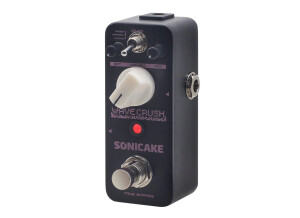
    Bit crushers are a specialty pedal, and some may consider their use limited and when wanting a lo-fi sound. However, I do find them most appropriate for guitar when applied in a low dose, which I’ll address later. The Sonicake Wave Crush is a different animal, and for the price, it offers a lot of diversity. First, the Bit Resolution ranges from 5-16 bits (when turned all the way counterclockwise, you have full 16 bits and clarity of signal). The Crush knob ranges from 44.1 kHz to 750 Hz (when turned all the way counterclockwise, you have the highest sample rate). The Dry/Mix knob controls how much of the original signal vs. wet you hear (when turned all the way counterclockwise, it’s all dry). https://www.youtube.com/watch?v=9BYaFz5QQL0&t=3s Depending on how broken up you want the signal, you can go from fully clean to a sputtering distortion, and with some fine tuning, a growly fuzz effect can be achieved. The way I like it with guitar is to have the Mix half-way and with both Bit Resolution and Crush turned up just a bit (e.g., 8-9 o’clock), which adds grain and growl for a more robust and thicker sounding crunch and lead – although I do turn the Mix up full with single-note lead playing. I think where the Wave Crush shines the most is with synth, as it adds a lot of texture to very smooth tones, providing a massive range of possibilities from just one preset. But having said that, there is another very useful function on this true-bypass pedal. It has a Normal setting (neutral down-sampled sound), but a flip of the toggle produces a vintage Gramophone sound, and another flip produces a vintage radio sound. Both examples are demonstrated in the video. Both these are very cool if you’re looking for that effect, and it works equally well with various instruments and voice. To get the best results with either, all you have to do is place Mix on full with Bit Resolution and Crush totally off or up just a touch. Now, although the Gramophone and Radio settings may seem limited, they also act as an EQ when applied to instruments. The Gramophone produces more mid-range, whereas the Radio produces more high-end – and just enough (to my ears) to make very usable and obvious differences in tone, when applied to guitar or keys. Overall, the voice settings (Normal, Gramophone and Radio) are a big plus and when coupled with the other controls, thus making the Wave Crush a better bit crusher than others I have tried. And considering the price of only $59 USD, it’s a no-brainer if you’re looking for such a pedal. The micro size also is a benefit if your pedal board is getting a bit tight and you have limited room for this specialty effect.

  • « From Classic Fuzz to Full Bore Modern Distortion-Fuzz »

    It’s a great time to be a guitarist, with so many affordable effects coming to market. Sonicake certainly fills that niche with their line-up of effects, and the Fazy Cream muff-style fuzz pedal is no exception. Besides a fantastic price ($29.99 USD at the time of writing this review), the Fazy Cream excels in two other areas – it is a micro pedal that takes up minimal room on a pedalboard, and it is extremely diverse, ranging from a vintage warm fuzz to a modern and aggressive distortion-like fuzz… and everything between. Operation is simple, although there is a lot of tweaking possibilities. The Volume works as expected and with plenty of headroom; for the entire accompanying demo I kept the Volume at 12-noon, whereas more than that made my guitar too loud in the recording. The Tone knob is very broad, ranging from dark and brooding to a tone that cuts and slices (although not shrill or overly bright). Seriously, this pedal could work with the darkest or brightest of amps, and whatever else you can throw at it. The Fuzz (gain) knob also has a significant range. When turned all the way down the fuzz is apparent, but more in the way of a warm and slightly broken up overdrive – dirty enough to give a clean amp channel some raunch or to push a dirty amp into a different dimension. Once you get the Fuzz knob around the 9-10 o’clock position, you’re into some serious vintage Muff. Anything around 12-noon and beyond is getting hardcore. The huge spectrum of fuzz sounds occurs as you tweak the Fuzz and Tone knobs – what can sound too heavy and thick suddenly becomes lucid and defined with just a slight turn. The only downside, which is minor, is that pushing the Fuzz at 2-o’clock and beyond with humbuckers does make the signal a bit messy, which is where a noise gate comes in handy. However, this is not as apparent with single-coil pickups. Regardless, with humbuckers I found the amount of fuzz and ‘heaviness’ more than enough at the 1-o’clock or less position on this pedal. Overall, for the price, size and diversity of tones the Fazy Cream is about as good as it gets. It is not as subtle as some other fuzz pedals (preferred by those who only want a hint of warmth in their tones), but if you’re looking for a psychedelic, proto-metal or modern high-gain option, the Fazy Cream is a solid choice.

  • « Matribox II Pro is where NAM, IRs and usability truly click »

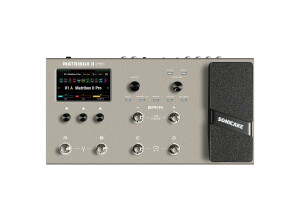
    Context I recently took the plunge on the Matribox II Pro, especially after the latest firmware finally made it possible to add both impulse responses and NAM files. As a reminder, NAM files allow you to capture the sonic fingerprint of amps or pedals, including your own gear. I had previously owned a Matribox Mk1, which I loved, and ended up selling a bit reluctantly to finance another purchase. So needless to say, I had high expectations for this Pro version. Main features The Matribox II Pro offers a wide range of effects, full support for IRs and NAMs, a practical looper, and a reliable tuner. In short, everything you’d expect from a modern multi-effects unit, with the added bonus of NAM compatibility, which really changes the game. Ergonomics Ergonomics are excellent, whether directly on the pedal or through the PC interface. The touchscreen is ultra-precise and makes building signal chains genuinely intuitive. The PC software is generally solid, though certain tasks (like loading a NAM file on Windows 11) sometimes require launching it in administrator mode. Latency and performance Latency is nonexistent, even with a heavily stacked signal chain. Occasionally, a “system overload” message pops up, but a simple tap on the screen clears it. Nothing blocking, and likely something that will be refined in future updates. Gates and dynamics Noise gates are a divisive topic, but personally I find them effective. To be fair, I don’t play much high-gain, so I’m probably not the most demanding user in this area. Drive, amps and IRs A very pleasant surprise: the gain is clean, much cleaner than on some competitors like Hotone. Less background noise, fewer artifacts, and an overall more controlled sound. NAM and IR imports sound excellent, with very little aliasing and minimal digital artifacts. Modulation Modulations are more uneven. The vibratos and univibes are extremely well done, and the octavers have a slightly messy, dirty character that Hendrix fans might enjoy — but the choruses and phasers didn’t win me over. I’m keeping my physical pedals for those. Reverbs and delays A very strong set: warm, varied, and above all free of the metallic sheen some multi-effects units tend to have. A clear step up compared to certain competing products. Pros Excellent rendering of NAM and IR imports: very little aliasing or digital artifacts. Exemplary overall ergonomics, extremely precise touchscreen. Impressively clean gain on the stock amp and pedal models. Cons PC software is serviceable but could definitely be more stable — future updates will likely help. Modulations are not the pedal’s strongest point; I rely on my physical pedals instead. Backing tracks are very bright, and would benefit from a dedicated EQ.

  • « Solid Sounding Sculpting Tool »

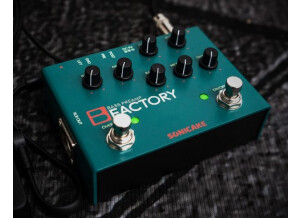
    The Sonicake Bass Preamp Factory is spot-on for bassists. The price is fantastic ($79.99 USD or less), and you get a lot under the aluminum chassis. There’s plenty of headroom, particularly if you engage the Drive (usually my volume never exceeds 10-o’clock), the sound is very clean and unadulterated, thanks to a specially designed buffer, and there’s a ground-lift for those noise issues. But let’s check out the fun stuff. The 3-band EQ is excellent, and like the Acoustic Factory that I reviewed, the entire spectrum of Bass, Midrange, and Treble are all useable without sounding out of place. In fact, with the Bass and Treble 12-noon, and the Midrange cranked, you get an impressive Metal bass tone, and that’s without the Drive engaged. The Bass Factory also has a classic-based optical compressor that is very smooth and gradual throughout its range. Some compressors squeeze so hard, that you never go past 12-noon, whereas the Bass Factory compressor is more subtle and practical throughout. I prefer it around 10-o’clock, so that the notes sound fairly consistent in output and with some tightness. The Drive is quite good, and even when turned all the way down there is some added power and push, similar to how a Tube Screamer with its gain all the way down still enhances an amp. What I like about this drive is that it is very smooth and only begins to break-up around 12-noon, which then produces a moderate growling distortion. Even up full the effect remains under control; conversely, I do not place the Orange Bass Butler’s gain past 11-o’clock as it sounds too wild or messy, particularly in a busy mix. Some other features of this analog pedal include placing the EQ pre- or post-effects (before or after the Drive and Compressor, which is subtle, but noticeable), both ¼-inch and balanced XLR outputs, and it requires only 70mA power. Lightweight, portable, functional, and affordable.

  • « Excellent representation (tone replication) and affordable »

    Sonicake released another in its Factory line, the Acoustic Preamp, designed for all acoustic instruments, and not just a six-string. The features are straight-forward, and what you come to expect, and I’ll address these aspects next. Foremost, the sound is impressive, in that it does not color (very much) your actual acoustic sound. If you like the sound of your acoustic, and place the EQ at 12-noon (flat), it is an almost perfect match in tone reproduction (it sounds clearer, for lack of a better word, or perhaps a bit less bottom end). This makes it very easy to dial in changes or to merely reproduce your guitar’s sound. It also has a specially designed bypass buffer to maintain sound integrity. https://rumble.com/v4m8vi8-sonicakes-acoustic-preamp-factory.html The EQ consists of Bass, Midrange, and Treble. Sonicake did a good job at providing EQ frequencies that are very usable, whether the Bass is low and the Treble high, etc. Certainly, a person will dial in, but the frequencies are not exaggerated within their spectrum. And this brings me to the Notch gain & frequency knobs, which have dual purposes. First, they are used to dial out feedback squeals; and second, they can be used to further detail your tone. I never noticed any feedback, and so, I used those controls for tone sculpting. A good way to think of the gain and frequency knobs is that they act similar to ‘depth’ and ‘presence.’ That is not accurate in the truest sense, but the gain adds thickness and depth (with a slight bass emphasis), whereas the frequency seems to tighten and bring forward more upper-end. In either instance, the results are audible, but not extreme – very complementary, in fact, which adding some richness and robustness. The other feature is the onboard digital Reverb, and it sounds like a hall or plate to my ears. It’s very natural sounding and becomes part of your tone more organically than I’ve heard with some onboard reverbs. Overall, the reverb is subtle, in that 100% mix does not sound out of place, although it can have that cavern characteristic with the decay up full. For a nice open room reverb (small concert hall), I like the mix around 2-o’clock and the decay around 11-o’clock. As a bonus, if you hold the Reverb footswitch down (fast click for on/off), it bypasses the Reverb until released. This would be ideal if you wanted to go from clean, to something more ambient. The Acoustic Factory has pretty decent headroom (I never had the Volume past half-way), a ground-lift, both 1/4-inch unbalanced and XLR balanced outputs (great for splitting the signal or going stereo), and requires only 60mA of power. It’s lightweight, yet strong with an aluminum chassis, the knobs feel solid, and retails for only $69.99 USD or less. For the money, this is a great acoustic preamp. I have an acoustic tube preamp from a well-known amp company, which runs about $800 USD, and the Acoustic Factory competes very closely at a third the size/weight.

  • « Multiple Amps & Effects Take Pocket Amps to the Next Level »

    https://www.youtube.com/watch?v=SmIJKjM0SXg AMPHONIX Pocket amps have a lot of use, including silent playing, jamming to backing tracks, pre-gig warming up, and even direct recording for newbies who want to get their feet wet with a DAW, etc. Sonicake took that tech and went one step further, at least further than I’ve seen from other companies. First, there are six popular amp/cab types from which to choose, all of which were demoed in the accompanying video, and with enough choice to play from clean, to classic rock crunch, to metal. You then adjust the volume, tone and gain via individual dials. The cleans sound very good and crystal clear. The moderate gain amps (Orange and Marshall) are fairly easy to dial in. The two high-gain amps (Mesa and ENGL) are more finicky, and they sound best with the tone and gain almost all the way down (they sound beefier and without the high-end fizz/frequency). There are three categories of effects, and what is cool is that you can mix a modulation, delay and reverb simultaneously (or turn those off you don’t want). That is very cool, as many previous models I’ve tried from other companies permitted you to chose either delay or reverb, for example. Modulation includes vibrato, tremolo, flanger, phaser, rotary and chorus. You select which by scrolling through the choices via the Modulation button. You then adjust the depth/intensity/speed of that effect via the ‘FX’ dial (the ‘active’ button flashes, whether mod, delay or reverb). Once you click on the Delay button, it will flash, thus allowing you to select the type of delay, followed by adjusting the ‘FX’ dial. Delays include tape, warm, slapback and modulated variations. The process then applies to the Reverb button and its mix. Reverbs include room, studio, hall, church and plate. Other features include the usual headphone jack and an 1/8-inch input for an MP3 or similar device, for jamming to tracks. However, Amphonix also is Bluetooth ready, which means you don’t need any cables for either headphones or pairing up to a device (holding the Delay and Reverb buttons turns off Bluetooth). However, the package does include an 1/8-inch to 1/8-inch cable for connection to a music device (I used that cable to direct record the Amphonix for the demo, going into the Sonicake QAI-100 mixing console). Also included is a USB cable for charging the lithium battery, providing 5-hours of play on a full charge. The price of the Amphonix is $39.99 USD, which is both reasonable and within the price range of similar products and with no drawbacks. It certainly offers more than less expensive pocket amps, and the sound of the amps is relative to individual tastes. Consequently, if you like all the features and some of the sample sounds in the demo, the Amphonix is a solid choice. QAI-100 The QAI-100 is a professional mixing console, and I used this to direct-record the demo, using the Amphonix. This is a bare bones platform without EQ or any special effects. It’s a piece of gear that provides connection and monitoring, and the best part is that it does not load drivers. It connects via your computer with a USB cable (included and connects to a 2.0 port) and there is a lot in this little device that fits into the palm of your hand, taking up very little desk space and is ideal for transport – weighing only ounces. There are two XLR combo input jacks, to allow for recording in mono or stereo. The Main Outputs are ¼-inch TRS balanced. You can select Line/Instrument as the inputs, and if using a condenser mic (a separate 3.5mm input), there’s also 48V phantom power onboard capability. There’s a SIG indicator (when input signal reaches -20dB) and a PEAK indicator (when the level reaches 3dB below clipping). Each channel has its own level, besides separate level controls for the Main and headphones. There’s even a REC Loopback switch, to record a mixed signal from both your computer and channel 1/2. And sound quality remains high with the QAI-100, at 48kHz, 16 bit. What’s amazing is that the QAI-100 is a control console, but also an interface without the need for drivers. Together with all the above features in a tiny footprint, the QAI-100 is a no-brainer for only $39.99 USD, and proves that we’re living in a golden era of easily-affordable gear.

  • « Clear quality and great price »

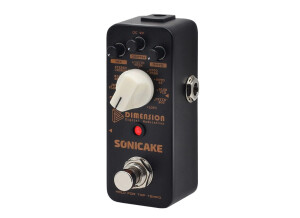
    Sonicake’s 5th Dimension is a Swiss Army Knife of pedals. These multi-effects pedals have been around for a while, but the affordability of the 5th Dimension certainly makes it ideal for those looking to access various modulations in their most basic form. Contained under the aluminum alloy chassis is a phaser, two types of flanger (classic and jet), two types of chorus (Jazz amp and stereo), two types of tremolo (liquid and optical), rotary, vibrato, auto-wah and a lofi (bit crusher). These modulations are controlled by three knobs. The Mix controls the effect level. Depth determines the extent of the effect (from subtle to more boisterous). The Rate determines the effect’s speed (although the footswitch can be used as a tap tempo). Obviously, each effect has a broad range, whereas I demoed only one setting on each. https://www.youtube.com/watch?v=OLBrDa4_5j4 The quality of each effect is very decent; very clear and low noise. Now, the Lofi on the 5th Dimension is not as good or as versatile as Sonicake’s Wave Crush, and for understandable reasons, since the Wave Crush is dedicated to Lofi sounds, but if you want a ‘taste’ of Lofi in your music, then it does the job. The same is true of the Phase, Flange, etc., in that a person looking to have a basic taste of an effect, without needing all the bells of whistles of more flexible stand-alone pedals, the 5th Dimension is a viable option and can go head-to-head with other such pedals in its category and price point. And that, really, is the only downfall of the 5th Dimension. If you are an avid phaser user, then you likely will invest in a phaser that can do more or have more voicings, etc. However, most players dabble in various effects, used here and there for the occasional song or composition, and the 5th Dimension saves a lot of pedal board space while providing eleven modulation effects at your fingertips and when you do need them. Ideal for studio use, when you need a particular sound that is digitally clear, it works with bass and keyboards, as well.

  • « One Octave down and/or Two Octaves Down with Dry Blend - Sounds Great! »

    An octaver goes back to the 1960s, originally designed by Roger Mayer for Jimi Hendrix. As applicable for the bass player or keyboardist, an octaver adds breadth, depth, fullness and a hint of eerie edginess to a tone. Certainly, an octaver plays a role in make a smaller band sound much larger, as extra tones meld into the mix. The Sonicake Octaver provides three levels of control/mix – how much dry, how much of one-octave down desired, and the same with two-octaves down. An octave-up would have been a good addition, ideal for bass and down-tuned rhythm players, but for the price and the quality of sound, that is my only complaint (and the reason for four stars). The included demo has the dry mix all the way up, except for one instance; and for my use, I prefer keeping the dry up full, then adding a touch of octave, in order to enhance and swell the original tone. The dry knob does come in handy if increasing the octaves a lot, since volume is affected somewhat and it may be necessary to reach parity with a few of pedal tweaks. https://www.youtube.com/watch?v=6yl9ksJ2aU4&t=1s Although not demoed in the video, the Sonicake Octaver does sound excellent with a cleaner signal, including acoustic guitar. Again, it adds a fullness to the original sound, and compliments other effects, like a modulation or chorus, for an even bigger sound and detail. The cleaner the signal, the smoother and more realistic the effect achieved from this true-bypass, analog pedal, although distorted tones (as per the video) still present themselves well. I did compare this octaver to those available on the Fractal Audio FM3 – the latter has a smoother effect, albeit more digital sounding. The Sonicake Octaver’s sound is fuller and more natural sounding to the ears. For the price, this is a very good deal. 30% off code: SONICAKE2022 (until June 5, 2022) https://www.amazon.com/dp/B09XXF31K8