Log in
EN
FR

SeriesWaves Oneknob

9 products found

Filter
Sort by
Evaluation
  • Reviewed or not
  • Editor’s award
  • Reviewed by Audiofanzine
Availability
  • Available or not
  • Sold new or used
  • Sold new
  • Sold used
Must-have products
  • All products
  • Flagship products
  • Best rated products
  • Hot products
  • Popular products
Price
  • Freeware
€
Clear
Sort by
  • Popularity
  • User ratings
  • Price - low to high
  • Price - high to low
  • Used price, increasing
  • Used price, decreasing
  • Name (from A to Z)
  • Name (from Z to A)
  • Added on
Sort results
  • Popularity
  • User ratings
  • Price - low to high
  • Price - high to low
  • Used price, increasing
  • Used price, decreasing
  • Name (from A to Z)
  • Name (from Z to A)
  • Added on
Filter results 9 results found
Evaluation
Availability
Must-have products
Price
  • Freeware
Show results

The best Waves Oneknob reviews

The reviews Audiofanzine members found the most helpful.
  • « Good over-drive, but I have better »

    There were no compatibility issues installing any of the other six One Knob plug-ins, One Knob Driver being no different. The general setup of the plug-in, as with the others, is as simple as it gets. One knob sits in the middle of the display. When you raise the knob an aesthetically pleasing yet quasi-ominous red light indicates the effect's level, also displayed in a number between 0 and 10 in the lower right hand corner. Because of it's simplicity I have never felt the need to read the manual, but I can imagine as with the rest of the Waves plug-ins that it would be well-written and helpful. SUITABILITY/PERFORMANCE Running in Ableton Live 8 on my MacBook Pro with a 2.7Ghz Intel Core i7 processor and 4GBs of RAM, Waves' One Knob Driver is as smooth as clockwork. Being a fairly light plug-in with regards to CPU usage, it is stable and reliable even in situations with many other effects and VSTs operating simultaneously. That said, I do not use the One Knob series too much. This is for the simple fact that they don't offer enough versatility. There is literally one, and only one way to affect the signal. Although easier for producers who may not want to go through the trouble of learning more complex interfaces for over-driving or distorting the signal, is it worth the money? The product can either be purchased as a part of the Waves One Knob package deal, or with the Mercury bundle. If you are really dying the try it, get a much better deal by buy the Mercury bundle and getting the entire library of other top-of-the-line plug-ins that comes with it. OVERALL OPINION Overall I wasn't totally satisfied with the One Knob series by Waves, but there were some viable pros to help balance the cons. The pros: their simplicity, stability, and superior sound quality. Calling the chaos with this plug-in couldn't have been easier and sounded really great, ripping into the signal and driving it forward in the mix. The cons: lack of versatility in expression, and limited realistic use in a professional production environment. Although there is a One Knob to solve everything, it isn't always the right plug-in to just throw in the mix and crank up, because at the end of the day you don't have the ability to tweak it exactly how you want it. The One Knob Driver, although expressive in its own way, lacks enough flexibility for me to really recommend it as a worthwhile product to invest it, but if you get it as a part of the Mercury bundle I would encourage you to try it out just to know how it sounds. There are certainly great situation where the exact One Knob Driver sound is what you need.

  • « One knob is too little for wetness »

    There were no compatibility issues installing any of the other six One Knob plug-ins, One Knob Wetter being no different. The general setup of the plug-in, as with the others, is as simple as it gets. One knob sits in the middle of the display. When you raise the knob an aesthetically pleasing canary-yellow light indicates the effect's level, also displayed in a number between 0 and 10 in the lower right hand corner. Because of it's simplicity I have never felt the need to read the manual, but I can imagine as with the rest of the Waves plug-ins that it would be well-written and helpful. SUITABILITY/PERFORMANCE Running in Ableton Live 8 on my MacBook Pro with a 2.7Ghz Intel Core i7 processor and 4GBs of RAM, Waves' One Knob Wetter is as smooth as clockwork. Being a fairly light plug-in with regards to CPU usage, it is stable and reliable even in situations with many other effects and VSTs operating simultaneously. That said, I do not use the One Knob series too much. This is for the simple fact that they don't offer enough versatility. There is literally one, and only one way to affect the signal. Although easier for producers who may not want to go through the trouble of learning more complex interfaces for adding depth to their mix, is it worth the money? The product can either be purchased as a part of the Waves One Knob package deal, or with the Mercury bundle. If you are really dying the try it, get a much better deal by buy the Mercury bundle and getting the entire library of other top-of-the-line plug-ins that comes with it. OVERALL OPINION Overall I wasn't totally satisfied with the One Knob series by Waves, but there were some viable pros to help balance the cons. The pros: their simplicity, stability, and superior sound quality. Adding depth with this plug-in couldn't have been easier and sounded really great on some vocal and instrumental tracks I auditioned it on. The cons: lack of versatility in expression, and limited realistic use in a professional production environment. Although there is a One Knob to solve everything, it isn't always the right plug-in to just throw in the mix and crank up, because at the end of the day you don't have the ability to tweak it exactly how you want it. The One Knob Wetter, although expressive in its own way, lacks enough flexibility for me to really recommend it as a worthwhile product to invest it, but if you get it as a part of the Mercury bundle I would encourage you to try it out just to know how it sounds. There are certainly great situations where the exact One Knob Wetter sound is what you need.

  • « An overly-simple but punchy compressor »

    There were no compatibility issues installing any of the other six One Knob plug-ins, One Knob Pressure being no different. The general setup of the plug-in, as with the others, is as simple as it gets. One knob sits in the middle of the display. When you raise the knob an aesthetically pleasing teal light indicates the effect's level, also displayed in a number between 0 and 10 in the lower right hand corner. Yet, unlike most of the other One Knobs, Pressure has an additional button in the lower left hand corner that toggles between unity, boost, and pad settings. Because of it's simplicity I have never felt the need to read the manual, but I can imagine as with the rest of the Waves plug-ins that it would be well-written and helpful. SUITABILITY/PERFORMANCE Running in Ableton Live 8 on my MacBook Pro with a 2.7Ghz Intel Core i7 processor and 4GBs of RAM, Waves' One Knob Pressure is as smooth as clockwork. Being a fairly light plug-in with regards to CPU usage, it is stable and reliable even in situations with many other effects and VSTs operating simultaneously. That said, I do not use the One Knob series too much. This is for the simple fact that they don't offer enough versatility. There is literally one, and only one way to affect the signal. Although easier for producers who may not want to go through the trouble of learning more complex interfaces for compressing their mix, is it worth the money? The product can either be purchased as a part of the Waves One Knob package deal, or with the Mercury bundle. If you are really dying the try it, get a much better deal by buy the Mercury bundle and getting the entire library of other top-of-the-line plug-ins that comes with it. OVERALL OPINION Overall I wasn't totally satisfied with the One Knob series by Waves, but there were some viable pros to help balance the cons. The pros: their simplicity, stability, and superior sound quality. Compressing certain sounds to get them nice and punchy with this plug-in couldn't have been easier and sounded really great. The cons: lack of versatility in expression, and limited realistic use in a professional production environment. Although there is a One Knob to solve everything, it isn't always the right plug-in to just throw in the mix and crank up, because at the end of the day you don't have the ability to tweak it exactly how you want it. The One Knob Pressure compressor, although expressive in its own way, lacks enough flexibility for me to really recommend it as a worthwhile product to invest it, but if you get it as a part of the Mercury bundle I would encourage you to try it out just to know how it sounds. There are certainly great situation where the exact One Knob Pressure compression is what you need.

  • « Another one knob solution to a multi-knob problem »

    There were no compatibility issues installing any of the other six One Knob plug-ins, One Knob Phatter being no different. The general setup of the plug-in, as with the others, is as simple as it gets. One knob sits in the middle of the display. When you raise the knob an aesthetically pleasing amber light indicates the effect's level, also displayed in a number between 0 and 10 in the lower right hand corner. Because of it's simplicity I have never felt the need to read the manual, but I can imagine as with the rest of the Waves plug-ins that it would be well-written and helpful. SUITABILITY/PERFORMANCE Running in Ableton Live 8 on my MacBook Pro with a 2.7Ghz Intel Core i7 processor and 4GBs of RAM, Waves' One Knob Phatter is as smooth as clockwork. Being a fairly light plug-in with regards to CPU usage, it is stable and reliable even in situations with many other effects and VSTs operating simultaneously. That said, I do not use the One Knob series too much. This is for the simple fact that they don't offer enough versatility. There is literally one, and only one way to affect the signal. Although easier for producers who may not want to go through the trouble of learning more complex interfaces for fattening a sound, is it worth the money? The product can either be purchased as a part of the Waves One Knob package deal, or with the Mercury bundle. If you are really dying the try it, get a much better deal by buy the Mercury bundle and getting the entire library of other top-of-the-line plug-ins that comes with it. OVERALL OPINION Overall I wasn't totally satisfied with the One Knob series by Waves, but there were some viable pros to help balance the cons. The pros: their simplicity, stability, and superior sound quality. Fattening the bass with this plug-in couldn't have been easier and sounded really great, not just boosting the lows, but enriching them. The cons: lack of versatility in expression, and limited realistic use in a professional production environment. Although there is a One Knob to solve everything, it isn't always the right plug-in to just throw in the mix and crank up, because at the end of the day you don't have the ability to tweak it exactly how you want it. The One Knob Phatter, although expressive in its own way, lacks enough flexibility for me to really recommend it as a worthwhile product to invest it, but if you get it as a part of the Mercury bundle I would encourage you to try it out just to know how it sounds. There are certainly great situation where the exact One Knob Phatter sound is what you need.

  • « An okay way to pump it up. »

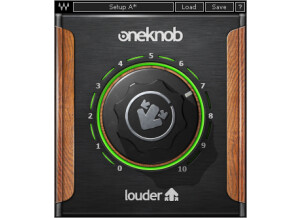
    There were no compatibility issues installing any of the other six One Knob plug-ins, One Knob Louder being no different. The general setup of the plug-in, as with the others, is as simple as it gets. One knob sits in the middle of the display. When you raise the knob an aesthetically pleasing lime-green light indicates the effect's level, also displayed in a number between 0 and 10 in the lower right hand corner. Because of it's simplicity I have never felt the need to read the manual, but I can imagine as with the rest of the Waves plug-ins that it would be well-written and helpful. SUITABILITY/PERFORMANCE Running in Ableton Live 8 on my MacBook Pro with a 2.7Ghz Intel Core i7 processor and 4GBs of RAM, Waves' One Knob Louder is as smooth as clockwork. Being a fairly light plug-in with regards to CPU usage, it is stable and reliable even in situations with many other effects and VSTs operating simultaneously. That said, I do not use the One Knob series too much. This is for the simple fact that they don't offer enough versatility. There is literally one, and only one way to affect the signal. Although easier for producers who may not want to go through the trouble of learning more complex interfaces for bringing up their mixes, is it worth the money? The product can either be purchased as a part of the Waves One Knob package deal, or with the Mercury bundle. If you are really dying the try it, get a much better deal by buy the Mercury bundle and getting the entire library of other top-of-the-line plug-ins that comes with it. OVERALL OPINION Overall I wasn't totally satisfied with the One Knob series by Waves, but there were some viable pros to help balance the cons. The pros: their simplicity, stability, and superior sound quality. Pumping up the loudness with this plug-in couldn't have been easier and sounded really great, not just boosting the volume, but enriching the signal. The cons: lack of versatility in expression, and limited realistic use in a professional production environment. Although there is a One Knob to solve everything, it isn't always the right plug-in to just throw in the mix and crank up, because at the end of the day you don't have the ability to tweak it exactly how you want it. The One Knob Louder, although expressive in its own way, lacks enough flexibility for me to really recommend it as a worthwhile product to invest it, but if you get it as a part of the Mercury bundle I would encourage you to try it out just to know how it sounds. There are certainly great situations where One Knob Louder's beefing up is exactly what you need.

  • « A good filter but too simple »

    There were no compatibility issues installing any of the other six One Knob plug-ins, One Knob Filter being no different. The general setup of the plug-in, as with the others, is as simple as it gets. One knob sits in the middle of the display. When you raise the knob an aesthetically pleasing purple light indicates the effect's level, also displayed in a number between 0 and 10 in the lower right hand corner. Yet the One Knob Filter differs from the others in that it has an additional parameter besides the one knob: a button in the bottom left corner that toggles the filter's resonance between none, moderate, high, and extreme. Because of it's simplicity I have never felt the need to read the manual, but I can imagine as with the rest of the Waves plug-ins that it would be well-written and helpful. SUITABILITY/PERFORMANCE Running in Ableton Live 8 on my MacBook Pro with a 2.7Ghz Intel Core i7 processor and 4GBs of RAM, Waves' One Knob Filter is as smooth as clockwork. Being a fairly light plug-in with regards to CPU usage, it is stable and reliable even in situations with many other effects and VSTs operating simultaneously. That said, I do not use the One Knob series too much. This is for the simple fact that they don't offer enough versatility. There is literally one, and only one way to affect the signal. Although easier for producers who may not want to go through the trouble of learning more complex interfaces for filtering their signal, is it worth the money? The product can either be purchased as a part of the Waves One Knob package deal, or with the Mercury bundle. If you are really dying the try it, get a much better deal by buy the Mercury bundle and getting the entire library of other top-of-the-line plug-ins that comes with it. OVERALL OPINION Overall I wasn't totally satisfied with the One Knob series by Waves, but there were some viable pros to help balance the cons. The pros: their simplicity, stability, and superior sound quality. Filtering my track's signal with this plug-in couldn't have been easier and sounded really great, perfect for the gradual rises and big sweeps of the electronic music I produce. The cons: lack of versatility in expression, and limited realistic use in a professional production environment. Although there is a One Knob to solve everything, it isn't always the right plug-in to just throw in the mix and crank up, because at the end of the day you don't have the ability to tweak it exactly how you want it. The One Knob Filter, although expressive in its own way, lacks enough flexibility for me to really recommend it as a worthwhile product to invest it, but if you get it as a part of the Mercury bundle I would encourage you to try it out just to know how it sounds. There are certainly great situations where the exact One Knob Filter sound is what you need.

  • « Surprisingly effective, but still limited »

    There were no compatibility issues installing any of the other six One Knob plug-ins, One Knob Brighter being no different. The general setup of the plug-in, as with the others, is as simple as it gets. One knob sits in the middle of the display. When you raise the knob an aesthetically pleasing teal light indicates the effect's level, also displayed in a number between 0 and 10 in the lower right hand corner. Because of it's simplicity I have never felt the need to read the manual, but I can imagine as with the rest of the Waves plug-ins that it would be well-written and helpful. SUITABILITY/PERFORMANCE Running in Ableton Live 8 on my MacBook Pro with a 2.7Ghz Intel Core i7 processor and 4GBs of RAM, Waves' One Knob Brighter is as smooth as clockwork. Being a fairly light plug-in with regards to CPU usage, it is stable and reliable even in situations with many other effects and VSTs operating simultaneously. That said, I do not use the One Knob series too much. This is for the simple fact that they don't offer enough versatility. There is literally one, and only one way to affect the signal. Although easier for producers who may not want to go through the trouble of learning more complex interfaces for raising high-ends, is it worth the money? The product can either be purchased as a part of the Waves One Knob package deal, or with the Mercury bundle. If you are really dying the try it, get a much better deal by buy the Mercury bundle and getting the entire library of other top-of-the-line plug-ins that comes with it. OVERALL OPINION Overall I wasn't totally satisfied with the One Knob series by Waves, but there were some viable pros to help balance the cons. The pros: their simplicity, stability, and superior sound quality. Raising the brightness with this plug-in couldn't have been easier and sounded really great, not just boosting the highs, but enriching them. The cons: lack of versatility in expression, and limited realistic use in a professional production environment. Although there is a One Knob to solve everything, it isn't always the right plug-in to just throw in the mix and crank up, because at the end of the day you don't have the ability to tweak it exactly how you want it. The One Knob Brighter, although expressive in its own way, lacks enough flexibility for me to really recommend it as a worthwhile product to invest it, but if you get it as a part of the Mercury bundle I would encourage you to try it out just to know how it sounds. There are certainly great situation where the exact One Knob Brighter sound is what you need.