Waves L1 is a software effects plug-in to be used in a DAW. All Waves plug-ins can be installed by downloading them off the Waves website. Authorization is completed using a USB stick as a dongle, or using an authorization manager application if your computer connects to the internet. Waves plug-ins are know for being stable, and rarely have any bugs. The 'L1' plug-in has been around a long time and has been tried and tested in all popular DAWs. SUITABILITY/PERFORMANCE The L1 limiter is easy to use. There is 'threshold' slider to adjust how much limiting is occurring. There is an 'output ceiling' slider if you want the signal to be limiter at a particular amplitude level. If you are using a limiter as the final plug-in on your mix bus, I definitely recommend setting the output ceiling to -0.3 or -0.5. The main reason to do this is to prevent inter-sample peaks. Digital limiting prevents the digital samples of a signal from exceeding a particular amplitude. However, when the digital signal is converter to analog, it is possible that the digital samples do not occur at the true 'peaks' of your signal. Because of this, the digital to analog converter will 'clip'. If you set your output ceiling to be less than 0.0, then the inter-sample clipping can be prevented. I received the L1 plug-in because I purchased the 'Gold' bundle from Waves. I have several other limiters (Maxim, FG-X, MaxxVolume, etc.). The 'L1' is definitely not my 'go-to' limiter on my mix bus. The 'L1' has been around a long time, and digital limiting techniques have significantly advanced since it was released. At this time, I would definitely recommend checking out some never digital limiters (L2, L3) if you are specifically looking to get a mix bus limiter. OVERALL OPINION Digital limiting with a plug-in has a unique feature - 'look ahead' limiting. This means that the processor knows what it is going to 'limit' prior to having to process it. The 'L1' limiter was one of the first plug-ins to utilize this kind of processing. I don't recommend using the 'L1' for heavy compression. I notice that this plug-in doesn't sound very good when I have to really squash a signal. If you are going to use the 'L1', I would recommend only using it subtly. The 'L1' can also be used for dithering a signal. This is a necessary processing step if you have recorded a signal at a bit rate (like 24 bits) but your mix down needs to be a different bit rate (16 bits).
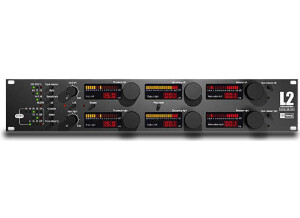
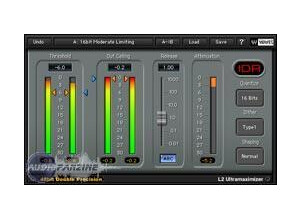
This ‘ultramaximizer’ (essentially a look-ahead stereo mastering limiter) is the only digital unit to make the cut. Compression is one of those areas where DSP-based units have traditionally been noticeably inferior to their analogue counterparts. Only very recently have plugins caught up with analogue technology when it comes to controlling the dynamics of a signal. So what makes the L2 special? In the era of aggressive loudness, the appeal of the L2 is obvious: it makes tracks louder. Simple as that. As such, it’s become a go-to weapon in many mastering engineers’ arsenals. Under the covers the L2 works like any other limiter, by effectively reducing the peak signals in a mix so that everything can be amplified in order to increase the average loudness. But how does it actually sound? Let’s just say you’re not buying the L2 for its character. When pushed hard it’ll happily destroy the dynamics of your track, introduce distortion and eventually create the most horrifically clipped, harsh sound you can imagine. But that doesn’t stop it being one of the most popular pieces of outboard among mastering engineers looking to squeeze that last fraction of a decibel out of a mix. If you’ve ever compared your own mix with a chart hit and wondered how they’ve managed to push the mix that loud then you can all but guarantee that a maximiser like the L2 has played a pivotal role somewhere in the mastering chain. The one major downside? It sounds virtually identical to the plugin on which it’s based. But that’s good news for the rest of us; if you’re not setting up a hardware-based mastering studio, the much cheaper plugin will probably do the job just as well.
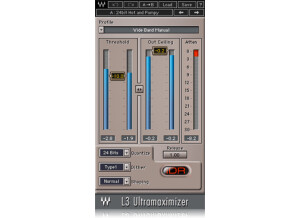
The L3 is an awesome limiter, and it's very complex both in operation and sound. The L3 Ultramaximizer basically takes the L1 and L2 approach to limiting but with the great sound of the L3. I'm sure there are those out there who are thinking this kinda takes away what made the L3 so great, and I somewhat agree, but this is a pretty amazing limiter in its own right. You have the simplicity of the L1 and L2 limiters, but it sounds as complex and transparent as the L3. To me, that's a HUGE plus. I no longer have to mess with tons of options to get that sound I'm looking for. To use this, simply enable it on your master buss and start going from there. For those of you who have never used a limiter, keep the output ceiling below 0.0, and you should be good to go. SUITABILITY/PERFORMANCE When it comes to things like stability and performance, Waves is awesome. They're basically unmatched in this aspect. First of all, they're cross platform compatible. That means both OS X and Windows users alike can use these without any problems. Another thing is that they're crazy stable. I never once experienced an issue with this plugin causing my DAW to slow down, crash or act quirky. There is one issue, however. For the OS X plugins (not sure about the Windows ones as I'm a Mac user), they're 32 bit. That means that Logic Pro has to open up a special bridge application every time I want to use a 32 bit plugin inside of my 64 bit DAW. I find it a tad annoying, and I'm hoping they'll fix that in a new update or something. I've been using the Mercury bundle for quite awhile now, and it's been absolutely heaven. OVERALL OPINION The L3 Ultramaximizer is great if you're looking for something that sounds like the L3 but without the complex multiband features that it has. If I'm just doing a quick mix and don't feel like messing around with all these different frequencies, I find that plugins like this are much easier for me to use. It leads to less frustration, and that's a huge thing when it comes to mixing. While there are more complex and versatile options out there, this is still a very solid option that you shouldn't look past.