Log in
EN
FR

SeriesDigidesign Pro Tools

33 products found

Filter
Sort by
Evaluation
  • Reviewed or not
  • Editor’s award
  • Reviewed by Audiofanzine
Availability
  • Available or not
  • Sold new or used
  • Sold new
  • Sold used
Must-have products
  • All products
  • Flagship products
  • Best rated products
  • Hot products
  • Popular products
Price
  • Freeware
€
Clear
Sort by
  • Popularity
  • User ratings
  • Price - low to high
  • Price - high to low
  • Used price, increasing
  • Used price, decreasing
  • Name (from A to Z)
  • Name (from Z to A)
  • Added on
Sort results
  • Popularity
  • User ratings
  • Price - low to high
  • Price - high to low
  • Used price, increasing
  • Used price, decreasing
  • Name (from A to Z)
  • Name (from Z to A)
  • Added on
Filter results 33 results found
Evaluation
Availability
Must-have products
Price
  • Freeware
Show results

The best Digidesign Pro Tools reviews

The reviews Audiofanzine members found the most helpful.
  • « Good But complicated at start »

    I was not involved in the installation of the program but from what I heard it was very quick and easy to do. I have read through the manual a few times and got my head around many of the provided features that come with this program, pro tools is a very good DAW and one of my favourites for mixing and mastering. Everything works in the program as it should do with a few little bugs that will get fixed on updates to it in the future. SUITABILITY/PERFORMANCE Our system is a mac pro dedicated to the recording, mixing and mastering of our projects. As you may imagine it runs extremely smoothly on our system but I also think it would work fine on a pretty high grade computer. Like most digital audio workstations they take up a lot of processing power so running them on a mediocre laptop or computer has the potential to make your work a little aggravating. I have been using pro tools for around 1 year now and it is still one of the best programs to mix and master on to. Our performance with this set up is one of the best, nothing lags or glitches due to low cpu or anything like that, we can safely mix a great number of tracks with no problems what so ever. OVERALL OPINION The main thing that stands out to me with the pro tools is that the audio quality is great. A lot of DAWs vary slightly in audio quality but this one is definitely not one of the rubbish ones for sure. I like how easy it is to use, but you will have to read up on how to do everything first off. Do not expect to just turn it on and be able to mix and master straight away, you will have to learn and read up on all the different features that it has. It is pretty expensive in my opinion but a necessity in a studio environment unless you use another DAW of course. I have worked with a number of different DAWs over a few years and I have to admit this is my favourite for mixing and mastering but I do not like to produce with this at all. I would choose pro tools every time when setting up a new studio as it is very user friendly once you get a hang of it.

  • « dont buy »

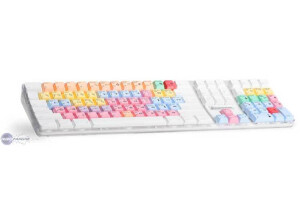
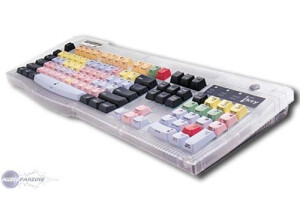
    The custom keyboard for Digidesign pro tools was something that I picked up mainly out of depesperation. It was at a time when I didn’t really know to much about pro tools and though that having the short cuts on the keys would really help me navigate through pro tools. It did help in a way but at the end of the day I just really didn’t need to purchase this. It is not cheap and its way overpriced just for a keyboard. There is nothing special about it, you could basically just learn most of the short cuts yourself (it will take some time) and it will be the same. The quality of the keyboard isn’t that good either, when you pay that much money you want something a little better. This keyboard just feels like a cheap keyboard that you can get at any office store just with pro tools stuff on it and not regular keys. I say stay away from this, if you are looking for shortcuts then learn them the old way and don’t take the easy way out. I have heard that there are several pro tools keyboards out that are good, but this one from Digidesign just isn’t a good one to me. I was very disappointed that I purchased this and couldn’t return it because I had to past the 60 days so I sold it on eBay for about half what I paid for it and lost money in the end. It was a headache to use and im just glad I got some of my money back on it. don’t buy it even if you are having a hard time understanding pro tools or if you just want the quick short cuts look at some of the official keyboards from pro tools and maybe get one of those. This one is cheap and cost too much, and the value of it wont hold up you.

  • « my starting point in pro tools »

    Pro Tools 5 LE was one of the first versions of pro tools that I have ever owned my self (owned but not just used). I have used other versions before this one but those ones made me buy his one with it came out a while back. I really opened up a lot of doors for me and got me to understand how the industry records and does music. After only working in some Midi sequencing softwares getting pro tools and understand it took some time and a lot of patience. But it built a good foundation for me to get into recording and really mastering music on a different level. SUITABILITY/PERFORMANCE Installing it was easy, it just took a while to finally get installed and registered and ready to go. Then I had to configure everything and get all the ins and outs right (which too a long time because I was new at setting it all up from start). But after a few hours of reading the manual and some trial and error. I was finally able to actually start recording. OVERALL OPINION Overall, I loved Pro Tools 5 LE. I don’t know use it anymore because I have upgraded so many times over the years and now im on the newest version of pro tools . Pro tools continues to keep developing there software and make it easier for us to navigate and get what we need out of it. But at the same time they keep getting a little more complex and changing some of the small features up. So sometimes when you upgrade and try to do or look for something that you did on a previous version it will be different on the new version so you will have to find it. But if you want to make it in this game you have to know pro Tools . Pro Tools 5 LE was a good starting point for me.

  • « Pro Tools is for pros.. »

    The Digidesign Pro Tools M Powered 8 version of Pro Tools is perfect for your home studio set up. It will have you making great recordings and a very clean mix in no time. It will take some practice and some patience especially if you are use to the flow of the Pro Tools interface. But you can use the manual for that, I don’t suggest this program to beginners though. But if you aren’t a beginner this is great! I ran this on my PC with an M Box and it worked perfectly. This program is a very large program though, and it will eat up space on your pc. So make sure you have a lot of storage and RAM on your PC before loading this up or your will receive a lot of lag even if you are using the ASIO drivers. SUITABILITY/PERFORMANCE But using the Pro Tools M Powered 8 version is not as complex as the regular version of Pro Tools. But it still packs a punch. You can still use all of the main plug ins that you can on the regular version of Pro Tools. The Pro Tools software is a high quality recording software that is an industry standard and is used in all major studios worldwide. You can save your session and open it on a different version of pro tools in a different studio. OVERALL OPINION Overall Pro Tools M Powered 8 is great because it allows someone with a smaller budget to have something that the industry uses in the privacy of their own home or personal set up, and still transfer the files over to any pro tools version here is on the market. The price of this product isn’t bad at all, you will need to know how to use pro tools if you are going to be serious in this industry. Pro Tools M Powered 8 makes it possible no matter what your budget is.

  • « This is all you need... »

    We have this in our main studio, the quality of this program is amazing. Everyone knows that Pro Tools is an industry standard, and it is! There are a lot of other programs that claim they are similar to Pro Tools, and people saying that Pro Tools isn’t as important as it use to be. But I am a firm believer that Pro Tools still is the best and will always be the best. We run Pro Tools on Mac . Works perfectly with no problems. We use it for mixing and mastering of complete songs that have been recorded, and it gives us a radio and album ready sound. The ability to get so in depth with audio on Pro Tools is why we made our decision to use this. UTILIZATION We get very little latency when using Pro Tools, we don’t record more than 2 track simultaneously unless we are recording live drums. The drivers that come with this program are very stable and have yet to fail use and probably never will. There are several updates they Pro Tools will release, but installing them is super easy and there is no complication. GETTING STARTED When we first got started it was a little overwhelming because we have never dealt with Pro Tools before, so reading the manual is a must. It will take time to fully understand the program, you will learn new stuff all the time. OVERALL OPINION The thing I love the most is the drivers for Pro Tools HD are amazing. I expected to get a lot more latency and problems with running them on an older Mac computer. But everything worked perfectly. The sound quality is amazing and if you are serious about your career this is a must have. The downside of the program is that it is very pricey. But if you can afford this you will never need anything else!

  • AnimalTracksStudio's review

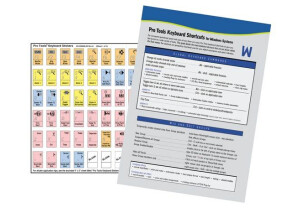
    DIGIDESIGN PRO TOOLS CUSTOM KEYBOARD - STICKERS Until you actually use a set of keyboard short cuts for the Pro Tools recording environment, you have NO idea how fast you can be when it comes to laying down and editing your audio tracks. You are most likely like everyone else and using the mouse to go to the tool bar, hitting the drop down menu and then finding your desired option and clicking on it and then going through another sub menu to get to the choice you really wanted. If you have a lot of disposable income, you may have purchased the actual Digidesign keyboard that sells for the over $100 U.S. Dollar range and are quite happy with that. If you are an average musician, you opted for the stickers that then get placed on your existing keyboard and do the same thing for fewer than twenty bucks. I fall into the second category. I am now on my second set of these things. Second set? You ask. Why in the world are you on your second set of stickers? Have you worn them out? Well, no. Not exactly. The first set actually ended up peeling off the keyboard after about six months of fairly heavy use. The second set, ordered from the same company, has lasted over a year and is still going strong. What is my recommendation for the longer life? Do yourself a favor, go to an electronics superstore and but a NEW keyboard, use a cotton swap with alcohol and wipe off the keys BEFORE applying the stickers. It seems that on my first set, I just applied them on my existing keyboard and the oil from my fingers caused a less than good bond and hence the pre-mature lifting of the stickers. That’s my observation, not that of the manufacturer. But a new keyboard, alcohol, swabs and stickers set me back a whole twenty-seven bucks, I can deal with that.

  • soccerplayer25's review

    Digidesign Pro Tools 7 LE was really easy to install and set up with my Mbox. I have it installed on my PC laptop and there haven't been any compatibility issues to date. I just really followed the steps that came with Pro Tools and it should be easy to get going if you follow the manual. SUITABILITY/PERFORMANCE I have a Hewlett Packard laptop with a 3.0 Ghz processor and 1 GB Ram and I haven't had too many problems running Pro Tools LE. However, I have a friend who runs it on a mac and it seems to run much better on there. I can record 2 tracks at once with my Mbox and I have had no problems doing that. OVERALL OPINION I've had Pro Tools LE 7 for about a year now and I couldn't be happier. Pro Tools is the industry standard and its great to be able to bring my sessions from home to larger studios and vice versa. I've used other software in the past such as Cubase, Logic and Sonar and while to me they are all really powerful, Pro Tools has been the most user friendly and the most powerful. While you will spend more on a Digidesign interface/Pro Tools software combo than you would from another brand, having the Pro Tools software makes it all worth it for me. Being that it is the industry standard, I don't think that I could work without having a copy of Pro Tools for myself.