Log in
EN
FR

Digidesign

Series

233 products found

Categories
Series
Filter
Sort by
Evaluation
  • Reviewed or not
  • Editor’s award
  • Reviewed by Audiofanzine
Availability
  • Available or not
  • Sold new or used
  • Sold new
  • Sold used
Must-have products
  • All products
  • Flagship products
  • Best rated products
  • Hot products
  • Popular products
Price
  • Freeware
€
Clear
Sort by
  • Popularity
  • User ratings
  • Price - low to high
  • Price - high to low
  • Used price, increasing
  • Used price, decreasing
  • Name (from A to Z)
  • Name (from Z to A)
  • Added on
Choose a series
Sort results
  • Popularity
  • User ratings
  • Price - low to high
  • Price - high to low
  • Used price, increasing
  • Used price, decreasing
  • Name (from A to Z)
  • Name (from Z to A)
  • Added on
Filter results 233 results found
Evaluation
Availability
Must-have products
Price
  • Freeware
Show results

The best Digidesign reviews

The reviews Audiofanzine members found the most helpful.
  • « Very good console at a reasonable price. »

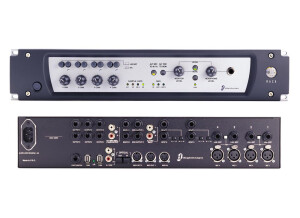
    RCA, Jack, firewire, XLR, optical...All types of connections are available. You obviously have to connect it to a Mac or PC with a firewire cable. Direct-to-disc syning is possible (setting the clock to ADAT) and with other Digi cards, in which case the syncing is automatic. UTILIZATION - Very functional, not too big, it can handle only 8 tracks, but 4 x 8 tracks or more. To do that, you have to change the track view pushing the appropriate button, which shows tracks 1-8 or 9-16 or 17-24. - I have never read the manual but you can find information on the internet or asking friends who use Pro Tools. - The usual functions are easily accessible, it's easy to take control of the unit. SOUNDS - Thumbs up for the sound, the console is transparent and the sound is perfect. No noise. OVERALL OPINION - I've been using it for 4 years, and I've done plenty of professional recordings with this excellent machine. - I started with the digi 002 and quickly moved on to the digi 003 factory. the digi002 still works fine, but access to the cables and settings is not as handy, especially if it is on a rack. - It's perfect for me - When it came out it cost about $2500, so I was surprised to find it for $900 secondhand, although they are not easy to come by. Anyway it's better for users because Avid gear is usually expensive. - I wouldn't hesitate to buy this product again.

  • moosers's review

    The Digidesign Icon D-Command is the largest and most in depth digital audio work station controller designed for Pro Tools. This isn't a console in the traditional sense - it merely controls parameters and features in Pro Tools. When compared to the other Digidesign digital mixers like the Control 24, the Pro Control, and the 002, the Icon has a lot more controls to offer, and will also take a bit more practice to get used to. This being said, if you're familiar with Pro Tools and know a little bit about mixers, everything will be pretty self explanatory on the Icon D-Command. The mixer has 24 'channels' with faders, solo, mute, record enable, as well as panning, and some programmable parameters. It controls everything that you see inside of Pro Tools - nothing more, nothing less. Honestly, this is the type of mixer that you want in a large studio to impress clients and to have as a main stay in your system when you have outboard pre-amps already. It doesn't actually make any sounds of its own since it doesn't have any built in mic pres, and you don't even really run your system through it like you would a traditional console. The Icon D-Command is designed for professional Pro Tools users who don't want to do everything inside of the box and want external control that isn't satisfied by the lesser models I previously mentioned. It is quite a beautiful looking piece of gear, and certainly has a lot of allure, but it will cost you a serious amount of money for something that doesn't even add anything to your sound. However, if you're putting together a professional studio and want a very in depth control surface for Pro Tools, it doesn't get much better than the Icon D-Command.

  • « Great Plug In »

    We use this compressor all day at our facility. I like it as a second compressor in the chain. It does have a harsh compression and I use it on everything again, as a secondary compression. I like this unit for more of a limiter use opening the attack up to let the sound hit initially and then grab it with a light 3:1 to 4:1 ratio. My students all use this in their audio classes and love it. It can sound a bit harsh if you over compress or use a hard hitting snare drum or kick drum. I think it sounds a bit loose at about 50hz on Kick and does not tighten the kick but rather over compress the sound and make it a bit colored. To avoid this just pick the right instrumentation to use this compressor on. Use it for vocals and you can start with the presets the factory sends when you purchase. It is a bit to compressed but it is a good starting point and should be good for you to get a basic idea of how this compressor works and how much gain reduction you can use without sounding to effected. SUITABILITY/PERFORMANCE It works great and has not issues with any playback engine issues. I have used it for years and it works flawlessly. I use on IMAC, LAPTOP, DUAL LAPTOP, QUAD LAPTOPS. If you are running about 32 or more of these it can bog a slower PC or Dual Mac or IMAC down a bit but in that case use it on a group or an aux send and return. I use group compression for my room mics so that I don't bog down the processor if I am having any problems with latency or if I am not running on an HD system. I find it stable and only if I am on a slow computer does it have any issues at all. I like using the attack more than I use the threshold. The attack is smooth and is really quick to grab the signal but not in an obtrusive way and not in a way that you can hear like a bomb factory 1176. I like the fact that these come with the install pack but I do think that it is best used with other compressors not alone. I don't use this plug in just solo rather I use it in conjunction with others. I normally pull this up in conjunction with a Bomb Factory or the SSL and I use this for more of a limiter rather than my main compressor as when you hit it with level it can sound a bit processed. OVERALL OPINION I like it and it comes standard with any pro tools bundle for free. I don't think you will find a better compressor as an included compressor. Like I said above I think that if you want to use as a limiter not as your primary compressor then you will love it as the second in the chain. I like this unit but it is not my main compressor when it comes to vocals or snare. I do use it some times on my bus sections but I do not use it all on the master fader. I have some students that put this on their masters and that is not a good idea it is not a stereo buss compressor.

  • « Ridiculous control surface »

    The Digidesign C24 is one of the ultimate control surfaces out there. Simply put, it has pretty much everything you can think of and then some. Starting off with features, this thing has 24 bankable strips, touch-sensitive motorized faders, 16 high quality mic/line/DI preamps, 8x2 stereo line submixer, 5.1 surround analog monitor section, talkback mic inputs, dedicated mute, solo, record, select, EQ, dynamics, send and insert switches, along with illumination for each of them. There are probably more features that I’m forgetting, but those are the main ones. There’s a bit of a debate throughout the audio engineering world at the moment. One school of thought says that you don’t need these control surfaces. They take up too much space, and you can do everything they do in the virtual environment. The other loves that analog feel, and they also realize that these offer faster on-the-fly tweakability that a digital environment might not be able to provide, even if it’s a touch pad one. I actually don’t feel these are that necessary for most beginner studios, but once you start getting major acts in your studio, a control surface such as this really helps when it comes to fast tweaking. A friend of mine owns a studio, and I’ve had extensive usage with this when I go over to record some of my material. This thing is just amazing in terms of what it can do. I could list all the various different things you can do with this, but I have a feeling that anybody who is looking to buy one of these already knows all the features. What I can comment about is that it’s extremely reliable. I never experienced any failures or unresponsive controls. I’m not sure exactly how old his C24 is, but it has a good amount of time on it. They’re expensive, but if you can afford it, I say go for it.

  • moosers's review

    The Digidesign 888/24 is an analog to digital converter box as well as an audio interface for Pro Tools systems. It has eight channels of analog inputs and outputs as well as four others for AES-EBU. It also has S/PDIF connections and word clock as well. It is powered by a standard power chord and while this is an older model of Digidesign's hardware, it is still built very well and is a reliable piece of gear. OVERALL OPINION I first used the Digidesign 888/24 a while back simply to see how it would compare to the newer Digidesign converters and interfaces for Pro Tools and I would be surprised by the results. The converters are pretty clean and it is nice to have so many channels and XLR connections in one place. While I don't think I can really recommend this anymore as the more modern Digidesign converters are cleaner and overall have more features, the Digidesign 888/24 would be a find option for the home studio owner who wants to add on more channels and converters to their Pro Tools system. The reason I say this is because while the newer converters are somewhat inexpensive, if you can find a used on of the Digidesign 888/24 it is even cheaper because these are no longer sought after. This was certainly a good effort by Digidesign even though they have now outdone themselves and is often forgot about because of this. You can now find this converter at very reasonable prices used even though they no longer make them, and like I said before if you are looking to add more good converters to your system at a cheap price, the Digidesign 888/24 is an out of the box solution that is worth a look. The Digidesign 888/24 is often over looked because of its age and while it is no longer worthy of being the centerpiece of a studio, it is worthy of still being used.

  • moosers's review

    The Digidesign Pro Control is a motorized MIDI based control surface for use with Pro Tools systems. There are eight faders, but you can scroll through for as many tracks as you might have. Let me start off by saying that the Pro Control has a ton of features to them, a lot of which I have never delved into, simply because I feel I don't need to use the controller for everything. However, what I have used on this controller, I have found to be quite useful and convenient. It makes it easy to mix, as I like the feel of the faders, and the programmable knobs come in quite handy as well. The metering system is really nice and helpful when getting levels. Since the Pro Control doesn't have pre amps, and it is simply a MIDI controller, this is by no means an essential piece to your digital audio workspace. It is convenient and a lot of people like the feel of real faders and knobs, and makes it possible to not have to just mix and do everything inside the box. The price of one of these isn't all that expensive, but isn't a bargain by any means. I think another reason a lot of people like having something like this is to impress the clients! If you go to a studio that has just a computer and no board, it simply doesn't look as convincing. This definitely does everything it advertises and is nice luxury to have, but isn't essential to the home studio owner. I would also recommend the Mackie Control 8 and HUI, the Tascam US2400, as well as the other control surfaces that Digidesign has to offer. All in all, the Pro Control is a well made product that is definitely worth a look for those interested in control surfaces.

  • « Avoid it like the plague »

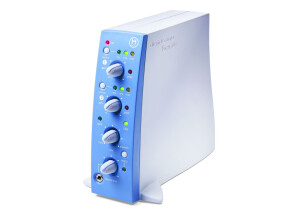
    I wanted to use pro tools. USE You can't really talk about use. OPERATION First test with an old IBM laptop It kind of worked. I blamed the PC for the sloppiness and malfunctioning. I tried with more powerful computers and it never worked. I tried several times during a 3-year period. - On three or four different PCs (XP, Vista) - I bought a firewire card (chipste TI) without success - I actually ended up buying a Macbook specially for it. (OS 10.6 / 2.4GHz 2Gb RAM) it surely must be enough, I thought!!! FAIL, FAIL, FAIL But I remained optimistic. I continued working with other setups, telling myself that someday I would get this machine working. A brand like Digidesign, a reference product like pro tools, the problem certainly had to do with me, because I didn't know what it took. But I gave up. I'm exhausted. Not even the money I paid for it is worth wrecking my head about it. The soundcard can't be used with other software programs. Today, the Digidesign site doesn't exist anymore and it was replaced by AVID. Getting drivers or infos is more complicated every day. Not to mention the hotline, which isn't free anymore. I asked for help: Back when the hotline was still free: The guys at the other end of the phone always managed to come up with something to win some time ("Download the update," "it might be your Firewire," "try Pro Tools 8"). The same happened with the store where I bought it. They tested the soundcard on one of their machines (a Mac) and it worked. However, it never worked on my computers. Besides, I use lots of programs, audio, video, computer music... and everything works fairly well. OVERALL OPINION It's my worst purchase ever. It was supposed to help me be more efficient. The result? A waste of time, energy, money, loss of hair and lots of frustration. I don't think there's anything more to do than to put it back in its box and throw it away. I wouldn't even dare sell it secondhand, it's a hot potato.

  • « took some time to figure it out »

    The installation on Pro Tools 8 was not quick, but it was worth the wait. My soul purpose of purchasing DigiDesign’s pro Tools 8 was to mix and master our songs and make them as good as possible from home without having to go out and pay someone else to do it. So the purchase price for Pro Tools 8 seemed high at first until we factored in how much it would really cost to have someone else mix and master or songs and tracks 1 by 1 , and that price was way more than what it was going to cost to purchase pro tools8 by digidesign. So we finally made the purchase and first thought was , this is complicated. At first glance we didn’t think that we could every have the knowledge to be able to do this in Pro Tools 8. It took use a lot of practice and reading through the manual. SUITABILITY/PERFORMANCE We did need the manual, and the manual wasn’t very easy to navigate through. There is just too much material in the manual , it was like a big book for us. But we eventually figured everything out after hours on hours and days and weeks. We finally got to the point where we felt comfortable enough to really fully master one of our songs. Pro tools does make it easy to import all of your external files in many different formats. OVERALL OPINION DigiDesigns’s pro tools 8 became like second nature to use after a while and we started to use it more and more and now we are too the point where we do almost everything in pro tools. Pro tools is just one of those things that will just take time to understand, no matter who good your ear is you will have to understand how pro tools works. With a lot of practice any one can understand it.

  • « its a beats »

    The Digidesign Hybrid is an in depth software synthesizer, modeling itself after the RSF PolyKobol analog synth. It's got an interface that matches this synth, as it looks just like a real synthesizer on screen, which is something that I love as it makes me feel at ease using something that looks familiar. I wasn't involved with installing this software since I don't own it myself. There is way too much going on here with the make up of the plug-in to mention all of it in a couple of lines, so just take a quick look at a screenshot of the soft synth to get an idea of what I'm talking about. As always, if you understand the features generally associated with analog and software synthesizers, you should be okay here. One thing definitely worth mentioning is the morphing oscillator, which is a unique feature that kind of sets this soft synth apart from the rest. A manual would be a good idea if you're thinking that you might need some assistance or even if you're just looking to learn the software inside and out. SUITABILITY/PERFORMANCE The studio that I work at has the Digidesign Hybrid soft synth running on a number of different systems. All of them are Pro Tools HD based, but this will get used a lot in Logic as well. It definitely takes up a decent amount of processing power, but all of our systems are top notch so we don't ever have performance issues really. If you're going to be running this at home I'd recommend taking a look at the requirements to ensure that you'll be able to run it comfortably. OVERALL OPINION I really can't say enough about the amount of detail involved with the Digidesign Hybrid . I haven't used original RSF PolyKobol analog synth that this is modeled after, but I don't have to do know that this is a great reproduction. It has sounds that could definitely be coming from an analog synth if I didn't know better, and an interface that matches up with the real deal. What more can you really ask for? I don't know what the price of this would be, but if you're in the market for a serious software synthesizer to use on an everyday basis kind of a thing, the Digidesign Hybrid is seriously worth considering. This thing is an absolute beast!

  • moosers's review

    The Digidesign Digi 001 is the original audio interface for Pro Tools. I don't know the year that this was first released, but it's definitely been a while now. The main reason that the Digi 001 is no longer really a viable option is because it's not Firewire or USB, but connects to your computer via a D-Sub and also has a serial port. You won't be able to use this with your lap top or newer computers for the most part, rendering the Digi 001 somewhat obsolete. Putting this aside and assuming that you've got a system that can support this, the Digi 001 isn't a bad interface. UTILIZATION The make up of the Digidesign Digi 001 has a good amount going on, as it has more connections than most are going to use. It's got two mic preamps that have dual XLR / 1/4" inputs and phantom power. Each has a gain knob and a pad at -25 db. There's also a headphone output in the front. In the back there are MIDI connections, 8 outputs including for your monitors, and six other 1/4" line inputs. As you can tell, it's a pretty complete interface considering it's size. GETTING STARTED The sound of the preamps in the Digidesign Digi 001 aren't great but they'll get the job done for your small project or demo studio. I can't say that I'd use it for anything serious unless you had an external preamp, as they do sound quite digital and a bit harsh at times. This is going to be the case with most audio interface preamps, although the 002 and 003 definitely sound a bit better. OVERALL OPINION While certainly a bit outdated at this point, the Digidesign Digi 001 can still be a somewhat viable audio interface if you've got an older computer and are just looking for something to get ideas down. I'm not sure if it will run with the newest versions of Pro Tools, although I don't see why it wouldn't. The good news about the Digi 001 is that it is super super cheap if you can find a used one. It's only worth it though if you don't think you're going to be upgrading your demo studio any time soon...

  • moosers's review

    Digidesign's HD1 Accel Core Card is a necessary part to have to run Pro Tools HD. You can have up to three HD Accel Core Cards, but at least the first one like this is necessary. Basically the way Pro Tools HD works is that it puts all of the processing on theses HD Accel Core Cards so it doesn't tax your computer and your computer can focus on running other things. As Pro Tools users know, HD systems run incredibly smooth, and these necessary HD cards are the reason. UTILIZATION Once you've installed the Digidesign HD1 Accel Core Card, there isn't anything that you need to do. It will do it's well and without errors, like it is designed to do. It can support sampling rates up to 192 kHz and will run even faster if you have an HD 2 or HD 3 card to go along with this. However, the HD1 card is all that is necessary to run Pro Tools HD in terms of core cards. While the Pro Tools HD systems that I've used have had at least two HD cards, I can't say that I've ever had an issue running as many tracks and effects as I'd like in a Pro Tools HD system. GETTING STARTED Since I don't own a Pro Tools HD system at home, and therefore do not own a Digidesign HD1 Accel Core Card, I never had to install it in a computer on my own. All of the studios that I've worked out of have one of these, but it was already installed and set to go, so there wasn't anything that needed to be done to get it going. It doesn't seem like it would be too hard to install one of these, but again I can't speak from experience. OVERALL OPINION The Digidesign HD1 Accel Core Card is really something that is more of a necessity than a choice for Pro Tools HD users. If you want a Pro Tools HD system, you need this! If you're just running Pro Tools LE, this isn't necessary. I can't really say anything about the bad about this, except for the price, which is really a lot. However, if you're putting together a Pro Tools HD system you should already understand that it's going to cost you a good amount of change. Overall, the Digidesign HD1 Accel Core Card is a powerful piece of gear that runs Pro Tools HD in professional studios everywhere.

  • moosers's review

    The Digidesign RM1s are a pair of high quality studio monitors. They are active monitors, so an external power amplifier is not necessary. They are pretty big in size but aren't too big where you couldn't transport them if you want to. They are just about the perfect size for studio monitors in my opinion as they are easy to move but still have enough power to bust out that low end. SOUNDS The sound of the Digidesign RM1s is absolutely awesome. It has an extremely full sound that makes these monitors great for uses of all types including mixing and monitoring. It definitely gives you an accurate read on what you play through them and they cover the entire frequency spectrum precisely and accurately. While they are very full bodied sounding, they aren't unrealistic and I find that things that I mix on these monitors will transfer over to other listening devices very well. It definitely has good dynamics overall and also have more than a satisfactory stereo imaging. Overall, the Digidesign RM1s have a nice low end presence as well as crisp mid range and high end. OVERALL OPINION I first used the Digidesign RM1s a few years ago and they are some of my favorite monitors out there. Since they are designed for professional engineers, the price isn't at all cheap but if you are a professional looking to get a top notch pair of studio monitors, this is the price you must pay. I love these monitors for any sort of application, but where they really excel is during mixing as the mixes will transfer over very well in my opinion. While I didn't expect a pair of monitors made by Digidesign to be all that great, I was pleasantly surprised with the results I found. If you are looking for a nice set of studio monitors that you can get accurate mixes on, the Digidesign RM1s are more than worthy of a try.