Log in
EN
FR

Digidesign Computer Music

Series

182 products found

Categories
Series
Filter
Sort by
Digidesign
Evaluation
  • Reviewed or not
  • Editor’s award
  • Reviewed by Audiofanzine
Availability
  • Available or not
  • Sold new or used
  • Sold new
  • Sold used
Must-have products
  • All products
  • Flagship products
  • Best rated products
  • Hot products
  • Popular products
Price
  • Freeware
€
Clear
Sort by
  • Popularity
  • User ratings
  • Price - low to high
  • Price - high to low
  • Used price, increasing
  • Used price, decreasing
  • Name (from A to Z)
  • Name (from Z to A)
  • Added on
Choose a series
Sort results
  • Popularity
  • User ratings
  • Price - low to high
  • Price - high to low
  • Used price, increasing
  • Used price, decreasing
  • Name (from A to Z)
  • Name (from Z to A)
  • Added on
Filter results 182 results found
Brands
Evaluation
Availability
Must-have products
Price
  • Freeware
Show results

The best Digidesign Computer Music reviews

The reviews Audiofanzine members found the most helpful.
  • moosers's review

    Digidesign Pro Tools 8 was a quick install after downloading the upgrade up from Pro Tools 7.4 from Digidesign's website. It only took a short while and had it up and running rather quickly. I haven't had any compatibility issues at all and can't think of any problems whatsoever that I've had with Pro Tools 8 in the short time that I've had it. The interface of the software is quite different than the previous versions of Pro Tools, but users of previous versions will be able to adapt quickly because even though there are a lot of new features, the old functions and features are still there and are the same. The interface looks more like Logic than it ever has before, probably because of all of the new MIDI features and Digidesign's desire to cater to that audience a little bit more. The manual is pretty complex and while I haven't used it much, it definitely seems like there is a lot there and that there is a lot explanations available. SUITABILITY/PERFORMANCE So far I haven't had any problems at all running Digidesign Pro Tools 8 as it has run smoothly and stably. It seems to run a little bit better than Pro Tools 7.4, even if the difference is subtle. I am currently running the software on a Pro Tools LE system using a Digi 002R audio interface and a Mac Book Pro that has a 2.2 Ghz Intel Core 2 Duo processor and 4 GB of RAM. I have also used Digidesign Pro Tools 8 on a Pro Tools HD system, on which it runs much better than in LE, which is to be expected always no matter what version of Pro Tools you are running. I've only been running Pro Tools 8 for about a month as this is quite new software. OVERALL OPINION While it took a little bit of getting used to, I must say that I now really enjoy using Digidesign Pro Tools 8. It was a little bit weird at first simply because the interface is so different than the previous version and I was skeptical of making the switch at first, but I'm glad that I did because Pro Tools 8 has the same great user friendly features that they are famous for, with a whole bunch of new added features including extended MIDI capabilities and music notation features. The plug-ins that it comes with are also upgraded and they now include SansAmp which is a really cool plug-in that previously did not come with Pro Tools. The price of the upgrade from earlier versions of Pro Tools is pretty reasonable and since that is what I did I'm not sure about the price of it new. I would highly recommend checking out Digidesign Pro Tools 8 for all Pro Tools users as they have taken it to the next level!

  • « great »

    The good thing about the original Mbox is that you can still buy it online now and get it for really cheap since they have came out with the Mbox 2 many years ago. It seems like when they came out with the Mbox 2 everyone got rid of the original Mbox which made the price of it go way down. But its still a great interface and I still use it from time to time. I came remember which pro tools that it came with but I have upgraded pro tools so many times it still continues to work. Even when used in cubase and fl studio you can just use it in about any type of daw that you use. UTILIZATION Drivers are very stable and everything works great with it, it plugs into my laptop with a USB chord just like the Mbox 2, difference is that the MBOX2 is more of a hassle and cost over twice as much. If you are thinking of getting the Mbox 2 I say you downgrade and save yourself a couple hundred dollars and get the original Mbox and just get a newer version of pro tools and you will save money and be happier in the end. GETTING STARTED Setting it up is very easy and is hassle free. There are no issues when running it at all and its very sturdy and wont break on you. I even pack mine up and take it with me a lot of places, I am actually on my second one because the first one got misplaced when I was on a trip, I think I just left in a hotel in the middle of Oklahoma somewhere. This is a very simple interface that can take on some complex jobs I highly recommend it especially with the price that they sell for online now is so low. OVERALL OPINION It’s a great interface and I stand by it. Like I said im on my second one and I will get another if I need to. Why not, they cost so little and provide such great quality.

  • « dont buy »

    The custom keyboard for Digidesign pro tools was something that I picked up mainly out of depesperation. It was at a time when I didn’t really know to much about pro tools and though that having the short cuts on the keys would really help me navigate through pro tools. It did help in a way but at the end of the day I just really didn’t need to purchase this. It is not cheap and its way overpriced just for a keyboard. There is nothing special about it, you could basically just learn most of the short cuts yourself (it will take some time) and it will be the same. The quality of the keyboard isn’t that good either, when you pay that much money you want something a little better. This keyboard just feels like a cheap keyboard that you can get at any office store just with pro tools stuff on it and not regular keys. I say stay away from this, if you are looking for shortcuts then learn them the old way and don’t take the easy way out. I have heard that there are several pro tools keyboards out that are good, but this one from Digidesign just isn’t a good one to me. I was very disappointed that I purchased this and couldn’t return it because I had to past the 60 days so I sold it on eBay for about half what I paid for it and lost money in the end. It was a headache to use and im just glad I got some of my money back on it. don’t buy it even if you are having a hard time understanding pro tools or if you just want the quick short cuts look at some of the official keyboards from pro tools and maybe get one of those. This one is cheap and cost too much, and the value of it wont hold up you.

  • « my starting point in pro tools »

    Pro Tools 5 LE was one of the first versions of pro tools that I have ever owned my self (owned but not just used). I have used other versions before this one but those ones made me buy his one with it came out a while back. I really opened up a lot of doors for me and got me to understand how the industry records and does music. After only working in some Midi sequencing softwares getting pro tools and understand it took some time and a lot of patience. But it built a good foundation for me to get into recording and really mastering music on a different level. SUITABILITY/PERFORMANCE Installing it was easy, it just took a while to finally get installed and registered and ready to go. Then I had to configure everything and get all the ins and outs right (which too a long time because I was new at setting it all up from start). But after a few hours of reading the manual and some trial and error. I was finally able to actually start recording. OVERALL OPINION Overall, I loved Pro Tools 5 LE. I don’t know use it anymore because I have upgraded so many times over the years and now im on the newest version of pro tools . Pro tools continues to keep developing there software and make it easier for us to navigate and get what we need out of it. But at the same time they keep getting a little more complex and changing some of the small features up. So sometimes when you upgrade and try to do or look for something that you did on a previous version it will be different on the new version so you will have to find it. But if you want to make it in this game you have to know pro Tools . Pro Tools 5 LE was a good starting point for me.

  • « Digidesign Mbox 2 »

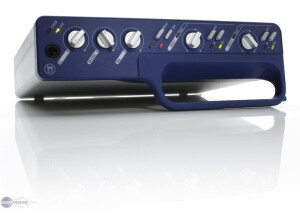
    The Digidesign Mbox 2 is a digital audio interface (A-D converter) with two analog inputs (4 with S/PDIF) and two analog outputs. It is USB powered and has no monitor latency. I am a student, musician, writer, and pretty good line dancer residing in beautiful Nashville, TN. I've been a drummer and guitar player on and off for the past 10 years of my life and have began engineering and producing in the past 4. I currently play drums for the band Brookline and you can see me rockin' an Orange County Drum and Percussion or Mapex kit decked out with Zildjian K Hybrids. I bought my first Mbox 2 about 5 years ago for right around $450 at Guitar Center in Pittsburgh, PA. I was wanted to set up a small home recording set up on my Macbook Pro. The Mbox 2 is the perfect interface for people looking to record voice-overs, scratch tapes, and any other recordings up to 4 simultaneous tracks. The Focusrite pre's are very transparent and I have even done overdubs at home for professional recordings using them. Each of the two channels offers a pad and switch to change from mic to DI. Other controls include; 48v Phantom Power, Mix, monitor, and headphone knobs. The back of the unit has three inputs (XLR or 1/4'), two 1/4' outputs, 1 midi in and 1 midi out, a S/PDIG in and out, and the USB slot. It has very user-friend interface and has never let me down. Syncs perfectly with protools and other programs with the included Digidesign drivers. There are no VU meters on the actual unit - only a peak light. I have used this unit for 5 years and as a mobile rig for the past 3 years and have found no problems with it. It does what it's supposed to and always functions properly. I have a million more problems with my 003 and HD system and this one never lets me down! Everything is encased in Digidesign's signature gray and blue casing. Like I said, I have used this as a portable recording rig for a good time and it has been dropped, kicked, and beaten up and still runs great, luckily... Bottom Line? There is no substitute for the Mbox-Protools combo. They are the industry standard and a great way to get your home studio up and running. This review was originally published on https://www.musicgearreview.com

  • « Digidesign Digi 003 »

    I play every instrument I can get my hands on. Drums, bass, guitar, mandolin, classical, harmonica, piano, keyboards - you name it. I love to record and while I haven't really been in a band, per se, I've jammed on countless occasions with some of the best musicians out there. I can hold my own, but I'm not a professional. Paid a little over two grand online for this Digi 003 Factory Pro Tools LE workstation. I needed something that could work with various levels of audio and MIDI, but that was fast and accurate and very capable. I got tired of messing around with the latest Cakewalk software and decided to go for the real thing - Pro Tools. You can pretty much connect just about anything to this unit. It will take a guitar, a mic, MIDI cables, sPDIF, digital audio, and more. I also like the faders as they are touch sensitive and motorized, this unit is really slick. There is a nice LED display and lots of lights to let you know exactly where you are at. Sometimes a unit like this can seem overwhelming, and while the Digidesign digi 003 is packed with functionality, it's pretty intuitive to use. The Pro Tools LE software that comes with the unit is also top notch and will let you slice, dice, and mix down your tracks with incredible flexibility. Even though I did mention that the whole rig is really flexibile and will let you do just about anything - and it's intuitive, you just can't get away from the fact that there's a learning curve. A really huge learning curve if you've never had this much power at your fingertips or if you've never worked much with recording equipment. Learning some of the concepts can be somewhat of a challenge, but like anything you take it a little at a time and pretty soon you're able to make simple multi-track recordings and before you know it you're on your way. Don't let this thing intimidate you though. While it's powerful, it can help you to make some of your best creations. While the software, the workstation unit and all of the other included items seem really first rate, you still won't want to drop this thing if you can help it. If you're going to spend this much on a workstation, software, etc. you better take care of it. Having said that, I'm terribly impressed with the quality of this Digidesign product. The Pro Tools LE package simply rocks. Overall, very expensive, but you've got to pay to play. Don't let the extreme flexibility and amount of control overwhelm you though, as this is a package that will keep you producing your own recordings for years. This review was originally published on http://www.musicgearreview.com

  • « portable »

    The Digi design Mbox Micro is a great handy little interface. You definitely need this if you are on the go and want to record. I use to take mine everywhere with me. I even traded in the Mbox 2 regular for the mini. UTILIZATION Unlike the Mbox 2 regular, the Mini gave me no issues setting it up to record on my dell laptop at the time. It was pretty much plug and play. My DAW software recognized it and synced right up with it without any issues. It didn’t have much latency either, which was great when I had a rack from korg hooked up to it. GETTING STARTED This is probably the best investment the mobile artist can make. You can take it with you anywhere and record. This thing is tiny but packs a powerful punch. There are other interfaces that are regular size that cost more than this and don’t sound any where near as good as the Digidesign Mbox micro. You don’t even have to use this in pro tools either, but keep in mind that trying to use it on other forms of software might require more trouble shooting because technically its not compatible with all software. But you can get it to work if you understand DAW’s and sound cards etc.. OVERALL OPINION Overall, this is a must have. Its always good to have this around, even if you arent the most mobile person. Its still good to have just in case you are going out on a trip and want to be able to do music no matter where you are. The Micro doesn’t just have to be for demo’s either. You can really lay down you masters with it, because that’s how good it sounds. I highly suggest getting this, no more big interfaces .. Get the micro and record on the go!

  • « Awsome interf »

    I have used the DigiDesign 002 Rack in a few different studio’s and I must say that its amazing! I wish I could have this at my house! Its an amazing audio interface with all of the ins/outs you need to have a powerful session. UTILIZATION It seems pretty simple to run, they had it in pro tools in the studio that I was in. I am very familiar with pro tools so it was simple. I am not too sure if you can use it on a different DAW though. Digidesign does create other audio interfaces that can be used on several platforms though. But the whole time we were using it, we had no lag/latency. Well there is no such that as 0 latency , but you would think the DigiDesign 002 Rack had 0 latency with how well it worked! Probably the best interface of I have every worked on. It didn’t crash on us or anything. We had absolutely zero problems with it, for the few hours we were using it. GETTING STARTED Getting started with it wasn’t hard at all , as I said before I am really good with pro tools. But with a newbie it could be an issue getting started. But I am sure the manual will clear up any questions or concerns you might have. It does allow you to run several tracks at once, so if you are running this on a mac with a lot of ram you will be good to go! Very powerful tool right here! OVERALL OPINION Overall, I say if you can afford this unit buy it now! You probably wont find anything better on the market that can fit in your rack at home. This unit is used in major studios all across the world, and after using it I See why. No complaints at all with this one! Buy it!

  • « your plug in collection needs this »

    I installed the Digisign AIR Ensemble with no problems on my Pro Tools LE 9. It was as simple as installing any standard plug-in is on a Mac. I don't have the manual as I bought it electronically, but this is literally the easiest plug-in I have ever used as it simply has 6 preset vibrato and chorus sounds. SUITABILITY/PERFORMANCE I am running the Digisign AIR Ensemble plug-in on a Mac Book Pro that has 4 GB of RAM and a 2.2 GHz processor. I use the plug-in in Pro Tools LE 9 that I run with a Digi 002 rack version. The software runs fine with this set up as I am able to run a few of these at once. I've never had a need to run more than three or four of these plug-ins at once, so I can't speak to how well it performs beyond that. OVERALL OPINION I've had the Digisign AIR Ensemble for a 2 years. I love the sound this produces when I am looking for a leslie type sound or for any type of chorus or vibrato application. It is amazingly easy to use as there are only six preset sounds on it that can't be manipulated with any further parameters. This is both a good and a bad thing. It is good because it makes it extremely easy to use and anyone can figure out how to get the most out of it. It is also unfortunate that it is limited in its use. You can definitely find a useful application for all of the presets. For the price it is a bargain and is nice to have in my plug-in collection as an easy way to get a nice sounding chorus or vibrato. I suggest this to anyone looking for a solid plug in with these effects, it wont make your system unstable and will never crash on you whether you’re on a mac or pc.

  • « great organ! »

    I had no problems installing Digidesign AIR DB 33, nor did I have any compatibility issues with my machine. It was easy to install, and I have installed and used it both on a Mac and a PC. I use it as a standalone plug-in and in Logic. I don't a manual for this as it is straightforward enough where I didn't need it. SUITABILITY/PERFORMANCE I run the B4 on a Mac Book Pro lap top with a 2.2 Ghz Intel Core 2 Duo processor and 4 GB or RAM. I have also used it on a Hewlett Packard lap top with a 3.0 Ghz processor and 2 GB of RAM. It has almost run smoothly on both machines for me. I only used it as a stand alone on the PC, but on the Mac have run it successfully in both Logic and as a stand alone. I only run one of these at a time to play on usually, but it can also be used as a plug-in effect that can be really cool sometimes! OVERALL OPINION I've been using the AIR DB 33 for two months nw. It provides me quick and easy organ sound that I can play with my MIDI controller. The AIRE DB is quite a realistic organ sound, and while it definitely doesn't match a real B3, it is just as good as most organ sounds on synthesizers, if not better and more versatile. I haven't used any other virtual organs like this one, as this fit my price range and I liked it from the get go. I try to use a real organ whenever I have a recording that needs organ, but when that is not possible the DB 33 comes in handy. It is easy to use and is also great for getting down ideas before you go to dub with a real organ. Overall, the AIR DB 33 suits my needs and I would definitely recommend looking into it.

  • « Digi rocks! »

    The Digidesign Impact was easy to install and I haven't had a problem with it since I installed it. I run it with Pro Tools 7.4 and it was as basic an installation as any plug-in I have installed. I've never used the manual but I don't think you would need it unless you were having problems getting the plug-in installed on your machine. SUITABILITY/PERFORMANCE I run the Impact on my Mac Book Pro that has a 2.2 Ghz processor and 4 GB of ram. I use it in Pro Tools 7.4 that I run with my Digi 002R interface. I've never had a problem running this plug-in on my machine and I'm able to run a few of them at once. I think that has more to do with my machine than the plug-in, but there is something to be said that I have never had an issue with it. OVERALL OPINION I've had the Digidesign Impact for about 11 months and it has become an integral part of my plug-in collection. I love the way it sounds on electric guitars and electric keyboards. It makes for a thicker sound and adds a nice crunch to guitars. It is also extremely easy to use as it only has 3 parameters, making for a simple layout that is easy to understand. I think it is pretty fairly price as far as plug-ins go and is definitely a good value considering that you are getting a nice sounding compression plug-in. It also has a nice metering section that makes it easy to monitor output and compression. All in all, this is one of the better compression plug-ins I have come across and will continue to use it when mixing in Pro Tools. This is definitely worth the money spent. Digidesign has created quality products over the last decade and they offer great support as well. You cant go wrong with them.

  • Delacosta's review

    Very good unit, given the price. And the pack it comes with is a weighty argument. USE I don't know how a mobile studio can do with this setup. Once installed, you won't dare touch or move it much for fear of having to reconfigure everything...For a non-mobile studio it's okay, especially since the Mbox can be rack-mounted and that it looks nice. Not much to say in terms of sound. The most (and very) negative point is that these guys might be the best at designing hardware and software (Pro Tools is definitely a must!), but they are really bad at programming. You'll inevitably have to deal with several crashes until you end up with an optimal configuration. OPERATION Bizarrely enough, I have a fighter jet on my desk in the guise of a PC...and the instability of the system freaks me out sometimes! OVERALL OPINION Bottom line, if I had to choose again, I'd save some money to get a bigger system, like a 003 with PT HD!!! But, for the price, it's a good solution and, despite its defects, the Mbox fulfills its role very well. So, it's okay if you are looking for a quickly enough functional system (not considering the installation time) But forget about it if you want a stable system that will last a long time!