Log in
EN
FR

Akai Professional Computer Music

93 products found

Categories
Series
Filter
Sort by
Akai Professional
Evaluation
  • Reviewed or not
  • Editor’s award
  • Reviewed by Audiofanzine
Availability
  • Available or not
  • Sold new or used
  • Sold new
  • Sold used
Must-have products
  • All products
  • Flagship products
  • Best rated products
  • Hot products
  • Popular products
Price
  • Freeware
  • Low-cost (< $100)
  • Mid-range ($100 - $150)
  • Premium (> $150)
€
Clear
Sort by
  • Popularity
  • User ratings
  • Price - low to high
  • Price - high to low
  • Used price, increasing
  • Used price, decreasing
  • Name (from A to Z)
  • Name (from Z to A)
  • Added on
Choose a series
Sort results
  • Popularity
  • User ratings
  • Price - low to high
  • Price - high to low
  • Used price, increasing
  • Used price, decreasing
  • Name (from A to Z)
  • Name (from Z to A)
  • Added on
Filter results 93 results found
Brands
Evaluation
Availability
Must-have products
Price
  • Freeware
  • Low-cost (< $100)
  • Mid-range ($100 - $150)
  • Premium (> $150)
Show results

The best Akai Professional Computer Music reviews

The reviews Audiofanzine members found the most helpful.
  • « Excellent product »

    I chose this keyboard for several reasons: - Compactness (I need a keyboard for easy moving live) - The built-in arpeggiator - The number of knobs I plug in my MIDI synths UTILIZATION The touch is very nice, the keys offer a little resistance that makes playing very enjoyable. The manual is poorly translated, you better refer to the pdf manual in English on CD. The setup is fairly simple, I created three synths presets quickly. OVERALL OPINION I tried quite a few small keyboards and this one is well above anything I've ever tested. The keyboard is pleasant to play. The built-in arpeggiator is a great idea and I can not play without it. Being able to easily save many presets and you can browse through them clearly on the screen is a real plus for those who, like me, wgi want to control synth rack with sliders (which is not always easy to achieve). The pads that were more of a gadget for me are actually very useful because they can be assigned to a different midi channel and thus can play several machines simultaneously. This machine is really well thought out for the hardware, which is increasingly rare at this time when many musicians have made the choice to make music with a laptop.

  • « Great MIDI Controller for Pianists »

    This is one of the few keyboard MIDI controllers that has it all! 88 fully-weighted hammer action keys, drum pads, sliders, knobs, buttons, mod and pitch wheels, external pedals and expressions, just to name the basics. With an easy to read LCD display, you can program everything easily from the keyboard itself. It has many additional functions such as keyboard split, arpeggiator, drum repeating, transport controls, and tap tempo, which can all be useful (or not useful) depending on the specific application. Luckily, the keyboard is very customizable: you can use the drum pads to change program channels, for instance. I made a legitimate joke to my friends: This is the largest usb-powered device ever. Just plug it to your computer with usb, and it's ready to go. Only additional connection I need is to plug in my sustain pedal. UTILIZATION Given all of the controls and functions on this keyboard, it is relatively easy to program and use, provided that you are familiar with the basics of MIDI. In the edit mode, you simple need to move a knob or press the corresponding function button or pad in order to edit it's parameters..it's very intuitive. There's also a program change mode that lets you send program change commands, but I find it too slow for when I use the keyboard for live shows. Instead, I program the eight buttons to quickly switch to programs 1-8. In the preset mode, you can save the entire layout of the keyboard setup in dozens of different presets. Useful if you are using the keyboard for two entirely different purposes, but I find that one master setup works for all of my live and studio applications. OVERALL OPINION There are seemingly very few hammer action MIDI controllers out there, but if you are piano player like me, that utilizes a computer setup, and does synthesizer work as well, this keyboard is nearly perfect. A bit pricey for a keyboard that has no sound engine, but it is elegant, versatile, professional, and simple to use. I just wished it wasn't so heavy to carry around (almost 70 lbs!)

  • « Expecting allot but flaws in design »

    I so loved this keyboard, - Looks good - great quality feel keybed - good functions and controllers But unfortunately: - I had my second gig with it, now in open air and the touch faders began to jump around (and so did my settings/sound). I guess the touch response system works with warmth? So the cold screwed it over. - the quality of the pitch/mod wheel is very bad, a known problem all over the akai keyboards Please Akai, upgrade your products or stop calling yourselves Professional ! :-( It's with pain in the heart I have to let this keyboard go because it was very practical and an eyecandy :(

  • « GREAT COMPACT MIDI CONTROLLER! »

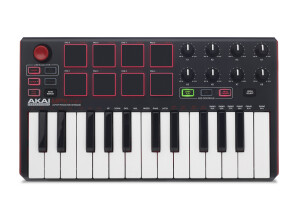
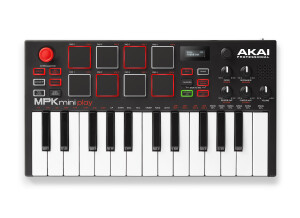
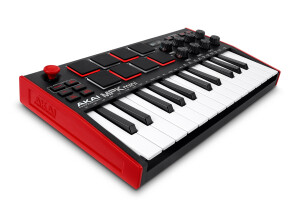
    The AKAI MPK mini is a 2 octave midi controller with a size that is perfect for you to take everywhere with you. But although it has a small size it still pack a BIG punch, containing 8 pads in 2 banks for a total of 16 programable pads as well as 8 programmable knobs. What really drove me to this purchase though, was the integrated arpeggiator within the controller which is great for live performances. Also, since it is connected via mini-USB you can be sure that it won't be taking up much power. GREAT PURCHASE! UTILIZATION Very simple Plug & Play setup. It is a very user friendly piece of equipment. Works perfectly in sync with all mayor DAWs. OVERALL OPINION It is very affordable and given the price you are getting more than what you paid for. The size and weight was really what did it for me. You can easily fit this keyboard in any backpack or gig bag. Not what I would consider a primary midi controller at all. But it is a really good purchase as a secondary controller, something to take on the road. Overall I would recommend it and I give it an 8/10!!

  • « Reliable Keyboard »

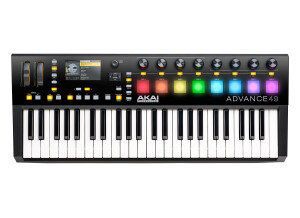
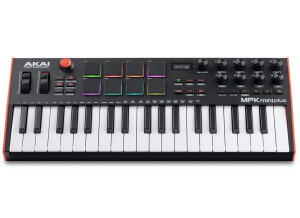
    Akai is know for quality, so this has 49 keys, on left side comes with pitch bend and modulation wheel which are very smooth and comfortable to use. You have 12 pads and modifiers for the pads which is usually used for sampling drums and sound loops, pads are very solid and if you have used any other Akai pads you know their well made. In the middle of the board you have the LCD screen which is clear to see, below you have buttons and knobs to adjust the Octaves tap tempo and setup the sound. On the right side you have 8 faders and 8 knobs to control different effects/parts of your DAW which can be all set up to your needs. This is a USB controller which makes it very easy to plug and play, it can be used for MAC and PC it includes Avid Pro Tools Express which i don't use UTILIZATION The basic part of it is the plug in and play keyboard with your DAW, it gets more confusing trying to connect the pads with sounds you need especially if you never used a MPC or MPD pad before, filters and knobs are easy and conformable to use, the selection is understandable and quick to process, this board is my secondary board currently because i found the pads to be uncomfortable over the top of keys, i bought a MPD32 to use for pads and i use a basic midi keyboard all my sounds are form the DAW plugins. The manual is Clear and easy to follow, the keys are good amount of soft i enjoyed them. Overall for a newb the setup might be confusing at first which you have to learn all the parts of it but after some hours you will understand all of it. OVERALL OPINION The price is great considering how much this board has to bring, i think personally its too much on a keyboard i like to have things separate like my pads controllers other keyboards but i did really like the Faders and the feel of the keyboard, i downgraded to a basic M audio 25 key and i bought the MPD 32 separately this feels better for me but i still keep the MPK49 for live use, I can had all my patches and settings set in one keyboard that makes it great, so the quality is very high I'm a big fan of Akai products but at the same time i like to keep it simple.

  • « It just gets the job done »

    For over 8 years I made music with only my computer mouse and keyboard, but as time went by and my skill developed I felt it was time to buy a MIDI keyboard just to add a new dimension to my creation process. I decided to get a small keyboard to start with since I'm not an expert player. After a bit of searching I came across the AKAI MPK Mini which I purchased. The unit is a USB MIDI controller which has 25 standard piano keys, 8 drum pads and 8 knobs for assigning to various controls. It has a dedicated buttons for changing the octave up or down, a built-in arpeggiator and a sustain button for holding notes. The 8 pads have a backlight. Power and MIDI data are both sent via a single USB cable. Installing the keyboard is a breeze. It doesn't need any extra drivers to work. You simply plug it into the USB port on your computer and the drivers are automatically installed. It should work on both Windows and Mac, though I've only used it on my Windows 7 machine with no issues. It also comes with a software to help you assign the keys on the keys to various functions. UTILIZATION The best thing about this keyboard are the velocity-sensitive drum pads. This doesn't come as a surprise because the controller is made by AKAI, the same company which makes the MPC. They make for a very enjoyable experience when programming drums. To really enjoy it though you have to have your latency setting set as low as possible on your host so that you can enjoy the instant feedback. I've personally used it for composing drum patterns and for triggering patterns in FL Studio's performance mode and it is very enjoyable. There's a bank button on the unit which you can use to assign an additional 8 sounds to the pads, so in essence you can assign a total of 16 sounds to the pads. Another handy feature is the memory bank which allows you to program the keys & knobs to suit your DAW. So every time you use the keyboard in your DAW you don't have to reassign the keys. You can save the settings of up to 4 different DAWs, meaning you can quickly switch from DAW to DAW without having to re-program the keys. This particular feature is very convenient for me because I often work in 2 DAWs (FL Studio and REAPER), sometimes 3 (Studio One) so I never have to re-program the keys when I switch. The piano keys themselves are sometimes unresponsive which can be quite frustrating as well as the USB connector which is not of good quality. I've damaged mine due to its flimsiness and have to sit carefully with the keys to make sure they don't move around too much which is annoying. OVERALL OPINION Overall the controller does the job that it's meant to do, the drum pads are great and it comes with a decent amount of features. As a production keyboard it meets my needs. If you're a mobile musician this keyboard will come in great when you don't want to take your bigger gear along with you. It's best feature as far as I'm concerned are the drum pads. It also works great in FL Studio's performance mode. I'd have to think twice before buying this product because of the fragile USB connector and the keys which are sometimes unresponsive. I have come across some better keyboards such as the SubZero SPC Mini Key which has a lot of the same features and is more durable. Pros: - Highly portable - Packed full of features - Beautiful design Cons: - Keys are springy and sometimes unresponsive - The USB connector is easy to break

  • « Classic looking interface »

    The Akai EIE Pro is an audio interface that connected to my computer via USB connection. This interface is more of a “box” type of shape and is not very sleek. But the quality that it provides is second to none. There are two VU level meters on the front of the interface and 3 extra USB ports to connect some other device to your computer through. There are also 5 Pin MIDI connections and a headphone output that has a switchable source and direct monitoring dial. UTILIZATION This interface was easy to get running, it does come with a manual and it will explain anything that you need to know before using or installing the drivers. You can use this interface in almost and DAW or performance software on both PC’s and Mac computers. GETTING STARTED The sound quality is pretty decent especially for an interface from Akai at this price. The preamp is pretty good as well, but it will all come down to which microphone the artist chooses to use with this interface. I suggest picking your microphones wisely because depending on what you are recording (vocals, instruments, etc..) it could seriously affect the sound quality of your recording. This interface does have 48 Volt phantom power and multichannel recording. OVERALL OPINION The look of this interface is pretty neat, it is more of a vintage style or looking interface but with the specs there is nothing vintage about it. It is very clean and modern sounding (when paired with the right microphone). Also Akai does update the drivers from time to time so it is good to keep your eye out. I have notices that they have updated more drivers than any other Brand of gear that I own. So with this interface I would not be surprised if it has not be updated several times already especially with Windows 8 being out now. But it does work great on XP, VISTA, and Windows 7.

  • « Great pads but not a MPC »

    It seems like when it comes to AKAI you can always expect to get a great quality drum machine or pads. The AKAI MPD 18 will work with your Mac and Windows systems via USB. You computer does need to have at least 2GB for maximum performance. There are 16 velocity and pressure sensitive MPC style pads. It does not take any external power supply because all of the power is provided via USB. Note, if you are a MPC lover and user then you won’t feel the same satisfaction using the MPD (off course). To me the only similarities are that it looks like the MPC and the Pads are similar but besides that nothing is even close between the two. I have been using this model for a while and I have always owned an MPC in the past. There is no sequencer, the only thing you are really getting is drum pads. Setting the AKAI MPD 18 up is really easy. There are no hard instructions to follow it is pretty much plug and play as long as your system meets all of the requirements. The MPD 18 is very portable which is a plus, you can pack it up and put it in your bag to take with your laptop setup and have your drum pads anywhere you go. The issue with AKAI MPD 18 to me is that you can go out and purchase a MIDI controller keyboard that has drum pads already on it. So you are really only purchasing 16 MPC “like” pads and that’s all you are really getting. You would be much better off if you can just save up some money for the MPC 1000 then you will have the pads and sequencing or if you just want pads just get a keyboard controller with drum pads on it. It makes a lot more sense, but if you are sold on the AKAI MPD 18 then buy it because it is a great quality product. But after a while it got kind of pointless for me to keep it around.

  • « buy it and use it carefully »

    If you are an Ableton Live user then you need to go out and buy the AKAI Professional APC 40 as soon as you can, it is a USB based controller that has a total of 109 different buttons! 9 different faders and a cross fader and it is compatible with Macs and PC’s. This is the best performance controller for Ableton Live by far in to me. The APC 40 is made to use with performing, if you need hands on control over Ableton Live then you must have the APC40, there is also an APC 20 which is about 100 dollars cheaper but it is missing some pretty key functions. On the APC 40 there are a total of 40 clip triggers a cross fader, tap temp and 16 knobs. The APC40 is easy to set up and its plug and play so if you are a live performer you will have no problem showing up, plugging in and start rocking the house effortlessly. Because this is made for Ableton Live the set up process could not be quicker, it basically does all the work for your when installing. Outside of all of the cool features of the APC 40, there is a huge issue with it. The problem is that it is not well built at all. The knobs are very cheap and will break off if you use it a lot and travel with it a lot. I don’t see this unit lasting someone who uses it a lot and travels with it, more than 6 months without it falling apart. If you do lose a knob or two it will not make the APC40 stop working but it will or could affect your performance and most definitely the look of the APC40 with missing knobs. Also the “nudge” button isn’t well but. Seems like if you put a little to much stress on it changing tempo’s then eventually it will come off and not hold up for you. The APC 40 is a must have but use it with caution and don’t be surprised if you take it somewhere to perform and come home with missing knobs and buttons.

  • « Great for Mobile setups »

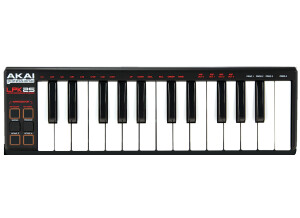
    I purchase this keyboard for 2 main reasons. 1 It's small and portable and 2. Akai made it and I already owned the bigger version (Akai mpk49) but didn't want to spend money on the Mpk25 (cost too much for what I needed. I needed something that was thin and could fit in my backpack along with my laptop,headphones and maschine This Keyboard connects via USB which is excellent makes it easy, the drivers automatically install for you (can't argue with that) There are some pretty nice features on this unit such as sustain, octave, tap tempo. I was actually glad it had the tap tempo feature UTILIZATION I do a lot of music production projects with this little keyword - especially when I'm traveling. It's perfect for getting little ideas out and or full projects but again since inspiration can hit at anytime I like to take the AKAI LP25 with me everywhere I go. I literally just put it in my backpack along with my laptop and the rest of my portable gear and I'm on my way. I also use the lpk25 for auditioning sounds when I'm sound designing. it's just easier to pull this out rather than my bigger keyboard. OVERALL OPINION The only thing I don't like about this mini keyboard is there is no actual mod or pitch bend wheel. I also don't like the cheap feel of the keyboard but then again it was only $50.00 and it's light weight so I guess I can't really complain to much. I've used a lot of other mini 25 key keyboards before but this was the thinnest of all as well as the 1st mini akai I had used (at the time) before then it was the bigger much clunky looking oxygen 25. I personally think this unit performs well especially for what it cost it works well with everything application I've ever used it with. - It gets the job done!

  • « A worthy controller, but not the best »

    The MPD24 is a Midi controller from Akai featuring 16 pads, 6 faders and 8 knobs. It has USB and midi in/outs. It's pretty easy to use, and the quality is nice. The pads feel good under your fingers and are responsive, featuring velocity and aftertouch and such. There are four available pad banks. It also has a set of transport controls. The thing is well built, but not as good as some of the other pad controllers out there, and rather small. The big pads are nice, but you only have 16 which means you can pretty much only use it to record drums. If you have the cash, you should spring for the APC40 or the Novation Launchpad, my favorites. I wouldn't really recommend it unless you need more pads than come on a lot of midi keyboards, and only want to do drums. Set up and installation are easy, factory presets work fine. The sliders are actually of exceptional quality, and the knobs are pretty smooth. I'm still not sure how useful or economical the thing is though. It's only use is playing drums and samples. It's basically a midi version of the MPC. If you need an MPC type thing, save up and get one, way worth your money compared to this. Also, one thing is that the pads are square, but the sensors below are round! This can cause some velocity and feel issues that can actually be pretty annoying, whereas something button based like the novation launchpad is a better option. I sold this not long after owning it, as it just sat in my unused junk closet gathering dust and taking up space. It's really not a good alternative to the MPC type approach to making music, though I don't like that approach anyways, so you may want a second opinion.

  • « Amazing value for its price »

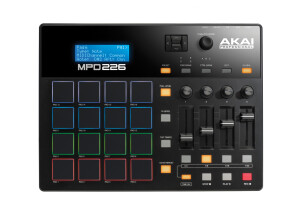
    Akai's MPD 26 follows in the same footsteps as the MPD 26 with excellent pad sensitivity. The MPD26 features authentic MPC pads, therefore it provides music production enthusiasts with the genuine feel of Akai's flagship MPC sampler series. Features pre-loaded midi functions with programs including Live, Fl Studio, Reason, Sonar, Stylus, and more. Along with these features are six faders and six knobs completely assignable via midi. As for the value for the price, there is not much more you can possibly ask for from a midi pad controller. The precision and quality of sound is dependent on the digital audio workstation of choice. The MPD 26 includes full transport features with fast forward, rewind, stop, play and record buttons. In addition, this unit also features the same note repeat, tape tempo, and time division features found on the MPC series. The full level and 16 levels feature are also present, something MPC users are readily familiar with. This is complemented with four pad banks. In terms of cosmetics, the MPD 26 has a sleek, sturdy black frame, a pleasant change from the MPD 26’s sliver frame. With the way my personal home studio is set up, the streamlined workflow the MPD 26 displays within FL Studio 9 is quite impressive. Whether you are already an MPC owner, or you are looking for that authentic MPC feel to accompany your digital audio workstation of choice, Akai’s MPD 26 fulfills every requirement you can possibly desire in a midi pad controller, and looks good as well. Perhaps the only negative aspect of the MPD 26 is the fact that it has only six programmable knobs, two less than the MPD 24. Many Ableton Live users have complained that this dpes not mesh well with the eight mappable micro knobs within Live’s interface. However, this should not stop anyone from considering this great product, excellent valur for the price.