Log in
EN
FR

Steinberg Computer Music

443 products found

Categories
Series
Filter
Sort by
Steinberg
Evaluation
  • Reviewed or not
  • Editor’s award
  • Reviewed by Audiofanzine
Availability
  • Available or not
  • Sold new or used
  • Sold new
  • Sold used
Must-have products
  • All products
  • Flagship products
  • Best rated products
  • Hot products
  • Popular products
Price
  • Freeware
  • Low-cost (< $150)
  • Mid-range ($150 - $250)
  • Premium (> $250)
€
Clear
Sort by
  • Popularity
  • User ratings
  • Price - low to high
  • Price - high to low
  • Used price, increasing
  • Used price, decreasing
  • Name (from A to Z)
  • Name (from Z to A)
  • Added on
Sort results
  • Popularity
  • User ratings
  • Price - low to high
  • Price - high to low
  • Used price, increasing
  • Used price, decreasing
  • Name (from A to Z)
  • Name (from Z to A)
  • Added on
Filter results 443 results found
Brands
Evaluation
Availability
Must-have products
Price
  • Freeware
  • Low-cost (< $150)
  • Mid-range ($150 - $250)
  • Premium (> $250)
Show results

The best Steinberg Computer Music reviews

The reviews Audiofanzine members found the most helpful.
  • « Nothing not to like about it »

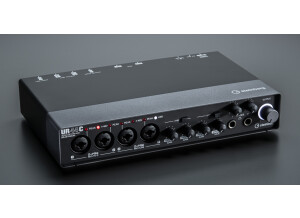
    This interface is rackable using 1 rackspace, it connects to my desktop computer running Windows 7 by a USB cord that is on the back of it. The UR824 is one of the better interfaces that Steinberg has came out with due to the preamps built into it. It comes with Cubase AI software and the driver disk to run it with Windows systems or Mac systems. It also comes with 3 plug ins from REV-X. UTILIZATION This interface records at 24 bit/96 kHz and has very low latency monitoring. Using this interface with just about any microphone will get at least a decent quality. I have used it with about 6 different microphones so far. The mic that I use the most with it though is my Blue Bird microphone mainly because that is my favorite mic to use for guitar tracks. This interface gave me everything that I needed right out of the box to start recording. GETTING STARTED The UR824 will not color your sound or take anything away from your sound. Pretty much whatever you are recording will come out exactly the way that it sounds as you are playing it. One thing that I have noticed with this interface is that after it is on for long periods of time I have felt it getting very hot. I am not sure if that was supposed to happen but there really isn’t a cooling system within it so there really is no way around it. But it has never had any issues due to the heating; it just worried me because I don’t want to damage the board. OVERALL OPINION This interface is well worth the money spent and I recommend getting it if you need to record multiple tracks simultaneously. The Steinberg UR824 interface gave me the sound that I wanted with no effort at all. There are LED lights on the front to signal options and the knobs are built well.

  • « Nice »

    Cubase is a breeze to install. The synchrosoft activation is a real pain. And forget about Windows on an imac 24 with bootcamp: 1. Not officially supported by Steinberg. 2. If you lose the license because it got screwed up, it's your fault ... That said, Steinberg's support is really responsive. PERFORMANCE Cubase L3 4 is very stable. Nothing to remark. This version is more than enough to make very nice demos. OVERALL OPINION I've been using it for 4 months, but I'm a fan of versions SX 1,2 and 3. Which feature do you like the most / the least? = Awful activation. Based on your experience, would you buy this product again? ... = No, I have decided to boycott this software due to its lousy synchrosoft activation process.

  • « A great audio software for all level »

    Choosing between pro tools and Cubase was the first challenge to me. These are the most powerful software I think exist today. They were used by the professionals when composing and producing audio. After watching/ reading all the reviews, I decided to buy Cubase 7 in Singapore. The box contains the installers and the Dongle (it’s like a key of a car, it won’t run without it). And lots of free additional synth and instrument but it is all for trial period only (60 days) Installed it on my mac and it took me 2-5 hours including the download of all the drivers and the new update of Cubase 7.5. The installation was very easy because the instruction in the manual was very clear and detailed When I run Cubase for the first time the first menu that it will show you is the free tutorial videos. The tutorials did guide me on how to use their new features like the all new designed mixer. I am not new in Cubase because I’ve been using since Cubase 5. And I see a lots of new changes like the color and added features like the A/B comparison which you can compare 2 different settings of any plugin like the reverb So far I have not experiencing any compatibility issues with my mac mid 2013 running osx 10.9 SUITABILITY/PERFORMANCE I've been using Cubase 7 for the past 4 months and this is what I observed: -Working with the Cubase 7 is much faster now you can now search for your tracks by just typing the name or keyword of a certain audio track -More organized than before, you can now add pictures to any track too. This helped me find and organize my tracks easily than the older version -The Chord track really helped me to choose what chord in a certain scale to be used. This is great when you are composing a new song -The Vari Audio was improved ( the auto tune of Cubase) less robotic artefacts are heard when you correct your pitch - The A/B comparison is very helpful when using equalizer OVERALL OPINION I really enjoyed using Cubase 7. I think what you pay is what you really get. What I really like the most is the newly redesigned Vari Audio, this will improve my vocals when producing my composition Pros -The re designed mixer will help you mix and master more efficiently - very easy to install and use - run in both Mac and PC Cons - if you loose the dongle, the software will not run and it will take time to give you a new one

  • « Alot of presets »

    I have been using Steinberg Plex for a little over a year, it is 100 percent free and best of all it comes with over 300 presets! Plex gets very good reviews from users all over the World which is why I gave it a shot and I have been using it every since. There is no manual for this VST, you wont need one. But the Steinberg Plex is set up a bit different than almost any other VST that I have used. It was very strange at first with the layout of it, but after a hour or so you will get the swing of it and be good to go. After you understand how it works and where everything is, you will see how easily you can access your parameters. SUITABILITY/PERFORMANCE Plex is very stable and has not crashed on my and probably every wont. I have used several VST’s over the years from Steinberg and all of them are very stable and will work on almost any sort of computer you run it on. I ran Plex on desktop PC with 8GB RAM and 2TB Hard Drive and it worked great, I don’t think I have it on any of my other computers though. OVERALL OPINION Plex comes with 300 plus presets, to me that was better than the fact that it was free. I have not heard of my VST’s coming with that many presets and can still keep the “free” tag on it. I am very happy that I downloaded it, and thankful that I read all of the great reviews on it. I would like to see them come out with a new version of it though with some more interesting and different effects. Plex seems to be lacking with the on board effects. But the sound quality of this VST is amazing for it to be free.

  • « It's Pro. »

    Cubase is one of the most well-known daw’s right now, it’s being used by many well-known performers and people in their home studios. It has a lot of awesome plug-ins that can help to build some nice effects and sounds. Reading the guide should describe generally everything you want and it's pretty simple and accessible. SUITABILITY/PERFORMANCE The application performs well and one of the biggest advantages is the great interface and the whole concept of creating music that makes the flow much faster than with another daw's like Pro Tools or Ableton. The gear is very stable, I could work for many hours without having to restart the program because of some bugs, so stability is without a doubt a plus. OVERALL OPINION What do I like most about it are low resources required to run this software, also the great build-in effects and compressors. he cost is fairly low, and you get a number of plug-ins with the program that help your mastering process. The Arranging is simple to create, you can really create something unique in just a few minutes however I don't really like the automation lines because they aren't as mobile as you find for example in Ableton from Sonic Academy. It seems to be created really well. It's simple on the eyes and constant if your pc has excellent specs. Cubase is a sequencer program that works with the ones and zeroes of digital binary code there is absolute no complaining regarding the sounds. Cubase is value the money is because of it's extensive function set. It is most definitely a expertly designed system. Cubase has one protected with the resources for technological innovation the finest quality sessions. There is the sensible and fresh, personalized display structure. I've tried many Daw's, you should give Cubase a try. Yes, I would buy over and over again Cubase because it's easy, fast and complex at the same time.

  • « Cubase 4 AI had some glitches when it first came out. »

    Cubase 4 AI is for Advanced Integration. This whole version of Cubase came out because of something they had going on with Yamaha at the time. It was an easy way to link and integrate all of your Yamaha hardware and it would automatically work great with Cubase 4 AI. You can purchase Cubase 4 AI separately if you want to, but I only suggest doing that if you have a lot of Yamaha gear and need it with Cubase otherwise you mine as well just get regular Cubase and you don’t need the integrated version. SUITABILITY/PERFORMANCE If you are having issues with your Yamaha gear and Cubase gear, don’t call Cubase. They will direct you to call Yamaha first. I remember having several issues when this first came out and having to be on the phone with both Cubase and Yamaha reps and they are each blaming each other for the problems and issues. At the time I was really upset over some of the problems that I was having with some of my Yamaha gear and getting it to work right with this software. The only reason I had Cubase 4 AI was because it came with a piece of the Yamaha gear that I had purchased back at that time. This was about 8 years ago or so now. OVERALL OPINION The manual was a hassle and it was so hard to understand and navigate through, and talking to them on the phone was getting me no where so I just ended up just forgetting about the whole integration thing and just using everything the way that I intended to before I got this software with my gear. It was a complete hassle and I don’t recommend you dealing with it. I think that Cubase made a mistake when doing this software and working with Yamaha. It was a complete mess up.

  • « cubase »

    Using Steinbergs Cubase VST 5 is one of the easiest programs you will use. It is very easy to set up and get running. It took no effort at all to install and I never needed to touch the manual at all. It worked great on my xp and vista computer, keep in mind that if you are thinking of purchasing this and you have a mac then it wont work. Cubase was not designed for macs and probably never will be or at least any time soon. I have even asked them on the phone if they would ever make it compatible with macs so I could have it on my mac book but they said no, and they have no intentions of going to the apple platform. SUITABILITY/PERFORMANCE It works great on my dual core pc, and on my cheaper laptop that doesn’t have much ram on it at all. I haven't had a single issue while running Steinberg’s Cubase VST 5. I used it a lot and still use it to this day and I have no issues with running it. OVERALL OPINION One of the things that I wish I could change with it is that when running a lot of vst’s (if you don’t run out of vst slots) it can get a little buggy on you. I am not sure why, maybe my laptop just needs more ram, but it still did this and it was very frustrating from the time that I noticed this happening I would kind of shy away from using it because I use a lot of vsti plug ins and if I know that im going to have problems with them after I get half way through my project session I wouldn’t even want to use Cubase VST 5 at all , just so I could avoid the problems all together.

  • « presets! »

    One of the things that made me fall in love with Hypersonic was how many sounds and presets it has. Not just that either, the quality of those sounds and presets and that it has them all broke down into proper categories so you don’t have to do too much searching for the sounds you are looking for. SUITABILITY/PERFORMANCE It runs great with FL Studio and doesn’t crash or cause any problems to my desktop computer. I have been using Hypersonic for years and it continues to get used, even though I have upgraded to the newest version now. Everything with Hypersonic works great and no manual is needed because its that easy to understand. But since its that easy to understand means that there wasn’t enough options for me as far as editing the sounds and adding effects to them. With each sound that you load up only gives you a few options to change , you cant edit all the parameters like you can in a lot of other vst’s that are used. OVERALL OPINION I think Hypersonic is a great software plug in with high quality sounds and im glad that I purchased it. I also happy the sounds are as good as they are right from the presets because if they weren’t you wouldn’t be able to change to much about them because there arent any options to really dig deep into editing the sounds. This was the first version of Hypersonic that came out and I think they made a great impression with this one and it even made me get the upgrade (hypersonic 2) not too long ago. Good thing is you will have a ton of sounds to go through and it will take you a while to use most of them! I am not sure If you can actually still get this version of hypersonic though since version 2 is being sold.

  • « stable »

    Steinberg Cubase SX2 has been upgraded at this point but I still own it and can provide a good review. At first glance for a newbie it can be a little bit overwhelming if you havent worked with any DAW’s before. Or even if you have worked with other DAW’s you will still need to pull out the manual because everything is a little different than you are probably use to. When installing it on my Dell laptop it gave me no troubles at all and it was a pretty quick installation. All of your basic functions with it like play, record, stop, are right in front of you and easy to find. Its just when you want to get more indepth with some stuff that you will have to learn all of the menus and how to navigate through them. Its not hard at all, you will just have to get use to it and get the feel of Cubase SX2 first. SUITABILITY/PERFORMANCE Steinberg Cubase SX2 works great on my system, I don’t think I had any problems with it ever. Everything with it is pretty good with CPU , keeping your CPU down when working with a DAW or music program is crucial because it can make your system start to get a little fuzzy. When I was using SX2 I was using it with a lot of plug ins and even some hardware running in through my Behringer interface. At first I couldn’t figure out how to get all of my midi and stuff set up with the audio. It was a difficult task, even after reading through the manual it still took sometime for me to get it. OVERALL OPINION Overall, Cubase has been doing DAWS for years now and they continue to be one of the best on the market. It this is your first time around with Cubase SX2 you could be hooked and wont use any other DAW’s on the market.

  • « moved on and missed it »

    Cubase SX came out before SX 1 so I had a chance to mess with it for a while, mostly in “demo” mode but it was still the same. At first glance I really wasn’t liking it, didn’t really like the interface and how it was laid out. Coming from a few other software’s it was really confusing to me, it actually wasn’t untill I stop using it that I realized how good it really is. SUITABILITY/PERFORMANCE When I was using it I was using it on a Toshiba Satellite laptop that really didn’t give me to man issues. It did run slow a few times and had some sort of bugs going on with it but that could have been because my laptop just couldn’t handle it. I didn’t get a chance to run it on any different computers before I moved on the SX 1. OVERALL OPINION Overall, it seemed to be a great software I just wasn’t 100 percent comfortable using it right off the bat. Like I said after I decided to stop using it was when I realized how good it was. I guess the saying is true , “you don’t know what you have until its gone”. I do love Cubase though, never really understand all the different versions they come out with though. Also, when trying to mix my own song down in Cubase SX just didn’t work for me either, I couldn’t get a good clean mean. All of my mixes came out to be pretty “light”. I mostly make hip hop and dubstep music so I need a full thick sounds and I had a hard time getting it. So I moved all of the .wav files out to pro tools so I could get the sound that I was looking for. But Cubase SX is a good program to get your feet wet in and understadn how “new” age daws operate.

  • « Vstack runs great »

    The SteinBerg Vstack is a virtual rack with up to 16 vst instruments that you can link. This is great for live work / on stage work. It only cost right around 40 bucks if I remember correctly . A good friend of mine uses this all the time , well he did a while back so I had the chance to use and interact with it. I must say its good, but I expected it to do a lot more for some reason. Because of all the other similar softwares on the market this one just fit in with them and didn’t stand out like I thought it would. Just looking at it seems like it should be able to do a lot more. SUITABILITY/PERFORMANCE Works like a charm and wont crash on you, which is CRITICAL especially if you are using it live. There is nothing worse than having tech difficulties in a live setting! You can Rewire this with other programs and use this for the effects and eq’s on a song while still using your main software. I love using the rewire option in fl studio and cubase so I am thinking about getting my own copy of this for a few effects that it has that I love. OVERALL OPINION Overall, the best thing that I liked about it is the effects and eq capabilities. Thos are the two things that stand out to me with this software. The quality of the sound you can get is second to none. I havent used any other models of this software, because I didn’t know there was any. Maybe they have made changes to it over the last few years and did some upgrades? I have used this a handfull of times from a friend and now im thinking of getting my own copy. Give it a shot you wont be disappointed.

  • « One Of My Favorite Daws »

    I ordered Cubase 6 in January of 2012 I found the application very easy to install as with the older versions of the software. I didn't need to use the manual but I thought I'd go through and learn some new features since I haven't used the application since version 3 (yes I've been that out of tune with the app). I've used version 4 at a friends house but never really dug into it like i have with Cubase VST, Cubase SX and so forth. If you've used any version of Cubase SX you'll be able to move around cubase 6 with ease. I had no problem getting around the application at all but if you haven't used cubase the manual is user friendly SUITABILITY/PERFORMANCE I've been using Cubase 6 for a bout a month mainly for small vocal recording projects. I use it with windows 7 operation system. For me the experience have been nothing short of great. I haven't had any crashes or compatibility issues. The plugins I use a long with this DAW are Native Instruments Komplete Sampletank 2 Albino SR 202 Drum machine Maschine (as a plugin) I also use Reason (in review mode)sometimes and it's been smooth. I don't have a ton of ram on my system (laptop) I'm running it quite well with 3 gigs of ram and a Dual Core Processor. if you can get a strong processor or have one that would be excellent and serve you well OVERALL OPINION What I like most about Cubase 6 is it gets the job done. I was able to import older projects i had created into the new version without a problem. Cubase 6 was easy to pick up. Most people say once you've used one DAW the rest are pretty much the same. I find this to be true but especially true if you've used cubase before. I do wish the application was a little cheaper $300 but I mean I wish everything was a little cheaper. I've worked with many other DAWS such as Pro tools Logic Ableton Live Sonar Cubase has always been better in my opinion as it's excellent in handling both audio as well as midi. Pro tools is good but not so versatile when it comes to midi Logic.. I could never get past the gui I love sonar but cubase just works for me better... Sonar would hiccup and crash Cubase not so much