Log in
EN
FR

Steinberg

454 products found

Categories
Series
Filter
Sort by
Evaluation
  • Reviewed or not
  • Editor’s award
  • Reviewed by Audiofanzine
Availability
  • Available or not
  • Sold new or used
  • Sold new
  • Sold used
Must-have products
  • All products
  • Flagship products
  • Best rated products
  • Hot products
  • Popular products
Price
  • Freeware
€
Clear
Sort by
  • Popularity
  • User ratings
  • Price - low to high
  • Price - high to low
  • Used price, increasing
  • Used price, decreasing
  • Name (from A to Z)
  • Name (from Z to A)
  • Added on
Sort results
  • Popularity
  • User ratings
  • Price - low to high
  • Price - high to low
  • Used price, increasing
  • Used price, decreasing
  • Name (from A to Z)
  • Name (from Z to A)
  • Added on
Filter results 454 results found
Evaluation
Availability
Must-have products
Price
  • Freeware
Show results

The best Steinberg reviews

The reviews Audiofanzine members found the most helpful.
  • « I wouldn't hesitate to buy it again »

    I was looking for a soundcard with two adat inputs to be able to connect my console digitally. After hesitating between the hybrid 828 and the 824, considering that I use cubase 5 studio, I decided to go for the same brand due to integration. UTILIZATION I must note that I'm not a professional sound engineer, it's a hobby for me. I have tried to record up to 7 stereo tracks simultaneously and had no crackles, no latencies. My songs have up to 14 stereo and 3 mono tracks (vocals), and when I record vocals I have no latency. The converters are very precise, their integration with cubase is really good. GETTING STARTED I don't have a very powerful computer setup, it's a down-market acer pc with 8gb ram, running windows 7 64 bits. I've had some problems syncing with he adats but that's surely due to my inexperience. To get the updates you have to go to he manufacturer's website, because the link in the software doesn't work. However, the setup is extremely stable and I have no issues currently. OVERALL OPINION Very positive. The two headphone outputs are a real treat because you can have two different mixes (one for the singer and one for the sound engineer, for example). Given my needs in terms of adat + mic inputs, I didn't have too many choices, but I don't regret my purchase in the slightest. I will update my review once I have made more tests. After one month of use, everything is positive. After 1 year of using this soundcard I switched to cubase 7 and haven't had a single issue with latency, crashes, etc... It's a real joy!

  • Audiofanzine FR's review

    (Originally written by coyote14/translated from Audiofanzine FR) Very easy installation. You must use the latest Syncrosoft software version because even if this Cubase version doesn't require a hardware dongle it does have some sort of license control. No compatibility problems: I use it with Vista 32 bits and previously with Win XP SP3. High-quality PDF instead of a printed user's manual. The user's manual is not very long but the software is somewhat limited so it doesn't require a novel. I'd say the user's manual is comprehensive. SUITABILITY/PERFORMANCE This Cubase AI4 is provided for free with most recent Yamaha gear: Motif XS, N-Series mixers, compact digital recorders. It's an ultra-light Cubase 4 version with the same audio engine and VST3 compatibility as the full version. So it's a light version regarding the features but not the quality. Are the limitations a problem? It depends on the application! I guess they are not a problem for 70% of users who only use the main features of the product. For the rest (demanding home studio owners, semi-professional and professional project studios), some limitations are not acceptable. For example: - Only two VST instruments can be used simultaneously. It forces you to use multitimbral VST instruments. - No freeze function. You'll probably say there's no need for a freeze function when you use only two VSTi... unless you also use effects! - Only 16 inputs/outputs. It's enough if you only own a Motif XS with a mLan card or a N12 mixer. But if you have a more comprehensive system you'll have to create backups of the VST configuration and connection to recall them successively. - No OMF export. So it's difficult to use Cubase AI4 to produce demos at home and take them into the studio with another software like ProTools... I haven't tested the upward compatibility with Cubase 4 but I know that loading Cubase SX3 files doesn't work. - No instrument panels. I can't control an FS1R or a Virus via the interface. - The input transformer also disappeared, no audio library nor mediabay... - The mixer has been downsized too but not more than on the other Cubase light versions. - 64 audio tracks (which is enough). - No UV22HR anymore. - No CD track import function. - No MP3 export function (it was very convenient). You get all other audio export functions but they are quite limited. A commercial patch can be downloaded if you need this function. I haven't tested it. Some useful features are still available: - Editors (list editor, sample editor, etc.). - Studio Manager function to control Yamaha hardware. - EQ and VST effects are the same as in the full Cubase 4 version regarding number and features. - No limitations regarding control surfaces. I control it from my Motif XS or my 01X depending on where I am. Reasonable CPU power requirement. You have the possibility to upgrade to higher Cubase versions. My review can be explained by the way I use Cubase, but once again: most users won't feel limited by this light Cubase version. OVERALL OPINION High-quality software but too limited. It works very good, the CPU power requirement is ok and it can be enough for small home studios if you can live with the limitations. It will allow you to save money if you upgrade to a higher Cubase version. It's an excellent software considering it's provided for free.

  • « It's awesome! »

    The pack includes the CI2+ interface plus Cubase Ai 6 and Wavelab 7+. It allows you to record demos, be it audio (+VST) or midi (+VSTi) for a very affordable price. There's no need to get the "Extreme Pack" from Steinberg. I switched later to Cubase Element 7 for only 39 euros. I got other VSTis, including Groove Agent One and Prologue. It's a breeze to learn how to use it. The pdf manuals are pretty clear and the CI2+ interface works perfectly. You can install the program as 32 or 64-bit version, on PC and MAC.

  • « Professional studio Everywhere »

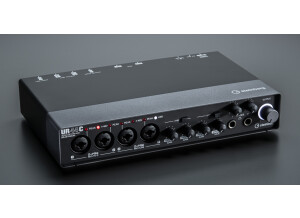
    What motivate me to buy this product are the following: -Cubase was my DAW of choice; the reason is because it is very compatible with the audio interface UR44. Steinberg created them both so there is no reason for compatibility issues -6 inputs, sufficient for recording basic drum set up -I’m planning to buy my first electronic drums (Roland V-drums) the midi input in this hardware will help me hook the electric drums via MIDI for recording -2 headphone outputs, good ( 1 for the artist and 1 for the producer) - the grey and the black color and metal casing matches the color of my MacbookPro and its very professional looking - Ipad Compatibility; Record anywhere you like UTILIZATION This audio interface gives me no latency at all. Record will delay and noise free audio. Unfortunately there is no support for the new OSX Yosemite so I decided to downgrade my operating system. I use the Steinberg Cubase 7.5 and the Adobe Audition CC and it works without any compatibility issues. You can record 6 audio tracks simultaneously, good for recording my band ( acoustic setup) GETTING STARTED When I bought this product, my first impression was this is good and professional equipment. Even the packaging is good, you will keep it for remembrance This equipment has complete instructions and manuals inside the box. The installation was very easy. Just download the updated driver, hook the interface and your ready to go. ( Registering this product online is optional but I suggest have time registering it for support) So far it didn’t give me headache and it always run very smoothly OVERALL OPINION I am a very satisfied customer of this product because it has no latency, noise free pre amp and it looks very professional what i didn't want was the free guitar effects and amplifier simulator it sounds like a crap I have tried different kind of audio interface like m-audio fast track, but my vote is still on this interface, the Steinberg UR44 Pros -Sufficient input for semi professional studio - professional looking and its built like a tank ( metal casing) - the pre amp let your vocals sound more warmer and smooth Cons - importing this product ( there is no Steinberg products available at my country, Philippines) so i need to go to singapore by myself to buy this product

  • « Worked really well - Then died.... »

    UR 22 Steinberg/YAMAHA Read all the posts and reviews and found value of money with recording quality Ran very well with Cuebase and Audacity. Perfect sound zero detectable noise on Vox and instruments UTILIZATION Drivers and performance is good... GETTING STARTED All software is great - Hardware failure! OVERALL OPINION When it worked it was great! Updated drivers as soon as we installed unit. After 3 weeks went to record and unit was 'not there' Checking power noticed red LED's were on (around half brightness) but both gains were zero....huh? Tested alternative USB leads (2) Connected to another Windows 7 system...Not detecting. Also White LED (power/USB connect) flashing around 1 second pulses... Turned on phantom power... All lights glow... Turn Phantom power off - Gain lights on white LED flashing. Re-installed drivers. Even did a system restore...(getting stupid here) Sent back to store.....Waiting (which is not like recording !!!)

  • « Still great, but not a lot of new changes »

    I just purchased the Steinberg Cubase 7 upgrade (not upgrade from 6.5). This software is a MIDI DAW and audio software workstation that has unlimited audio and MIDI tracks. It comes loaded with over 50 plug ins and a handful of VST’s. The VST’s that came with it were nothing special to me but I already had a ton of other VST’s that I had from FL Studio and Ableton Live so they worked fine in Cubase 7. SUITABILITY/PERFORMANCE Cubase 7 for me was easy to understand because the layout and basic functions of it where no different than the older versions of Cubase. This version does seem to be a lot faster though, loading effects and VST’s has never been easier. Even some of the VST’s that I use that hog up the CPU do not seem to take up much CPU when I use them in Cubase 7. OVERALL OPINION Cubase 7 runs smoothly and has not given me any issues. I was a little upset that I had to upgrade and still pay 250 because I didn’t upgrade from version 6.5. I think users should be able to upgrade at the normal upgrade price no matter what previous version they are using or have. There are over 2 thousand VST sounds that come loaded with Cubase 7 but don’t be fooled because all of them are not the best of quality. The presets that come in Ableton, Logic, and FL Studio where all better to me. There is a new feature in Cubase 7 though that I think is really nice to have, it is a “chord track” feature that makes it easy to compose off of your basic chords and Cubase 7 makes it really easy to modify those chords and arrangements almost effortlessly. This really helped me be creative with my progressions and melodies. But that was the only feature that I really felt was a big difference from before and maybe the workflow is a little more user friendly and easier to work with.

  • « Why deprive yourself? »

    Complicated installation, I didn't have the latest Elicenser version! So, I had to get the latest version and then everything went back to normal. SUITABILITY/PERFORMANCE I have a powerful computer: 4 cores, 8 Gb ram, several HDDs...TC Electronic Firewire motherboard, win7 64 bits I tested it this afternoon and everything seems to work fine OVERALL OPINION I got it this afternoon I had the Essential 4 version and then 5 Perfect value for money The upgrade to 64 bits is a plus for me, since I couldn't use before the effects of the Konnekt 24D card Right now, analog factory doesn't work (I tried to use jbridge) Bdf2 beta, pianoteq work well To be continued...

  • « Good, but not in all cases »

    No incompatibilities with xp and cubase SUITABILITY/PERFORMANCE It doesn't use much memory, we can add tracks and instances without problems OVERALL OPINION I've used it for several years now. Its main strength is that we can always find an easily editable sound, pad, choir or synth when we lack inspiration. Its weakest point are acoustic and real sounds, so forget about guitars, pianos, strings, they don't sound very authentic. In a few words: a complementary vsti with unlimited sounds to incorporate into a mix, to find ideas.

  • « Incitation to stop using it »

    Installation is a pain, like all software with their activation codes and registration codes and whatever codes...In this case it's frankly exasperating that the number of reinstalls is limited. After five reinstalls, the software is no longer usable. On a PC, five times is not much...It will simply encourage some people to look for freeware online or switch to a competing product. On a Macintosh, however, where you don't have to reinstall it that often, it shouldn't be an issue (I've had Mac for 4 years and have never needed to reinstall anything, but on my PC I have to do it every 4-5 months). I wanted to use cubase LE on a small laptop during holidays, but I changed my mind and installed my last re-activation code on my mac, where it will not be of much use ever... PERFORMANCE Compared to other DAWs, I don't like the mixer nor the plug-in management, it's way too far from Pro Tools or Logic, where you can easily follow the signal. It's too colorful, full of small symbols to recall functions which only make the interface too cluttered. Regarding MIDI, Cubase will always be one of the pioneers, VST plug-in integration is fine. The software is not too resource-intensive (as long as you don't use too resource-intensive plug-ins...). All in all, I don't like it much for mixing, but it's an excellent tool to write songs. A good point is the use of VST plug-ins (created by Steinberg, by the way), which are much more widespread than Pro Tools' RTAS or Direct X... OVERALL OPINION I've known Cubase since the Ataris. I happily switched to Logic when it still wasn't available for pc. Today, I wouldn't spend a dime on a program that is such a pain to reinstall, with an average interface and a fucked up mixer. What's more, it doesn't come with many VSTs. Nevertheless, in many cases, the program comes bundled with some hardware. It doesn't shock me that it's a light version, but the fact that it has a limited number of installs is downright unacceptable. If I only had PC it would definitely be a deal-breaker! My rating might seem too harsh, but it's justified: A DAW of Cubase's caliber, being a Light version it would be a useful tool providing unthinkable possibilities decades ago, but, not being too finicky about it, in a domain where other manufacturers offer state-of-the-art options, Cubase deserves no mercy! NB: 7/10 on macintosh (value for money), where you don't have to reinstall the system as often as on Windows. It's very easy to install (except for the exasperating activation codes, but, in theory, you only need to do it once...) and it's a bit better in that regard...but there is simply no comparison with pro tools light.

  • moosers's review

    Installing the Steinberg Mastering Edition plug-in bundle was quite simple and as easy as installing any other plug-in that I have used. I had no compatibility issues at all as I was running these plug-ins within Steinberg Cubase SX. I had everything installed within a matter of minutes and it didn't take too long after that to figure out what everything does within each plug-in. The bundle contains a loudness maximizer, a filter, a compressor, a spectrograph and phasescope, and a spectralizer. While I mostly used the compressor and the loudness maximizer, all of the plug-ins in this bundle are very helpful when it comes to mastering. The interface of the plug-ins is pretty easy to follow and while I've never seen a manual for this bundle, it is easy to use and you really don't need one if you don't already have it. SUITABILITY/PERFORMANCE When I was running the Steinberg Mastering Edition plug-in bundle I was running it in Cubase SX on a Hewlett Packard lap top that has a 3.0 Ghz processor and 2 GB of RAM. I never had any problems at all running these plug-ins within this configuration, as everything always ran smoothly and stably for me. Since these are indeed mastering plug-ins, I usually only run one of each at a time and nothing really beyond that, so I can't speak to how well they would run if you wanted to use multiple plug-ins at once of each. However, since they are designed for mastering I am assuming that most will be using them like I have used them, which is only for mastering and only one at a time. For this type of use I've never had a problem with the Steinberg Mastering Edition bundle. OVERALL OPINION I've been using the Steinberg Mastering Edition bundle for about five years and it is definitely an effective mastering plug-in suite. It has pretty much everything you would want for mastering and each of the plug-ins in the bundle are useful and easy to use. They also sound great and each plug-in is also pretty versatile. The price of the Steinberg Mastering Edition bundle is also very reasonable and is really perfect for the home studio owner looking to get a few mastering plug-ins on a budget. I've come to trust Steinberg's software and this plug-in bundle is another example of their fine work.

  • « Restore some of the old audio with the Sonnox bundle »

    WaveLab Elements 7 is perfect software for home recording. It is made by Steinberg and has been out for years now. It supports many audio types and has 3d spectrum analysis. There are all of the tools that you need to edit Wavs and other audio files and even manipulate them by doing time stretch and pitch correction. SUITABILITY/PERFORMANCE This program will work on a Mac or a PC and has not crashed on any of my systems. I did not use it much but I do remember it working very well and supporting sample rates up to 96 kHz. You can run many effects plug ins at the same time and add many effects to the master track without any issues with CPU. OVERALL OPINION The file browser is very similar to the file browser in pretty much any DAW program that is out. This program comes with a lot of features that I didn’t expect to get for this price like the DeClicker, DeBuzzer, and DeNoiser restoration plug ins from Sonnox. The interface is very simple and easy to work with, it is user friendly and different from many other programs that I have used but still easy to understand first try. You can download the manual for this program if you need it but it is pretty much self explanatory. Steinberg does not go into depth with some of the features though which could be a problem for people who want to learn the whole program from top to bottom so checking online for tutorials will help a lot (that is what I did). I prefer using WaveLab Elements on my Mac over my PC because I feel like it performs better there than on my PC because my Mac has more RAM. Elements can be used to edit audio and even restore some old vinyl which is one of the main reasons that I purchased it once I heard it came with the Sonnox bundle.

  • moosers's review

    Installing the Steinberg Magneto plug-in wasn't a problem at all because it installs itself when you install Cubase. I used to run Cubase SX 2.0 before I got my Pro Tools rig and this was one of my plug-ins I used within that configuration. Steinberg Magneto always ran smoothly and stably for me without any compatibility problems or other issues. I've never seen the manual for Steinberg Magneto so I can't speak to if it is helpful or not when trying to figure out this plug-in. SUITABILITY/PERFORMANCE When I used this plug-in in Cubase SX 2.0 I was running it on a Hewlett Packard lap top that had a 3.0 Ghz processor and 2 GB of RAM. Steinberg Magneto and Cubase as a whole always ran pretty well with this configuration and while I didn't use this plug-in everyday, when I did use it I was able to run a few of them at once if I so desired. It can be used both as a stereo or mono plug-in. OVERALL OPINION I've been using Steinberg Magneto for about five years and while it wasn't my first choice for warming up a signal, it did work well for me when I found a place to use it. The plug-in is pretty easy to use as it has knobs for high filter, tape speed, drive, characteristics, input, and output. It also has a series of buttons to determine what will show up on the meters. Since the plug-in came free with Steinberg Cubase SX, I can't really complain too much about it, but suffice it to say that sometimes it doesn't always sound that realistic sounding. In other words, if you want to warm up your signal it is probably best to do so at the source or with your pre-amps or other hardware, as it is almost impossible to do so all the time with a plug-in. This being said, for those using Cubase, Steinberg Magneto comes in handy and is nice to have.