Log in
EN
FR

SeriesSteinberg Cubase

91 products found

Filter
Sort by
Evaluation
  • Reviewed or not
  • Editor’s award
  • Reviewed by Audiofanzine
Availability
  • Available or not
  • Sold new or used
  • Sold new
  • Sold used
Must-have products
  • All products
  • Flagship products
  • Best rated products
  • Hot products
  • Popular products
Price
  • Freeware
€
Clear
Sort by
  • Popularity
  • User ratings
  • Price - low to high
  • Price - high to low
  • Used price, increasing
  • Used price, decreasing
  • Name (from A to Z)
  • Name (from Z to A)
  • Added on
Sort results
  • Popularity
  • User ratings
  • Price - low to high
  • Price - high to low
  • Used price, increasing
  • Used price, decreasing
  • Name (from A to Z)
  • Name (from Z to A)
  • Added on
Filter results 91 results found
Evaluation
Availability
Must-have products
Price
  • Freeware
Show results

The best Steinberg Cubase reviews

The reviews Audiofanzine members found the most helpful.
  • Bob Dentaface's review

    Long and somewhat strenuous installation...but I had no problems. I was disappointed by the preference setup (for example: It's impossible to assign Ctrl+C and Ctrl+V to copy and paste) The manual is clear enough. SUITABILITY/PERFORMANCE I use it on a laptop PC (Dell, 1G RAM, Windows 7 64bits). External RME Fireface UC soundcard. The software works pretty smoothly, no latency, good support of insert effects (amplitube, melda,...) OVERALL OPINION I've been using it for a year and a half. I have only used it in parallel with logicpro (on a Mac) and, to be honest, I prefer Logicpro! The latter clearly has a better usability and is more practical and...logical. Setting up keyboard shortcuts is hard and even impossible on Cubase6E, it lacks an MP3 converter, the original VST effects are less effective than the ones on Logicpro. However, it does the job you expect from it, recording is all right, the settings are precise and I can achieve what I want. Overall, it is practical, it does what you ask of it and it does it well. So, yes, I would've preferred to get Logicpro, but I would need to buy a Mac...

  • Dvr1973's review

    The installation went smoothly, it's not easy to configure, I've had Cubase SE 1. After 4 years, I have studied the software and I had some problems, the drivers of my Edirol UA-1EX soundcard and UM-1EX Midi interface malfunction all the time. PERFORMANCE Dell Inspiron 6400 PC. The software doesn't work well, it's a piece of shit, it doesn't sound stable. OVERALL OPINION I tested Magix Music Studio Deluxe, which is a little better, except for the Vst plug-ins, it doesn't have too many. I also tested Cakewalk's Music Creator 4, but I had problems with the soundcard,. I also tested Magix music Samplitude Studio 2008, it ran smooth with the soundcard, but I had some crashes with my synth, a ROLAND E-50, and Cubase LE 4. I'm a 35-year old handicapped musician. Talk to you soon???

  • « Cubase 7 Offers More! »

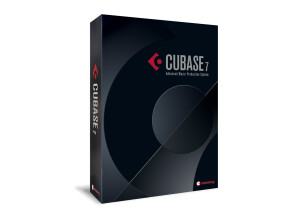
    Cubase 7 is offering numerous features that will fit in your workflow right away. Many users will not expect the additions to the latest edition of Cubase because many DAWs aren’t really upgrading the main characteristics of the DAW, but only add a few updates just to release a new version. The Steinberg developers have done an amazing job and it is great to know more about the new features in Cubase 7. One of the most notable changes comes to the program’s mixer window. It is called MixConsole and you will notice the changes right away because they have changed it completely. The workflow will be a bit confusing at the beginning, but you will get used to it quickly. It offers an option to use it full screen and the channel linking is drastically improved. In the previous versions, it wasn’t easy to find the plugins you want to use, but that is not a problem anymore with the upgraded search engine of the Cubase 7. The control room is designed much better and it is more user-friendly than before. Also, they have re-designed the buttons and controls on the mixer, which gives you a new feeling while you are working on your new track. SUITABILITY/PERFORMANCE For the people that are into MIDI, there is an update regarding the Chord Track feature because it allows a new workflow with harmonize and transform functions. It is interesting to know that the Chord Assistant suggests chords if you can’t find a way to the perfect melody. None of the other DAWs can offer this feature because the experienced developers of Steinberg have done a marvellous job. Another new feature, is the Hermode Tuning. Many producers have trouble combining fixed intonation instruments with non-fixed, so this addition will support their goal and help in the process of combining. The Voxengo’s CurveEQ has also been upgraded even if this feature wasn’t so important to be upgraded since it was doing a fine job even with the previous version. But, the Cubase users will love the MixConvert because it is able to convert multi-channel audio to stereo. Many of you were waiting for this feature since it makes the job much easier. Another update is offered in the VariAudio because in Cubase 5, it wasn’t able to help in the auto-tuning process. Now, with excellent algorithms, you can easily add it in your project. Of course, there are additional samples in HAlion Sonce SE in the new Hybrid Expansion kit and it is one of the best things in every new version of Cubase. OVERALL OPINION As a surprise it can be considered the MemZap and VST Connect SE. The MemZap allows you to use the new recalling edit windows in session for back-and-forth editing, and the VST Connect is a realtime online collaboration tool and it can be also used a stand-alone Cubase interface. Nuedno’s latest version is very similar to Cubase 7 and the similarities can be easily found because they are developed by the same company, so it is easy for them to look alike. The purpose of Nuendo is based on video and audio, but if you are interested in creating the perfect sound, Cubase 7 is the best option of those two DAWs. I have to mention that there were a lot of bugs After the Cubase 7 installation and you will have to visit a lot of forums in order to overcome the mistakes. It is great that there are a lot of people who are ready to provide help when it comes to software such as this. The price is affordable since we are talking about one of the best software for creating and mastering music, but it is still an expensive DAW. Pros: - MixConsole - Chord Assistant - Voxengo’s CurveEQ - MixConvert - MemZap - New Sounds and Samples Cons: - Installation bugs - Expensive

  • « It's Pro. »

    Cubase is one of the most well-known daw’s right now, it’s being used by many well-known performers and people in their home studios. It has a lot of awesome plug-ins that can help to build some nice effects and sounds. Reading the guide should describe generally everything you want and it's pretty simple and accessible. SUITABILITY/PERFORMANCE The application performs well and one of the biggest advantages is the great interface and the whole concept of creating music that makes the flow much faster than with another daw's like Pro Tools or Ableton. The gear is very stable, I could work for many hours without having to restart the program because of some bugs, so stability is without a doubt a plus. OVERALL OPINION What do I like most about it are low resources required to run this software, also the great build-in effects and compressors. he cost is fairly low, and you get a number of plug-ins with the program that help your mastering process. The Arranging is simple to create, you can really create something unique in just a few minutes however I don't really like the automation lines because they aren't as mobile as you find for example in Ableton from Sonic Academy. It seems to be created really well. It's simple on the eyes and constant if your pc has excellent specs. Cubase is a sequencer program that works with the ones and zeroes of digital binary code there is absolute no complaining regarding the sounds. Cubase is value the money is because of it's extensive function set. It is most definitely a expertly designed system. Cubase has one protected with the resources for technological innovation the finest quality sessions. There is the sensible and fresh, personalized display structure. I've tried many Daw's, you should give Cubase a try. Yes, I would buy over and over again Cubase because it's easy, fast and complex at the same time.

  • « Cubase 4 AI had some glitches when it first came out. »

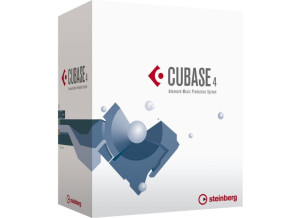
    Cubase 4 AI is for Advanced Integration. This whole version of Cubase came out because of something they had going on with Yamaha at the time. It was an easy way to link and integrate all of your Yamaha hardware and it would automatically work great with Cubase 4 AI. You can purchase Cubase 4 AI separately if you want to, but I only suggest doing that if you have a lot of Yamaha gear and need it with Cubase otherwise you mine as well just get regular Cubase and you don’t need the integrated version. SUITABILITY/PERFORMANCE If you are having issues with your Yamaha gear and Cubase gear, don’t call Cubase. They will direct you to call Yamaha first. I remember having several issues when this first came out and having to be on the phone with both Cubase and Yamaha reps and they are each blaming each other for the problems and issues. At the time I was really upset over some of the problems that I was having with some of my Yamaha gear and getting it to work right with this software. The only reason I had Cubase 4 AI was because it came with a piece of the Yamaha gear that I had purchased back at that time. This was about 8 years ago or so now. OVERALL OPINION The manual was a hassle and it was so hard to understand and navigate through, and talking to them on the phone was getting me no where so I just ended up just forgetting about the whole integration thing and just using everything the way that I intended to before I got this software with my gear. It was a complete hassle and I don’t recommend you dealing with it. I think that Cubase made a mistake when doing this software and working with Yamaha. It was a complete mess up.

  • « cubase »

    Using Steinbergs Cubase VST 5 is one of the easiest programs you will use. It is very easy to set up and get running. It took no effort at all to install and I never needed to touch the manual at all. It worked great on my xp and vista computer, keep in mind that if you are thinking of purchasing this and you have a mac then it wont work. Cubase was not designed for macs and probably never will be or at least any time soon. I have even asked them on the phone if they would ever make it compatible with macs so I could have it on my mac book but they said no, and they have no intentions of going to the apple platform. SUITABILITY/PERFORMANCE It works great on my dual core pc, and on my cheaper laptop that doesn’t have much ram on it at all. I haven't had a single issue while running Steinberg’s Cubase VST 5. I used it a lot and still use it to this day and I have no issues with running it. OVERALL OPINION One of the things that I wish I could change with it is that when running a lot of vst’s (if you don’t run out of vst slots) it can get a little buggy on you. I am not sure why, maybe my laptop just needs more ram, but it still did this and it was very frustrating from the time that I noticed this happening I would kind of shy away from using it because I use a lot of vsti plug ins and if I know that im going to have problems with them after I get half way through my project session I wouldn’t even want to use Cubase VST 5 at all , just so I could avoid the problems all together.

  • « stable »

    Steinberg Cubase SX2 has been upgraded at this point but I still own it and can provide a good review. At first glance for a newbie it can be a little bit overwhelming if you havent worked with any DAW’s before. Or even if you have worked with other DAW’s you will still need to pull out the manual because everything is a little different than you are probably use to. When installing it on my Dell laptop it gave me no troubles at all and it was a pretty quick installation. All of your basic functions with it like play, record, stop, are right in front of you and easy to find. Its just when you want to get more indepth with some stuff that you will have to learn all of the menus and how to navigate through them. Its not hard at all, you will just have to get use to it and get the feel of Cubase SX2 first. SUITABILITY/PERFORMANCE Steinberg Cubase SX2 works great on my system, I don’t think I had any problems with it ever. Everything with it is pretty good with CPU , keeping your CPU down when working with a DAW or music program is crucial because it can make your system start to get a little fuzzy. When I was using SX2 I was using it with a lot of plug ins and even some hardware running in through my Behringer interface. At first I couldn’t figure out how to get all of my midi and stuff set up with the audio. It was a difficult task, even after reading through the manual it still took sometime for me to get it. OVERALL OPINION Overall, Cubase has been doing DAWS for years now and they continue to be one of the best on the market. It this is your first time around with Cubase SX2 you could be hooked and wont use any other DAW’s on the market.

  • « moved on and missed it »

    Cubase SX came out before SX 1 so I had a chance to mess with it for a while, mostly in “demo” mode but it was still the same. At first glance I really wasn’t liking it, didn’t really like the interface and how it was laid out. Coming from a few other software’s it was really confusing to me, it actually wasn’t untill I stop using it that I realized how good it really is. SUITABILITY/PERFORMANCE When I was using it I was using it on a Toshiba Satellite laptop that really didn’t give me to man issues. It did run slow a few times and had some sort of bugs going on with it but that could have been because my laptop just couldn’t handle it. I didn’t get a chance to run it on any different computers before I moved on the SX 1. OVERALL OPINION Overall, it seemed to be a great software I just wasn’t 100 percent comfortable using it right off the bat. Like I said after I decided to stop using it was when I realized how good it was. I guess the saying is true , “you don’t know what you have until its gone”. I do love Cubase though, never really understand all the different versions they come out with though. Also, when trying to mix my own song down in Cubase SX just didn’t work for me either, I couldn’t get a good clean mean. All of my mixes came out to be pretty “light”. I mostly make hip hop and dubstep music so I need a full thick sounds and I had a hard time getting it. So I moved all of the .wav files out to pro tools so I could get the sound that I was looking for. But Cubase SX is a good program to get your feet wet in and understadn how “new” age daws operate.

  • « One Of My Favorite Daws »

    I ordered Cubase 6 in January of 2012 I found the application very easy to install as with the older versions of the software. I didn't need to use the manual but I thought I'd go through and learn some new features since I haven't used the application since version 3 (yes I've been that out of tune with the app). I've used version 4 at a friends house but never really dug into it like i have with Cubase VST, Cubase SX and so forth. If you've used any version of Cubase SX you'll be able to move around cubase 6 with ease. I had no problem getting around the application at all but if you haven't used cubase the manual is user friendly SUITABILITY/PERFORMANCE I've been using Cubase 6 for a bout a month mainly for small vocal recording projects. I use it with windows 7 operation system. For me the experience have been nothing short of great. I haven't had any crashes or compatibility issues. The plugins I use a long with this DAW are Native Instruments Komplete Sampletank 2 Albino SR 202 Drum machine Maschine (as a plugin) I also use Reason (in review mode)sometimes and it's been smooth. I don't have a ton of ram on my system (laptop) I'm running it quite well with 3 gigs of ram and a Dual Core Processor. if you can get a strong processor or have one that would be excellent and serve you well OVERALL OPINION What I like most about Cubase 6 is it gets the job done. I was able to import older projects i had created into the new version without a problem. Cubase 6 was easy to pick up. Most people say once you've used one DAW the rest are pretty much the same. I find this to be true but especially true if you've used cubase before. I do wish the application was a little cheaper $300 but I mean I wish everything was a little cheaper. I've worked with many other DAWS such as Pro tools Logic Ableton Live Sonar Cubase has always been better in my opinion as it's excellent in handling both audio as well as midi. Pro tools is good but not so versatile when it comes to midi Logic.. I could never get past the gui I love sonar but cubase just works for me better... Sonar would hiccup and crash Cubase not so much

  • Deleted member's review

    Newer audio interfaces which I, by the way, really need to get around to reviewing, often bundle themselves with Steinberg with the venerable Cubase suite of software. In keeping with using only the previous version of the current professional version, the current budget audio interfaces come bundled with Cubase 5 Essential, a program that can get you started in ten minutes if you have used Cubase before, or maybe half a day if you have not. Let me get into my gripe with Cubase, Steinberg needs to make it easier and more accessible to get started, instead of burying it underneath a sea of features geared toward professionals, which, by the way, are largely stripped away in the lite version. Routing audio and setting up inputs and outputs is a pain in the butt if you have never used this program before. SUITABILITY/PERFORMANCE On the subject of performance, while I have found that every version of Cubase, save for the latest version, tends to be a little bit uncooperative on my computer with me. So let me start this section off by saying that I was strangely surprised with how well this performed. Unlike the full version of Cubase 5, this was not as bloated, so I am going to assume that Cubase 5 Essential just does not come with everything that I complained about in the full professional version. Wait. That is a problem. Cubase never in history won any points for the general way it functioned and flowed. It won points for its comprehensive features, especially in midi manipulation, which, being an essential and lighter version, this particular instance of Cubase seems to not have. So, considering the fact that Cubase 5 Essential lacks what makes Steinberg's software special, it is hard to recommend it. It, however, performed well enough for me to consider it an acceptable digital audio workstation. OVERALL OPINION Steinberg is staying afloat because it seems to own the rights to a million different features that professionals nowadays claim to not be able to live without. Of course, when these features get stripped away in an essential version, the simple truth is there is nothing terribly appealing about Cubase 5 Essential, or any of the non comprehensive professional full versions, for that matter. In the end, if the digital audio workstation is the fulcrum on which you are making your decision, you are best sticking with another.

  • Deleted member's review

    Steinberg's Cubase is an incredibly powerful program that, quite frankly, needs a bit of a face lift. More and more features enter its clutches and the program reaches a point to where I was not able to figure out how to begin setting things up without a bit of a romp on the internet and a downloading of extra drivers. That is odd that I seemed to have to do that. This is in my opinion the biggest problem that Cubase has. It is a fantastic MIDI sequencing program and has so many different parameters and comprehensive controls for MIDI data, and something like that can be gotten into immediately. However, the general audio configuration is just absolutely horrendous the first time. Granted, this is not terrible since once it is figured out, it becomes quite simple. So do not take this rating too badly. SUITABILITY/PERFORMANCE Cubase is fantastic for MIDI, but when it comes to audio, it is not really a slouch either. That said, none of its offerings compare to its competitors like Pro Tools and Logic. I even prefer Reaper's built in things over Cubase's. That is quite silly, considering that Steinberg pioneered the VST format. However, for MIDI, which is honestly the very first thing one should consider when working with Cubase or considering buying Cubase, it is absolutely superb. Never before have I seen a program that can so easily and intuitively process MIDI data. The problem again comes in its graphical user interface, which is dated and bloated, and not all that inspiring to someone attempting to choose a digital audio workstation. OVERALL OPINION Overall I like Cubase. I worked with it for a while, and the expression of the MIDI parameters is the one hook that Cubase should be more aware of. Even with the more recent Cubase 6, Cubase is not a terribly inspiring program to work in unless you already know all of the insides and outs. The only reason you are reading reviews on a website is because you do not know the ins and outs, so unless you are a huge MIDI buff, I suggest not even considering Cubase right now.

  • ericthegreat's review

    Steinbergs Cubase sx3 is a great program for audio production. You will be able to compose great songs with the Cubase line of software. I have been using Cubase sx3 for a while now and its very similar to the other versions of Cubase software. I ran it on a windows xp computer with 3gigs and it ran very well and fast. SUITABILITY/PERFORMANCE Most of the stock sounds that come with the program I didn’t use. I am never a fan of the stock sounds that most programs come with because most of them sound thin and not full and well rounded. But after purchasing a few racks I was right in the mix and started making great music. I love the midi control with this program you can sync all of your gear up right away and very easy. Not too mention the ability to edit your midi notes, which is very easy. OVERALL OPINION Overall it’s a powerful program but in my opinion since I wasn’t using any stock sounds and rewiring fl studio into this program there really wasn’t too much of a need for the program its self. Most other high quality music production software’s are just like this one, and for the price its about the same as all of the other softwares. But Cubase continues to come out with upgrades and keep improving on the product that they put out so hopefully they will find a way to separate themselves from all of the other midi softwares that are on the market today. I suggest trying other softwares if you are just starting out though, they navigation through Cubase sx3 can get to be a bit overwhelming if you are new to it. But if you are a vet and understand programs like these then Cubase sx3 will work perfect for you and you will be creating music in no time.