

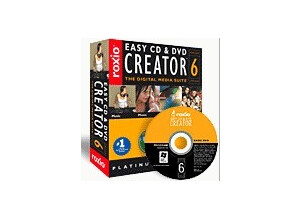
Roxio's Toast Titanium 6 is software designed for CD and DVD burning. This is an older version of the software, but we still have this version at the studio where I'm working and don't think we have a need to upgrade any time soon. I've used newer versions of the software, but only up to 8 and I believe there's now a Toast Titanium 10. I wasn't the one to install this as I'm sure they've had this particular version for a few years now. It's really not a hard piece of software to use as I found everything to be more or less self explanatory, although it's worth noting that I've used other versions of this software in the past. Either way, I don't think there's much of a learning curve when it comes to this software in general. I haven't had a need to look at the manual for this software nor do I think doing so will be necessary. SUITABILITY/PERFORMANCE We've got Roxio Toast Titanium 6 running on almost all of our systems at the studio where I work, but the main room is primarily where I've used it. I don't think anyone should be encountering performance issues, although you may be limited on how quickly you can burn DVD's and CD's depending on your system and burner. We've got a Mac Pro desktop with dual 2.66 Ghz Intel Xeon processors and 10 GB of RAM, which is more than enough to support burning at the highest level. OVERALL OPINION While there's a much newer version of Toast in Toast Titanium 10, I find that Roxio Toast Titanium 6 does the job just as well as any version I've used. I haven't used the newest one and I'm sure there are some added features, but for basic CD and DVD burning, Toast 6 is in depth enough for everything that I need to do, and judging from the fact we haven't upgraded here at the studio, it seems to be enough for everyone here. I don't know if you could get a used version of Toast 6, but it might be looking into getting an older version like this one if you're just wanting to do simple burning and want to save a few bucks...
Installing Roxio Toast Titanium 8 was a quick and easy process for me as it only took a minute or two. Since installation I haven't had any problems with this software related to compatibility or otherwise. The interface of the software is quite easy to follow as well as everything is really user friendly and it only took me a short while to get used to all of the features and options available. I haven't seen the manual for the Roxio Toast Titanium 8 so I can't say if it would be helpful or not, however I don't think one is necessary either way. SUITABILITY/PERFORMANCE I am currently running Roxio Toast Titanium 8 on a Mac Book Pro that has a 2.2 Ghz Intel Core 2 Duo processor and 4 GB of RAM. I am able to run and burn CDs and DVDs at a very quick rate within this configuration and I've never had any problems running the software on my system in general. The only thing that might be restricted is how quickly you can burn discs, but this really just depends on what type of computer you are running it on and the hardware burner itself more than anything. I've been using Roxio Toast Titanium 8 for about two years and have also used versions 9 and 10 but don't own it and haven't used them on my system that I mentioned above. OVERALL OPINION Roxio Toast Titanium 8 is probably the most user friendly burning software for Mac that I have used. It is just that easy to use and does everything in a timely manner without problems. It has all the different modes that you have come to expect in a burning program, just meaning that you can burn onto pretty much any type of disc and burn them in a lot of different formats. The interface is user friendly and it generally only takes me a few seconds to get a burn started. The price isn't too expensive at all but also isn't free like some similar programs out there. I use Roxio Toast Titanium for burning all my CDs and DVDs and is definitely a piece of software that I would recommend looking into if you need a versatile burning program.



