Log in
EN
FR

Massey Plugins Computer Music

19 products found

Categories
Filter
Sort by
Massey Plugins
Evaluation
  • Reviewed or not
  • Editor’s award
  • Reviewed by Audiofanzine
Availability
  • Available or not
  • Sold new or used
  • Sold new
  • Sold used
Must-have products
  • All products
  • Flagship products
  • Best rated products
  • Hot products
  • Popular products
Price
  • Freeware
€
Clear
Sort by
  • Popularity
  • User ratings
  • Price - low to high
  • Price - high to low
  • Used price, increasing
  • Used price, decreasing
  • Name (from A to Z)
  • Name (from Z to A)
  • Added on
Choose a category
Selected category: Computer Music
Sort results
  • Popularity
  • User ratings
  • Price - low to high
  • Price - high to low
  • Used price, increasing
  • Used price, decreasing
  • Name (from A to Z)
  • Name (from Z to A)
  • Added on
Filter results 19 results found
Brands
Evaluation
Availability
Must-have products
Price
  • Freeware
Show results

The best Massey Plugins Computer Music reviews

The reviews Audiofanzine members found the most helpful.
  • moosers's review

    Massey Plugins' DRT v2 Drum Replacement Tools is Massey's second version of the popular AudioSuite plugin for replacing drum sounds. Sure there are a bunch of different plug-ins out there that do this job now, such as Sound Replacer and Drumagog, but none are as in depth and as easy to use as DRT v2. I had used DRT v1 before, and while a great plug-in in it's own right, DRT v2 blows it out of the water due to an extra feature that allows you to directly insert samples inside the plugin. We'll get more into this later however. Like the rest of Massey's plugins, they can only be purchased on their website and do not require the use of an iLok. Everything is authorized and installed easily and smoothly here. Also like the rest of the Massey plug-ins, I believe DRT v2 can be tried as a full demo free of charge. Once you've got the plug-in installed, I'd recommend checking out the tutorial video on the Massey website that will guide you through all the necessary steps to use DRT v2. It's fairly simple once you get the hang of it and you could probably figure it out on your own, but the video is extremely helpful and will put you on the fast track to understanding all the ins and outs of the plug-in. Unlike the other drum replacement tools out there, DRT has a few different options for you. Using the new sampler section of the plug-in that isn't included in DRT v1, you can insert any samples of your choice right inside the plug-in. Also, like DRT v1, you can also convert all of these trigger points to a MIDI track that you can then also trigger with any sample of your choice. I'm still learning everything involved with DRT v2, but after watching the video I can easily use it for it's basic features. I won't go too in depth here with the process of using it, but suffice it to say that it's easily possible to set your trigger points with a variety of parameters including velocity and sensitivity. I don't know if there's a manual or not, but the video should be all you need to see in order to learn how to use DRT v2. SUITABILITY/PERFORMANCE I'm currently running the full version of Massey Plugins DRT v2 on my Mac Pro desktop computer and in Pro Tools 9. My computer has 4 GB of RAM and a 2.8 Ghz Quad Core Intel Xeon processor. For me this is enough to run full Pro Tools sessions at 96 K without any problems and is certainly enough for me to process things in DRT v2 using it as an AudioSuite plug-in. In fact, through AudioSuite is the only way you can use it. This isn't a bad thing at all as it will save you processing power and won't permit you to have a bunch of these things running at the same time and bogging down your system. You process each one at a time and take it from there. I've yet to have any issues at all when it comes to the performance of DRT v2 and I'd be surprised to hear if anyone else did... OVERALL OPINION There's no doubt about it - I've been fully converted to using Massey Plugins DRT v2 Drum Replacement Tool for all drum replacement situations. I was previously using Sound Replacer, but now that I have this I don't think I'll ever go back. It's more detailed in it's features and I find it to be more accurate. I love having a MIDI track to work with if desired and also find it quite convenient to use the new sampler to easily get a new drum track with a new sound. If you're reading this, you probably know what Massey is all about, but in my opinion they give you the best bang for your buck when it comes to plug-ins, especially if you're just using the fully functional demos. Even to purchase they are more than reasonable. DRT v2 does happen to be their most expensive plug-in to date, but it's all relative as it still only costs you less than $100 (US), compared to something like Avid's SoundReplacer that costs four times this amount! If you are looking for the best when it comes to drum replacement, I'd highly recommend trying out DRT v2.0!

  • moosers's review

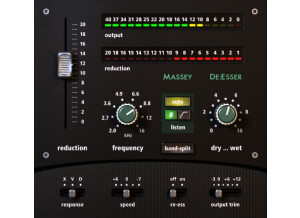
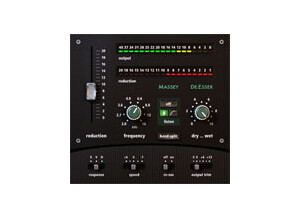
    After downloading the great demo of the Massey De-Esser from their website, installation was a breeze and I was able to use the plug-in in Pro Tools within minutes. Across the board, there isn’t anything to complicated about this plug-in, but it can really do a ton of things for you. The interface is a bit more complicated than some of the other Massey plug-ins, but that isn’t saying it is hard at all as most Massey plug-ins are incredibly easy to use. The Massey De-Esser gives you parameters for reduction, frequency, dry/wet, and a series of filtering options. It also has two meters that will show you the overall output and the reduction. This is definitely one of the best de-esser out there that I have seen in terms of what you can do with it. Unless you are unfamiliar with de-essers in general, a manual isn’t necessary. SUITABILITY/PERFORMANCE While the Massey De-Esser will take up a bit more processing power than most of the other plug-ins in Massey’s great line of software, since de-esser aren’t usually used as often as the others, this isn’t too much of a problem. At most I have used two of these at a time and had no problem doing so, but most of the time I only have one up. I run the Massey De-Esser on a Mac Book Pro that has a 2.2 Ghz Intel Core 2 Duo processor and 4 GB of RAM. I use the plug-in in Pro Tools LE 7.4 and have also used it on a Pro Tools HD system. While it largely depends on the machine and configuration that you running it with, you shouldn’t have too much trouble running the Massey De-Esser. OVERALL OPINION I only first used the Massey De-Esser a few months ago and I wish that I had started to use it earlier because it really is one of the best de-esser that I have used. It is quite easy to use while still maintaing versatility and a lot of options. I’ve only used this plug-in for vocals, but I could imagine it coming in handy on other things if you wanted to get creative. Even if you don’t think you would use a de-esser often enough to warrant purchasing this, at least do yourself a favor and download the great demo that they have available as I know you will be hooked on it and Massey’s other great plugs!

  • moosers's review

    Massey Plugins' Slacker is one of the plug-ins that comes as part of the free Massey Tools bundle. This bundle is no longer available on Massey's site, as these were the first plug-ins made by Steve Massey a number of years back. This plug-in is unique in that it allows you to automatically back up your audio files to a separate path as you are working. That's why it's called Slacker as it's for those too lazy (joking) to back up their stuff manually! Installing the plug-in along with the rest of the Massey Tools bundle shouldn't be an issue at all as long as you have a compatible system. The interface of the plug-in isn't much as it's just a small window that shows you the path that the audio files are currently being recorded too and allows you to set the path where you'd like the automatic back up to go. No manual was made for this. SUITABILITY/PERFORMANCE Right now I'm running the Massey Plugins Slacker on my system at home. I'm running Pro Tools 9 with a Digidesign Digi 002R audio interface and on a Mac Book Pro lap top. The computer has 4 GB of RAM and a 2.2 Ghz Intel Core 2 Duo processor, which has been enough for me to run full Pro Tools sessions with a lot of plug-ins without much of an issue. Slacker will literally take up almost no processing power, so no worries here. OVERALL OPINION While definitely a cool idea and an easy to use plug-in, I just don't find myself using Massey Plugins Slacker all that often. Don't get me wrong, it's everything as advertised as it works great for automatic back ups of your audio files, but for whatever reason I just find myself doing it manually. I guess I'm not much of a 'Slacker'! But for those who are, this is free and works great, so why not check it out along with the rest of the Massey Tools bundle.

  • moosers's review

    Massey Plugins' "Listen" is a funny and unique plug-in that comes as part of the Massey Tools bundle. This is a free bundle of software although isn't featured on Massey's site any more. You should be able to find the Tools bundle in some places, but it was released as the first plug-ins from Steve Massey and aren't supported anymore. The good news is that if you find it, you'll also get a bunch of other free plug-ins, most of which will be more useful than this one. All that Massey Listen does is give you a full screen that says "LISTEN" on it and is designed to help you actually listen to the music rather than following things on the screen. This can actually be more helpful than you think, although the same effect can be had by simply turning off your monitor :). SUITABILITY/PERFORMANCE I'm currently running the Massey Plugins Listen plug on my system at home where I use Pro Tools 9 with a Mac Book Pro. It's pointless to really list off all of my specs here as this plug-in will literally work on every system that can run a DAW. You should not be worried at all about performance here as it's really a non issue. OVERALL OPINION As silly as it might sound, I actually find myself using Massey Plugins Listen quite often. All it does is cover up your DAW with the word "LISTEN," but when doing a listen down it is quite useful to not be distracted by your edit and mix windows, which can sometimes get in the way of your listening. Often I do find myself 'listening visually,' following the faders or waveforms on the screen, which takes you away from what you're actually hearing at time. Of course sometimes this is necessary, but there is a lot to be said for listening with a blank screen. LISTEN isn't really necessary if you turn off your screen sometimes to listen anyway, but being that it's free and you can get it with a bunch of other potentially more useful plug-ins, it's worth checking out.

  • moosers's review

    The Massey Plugins DRT Drum Replacement Tool is the newest plug-in from Massey. Like all plug-ins from the good guys at Massey, this is available as a free full functioning demo, with the full version giving you some extra features. However, the 'demo' version is completely useful on it's own. You can download this free version at Massey's website where you can also purchase the full version at a whopping $69 US (are you kidding?). It's available in either Mac or PC format and I believe they will run in RTAS or VST. DRT takes a slightly different approach when compared to the other drum replacers out there, as it converts the drum triggers to MIDI. The advantage of this is that you then have a MIDI file which you can alter anyway you like. The best way to do it is with a sampler, or with something like Native Instruments Battery where you can trigger drum samples with the new MIDI file you've made. The interface is fairly simple once you've got the hang of it. The best way to get the hang of it is to first check out the instructional video for the plug-in on Massey's website, which comes straight from the man himself - Steve Massey. That will give you a pretty good idea of what the plug-in is all about and you shouldn't need a manual after that, as it's very simple to use once you understand what each parameter does. SUITABILITY/PERFORMANCE Right now I'm running Massey Plugins DRT on my system at home. I run Pro Tools 9 with a Digi 002R on a Mac Book Pro that has a 2.2 Ghz Intel Core 2 Duo processor and 4 GB of RAM. I haven't experience any problems running this plug-in, and since it's not a real-time plug-in I don't think many people will have issues with it at all. OVERALL OPINION As soon as I started using the Massey Plugins DRT Drum Replacement Tool, I knew I would not be going back to any other plug-in to do the job. There are a few different drum replacement options out there, including the popular Sound Replacer and Drumagog. I'd been using Sound Replacer primarily before, which is good but the more you get into it, you'll fin it can have inaccuracies sometimes. I've been a huge fan of Massey Plug-ins since I first used them a few years ago and they have a really nice suite of plug-ins at prices that make them some of the best bang for your buck; that is if you don't end up just using the fully functional free 'demo' versions of the software. If you're looking for a plug-in to replace drum sounds with, do yourself a favor and get the free version of DRT now.

  • moosers's review

    The Massey Plugins Wet/Dry plug-in is an older Massey plug-in that was part of the Massey Tools free bundle of plug-ins. These were some of the earliest Massey Plugs and I believe you can still get them out there, although I don't remember now what formats it comes in. I don't recall having problems getting this and the other plug-ins in the Massey Tools bundle up and running and it has run smoothly for me ever since. The make up of the plug-in couldn't be simpler. Basically you put this plug-in around another plug-in to controls it's wet/dry signal. This can be useful for plug-ins that might not have this control built in like many plug-ins will. Either way, it can serve as an extra control for this when needed. All the plug-in consists of is a wet/dry knob and a predelay knob. I don't think a manual was ever made for this, nor would one be necessary. SUITABILITY/PERFORMANCE I'm currently running the Massey Plugins Wet/Dry plug on my home system, but I've used it on others as well. My computer is a Mac Book Pro that has a 2.2 Ghz Intel Core 2 Duo processor and 4 GB of RAM. I run the plug-in in Pro Tools 9 that I use with a Black Lion Audio modded Digi 002R. This plug-in takes up virtually no processing power and I can't imagine it not running smoothly on a stable system. OVERALL OPINION Massey Plugins' Wet/Dry tool is one that would be useful for any DAW user. The entire Massey Tools bundle is a great thing to have as it's got a couple of great plug-ins that are simple yet great to have. This one is quite useful for getting creative with your plug-ins. It's free so there's really no excuse! I'd get your hands on the whole Massey Tools bundle today if you don't already have it.

  • moosers's review

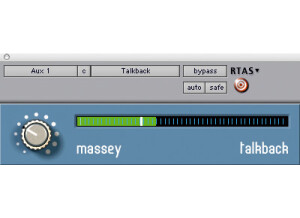
    Massey Plugins' Talkback is a unique and really helpful plug-in that is seen as part of Massey's Tools collection of free plug-ins. I don't know the full scope of compatibility these plug-ins span but they're at least available for Pro Tools and I'd imagine that most DAW's will run it. What Talkback does is a really simple and helpful thing - it will mute your talkback mic while recording is happening and turn it on while it's not and communication between the live room and the control room is needed. Simply stick this on your talkback track in Pro Tools or whatever DAW your using, and it will do it's thing! There's a meter in it to show the level of your talkback mic and you can also adjust this level in the plug-in itself. Besides that, there's literally nothing else in the plug-in, so it's definitely one of the utility plug-ins that will do what it does and that's it. There's nothing to using it, so I doubt a manual was even made... SUITABILITY/PERFORMANCE Right now I've got the Massey Plugins Talkback plug-in on my system at home. This DAW is Pro Tools 9 based and runs on a Mac Book Pro lap top with a 2.2 Ghz Intel Core 2 Duo processor and 4 GB of RAM, while I'm running Pro Tools with a Digi 002R audio interface. However, I rarely use the plug-in in this setting as it's not necessary for me in my small home studio. I've used it much more in larger home studios and professional studios which are running Pro Tools HD where I've never had a problem at all with it. If you're system can't handle this one, you've probably got bigger problems than running this plug-in. OVERALL OPINION Massey Plugins Talkback is one that every studio should have where a talkback microphone is being used. Without it you run the risk of having bleed from the talkback mic in the headphones of those who are playing while recording, or muting it manually yourself which can be annoying and/or you may forget to do it. With Talkback, just throw the plug-in up and have it do it for you without ever having to think about it again. It's free, so there's really no excuse for not having!

  • moosers's review

    The Massey Plugins High Resolution Meter is a simple plug-in that comes within the free plug-in pack known as Massey Tools. A few other free utility plug-ins come in this pack as well, which isn't featured on Massey's main page anymore for whatever reason, but can still be found as a free download. I'd used these plug-ins before only recently did I get them on my system at home. You can find it on the old Massey website and all you have to do it download it and put the plug-ins in your plug-in folder. The whole process is quite simple and you should be able to have the plug-ins installed within a matter of minutes. You also literally don't need to know anything in order to use the High Resolution Meter, as it's simply a matter of viewing it in the proper way. It's a great meter because it shows a stereo feed for peak, peak hold, and RMS levels in a vibrant and easy to understanding metering system. There's no manual for this that I'm aware of, but one surely isn't needed anyway. SUITABILITY/PERFORMANCE I've currently got the Massey Plugins High Resolution Meter plug-in on my system at home which is a Pro Tools 9 based DAW. I've got a Mac Book Pro with a 2.2 Ghz Intel Core 2 Duo processor and 4 GB of RAM, which I use to run Pro Tools 9 along with a Digi 002R audio interface. Being that you'll most likely just be using the High Resolution Meter on a master fader, I'd be shocked to hear if anyone had performance issues with it. I certainly have never had a problem with it. OVERALL OPINION While I may not be finding myself using the Massey Plugins High Resolution Meter on a daily basis, I do use it enough to recommend having it around for yourself. There's down side to having this and rest of the Massey Tools bundle on hand as they're good tools for your DAW regardless of how much you might be using them. This meter is the most accurate free meter that I've seen to date, so definitely do hesitate and go find it for yourself...

  • moosers's review

    Massey Plugins' Recall Notes plug-in is one of a number of free Massey Tools plug-ins. These aren't featured on their site as their other free demo plug-ins are, but are available on the internet. There are a bunch of plug-ins included in the pack, all of which are designed as utility tools. This one, as the name obviously states, is for storing your settings and notes for your plug-ins. It goes hand in hand with the real Massey plug-ins since they are all available as free fully functional demos - they just reset every time you use them and you can't store your settings. That's where the Recall Notes plug-in comes in handy, as you can take more liberties with it than you would be able to using just the Pro Tools track space for taking notes. I downloaded this along with the other Massey Tools plug-ins and had it installed quite quickly and without issues. It's just a dpm file so you just copy it into the plug-ins folder once it's downloaded. There's no manual for this plug-in... SUITABILITY/PERFORMANCE I've currently got the Massey Plugins Recall Notes plug running on my system at home. The system is Pro Tools 9 based running on a Mac Book Pro that has a 2.2 Ghz Intel Core 2 Duo processor and 4 GB of RAM to work with. I run Pro Tools 9 with a Digi 002R audio interface or as a stand alone application. This plug-in and the other utility plugs in the bundle will run on just about any system as they take up the least amount of processing power possible for a plug-in. OVERALL OPINION The Massey Plugins Recall Notes plug-in is definitely one worth having. I don't use it all the time, but when I'm using the demo version of the Massey Plug-ins, it comes in really handy. A lot of times I'll just use the Pro Tools space for taking notes, but if I need something a bit more detailed, this one is great to have. You might not think you need it, but there's no harm in downloading it along with the other Massey Tools plug-ins as they could come in handy for you one unexpected day. If you don't know about Massey, do yourself a big favor and download all the demos for their plug-ins now...

  • « Solid Compressor Plug-In »

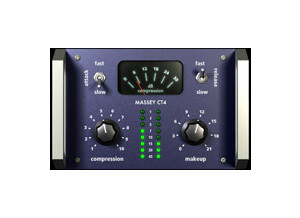
    This is a compressor plugin made by Massey based on a hardware compressor. I haven't had any issues of compatibility with this plug-in at all. The setup of the plug-in was easy and I was using the plug-in pretty soon after I got it. I started with the demo version which was free and works fine, the only problem being that I couldn't save settings or use automation. The full version included all these once I upgraded. I didn't need a manual at all while using this as it's a really simple plug-in, I would only consult that if I ran into an issue with installation which I didn't. SUITABILITY/PERFORMANCE I have yet to run into an issue with this plug-in's performance. It's really easy to use as there's only a few functions that are accessible. There is a knob for compression (which, according the website and confirmed by my use, acts as a combination of a threshold and ration knob), one for make-up (which is like output gain), and switches for fast/slow attack and fast/slow release. This makes it easy to use, though not the most functional compressor out there. OVERALL OPINION While this doesn't have the most flexibility, this compressor is a really good one a lot of instruments. It tends to keep the sounds uniformly great, which is a testament to its quality. I find that with some compressors there are a lot of options and thus you can get some really bad sounds if you don't know what you're doing. This one doesn't give you that much freedom! It basically makes it easy for you to find the sweet spot. It's very good at preserving the tone of the track you used while tightening up the dynamics of the track. Sometimes this is exactly what you need especially if you are in love with the tone you have while tracking. I like this probably the most about it. I'd say that there's no reason you shouldn't download the free demo, as you can use it pretty well. Be warned though, that eventually you'll probably just go ahead and buy the plug-in so that you can save the settings!

  • « Fantastic Plug in for tape heads! »

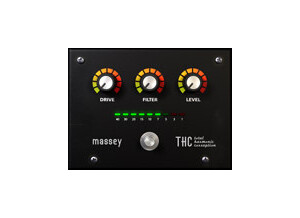
    After purchasing this plug-in from the Massey website, I have had no problem using it. I haven't had any issues with compatibility on this computer or with the plug-in. The manual can be downloaded from the website and has not been necessary at this point, but also is informative for somebody who, for whatever reason, didn't know how to use the plug-in. The setup of this plug-in only took a few minutes of time and had no hiccups or problems. The functions of this plug-in are easy as any I've seen. SUITABILITY/PERFORMANCE This software works fine with my setup. I have a Macbook Pro with 4 GB of RAM. I've never had this plug-in slow down my system, or mess up the session I was working with. I haven't had much of a problem with the performance, so I'd say the performance has been stellar. I've been using it for a few months now but I use it quite a bit. OVERALL OPINION I think that this plug-in is a god-send to people who tend to prefer the sound of analog tape, but don't like working in that medium, as digital is a much easier format to work in. It is a great plug-in to give everything a warmer sound overall. If you can't use tube mics, tube mic pres, or ribbon mics in the studio, and you need to capture that warmth, this application is a great choice. It is really easy to use, just has two knobs, drive and trim, and a switch to go from normal, to medium, to bright, which will change the quality of the effect. It overall works mostly as a compressor or saturator, and it is a great thing to apply to everything from drums to guitars to vocals if they are feeling a little cold to you. It can control the amount of compression and saturation you can control easily, all while using only two knobs and a switch. Highly recommended for all engineers, it's very useful.

  • moosers's review

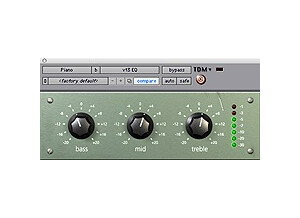
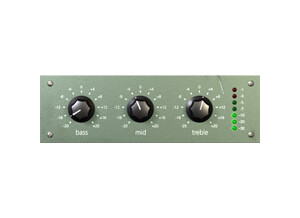
    Installing the Massey vt3 EQ was a quick and easy process without any hassles whatsoever. While I don’t own this plug-in, I do have the almost fully functional version of it that is available free via Massey’s website. After downloading it from the site it only took a few minutes to have everything up and running. The interface of the plug-in couldn’t be any easier to use as this is just about as basic as you can get with an EQ. It simply has parameters for bass, middle, and treble frequencies with a 20 db range on both sides to cut and boost. There is also a meter that shows you if your level is too hot. I don’t have a manual for this plug-in and if you need a manual to understand this plug-in I would consider giving up as it doesn’t get any easier. SUITABILITY/PERFORMANCE I am currently running the Massey vt3 EQ on a Mac Book Pro that has a 2.2 Ghz Intel Core 2 Duo processor and 4 GB of RAM. I use the plug-in in Pro Tools LE 7.4 that runs with a Digi 002R audio interface. I have also used the plug-in on a Pro Tools HD system and it seems that it will run quite well on either machine. It is definitely possible to have a lot of these going at once as it won’t take up much processing power at all. OVERALL OPINION I’ve been using the Massey vt3 EQ for a few years and I’m definitely a fan of this plug-in. It has a pretty good sound quality but isn’t anything that will blow you out of the water. It gets the job done but the best part about it is that it is super easy to use and even if you decide to buy the fully functional version which I would recommend, it won’t cost you much at all, especially when compared to other plug-ins of this nature. The only thing about the demo version is that you can’t save settings and it will reset each time you open a session. For me this isn’t a big deal, but the price is so cheap that it is definitely worth buying. All in all, the Massey vt3 EQ is yet another great plug-in at a tremendous price brought to you by Massey plug-ins.