Log in
EN
FR

PreSonus Computer Music

128 products found

Categories
Series
Filter
Sort by
PreSonus
Evaluation
  • Reviewed or not
  • Editor’s award
  • Reviewed by Audiofanzine
Availability
  • Available or not
  • Sold new or used
  • Sold new
  • Sold used
Must-have products
  • All products
  • Flagship products
  • Best rated products
  • Hot products
  • Popular products
Price
  • Freeware
  • Low-cost (< $350)
  • Mid-range ($350 - $700)
  • Premium (> $700)
€
Clear
Sort by
  • Popularity
  • User ratings
  • Price - low to high
  • Price - high to low
  • Used price, increasing
  • Used price, decreasing
  • Name (from A to Z)
  • Name (from Z to A)
  • Added on
Sort results
  • Popularity
  • User ratings
  • Price - low to high
  • Price - high to low
  • Used price, increasing
  • Used price, decreasing
  • Name (from A to Z)
  • Name (from Z to A)
  • Added on
Filter results 128 results found
Brands
Evaluation
Availability
Must-have products
Price
  • Freeware
  • Low-cost (< $350)
  • Mid-range ($350 - $700)
  • Premium (> $700)
Show results

The best PreSonus Computer Music reviews

The reviews Audiofanzine members found the most helpful.
  • « Modern DAW dedicated to home-studio musicians »

    Easy installation from the Presonus website via download. Afterwards you still have to download additional content (several GBs of samples for the sampler, presets, etc.) Do note that the Soundcloud and Nimbit modules can be added to export directly to these channels. The cherry on the cake from v2.1 is that you are entitled to the Saturation plug-in by Softube. No incompatibility issues with my 2011 iMac quad core i5. The manual is clear and there are several video tutorials on the website, as well as some mixing tutorials that can be accessed directly from the software. SUITABILITY/PERFORMANCE I use it on an iMac quad core i5 with 12 GB Ram and a Presonus Firestudio audio/midi interface. I've had no crashes, the latency is ridiculously low and it is compensated by the software. I have never been able to overload the CPU despite using dozens of plug-ins during my mixing sessions. OVERALL OPINION I have used Studio One Artist v1 and 2, then Producer v2 and finally this Pro version, which has the advantage of integrating Melodyne. I have used Samplitude, Cubase, Ardour, Garage Band, and Logic Pro 9 before. And this one is the most simple and user-friendly. It has all indispensable features for professional song production, plus you have the Mastering section. No score editor, but I have never had the need to use it with other DAWs. In terms of plug-ins, the quality is evident. Their performance is cleaner and preciser than with their counterparts for Cubase Sx3. It's at a comparable level with Logic. The compression and EQ work finely and the reverbs are very good. Integrating Waves, Softube, Overtone, etc. plug-ins poses no problems. Great usability everywhere and most features can be managed in a couple of clicks or via drag-and-drop. Very easy operation with a physical control surface or iPad (Mackie DAW control). Management of MIDI devices is fully functional, too. In short, I haven't found a defect so far, except maybe for a somewhat limited offer of virtual instruments. It's a DAW conceived for musicians with a home studio. The approach is different to Pro Tools, which is especially aimed at sound engineers.

  • « Robust, Practical, Good Sound, No Latency »

    I have a notebook PC running Seven. I use Ableton8 and Sonar7 4GB ram, three-year old dual core Intel processor I was looking for a mobile and sturdy sound card with hybrid Jack/XLR connections, 48V phantom power and quality preamps. I couldn't decide between the M-Audio Mobile Pre MKII and this one The shop assistant recommended me this one for only $10 more. UTILIZATION I still haven't downloaded the latest drivers, but the ones included on the CD work fine (although I don't have the benefit of hindsight, since I've had it one week only) I can get 3ms latency at 16bits/44Khz (I haven't tried the other modes) GETTING STARTED No issues during installation No incompatibilities I still haven't read the manual, because the interface is self-explanatory OVERALL OPINION I've had it for a week and don't regret anything! I once had the Line 6 TonePort UX2, then the Line6 HD 500 pedalboard (which doubles as an external sound card) ... And well, you can tell the difference. I love the knob to mix the input signal and the sound from the PC ... Very practical to record without the need to touch the source volume The value for money is very good I recommend this card to anyone looking for a robust, mobile card with no latency

  • Deleted member's review

    This may be the simplest thing in the world to use if you want to record audio. Short of Audacity and Garage Band, of course. The truth is, Studio One was designed with one thing in mind: flow. And flow it does. You truly feel like your gliding over it when you first start, thanks a little to the graphical user interface. What is special about Studio One is that it operates the way you would expect a computer to operate, or rather the way a tablet would operate. The entire world of Studio One is drag and drop, and it is very refreshing to not have to learn a bunch of keyboard shortcuts to access rudimentary features that other digital audio workstation programs have buried underneath features they brought to the forefront for marketing purposes. Granted, they are useful, but they do not need to be in a user’s face. SUITABILITY/PERFORMANCE Studio One is a little light on features, I would admit, but it is a program in its infancy, and the goal of Studio One, remember, is to make music production elegant, and not a process or a labor. It should feel like you’re dancing over the DAW. There are a few things that should be addressed, but as far as the structure of the DAW goes, there is not a single other program that does things as intuitively as Studio One does, nor as quickly. OVERALL OPINION What blew me away was the quality of the built in plug ins. What was lacking were some actual plug ins; a de esser, for example, does not come with the program, but the reverb is unreal for a DAW plug. And the EQ feels incredibly solid. The best part about this program, however, is the mastering integration. This makes it possible to sit down and pound out a project, or a rough cut quickly. I love everything about Studio One, and now that the second version has come out, I can only cross my fingers and hope that they did not go the way of the bloated program.

  • Audiofanzine FR's review

    (Originally written by studio2records/translated from Audiofanzine FR) 8 preamps with combo XLR/phone connectors. 1 or 2 HiZ inputs for guitar or bass. 8 + 2 + 2 separate analog outputs. 2 inserts (channels 1 and 2). 2 SPDIF inputs/outputs. Comprehensive Midi implementation. I chose this sound card for its preamps so that I can record and mix rehearsals with a decent quality. I have two systems: - Macbook laptop - PC with old CPU (XP 3000+), Win XP Pro, 1 Gb RAM. UTILIZATION Installation with Mac: 30 seconds... It works very good with the included version of Cubase 4 LE. While on the PC... I searched on the manufacturer's homepage and on the web and I finally found the problem: Presonus FW sound cards are not compatible with all PCI FireWire cards. So I went back to the store and bought a new PCI FW 400 with VIA chipset (the other one didn't have a VIA chipset). Then the installation worked in 2 minutes (install the drivers first, reboot then plug the external module). Therefore: I give it 10/10 with Mac. I give it 5/10 with PC because of the compatibility problems not mentioned in the 5-page user's manual. GETTING STARTED Until now no drivers stability problem, no noise nor drop outs... 7 ms latency with my system; I can record 8 simultaneous tracks without a problem. I use it with: Cubase 4 LE on Mac Nuendo 2 on PC OVERALL OPINION Pros: - Front panel VU-meters (but they aren't very accurate) - Control panel software (allows to make independent monitor mixes for the musicians) - Preamps sound. A great sound card if you already know what a pain it is to install it on a PC. The preamps and converters sound great, not even comparable to the gear I've owned previously (Motu 2408, Digi 001, M-audio 1804FW, Alesis i/o, etc.). My friends are impressed with the sound I get without having to spend an eternity placing the mics... I give it 10/10. I'll repeat it again even at the risk of sounding boring: this is the first sound card that has ever satisfied me in terms of sound!! Someday I will buy a second one to have a 16-track system.

  • « Easy to use, install and with excellent sound/dependability & $1000 worth of software »

    Well, I was using the Stealth Pedal (IK Multimedia) as an interface, and then it no longer was supported. Then I turned to the Line 6 Tone Port UX8, and although those drivers worked (in Windows 10), I never could get it to record to simultaneous tracks, although there are eight line inputs. And so, where to turn for a new interface? There are a few budget units available, some with better reputations than others, and repeatedly the PreSonus line always came up as a solid buy, in terms of ease of use, what the entire package includes and its price. The unit that interested me was the Studio 24c, which is a dual channel with sufficient control ability and LED meters on the front, for that quick visual. It also has a very solid construction and weight to it, as indicated by several reviewers on YouTube. Studio 24c was easy to install and set up with the quick-start guide (main manual downloaded off the PreSonus site), right out of the box; and so, that was a bonus. The Sync LED flashed blue immediately (its red when not synced to a computer). So far, so good. The interface connects to a computer via one of two cables included, a USB-C to A… or a USB-C to C. Further setup of Studio 24c communicates through its control app, Universal Control, so that you can select which (or all) driver(s) you want, but also sample rate, block/buffer size, language, etc. (For Windows only, you can set up a Loopback function within the Universal Control, useful for looping back audio streams to be recorded from one application to another, e.g., record audio from a YouTube video or music from a web browser or media player.) There are MIDI in/out connections for MIDI instruments and sequencing, but my setup is rather simple, with the Studio 24c connecting to the computer and with its two Audio Outs going to a mixer and monitor speakers. There’s also a ¼-inch headphone jack in the back panel, which comes in handy when wanting to keep sound levels down for private practicing, recording and mixing. There are other features and controls that add to Studio 24c’s usefulness and quality, including class A XMAX-L solid-state microphone preamps (optimized for bus powering) and the two combo jacks for either XLR or ¼-inch inputs. When working with condenser microphones, there is a 48-volt phantom power (push-button engagement). The Gain controls (one for each channel) are used to keep the signal levels in check and below the -0.5 dBFS mark to limit distortion, and both Gain controls provide 50 dB of variable gain (0 to +50 dB for mics and -15 to 35 dB for line instruments). The two meters on the front provide a visual for both the Inputs and Main. Use of only one channel input will show only one input meter active (and for that channel). The no-latency Mixer knob blends the input signal with playback, so that you can balance the two or increase the mix of either. This is useful if you need to focus on one versus the other, whether practicing an instrument with backing tracks or mixing. With the Mixer knob placed at 12-noon, the signal is equal between input and playback. Turning the Mixer knob to the left increases input level and turning to the right will increase playback level (as simple as this may be, I had zero instrument input and couldn’t figure out the problem until I realized the Mixer knob was turned all the way right). So far, the Studio 24c has operated flawlessly over the past few weeks, and recording has been easy and sounds great. The Studio 24c boasts 24-bit sound and 192 kHz conversion, and there’s a lot of high-headroom, which means really cranking the gear before entering into the yellow and red zones on the front-panel meters. As good as its low noise, high-headroom sound quality, the Studio 24c includes the PreSonus Studio One Artist DAW and Studio Magic software suite, the latter of which includes Ableton Live Lite, nine effects plug-ins, six virtual instruments, and tutorials from Melodics. In total, the full version software alone is valued at nearly $1,000, making the investment a no-brainer. There more information on this software package at this link: https://www.presonus.com/products/Studio-Magic In sum, the Studio 24c is a solid buy for $159 USD. It’s reliable, easy to use and install and the sound quality/drivers are first rate. Rarely are there negative comments on this interface, and the inclusion of the software makes it even more enticing. My short time with Studio 24c has not soured my decision, and so, if you’re looking for a basic interface with some added bells and whistles, the Studio 24c comes recommended highly. Visit https://www.presonus.com

  • « Excellent on all counts! »

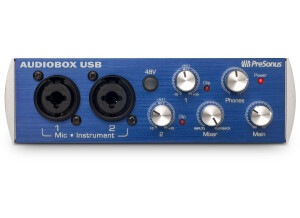
    I spent a number of years working away from computer-based recording, mostly utilising a Roland VS-2400CD, due to frustrations with latency on my, then Windows PC. After switching to a Mac I was lucky enough to spend some time with a FireStudio Mobile and liked it enough to purchase my own. The interface itself pleases from the moment it is unpacked. The solid metal housing gives an immediate feeling of confidence which is then further boosted by the large selection of input sockets and the very positive response provided by the four, front gain and volume knobs. The entire unit is bus-powered over a Firewire 400 connection, which also provides phantom power for any connected condenser mics - providing the firewire connection is direct, not via a Thunderbolt to Firewire adapter. The large number of connections for a small interface is ideal for my setup. I have two outboard channel strips as well as an external mixer, along with at least one condenser mic (either a Rode NT1/A or an Audio Technica AT2020) most of the time. This unit caters for up to eight audio inputs through six 1/4” jacks on the rear of the unit and two combination mic/instrument sockets, with Class A XMAX preamplifiers, on the front. These front sockets have their own input gain controls as well as a button to provide the phantom power. There are also some basic LED metering above the gain controls. However, I tend to use these as the long-distance 'is there a signal' lights rather than for accurate metering. MIDI and S/PDIF connection through the interface is provided via a serial breakout cable. This is not ideal as it extends out the back of the unit significantly further than any jack-plug connection. In addition, the MIDI cable connections themselves look quite feeble and, indeed, over the course of several months of use the MIDI input had a tendency to only work when placed in exactly the right position. However, this is a minor fault since I, like most users, now connect my MIDI instruments via a direct USB connection rather than through the interface. I currently use the FireStudio Mobile with my 15" MacBook Pro Retina. This has 16Gb RAM and an i7 processor. After installing the Presonus Universal Control software the interface works seamlessly with OSX as soon as it is plugged in. It becomes the main audio device and all sound is routed to the two rear 1/4" output sockets. I previously used this interface with an original white MacBook running Snow Leopard and it worked just as perfectly. UTILIZATION I previously used Cubase for my recording but the FireStudio Mobile came with a copy of PreSonus Studio One Artist. This DAW has been a revelation to me and I have subsequently upgraded to the latest 'Pro' version. Once inside Studio One the interface performs exactly as a good interface should - silently. The latency of the unit is controlled by the buffer size within the DAW and performed without clicks or pops at a buffer size of 128 samples. This provided a round-trip latency of 10ms, more than acceptable for all uses. The Class A XMAX mic preamplifiers on the front of the unit are noticeably noise-free at any level when recording. They are, perhaps, a little under-sensitive for some applications - when recording more delicate sounds through a condenser mic the gain control was often turned up nearly to full. Although, even with this setting there was no noise so this could hardly be a complaint. All eight sockets provide excellent sound at high bit-rate and sample size with no real strain on the system processor even when all are being recorded simultaneously. When using the unit with the Studio One software it is possible to create a zero-latency headphone cue mix. By clicking a software button the incoming audio is routed directly to the headphones prior to being processed. Whilst it it is not possible to insert effects, such as reverb, into this cue mix but it does mean that those users running slower systems will be able to set their buffer size to a larger value when recording audio. The musician will still hear themselves in real time but the recording will ‘land’ after the latency. This is handled seamlessly by the DAW. The slight downside to this cue mix support is the single headphone socket. Due to the number of inputs it is often the case that I have several musicians recording at the same time. It would be nice to be able to provide separate cue mixes for each but there is only headphone socket (which I have connected to a powered splitter) for all. I have only updated the Universal Control software twice in the time I have had the unit. In both cases this was because I noticed an update was available, not because I felt I needed to. GETTING STARTED As the unit is a firewire device an extra accessory of a Thunderbolt to firewire adaptor is required to link the interface to my MacBook Pro, no firewire ports being provided by Apple. This leads to the issue that the phantom power no longer functions through this adaptor. The provided power supply resolves this problem but does mean that when recording a condenser mic the unit is not 'technically' bus-powere. Prior to connection the PreSonus Universal Control software needed to be installed. Although provided on a CD, the latest version was easily available from the PreSonus website and was downloaded and installed in a matter of moments. After a restart and the interface was plugged in, OSX recognised it immediately and sound output was transferred to the unit automatically. In the OSX sound settings the output volume is greyed-out since PreSonus expects users to use the volume knob on the front of the unit, or open the Universal Control application for advanced mixing. This advanced control allows the interface to be used as a virtually latency-free mixer for any of the audio inputs. The sockets are clear on their use and I have yet to need to read any manual for the interface itself. OVERALL OPINION Having tried out a few other interfaces, such as the Focusrite Saffire and PreSonus' own USB AudioBox I am definitely sticking to my FireStudio Mobile. The lack of any downside to cleanly recording 8 audio tracks at the same time really sold me the interface. I frequently have a selection of instruments to record simultaneously and I always have complete confidence that any problems will be the musicians not the interface. Whilst there are other interfaces available for similar, or less, expense I would recommend this interface without hesitation.

  • « daisy chain and expand »

    The inspire 1394 is manufactured by preSonus, it is a firewire audio interface that is small and very portable. It has two mic preamps and two instrument ins. It comes with a software that is needed to use and control the functions like phantom power and gain/sampling rate since there are no hard buttons right on the device to take care of these functions. It is very easy to set up and only takes a few minutes to have it up and running. If have even used these daisy chained together before to create more ins and outs, you can even do this to create a full 16 input system. UTILIZATION I was using this interface for a short time back in early 2008. It worked great with Cubase and Abelton live, but it comes with Studio One (which I didn’t install). I have recorded some really good stuff with this interface on the road when using it with my mobile set up. The two mic inputs are very clean, the preamps are neat and do not color the sound at all. They are quiet and worth the money that this little box cost! GETTING STARTED It does come with some bundle software and plug ins like Guitar Rig LE and EZ Drummer lite. These two programs might not be the full version of them but they are still great o have and build from. OVERALL OPINION This package was intended to be for a beginner and I purchased it even though I was a veteran. It still served a much needed mobile purpose for my set up and I do not regret my decision at all. I just got tired of daisy chaining these together and just purchased a newer interface with more ins and outs so I wouldn’t have to have more than 1 of these sitting around my computer all of the time.

  • « Works great with Vista »

    The PreSonus V Fire is a firewire interface that has low latency and is compatible with Mac and PC computers. It is not rackable but will look great on your workstation because of its sleek innovative design. It looks a lot different than any other interface that has ever come out. The biggest issue with most PreSonus interfaces that I have used in the past is the latency issues. Most of them (the ones in this price range) have major issues with latency and sometimes driver and compatibility issues with your software. The made some major changed with this interface making it very low latency and it is compatible with just about anything you want to use it with. UTILIZATION The V Fire is easy to work with and install, it has dual firewire ports that allow you to connect other gear via firewire to it very easy. This interface is more of a plug and play style interface, there are no difficult instructions to follow. I have set this interface up on Vista and in Vista Business edition before and run it with Cubase and Reason. It has crashed a few times with Reason and I have had to start it over but that could be an issue with my Reason because it does that sometimes and I have not figured out why. GETTING STARTED The manual is pretty thin and easy to follow if you need it. All of the basic functions of this unit are easy accessible and really there are no complex functions or instructions to worry about with it. It would be a perfect interface for a beginner or a moderate user looking to record great quality demos from their laptop on the go. OVERALL OPINION I have used this interface about 6 separate times and it has never given me problems outside of the Reason issue. I am still wondering how it will hold up on other systems like my Macbook and Windows 7 though because Presonus has a bad reputation with certain operating systems.

  • « Download the app and control from your iPad »

    The 1818VSL is made by PreSonus Audio Box and is very similar to the 4x4 model that they make. This interface has 18 inputs and 18 outputs making it the ultimate interface to have if you are recording a lot of tracks simultaneously and needing to mic up a bunch of different instruments or drums so you don’t need to switch out cables as you would with a smaller interface that does not have as many ins and outs. The preamps on this model are very quiet and warm. It does come with Virtual StudioLive software for free, this software is not the best software but if you don’t already have a DAW then it will work great for you. UTILIZATION A cool feature about the 1818VSL is that you can control everything remotely from your iPad. There is an app that they make that you can download and it will work great with the 1818VSL. It will allow you to control all of your parameters like EQ and panning. GETTING STARTED I have used this interface multiple times since October of last year, each time we use it I know that we are going to get great sounding recordings easily. It is very easy to set up, much like all of the other PreSonus interfaces are. The 1818VSL has 10 digital inputs and 10 digital outputs. The audio outputs are all TRS and inputs are XLR and TRS. OVERALL OPINION This unit can be racked and being that it has so many inputs you will not have to get behind it to swap out cables. So once it is racked up then you are good to go from the first time you start hooking up your gear. It has MIDI in MIDI out and MIDI thru. The price of the 1818VSL is around 400 dollars now which is a great price for all of these inputs and solid preamps. It does not have any effects on it though, which would be a huge bonus if it did.

  • « Connect it and use it »

    The PreSonus FaderPort is a 1 channel USB Fader that has transport controls. It only cost 129 and can be purchased at almost any retailer online or in store. For it to be such a low priced unit, it sure is well built. It was a lot heavier than I thought it was going to be, I expected a cheap plastic feel to it, but I was wrong it is nice and heavy. The FaderPort has Pan control, record enable, mute, and solo on it. There is also a foot-switch port (foot-switch not included) for punching in and out quickly and hands free. The FaderPort will work with your Mac or PC. I have used it on my Windows 7 system and on my Macbook and it never gave me a problem with either one. I have used it with a number of different DAWS and it seems to work great with whatever I use it with. I use it the most in Logic Pro though. You just connect the FaderPort to your computer through USB and start using it. It is very simple and just in case you need the manual it does come with one that is easy to understand and use if you need it. This device is very portable and can be taken with you wherever you need it to be. That is the reason why I was sold on this one because it seemed to be more portable and plug and play like than some of other ones that I have used. There are not tricks with the FaderPort, it works exactly like it is suppose to and it is truly plug and play (once you have the drivers installed which only take a few minutes). It is not an interface, there are no ins and outs on it. It is strictly a 1 channel fader. So if you already have an interface and just need a fader with transport controls you won’t find any other ones that are built like this for this price. It is a must buy.

  • « I loved working with the FireStudio »

    The Presonus Fire Studio was an interface that for the first time I used at the School that I attended a year ago. They had a few of these in different rooms (mainly the second studio rooms and no the main ones). The Fire-studio seemed to work great and do exactly what it said it would do. There was nothing that really stood out with it though to make me want to go out and buy it for myself. It had enough ins and outs to power your whole band and record them all at the same time. That would be the only reason I would suggest someone get this is if they have drums recording into it and guitars and other instruments for a big session. But if your just a one or two microphone type of set up there is no purpose to have this. UTILIZATION I am not sure if the drivers where updated at all during the year I was using it. We recorded up to 4 or 5 tracks simultaneously without any problems, we actually used this interface to record into the “student” version of Pro tools and it worked just fine. I have heard that it was a pain in the butt trying to get pro tools to recognize and work with it though. But this isn’t something I have personally dealt with. GETTING STARTED The Manual is extremely clear and well written, I had to use the manual several times when working on new project that would require different set ups. Each time I had to reference to the manual, it was easy to do and I got right to it without any issues. OVERALL OPINION My favorite part of working with the Fire Studio is how easy it was to record so many things at the same time instead of having to record one person/instruments take and then start over and record something else. We could just run right through our projects and assignments pretty quick. The sound quality (as long as you are using good mics) will be great and will give you nothing to complain about. I have tried a lot of other models of PreSonus interfaces and all of them seem to be great.

  • « Lots of ins' »

    The PreSonus FP10 use to be called the “FirePod” and it has 8 different PreSonus microphone amps which is really a lot of power for your home set up. It feels like they made this interface for the home musician but I really don’t know many musicians from home that would need that many microphone inputs at home. Maybe someone who is mic’ing up a whole drum set, or a large band would need that much but it was too much for use to use for a small set up. UTILIZATION There are 2 Fire Wire ports on the PreSonus FP10, this will make it easy to use more than one FP10 at the same time because you can firewire them together if you needed more inputs. But you wouldn’t need that unless you had a lot of different stuff going on that needed to be recorded. But its nice to know that you have that feature available just in case you might need it down the road. GETTING STARTED There are no compatibility issues with the FP 10, every thing seems to work great and the set up was very easy. There is not anything that’s complicated with this unit, its pretty much plug your stuff up and start recording. It does come with a manual but we didn’t even open it out of the plastic it was wrapped in. There was just no need to use the manual. All of the functions of these unit are easy to use and to understand. The unit is rack able and will take up 1 rack space. OVERALL OPINION Overall, the PreSonus FP10 is very well built and strong taking up minimal rack spaces while still giving your plenty of inputs to plug microphones into right on the front of the unit. So if you put it on your rack you wont have to get behind it to plug anything in. Well great audio interface with a lot of inputs. Make sure you have a fast computer though so you don’t experience any latency.