Log in
EN
FR

PreSonus Audio Interfaces

44 products found

Categories
Series
Filter
Sort by
PreSonus
Evaluation
  • Reviewed or not
  • Editor’s award
  • Reviewed by Audiofanzine
Availability
  • Available or not
  • Sold new or used
  • Sold new
  • Sold used
Must-have products
  • All products
  • Flagship products
  • Best rated products
  • Hot products
  • Popular products
Price
  • Freeware
  • Low-cost (< $200)
  • Mid-range ($200 - $500)
  • Premium (> $500)
€
Clear
Sort by
  • Popularity
  • User ratings
  • Price - low to high
  • Price - high to low
  • Used price, increasing
  • Used price, decreasing
  • Name (from A to Z)
  • Name (from Z to A)
  • Added on
Choose a category
Selected category: Audio Interfaces
Sort results
  • Popularity
  • User ratings
  • Price - low to high
  • Price - high to low
  • Used price, increasing
  • Used price, decreasing
  • Name (from A to Z)
  • Name (from Z to A)
  • Added on
Filter results 44 results found
Brands
Evaluation
Availability
Must-have products
Price
  • Freeware
  • Low-cost (< $200)
  • Mid-range ($200 - $500)
  • Premium (> $500)
Show results

The best PreSonus Audio Interfaces reviews

The reviews Audiofanzine members found the most helpful.
  • « For the price, what else could you ask for? »

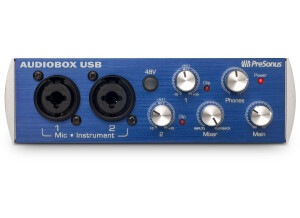
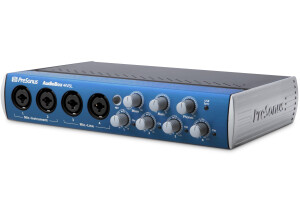
    I bought this soundcard for its price and for its solid metallic aspect. I use it mainly to record guitar and vocals over usb on windows 7 pro 64 bits. UTILIZATION I haven't had any problems with the drivers. I usually use it with Presonus studio one 2 professional with almost no latency. GETTING STARTED The installation and the setup couldn't be simpler. It is so easy to use that I haven't used the manual in two years of good and loyal service, during which this small blue box hasn't given me any compatibility nor any other sort of problem. OVERALL OPINION I've used this soundcard for two years. I didn't try any other model before, the solid impression it gave me was enough to convince me. What I like the most are its looks, ease of use and, especially, its price. There is nothing I don't like. In my opinion, it is perfect in every respect. With such a price, what else could you ask for? Excellent value for money. I don't have it anymore because I got a top range soundcard, whose price is obviously not the same. If I had to buy another one, I'd buy this one again with my eyes closed. I would even by two at the same time to be sure I have one in case it doesn't work correctly, which I doubt, considering the quality of Presonus products.

  • « works fine, preamps are decent »

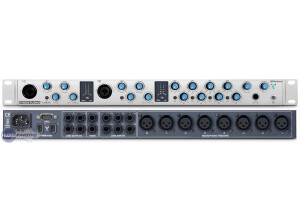
    The PreSonus FireStudio Project is a rackable interface that is 10 by 10 with 8 mic preamps and digital ins and outs as well as analog ins and outs. It comes with recording software that I was not a fan of because I felt like it was very basic and it was difficult to work with 3rd party plug ins with it. UTILIZATION Setting this interface up with the “Artist Recording Software” was simple, but I wanted to use it with Cubase and that took a little more wheeling and dealing because for some reason I was having problems getting Cubase to recognize it. Eventually I got it to work properly and start recording right. The microphone preamps are pretty good, they are clean and quiet and do not color the recording sound at all. I did notice that recording vocals with this interface sounded a lot better than recording instruments with it. I didn’t think that it was a microphone issue as much as it was with the preamps and the interface. GETTING STARTED The monitoring is very close to 0 latency. It came with a bunch of drum loops and instrument plug ins that worked with Studio One software. Studio One software works great with this interface is you want to use it but I have moved on from it by the time I got this interface. Studio One is one of those programs that the user will eventually outgrow when they want to get into adding plug ins and other effects into it. OVERALL OPINION This interface is rackable taking up 1 rack space and for the money it is built really good. It has 8 mic preamps and phantom power. It is no Bus powered though so it does require a wall connection. This interface is not portable and belongs in a home studio that works with FireWire connections.

  • « Portable »

    I was using the FireStudio mobile years ago, it is still one of the best portable interfaces that you can get for the price. The sound is much better than what I expected it to be. It is also very portable, I use to take it around with me in my laptop bag, but the size of it does not match the sound quality that it provides. It also comes with a software, and some plug ins like effects and instruments. UTILIZATION The preamps are very good for it to be this amount of money. They are quiet and warm and do not color the sounds which were a huge surprise to me. At the time I was using this interface I was on a Windows XP laptop running a few different DAW programs but I mainly used this with Studio one and even Acid Pro. It connected to my computer via FireWire cable and it has 8 line inputs and 2 line outputs. There is zero latency monitoring/playback. It came with some PreSonus bundles products that I didn’t use that much but it was still nice to have some extra effects. The instruments that it came with really didn’t appeal to me and I never used them. GETTING STARTED This interface is great for a small set up or a portable set up. I recommend purchasing one of these used because they are going for very low prices online now and they still have great features and can work with newer systems like Windows 7 because there are updates from PreSonus. OVERALL OPINION The FireStudio is also very rugged, I took it everywhere and at most it only had a few scratches on it from taking it in and out of the bag but nothing else got messed up on it. It is very easy to set up and is pretty much a plug and play type of interface.

  • « firewire is fast »

    The Presonus Firestation is the perfect interface for recording into your computer DAW. Plus its very affordable so it’s a win win for all of us! A couple things that I love about Presonus is they always keep you updated with product updates in this case new drivers. But you really wont need different drivers if its working fine and you don’t make any major changes with your daw then you should be ok. But if you do need an update Presonus will take care of it without a problem or if you are having in issues at all give presonus a call and they will take care of you without any questions they provide some of the best customer service I have every experienced with buying gear. UTILIZATION I have experienced NO latency when using this with firewire. Its really fast, but there really is no such thing as 0 latency, but It feels like there is none which is hard to accomplish when it comes to hardware and software linking together. Make sure all of your audio cable’s and stuff are going straight from your get to the Firestation with no connectors or anything like that. Remember the more things (connectors/cables) you have between your gear and your interface causes lag issues big time. GETTING STARTED No compatibility issues at all, works like a charm and the manual is easy to understand if you need it. Which you probably wont. OVERALL OPINION Overall, great piece of hardware. I was using usb before this interface. This was my first firewire interface and I am hooked on firewire now. Its just so much more responsive and quick. This is a great value for the price and these things go bloody cheap online! Look around on eBay and check some of the prices, most of them even come with some sort of a DAW just incase you have none this will be an all in 1 package for you.

  • « Great interface »

    The Presonus Firestudio Project has excellent quality XMAX mic pres. these pres have neutrik combo jacks which accept traditional 3 pin XLR or 1/4" phono plugs. Although i put a preamp in front of the firestudio, these mic pres are certainly good enough to use without any outboard gear. UTILIZATION Presonus includes Cubase LE4 recording software and a decent tutorial dvd to get you started. The 48 track software is more than adequate for recording your entire band at once or doing track by track recording for solo musicians who play all the parts themselves. There are plenty of plug ins included to help add spice and partiality to your recordings as well as produce broadcast quality masters. GETTING STARTED Presonus includes all necessary hookup wires so there is nothing else needed to get started as long as you have a pair of headphones or some other means of monitoring (which by the way presonus made making great monitor mixes a breeze). All in all, the Presonus Firestudio Project is a great, easy to use firewire interface that can be used as a mobile recording setup, a front end for your home studio or as a mixer for your live performances. When quality counts (as it always does), this is a very inexpensive (and expandable) solution to your digital I/O needs. Purchase with confidence. OVERALL OPINION Overall, I was able to track the entire band and send each musician a separate headphone mix using the built in mixer and several hp4's. Everybody was happy with the Firestudio Project. The drum sounds we got were really shockingly good. The drummer kept asking me what preamp and eq we were using. I tracked all the drums flat with no eq or compression - just the preamps from the Firestudio Project. Cubase LE4 is a HUGE step up from LE as well. Although I'm probably going to upgrade to Cubase4 soon.

  • songboy's review

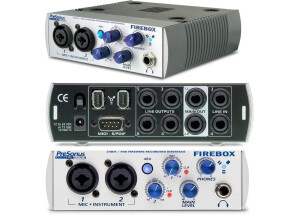
    I bought a Presonus Firebox before I bought the Firepod. I love my Firebox but I needed more XLR Inputs. It was a logical choice when someone offered to sell there's to me for a good price. I use a Macbook with 2.2ghz, 4GB of ram, and a 320GB HDD. I also run Logic 9 for my main DAW and occasionally Ableton. I use this as my main firewire device in my studio. I also use it outside of the studio to do onsite band recordings (a little business I am working on). It takes all of my drum mics (4), as well as one bass and one guitar mic and a two vocal mics. I run the Vocal mics through a ART MPA gold preamp first. I also run directs out of the instruments via DI Boxes into the back for even more options. Besides the XLR and 1/4" jacks you also have Digital ins and outs and 2 Firewire ports (Computer Connection and Daisy chain), oh yeah, and Midi in/out. UTILIZATION Yes the Drivers are stable. I have no issues running the Firepod on a Mac. As for updates, I am not aware of any. As far as I know it hasn't needed them. There is a very small amount of latency that I notice most when I am doing vocals myself. Its not very much at all really, sounds like a very slight chorus effect. I most often use the Firepod with Logic 9. It works correctly with Logic and is very well integrated into the system. It is very easy to select input sources via individual track parameters and audio output routing is easy too. So far I have only done Six at a time. I guess I haven't thought about finding out the max until this review. I will be checking that out soon. GETTING STARTED There was no compatibility issues whatsoever. Plug n play on my mac. The manual is clear enough. There is a lot less stuff for mac users to read than there is for PC. It has to do with installation mostly. For the most part, yes, the general setup is simple enough. If you are comfortable selecting inputs on your DAW, then doing everything you need to do to get strong, clean signal recorded should be a breeze. OVERALL OPINION Two things seem a little strange to me. First of, the Input/Playback knob, which balances the mix between the actual inputs and the playback, seems weird to me. I guess its a neat tool, but I can't quite get comfortable with it. I usually feel when I get the correct volume for my input, the playback sounds too quiet and vice versa. Two, it would have been nice if they had a seperate effects loop in/out instead of having to use the first two inputs with a stereo pair of outputs. Besides that, what I like about this unit is a lot of things. Good clean, crisp sound. Very quiet preamps and great compatibility with my gear. Can't really ask for more. I got this used for around $300. I am very happy with paying that. There is very little latency and the sound is very clear and present. I own presonus firebox and an Alesis Firewire Mixer. All serve there purpose well, but the Firepod is my "go to" unit in the studio. Yes, I would definitely make the same choice again.

  • songboy's review

    The main thing I love about this unit is the firewire powering capability. Not needing a wall wart or any other power source makes this unit very convenient for live recording or live performing situations especially with my laptop. With a full battery, I can run the presonus firebox, two usb powered keyboards and all my software programs for three hours without the need of a power source! One of the best setups for creative people on the go. My mobile rig consists of a MacBook (2.2ghz, 120gb internal HD, 320gb usb powered external HD, 4 gb ram), 2 M-Audio keyboards (88 weighted key, and 61 axiom) and Logic 8 and multiple NI programs. I use the Firebox to simultaneously record my bands performance (stereo track from mains) and out put all my synth/key/samples/pads to the mains. This thing is so convenient. UTILIZATION The firebox is plug and play with Logic but unfortunately, I am having problems getting my Native Instruments to recognize it. I bypass that problem for the time being by selecting the firebox as my computers main output. The general configuration is pretty simple. The firebox mixer application is a little confusing to me. I have not really dived into any help features yet. They did not send me any paper manuals, but the there is plenty of help on line. I wish there was a paper manual though, those always seem clearer to me. GETTING STARTED The drivers are great. I haven't noticed any updates yet, unless it does them without my knowledge. I use this mostly with logic 8 and they work together seamlessly. Like I said before, plug and play with Logic. It also has 24k recording capability which logic supports so thats a big plus. As for latency, I have been able to put most programs down to zero latency (at least thats what they claim) and so far, no problems. As for tracks, 16 internal software tracks is the most I have ever used thus far. I notice that when I first open up those tracks, logic gets &quot;overloaded&quot; when a part comes up with a lot of midi data, but I believe that is Logics fault. Its not a really big issue, it only stops that once. The next time through it works fine. OVERALL OPINION I have had the Firebox for 4 months and it has yet to disappoint. Again, the best thing is the firewire power capability. Other pluses are the 24k recording, 6 1/4&quot; outputs for sending different signals to different amps/mixes, and the overall high quality sound I get out of my recordings. I didn't any other models personally but I talked to a lot of people who use the this device and the some of M-audio's interfaces and everyone recommended the firebox. I also did a lot of research online and found the same to be true. I would absolutely buy this item again. Its a must have for computer based/assisted musicians/engineers.

  • chickenjedi's review

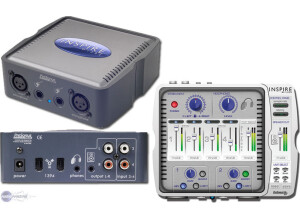
    When selecting this device, I was specifically interested in inexpensive devices using FireWire 1394 only, as I'd max-ed out the native USB ports on my iMac, and I did not wish to run through a USB Hub, because I saw nothing but heartache there. I use this with an Oktava condenser mic and with a few inexpensive vocal mics to record vocals and acoustic instruments with Garage Band and Ableton Live 7 I am using this device with my Intel iMac Dual Core 2.0 GHz, with 1GB of RAM (which I may just upgrade to 2GB) It has dual 1/4&quot; and XLR, and LR RCA input. While you can use more than one input at a time, my purposes haven't called for it. Also, you can use several different types of output for monitoring, ranging from an 1/8th&quot; headphone jack and a 1/8&quot; line out to or RCA outputs for powered monitors. UTILIZATION I purchased the Inspire GT Limited Edition model, as it was more aesthetically appealing to me. The Inspire GT driver did not work properly with my Mac, but when I installed the Inspire 1394 drivers, everything quickly fell in to line. I find it compatible with all of my equipment. I've experimented with different mic setups for acoustic guitars, and even run the stereo outputs on my POD XT Live in the 1/4&quot; inputs, and it's given me some creative flexibility. Configuration was a breeze, and after installing the correct driver I was working in a flash. The manual was a bit sparse, but PreSonus online support was sufficient. GETTING STARTED The drivers are stable enough for my needs, and hobbyist/entry level users should find the features in the driver easy to work with. I am getting limited latency with Live and GarageBand, though I'm sure if I add ram, this will get better. At the moment, I'm one track at a time, working as a single musician. OVERALL OPINION I've been using the Inspire GT for a little over a year. After my initial problems with drivers, I found it to be an adequate replacement for my MBOX that I retired because I hadn't kept my Pro Tools LE licenses up to date. I looked at a few other models, but this was the only full-featured 1394 FireWire device at the price point. I feel it was a good value, however, better quality interfaces have invaded that market since my purchase and I may have been better served by a device with a few external controls, i.e. volume and fader, rather than a device with strictly software driven controls.