Log in
EN
FR

Audio Interfaces

1511 products found

Categories
Filter
Sort by
Brand
Evaluation
  • Reviewed or not
  • Editor’s award
  • Reviewed by Audiofanzine
Availability
  • Available or not
  • Sold new or used
  • Sold new
  • Sold used
Must-have products
  • All products
  • Flagship products
  • Best rated products
  • Hot products
  • Popular products
Price
  • Freeware
  • Low-cost (< $650)
  • Mid-range ($650 - $1,500)
  • Premium (> $1,500)
€
Clear
Sort by
  • Popularity
  • User ratings
  • Price - low to high
  • Price - high to low
  • Used price, increasing
  • Used price, decreasing
  • Name (from A to Z)
  • Name (from Z to A)
  • Added on
Sort results
  • Popularity
  • User ratings
  • Price - low to high
  • Price - high to low
  • Used price, increasing
  • Used price, decreasing
  • Name (from A to Z)
  • Name (from Z to A)
  • Added on
Filter results 1,511 results found
Brands
Evaluation
Availability
Must-have products
Price
  • Freeware
  • Low-cost (< $650)
  • Mid-range ($650 - $1,500)
  • Premium (> $1,500)
Show results

The best Audio Interfaces reviews

The reviews Audiofanzine members found the most helpful.
  • « Good, not perfect »

    Hi all, I have been looking myself for reviews or videos on this Tascam US-16x08 audio interface. First, here it is : Content Unboxing, the product looks well-finished, gain knobs look sturdy. Originally, the two sides are screwed upon a frame to allow leaning it slightly. If you wish to put it in a 19" rack, dedicated mounting bars are provided to replace the sides. AC adapter is universal, with a US-to-EU adapter. Installation & Windows drivers This is where the troubles begin. Tascam has (lately) put online 1.0 drivers for Windows and/or Mac. Caution: don't do the same mistake I did, install the drivers BEFORE turning on the USB-connected interface. Why is that? Out of the three peripherals it detects (without the drivers installed), 1 was not recognized (red cross). Difficult to sort out afterwards. Except for this small inconvenient, nothing to mention. A light indicator shows whether the USB connection is working or not (practical in case anything went wrong). Standalone mixer interface It is composed of three tabs : This is the mixer part, if you wish to use it standalone without a third-party program (Cubase, Sonar etc...). The basics are here, EQ, compressor. I haven't tested it in standalone mode, but my mic signal was detected with a very little latency. 10 stage/mixe settings can be saved. This picture shows the interface's routing. A downside, only the outs are assignable and can be changed. You can choose either a Master L/R out or another out for monitors or headphones while recording. As a reminder, the device itself has a headphone out, which can be parametered to receive either the global mix or one specific out. This is the part where buffer size can be managed. And this is where the interface causes problems. I'll describe those I faced. Originally, buffer size is set at 512, which allows a 12ms latency "in" and almost 30ms "out": for live headphone monitoring, it becomes hard to manage with a total 12+30=42 ms. Latency can be heard. Through a mixern no problem of course. I first tried to use the interface with my laptop computer: i7 2GHZ / 4 GB RAM. And - catastrophic, no way to get under 512. Sometimes I managed to get to 256, sometimes not, so I was about to return the interface. I used several different DAWs, including CUBASE 5 - Ableton Live - Reaper version 5. Depending on the software used, it worked more or less. What is impossible to understand is the fact the CPU never was overloaded. So, I switched to my desktop computer. i7 3700k - 3.8Ghz / 16gb Ram / SSD I first had the same problem in 256 with Cubase. I tried with Reaper 4.77 64bits, and everything worked fine even with a 64 buffer (2 ms latency in/6ms out). I dare not change the buffer setting so that the problem doesn't reappear. I also tried Reaper 4.77 on the laptop but the problem was still there. I conclude a big setup is needed to get under 256, and that the drivers are still very unstable as nothing seems logical in the way the buffers are managed. OTHER VARIOUS DETAILS: - I have already used different M-Audio interfaces including the 2-ins Fast Track Pro, and mis gain was set to 8-9. Here, the gain is only at 6-7 with the same AT2020 XLR-style diaphragm mic. Sound is very clean. - 8 XLR preamplified ins and 2 front panel line ins which are useful as one can choose either line or mic level. The same behind with a +4dB/-10dB selector. - I haven't tried the MIDI function as my keyboard is USB Overall: I think the drivers are still unstable, hence the interface doesn't work properly. I thought of sending it back then I thought I'd keep it to see whether new drivers wouldn't solve the remaining bugs. Currently drivers are still at v1.0. As a conclusion, should this interface be recommended or not? If you wish to use this 16 ins interface just for recording using a mixer for headphone monitoring, do nos hesitate, this price in just awesome. Preamps are very good (for this price range). If you intend to use it for a 100% homestudio recording with a need for several monitoring outs with a not-so-powerful computer, I advise you to wait for other feedbacks on this product. Everyone can adapt more or less to latency but as far as I am concerned more than 20ms is very disturbing. This remains a very good product but it is hindered by youthful bugs. Hopefully it will soon be sorted out. Thanks for reading. So long!

  • « A perfect interface for its price »

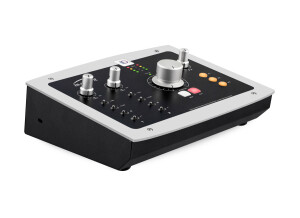
    Disclaimer: as I am mostly recording acoustic music and material, this review only intends to apply to my own use and needs. I also use VSTi virtual synths but probably not as often as someone recording electro. My computer’s setup: AMD FX 8350 processor 24GB of RAM Windows 8.1 The driver (v4.01) is stable, not a single problem uin a good 30 hours of use. As for latency, I see a clear difference between 48Khz (close to the limit) and 96Khz (perfect for me). The routing interface is simple and efficient, you don’t have to waste time reading the manual which is a very good thing. As for the preamps, they lack warmth and gain compared with the external ones I own (SPL Gainstation, ART DMPA2...) but they’re still good pres for a sound interface in that price range and they can do the job if need be. I usually get into the converters through the inserts. For the price, the converters provide a good quality. The Hi-Z inputs are coherent whether you use them with a guitar or bass. The resulting sound is clean, with no excessive color added to the sound. The IDScroll feature which allows to change a parameter using the ID44’s center wheel is practical but won’t work with just any plug-in – only with those which knobs were programmed for a scrolling method. It won’t work with Guitar Rig 5, for instance. The headphone outs provide a comfortable sound quality with an acceptable output level – no risk to make your ears bleed in the end. Regarding the ARC bundle, it won’t suit just anyone: I assume that whoever buys a sound interface in that price range already owns a better DAW than Cubase LE and Cubasis. I thought you could get two free Eventide plug-ins (UltraChannel and Reverb) but no such offer is available in the user section on Audient’s website. You can access 2 tutorials and get two of your 24/48 tracks (or 10 in 16-bit) mastered at Landr. Monitoring features are very practical, and i think that as a whole this is a well-designed interface, even with its few flaws here or there. What I like most: - its very practical monitoring features (Dim, Cut, listening, mono and so on) for all situations (recording, mixing, mastering) - its ease of use - the well-thought format and placement of connectors and controls - the sound quality for such a price range What I like least: - limited use of 48Khz quality because of latency (but it’s very good at 96Khz...) - the “made in China” ON/OFF switch seems very fragile and almost go off the very first time I used it - the USB cor dis too short, unless you use it with a laptop PC - the included ARC bundle won’t be interesting to everyone

  • Italiamusic's review

    I chose the Spl Crimson due to its ease-of-use and the number of inputs, it allows me to plug in a mic, guitar, synths, and a drum machine. The most essential functions are accessible without the need to touch the mouse, which is really comfortable, in my view. I would've preferred having all inputs on the rear, but you can't always have everything you want. The Spl is connected via Usb to my Asus laptop with an Intel Core i5 processor, 4Gb RAM and running windows 7 64bits. It's a pity it doesn't have a Totalmix-like routing software. This means everything is done from within the DAW. USE After several days of use, the drivers have proven stable and I've had no issues. I don't use my computer exclusively for music, right now I use it for Cubase 5 and Internet without any problems. When I unplug the Crimson, the pc automatically switches back to the internal soundcard. I only record track by track, so I haven't tried out more.... I compared a piano recording done with the Crimson and one of the same tune I had done with an RME 96/32. My ears couldn't tell any difference. I get an output latency of 256 samples / 5 ms and an input latency of 185 samples / 4 ms. OPERATION You first need to download the drivers from Spl.info. The manual is a single page with connection diagrams and all functions explained. A bit "light," I'd say... For example, I can't find a solution to how I can have two mics connected to inputs 1 and 2 and use my synth on stereo inputs 1-2, I'm forced to always unplug one to use the other! I hope I can find a solution, otherwise it means it has only 4 simultaneous analog inputs, not 8. OVERALL OPINION I've been using it for less than a week and it's my fourth soundcard after the Line 6 ux1, Edirol fa-101 and RME 96/32. The RME, which I sold a month ago, was a real leap in terms of the quality of the converters. I can't make any direct comparisons, but I still have the same room, the same speakers (fostex pm-1) and ─ I hope ─ the same ears, I don't have the sensation of having gone backwards. It's hard to objectify an improvement, my first impression was that of having a bigger stereo image and a sound definition that only exposed my amateur mixes. For the most part, the sound coming out of this sturdy metal box isn't flattering to my recordings, which I think is interesting. I have also listened to my favorite bands and the definition is even more impressive. To wrap it up, I'm entirely satisfied with it (hoping to solve the issue with the simultaneous inputs).

  • « A real gem! »

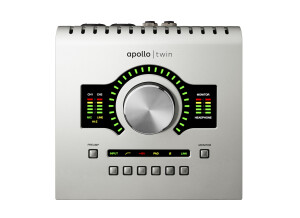
    I use this sound interface to complement (not to say replace) my old ESI ESP 1010e. I went up in terms of range and it’s a real investment but believe me – it was worth it. Latency is ridiculously low, especially in direct monitoring. Using the Unison technology, which implies replacing the clear-sounding and modern (yet high-quality) interface pre by a Unison-compatible plugin (eg a Neve strip, vintage preamp, some guitar amps too), monitoring is still direct. Unison allows to change the physical preamp’s behavioe using a plugin, which is an amazing technology. The installing process was seamless, and the same goes for the plugins (the included bundle + a special offer which consisted in $749 worth of plugins + a $79 off coupon on an Helios EQ + those I purchased to take advantage of other special offers – seems like I bought it right on time :-) ). Yet, there were audio problems with the sound dropping but it got resolved with changes within Windows and the use of a special PCI-e USB 3.0 card instead of the motherboard’s chipset (it seemed to work with a mere update, but you never know). Thanks again to the UA tech support, they really know their job. I work on an 17 5820K with 32GB of RAM. This leads me to a problem I’ve encountered: the plugins work on an internal DSP on the card, with a total only 2 DSPs as it’s a Twin model. Its capacity soon gets exceeded, which implies freezing the tracks, saving the settings and make clear decisions then to reset to the default mixer screen so as to empty the DSPs. In native mode, I can use many mort plugins without saturating my Computer, so it’s a real pity that you can’t mix the DSP and PC’s power, as I could use many more UA plugins than I currently can (I sometimes have to use SE versions of the plugs on secondary tracks). Lat alone that point, quality of the converters and preamps is incredibly good! Used with a nice microphone (a Neumann TLM 102 in my case), the result is exceptionally good, especially considering that the Unison allows to tweak the sound using channel strips, vintage preamps emulations and so on. But even then, the original preamp stands its case and is more than usable! The mixer is both easy to use and very practical. A real asset! Most parameters can be controlled both using the mouse or the interface’s controls. I like: + the preamps’ overall quality + the Unison technology + the quality of the converters + the mixer + the possibility to record or not the effects in Cubase Pro 8.5 (or any other DAW) + the exceptional quality of the plug-ins (even superior to Waves in a way) I like less: - the DSP technology which causes more problems than it helps. It once was very practical (in the days of the UAD-1), but nowadays the processors are so powerful that the UAD-2 is surpassed and it’s a pity. It still can be useful for someone with a small setup, but it’s not my case. - only two channels, making it impossible to record a guitar amp using three microphones - a single headphone out, which is not practical to tweak the vocals while making it heard by both the singer and engineer However, this interface is more aimed at home studio owners who work alone, and for that purpose it’s still a very fine interface. I’d make the same choice a million times if necessary. I hesitated between this and an REM Fireface, well I’m glad to have entered Universal Audio’s universe! When I can, I intend to buy a UAD-2 Octo (Satellite USB 3.0 or PCIe, depending on the better compatibility, I’ll see when I have the budget) in order to use more DSP power and take full advantage of all these wonderful plug-ins. With such a high-quality interface, I’ll also have to invest in good microphones as the only really good mic that I have is the Neumann TLM 102 (I also own a lower quality condenser T-Bone, a ribbon T-Bone, an SM57 and an SM58). But as I have already invested a lot, that will be for later… If you can afford an interface in that price range, don’t hesitate and go ahead, you won’t be disappointed! It’s also a pity that it is the only Apollo available for Windows system computers, i would have preferred an Apollo with more inputs and two headphone outs, and most important more included DSPs… But for 899€, you already have access to an exceptional quality! So let’s not demand too much, a 600€ interface with a lot of ins/out will never reach this one in terms of quality. CAUTION: if you work on a laptop PC, there is a risk that it will not be compatible with the USB 3.0 chipset. Look up for yourself beforehand. Edit: the interface is now even cheaper with the release of the Twin MKII, but you won’t get as many plug-ins as I got :-D Since then, I’ve bought 2 UAD-2 Octo cards – one USB 3.0 Satellite and one internal PCI-e. I can tell you that I no longer have any problem to run as many plug-ins as I like now :bravo: (of course, there’s a world between 2 DSPs and 18...) For the internal mixer, only the interface’s two DSPs can be used, but it seems well enough with only two inputs, unless you really have to use several plug-ins which is something I rarely – if ever – do. The Twin MKII and its Quad version are almost unnecessary, unless of course you want to use it for mixing (I speak for those who do not own additional UAD-2 cards). Months later, i still consider it a great product!!! (and the problem with the audio signal which was dropping has almost vanished, except in very rare circumstances which are not even that much of a problem when it happens). PS: I went to Cubase Pro 9 in the meantime (taking advantage of the grace preriod), and the software is even more stable than before, with crashes becoming rarer… I actually still have to face any, if I remember correctly.

  • « Orion 32 »

    What conversions does it offer? From 32 to 192 khz What formats and what kind of conversion does it offer? 24b AD/DA What connections does it provide? madi / usb / adat / spdif OVERALL OPINION How long have you been using the product? A few days Which feature do you like the most / the least? The most: 32 conversion channels The high quality, you can easily compare it to the aurora. Great clock. Remarkable after-sale service!!! I opened a ticket due to some issues during installation and two minutes later a guy from tech support called me to help me find a solution. The least: It's a nightmare to install it via usb on a mac running osx 10.6.8. You are forced to have an internet connection to activate the online warranty, at the risk of not being able to get the unit running under any circumstances...It simply gets blocked. When I saw that the installation on my mac was blocked, I had to install it on another computer (an old PC) to activate the license. I then connected it again to my mac and everything worked fine. But apparently Antelope is already working on the problem. - You must use a short USB cable (3 ft max, like the one included), because I tested with a longer cable and had crackles, as if the clock wasn't synced or maybe some buffer noise. - And the stability of the drivers with protools 10: Continuous CPU overload, 1024 max buffer size, the Orion gets unresponsive (you need to disconnect it and reconnect it) etc., etc... I think the upcoming drivers will solve the problems, but in the meantime, it's a nightmare. - And the latency at 44.100 with 1024, I get a 1/64 delay. Did you try any other models before buying this one? Yes: RME, mytek, aurora How would you rate its value for money? Very good Based on your experience, would you buy this product again? YES, given the conversion quality, which I think is between the aurora and the mytek, but you get 32 AD/DA channels, it's incredible!!! However, I'll need to get a madi pcie card to bring the latency down and have a stable system. I'll give it a better mark once Antelope has solved the small problems detected.

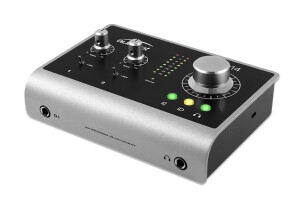
  • « A great move by Audient ! »

    My config: Mac mini, core i5, Yosemite. For what I can tell, the interface is surprisingly heavy, its weught is quite important for such a small box, the two preamp knobs are hard to turn (a good point for precise settings) and the left knob (which is used to access different the modes ans settings) is notched and also well-built. I am a former Rme Fireface 400 user. After I stopped my homestudio a few years back, I got back to it, the most important thing for recording is know-how, good tracking and good signal processing so such a product is more than enough to get a production-oriented result. I'll get back to you later this summer to share my impressions on this interface, I'm going to the studio for one week and 150 hours of mixing ahead of me, well enough to try any interface. Enjoy! 07/20/2015 Takes 2 seconds 12 to install! Drivers found online, installing, bar gets purple, complete, and here we go. Soundwise, the hi-Z ins are clean and detailed, stable with 10 viirtual instrument tracks and a whole bunch of CPU-hungry Waves signature plugins. Beware Cubase users, just a correction, the buffer can be set from within Cubase, an ID14-dedicated tab appears, open the control panel and it's OK, works also with Logic or Pro Tools although Audient doesn't mention it in the manual (which is only 2 page long...). This question aside, the ID14 takes very well all the recording, mix and mastering processes, no problem whatsoever. It may be interesting to see how it reacts with 50 tracks at once, I'll keep you updated. I recorded a guitar (test available on AudioFanzine in the Media tab, it's a recording of an Ibanez JEM 70V Prestige, with a slight eq correction and comp), in a mix guitars sound detailed enough to make the mix sound as it should. Frankly, apart from the lacks in the manual, this is the best product I've discovered in 2015, Audient has made a great move, you can't get better for the price, we also had TC Electronic's TC Impact Twin but it was much less handy and ergonomic. I'll put online a sample from the metal band that I'm recording now, all in it will come from the ID14. A link to the very useful Audient pdf manual, which is not included in the small box.. http://audient.com/sites/default/files/id14_manual_v1.1en.pdf 07/28/2015 With 30 tracks, the interface takes it all with no problem even with heavy processing, the quality of the converters can be heard, and the result is pro-grade. Details and nuances lack very slighly, for better results the ID22 is more indicated. Still, it is an excellent interface with a great work ergonomics, quick to set up whatever you want to set up, in a studio configuration with track groups it's awesome, no headeache involving an RME Totalmix routing, everything is much simpler. The preamps are very transparent, which is both surprising and pleasing, they can take all that they're fed with, very good. I'll put parts of a mix recorded with the ID14 online soon.

  • « It's perfect »

    8 inputs with preamp, USB connection, compact design. Possibility to output 4 different mixes via the 4 outputs and possibility to connect 2 together to have 16 inputs in total. I had a 2-input card before, so I wanted to go to the next level to be able to record demos of my band track-by-track or live. I wanted a soundcard that was easy to take with me on a backpack from my place to the rehearsal room. I use a laptop PC (core 2 duo 2GHz, 4G ram and 7200rpm HDD) running Vista. That's why I wanted USB. USE The drivers are very stable, I have never had a crash with Cubase. As for the latency, I get 8ms at the input and 14ms at the output with a medium-sized buffer. I've recorded up to 13 tracks (with a 2nd octa-capture as an extension) at 24bits 44.1 and I have played back up to 30 tracks, I think. I have never tried it with more. Sometimes, when I'm working on a project with lots of plug-ins I've been forced to increase the buffer to avoid crackles. But my computer is no performance beast. Regarding the preamps, there's not much to say, they do their job. They sometimes sound a bit "stiff" with some mics, but they have the virtue of being neutral. OPERATION Easy and fast installation. I haven't noticed any incompatibilities. The manual is useful and clear enough on certain points, especially when it comes to connect two octa-captures, the different routing possibilities, etc. It's easy to set up, you plug in, adjust the gain or use Auto-sens (automatic gain adjustment) and that's it. Also note the built-in (digital) compressor and the possibility to insert a reverb in the headphone out, for the singer, for example. OVERALL OPINION I've been using it for 3 years and have no intention of replacing it. I actually might get a second one. The pros: Well-built, compact for 8 mic inputs, easy to use, it has very practical stuff, like when everything starts flickering when it's distorting, making it impossible to miss it. The soundcard knows how to make you forget about it, which is much appreciated. The cons: I could quibble about 2-3 details...but nothing's really worth it, in my opinion, at least for what I use it for.

  • « Perfect »

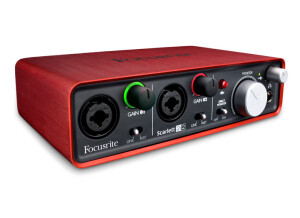
    - Which technical specifications motivated your choice? I bought it a week ago to replace an M-Audio mobilepre soundcard, which was awful (latency, crackles and big incompatibility problems). I had the need of several mic inputs, 4 are enough, especially since you can add more thanks to the ADAT output of the soundcard - Do you use it with other instruments or systems and what's your setup? Connected via USB. I plug a bunch of instruments, as well as mics and midi. - What do you use it for? I use it on my own for now, so track per track. However, I bought it because I wanted to be able to record a band. - What's your setup (motherboard, CPU, RAM, hard drive,...)? I use it with an Asus R500V notebook with 4GB ram, 750GB HDD and intel core i5 2.56HZ processor. I use Cubase 5 as DAW. UTILIZATION - Are the drivers stable? Very stable, no complaints. - How many tracks can you record/playback simultaneously? For the time being I only record track per track, so no comments. - What's the latency of your system? Around 7ms. GETTING STARTED - Did you have any problems during the installation? You register the product on Focusrite's website, download the driver, connect the soundcard and that's it. I didn't need to read the manual (which can be downloaded from the website). So the installation is relatively simple. - Did you have any incompatibility problems? I had one problem: If you turn off the soundcard while the DAW is still open, you'll get a blue screen of death. But once you know that, you just have to pay attention. - Is the user's manual clear and comprehensive? I haven't opened it, but if you need it, you can download it from Focusrite's website (very handy if you lose all the documentation, like I did). OVERALL OPINION - How long have you been using it? I've been using it for a week now. - Did you try any other models before buying it? I had an M-Audio mobilepre which was terrible — it's like night and day! - Which feature do you like the most / the least? The most: The number of inputs, the quality of the preamp, the design (it is very nice), and the ease of use. The least: The blue screen of death if you unplug it from the PC while the DAW is open. Other than that, nothing. - How would you rate its value for money? Very good, for the price I find the sound very good. The number of inputs is enough, it fulfills its role fine. Good value for money. - Based on your experience, would you buy this product again? Even if my experience with this soundcard is limited, I would buy it again without hesitation!

  • « Good product »

    Good quality audio interface! 2 inputs, 2 buses, 2 outputs, directly powered via the USB port. The system allows you to always have connected a mic/line input and an instrument/line input whose input gain and monitoring is adjusted from the front panel. The latter also features a high-impedance instrument input, as well as an amplified headphones output. I use it with a PC to record my pianos. UTILIZATION It works very well with Cubase SX3, the drivers are stable. Recording is of good quality. Latency could be better, but I'm anyway forced to use ASIO4ALL due to MIDI precision. GETTING STARTED Fast driver installation. Hassle-free USB detection. It works very well with Cubase SX 3. OVERALL OPINION I've been using it for several months and think it's a pretty good product. I recommend it. Images linked to this review

  • « a really great interface »

    I bought this interface 3 months ago after I had the opportunity to try many different audio interface models in several stores (mainly in Europe). As the shope rarely had high-end monitors available, I compared all interfaces using mid-range, 2-way monitors. Caution : I did not try the Appolo 8 but the previous model, since the Appolo 8 was only released later in May 2015. Every try I gave it, the Appolo 8 provided superior sound quality and dynamics compared with other models. I also compared it with much pricier interfaces, and either the difference was almost unnoticeable or the Appolo sounded better… That’s how I initially made up my mind towards buying an “old” Appolo. I then heard it through Eve Audio sc 408 monitors, and it sounded just sublime – clear, clean, noiseless, in a word: great. On the day I was set to buy it, I’m mentioned the availability of the new Appolo 8. So, I decided to buy it based on sound amelioration, added functionalities, the unison system available on several inputs and the better software. I did not have an opportunity to compare both (old and new) models side by side. The sound the Appolo 8 delivers is breathtaking, I believe it to be even clearer than earlier models but the difference seems rather small. The interface is well-built, sturdy – very sturdy – , the controls are pleasant to use and the functionalities easy to read on the front. It features an external power supply, which is a large block to be hidden under the table. The possibility to use two different headphones for monitoring at the same time is a very good point. Almost all functions can be set up directly from the software, which is awesome. The unison feature is also very useful, no mic or instrument is perfect and corrections can be applied using this feature which is available on all inputs. It doesn’t look like much but it’s possible from the input to set everything up so as to get a clean recording with a good basis, hence one that will need less tweaking later on. Latency is minimal, impossible to perceive to me at least. Noise level is also extremely low, much lower than any other interface. It’s very important when recording solo instruments or classical music that features important volume variations. Another huge asset is the possibility to use high-quality plug-ins within the interface. Unfortunately they’re not free or cheap, but it just takes watching for special offers to get important discounts. Considering the general price of interfaces and that of this model in particular, the price is not excessive. Don’t forget the (very useful) additional features that come with it such as the unison functionality and the possibility to work directly with plug-ins, which relieves your CPU.

  • « One of those things that wouldn't hurt to have in the studio. »

    It's not at the top of my list, but it's no where near the bottom. It was obtained in a bundle deal and it pays for itself every time I use it. I probably wouldn't have bought one, and it would have been a shame. This thing is reliable and sounds great. USB is great but I always feel more confident with Firewire (not to mention you then have the ability to daisy chain). This audio interface would be a great addition to any studio, professional to bedroom. Specs: -8 Pre-amped inputs -2 Main outputs -8 ADAT inputs/outputs -Dedicated phantom power & -20dB pad for each pre-amp channel -MIDI I/O -Firewire -8 LED input meters -XLR/TRS jacks on back -Up to 96kHz & 24-bit -Headphone jack on front for monitoring -A single button/dial to control headphone monitoring and main outputs -Single rack space UTILIZATION Great for tracking up to 8 channels at once! But don't worry, it's just as good when you are only tracking 1 channel too. And being a firewire device, you will have one less USB slot filled. I mainly use this with Pro Tools 10, but it works great with almost any other DAW. Some units don't have input meters on the front, and you don't have to use those units! The Motu 8 Pre has brilliant LED input meters (complete with green, yellow and red). With a quick response, the 8 Pre is a serious workhorse. Don't be afraid to run it hard, unlike cheap USB audio interfaces, this one won't crumble under the pressure. The Motu 8 Pre features onboard SMPTE time code synchronization. Time code is generated by the 8 Pre and can be sent to analogue devices. Included is the MOTU SMPTE Console software. This allows the user to strip, regenerate or slave other devices to your computer. Latency seems to be no issue for the Motu 8 Pre. CueMix DSP helps create different output and headphone mixes. You can also add send/return loops for your outboard gear with no noticeable latency. This thing is NOT a burden in any way. It will only take up a single spot on your rack where comparable others can take up many. It's solid design not only feels great to the touch, but it makes me feel a lot more confident when moving it around. If you aren't seriously considering the 8 Pre yet, lets look at a much under appreciated feature: dual XLR/TRS inputs. Cabling and be pricey, and there is nothing worse than buying a new piece of gear and realizing you don't have the right cabling for it. Similar units only have XLR inputs, this is not a bad thing but what if you are going straight into a TRS patch bay. Now you are going to have to order some TRS to XLR cables for the short trip to the patch bay, but not with the Motu 8 Pre. GETTING STARTED I bought the unit second hand so I'm not sure what it comes with (they didn't even provide the power cable!! Savages). However Motu's website has all the documentation that came with the unit. Motu.com also has all necessary drivers and software that you will need to run the 8 Pre. The 1 button output/headphone control can be a bit confusing at first (especially if you didn't get a manual). But all things considered, this unit is very easy to jump right into. You shouldn't have any compatibility issues with this unit. OVERALL OPINION I liked the sound of the pre amps the best. The gain stage is gentle but can provide a serious boost towards the end. This is one of those analogue to digital converters that sounds more like an all analogue piece. Motu really did a great job with this unit, it in no way sounds like a cheap piece of gear. This was bought in a package with a bunch of other gear so I can't comment on the value for price. The average new price seems to be floating around $500-600ish (depending on generation). Knowing what I know now I would have bought the unit. I'll admit that I wouldn't have bought the unit in the first place if it didn't come in a package deal, but I'm sure glad I've got it. Pro's: -8 Pre-amp inputs with dedicated -20dB pad & phantom power -Firewire unit -1 rack space -Really good sound that almost mimics analogue sound Con's: -Only 2 outputs (really a drag and is what holds me back from giving a near perfect score) -Headphone monitoring and main outputs are on the same button/dial -LED's can be really bright in the dark

  • « Great value for money »

    2-channel audio recording interface for computer Recording at 24 bits and 48 kHz Balanced Master output and headphones output Professional A/D and D/A converter Low-noise preamp and 48V phantom power Mic, line and instrument level inputs MIDI in and out to play and control instruments It works with virtually all software programs without the need of installing drivers ─ Plug and Play USB-powered, no external power supply needed For Windows and Mac OS X Comes with a CD, Steinberg Cubase LE and a USB cable Dimensions: 4.9" x 6.3" x 2,2". (125 x 160 x 55 mm) Weight: 13 oz (380 g) "Recording at 24 bits and 48 kHz," that says it all. Clear and precise recording. I use it mainly to record electric, acoustic-electric and bass guitar, as well as rap texts and vocals. Good overall reproduction, no particular remarks. UTILIZATION Stable drivers, I usually use it with the Asio4All drivers, no latency problems. The setup is quite extensive but in the end the result is very satisfying. Unfortunately limited to 2 simultaneous tracks, which is nevertheless more than enough for my small home studio, 48V phantom power if required. I use it mainly with protools and also ableton. GETTING STARTED Installation on a PC is pretty smooth. You connect the USB cable and the drivers are installed a couple of seconds later, then it's ready to use. OVERALL OPINION I have used it for almost a year and have never had a crash. It's value for money is amazing. I strongly recommend it to people who want to start their home studio at a reasonable price. I don't regret my choice. I have informed myself and this one seems the best value for money by far!