Log in
EN
FR

MOTU Audio Interfaces

72 products found

Categories
Series
Filter
Sort by
MOTU
Evaluation
  • Reviewed or not
  • Editor’s award
  • Reviewed by Audiofanzine
Availability
  • Available or not
  • Sold new or used
  • Sold new
  • Sold used
Must-have products
  • All products
  • Flagship products
  • Best rated products
  • Hot products
  • Popular products
Price
  • Freeware
  • Low-cost (< $350)
  • Mid-range ($350 - $950)
  • Premium (> $950)
€
Clear
Sort by
  • Popularity
  • User ratings
  • Price - low to high
  • Price - high to low
  • Used price, increasing
  • Used price, decreasing
  • Name (from A to Z)
  • Name (from Z to A)
  • Added on
Sort results
  • Popularity
  • User ratings
  • Price - low to high
  • Price - high to low
  • Used price, increasing
  • Used price, decreasing
  • Name (from A to Z)
  • Name (from Z to A)
  • Added on
Filter results 72 results found
Brands
Evaluation
Availability
Must-have products
Price
  • Freeware
  • Low-cost (< $350)
  • Mid-range ($350 - $950)
  • Premium (> $950)
Show results

The best MOTU Audio Interfaces reviews

The reviews Audiofanzine members found the most helpful.
  • « Use it on the go »

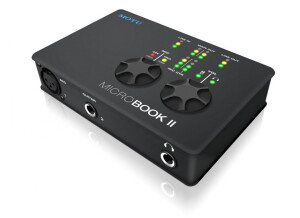
    The MicroBook II is a 4 in and 6 out interface that connects to your computer through a USB cable. It is one of the smaller and more portable interfaces that MOTU makes, it is also one of the more affordable ones as well. This interface is small and simple to understand, you will not need to touch a manual to operate the MicroBook II. It works great on your PC and on your Mac, and will work in any DAW you wish to use it with. I started using this interface off and on this summer and one of the first things that I noticed is how great of a recording you can get with this little interface. I would not use it for anything but rough drafts and demos though just because the preamps are not warm enough for me and the tone is a little colored with this interface. UTILIZATION For this interface to be small and affordable, the latency is gone! You can record whatever you would like to record with this interface latency free. I do recommend using a higher quality microphone with it because of the preamps coloring the sound, using a cheaper microphone will give you some bad quality. GETTING STARTED I have experienced 0 compatibility issues when using it with my MacBook and all of the basic functions of this interface are right on the face of it. They are easy to use and understand, the knobs are built well for this interface to be as affordable as it is. OVERALL OPINION My favorite thing about this interface is that you can take it with you and get a good sound no matter where you are going to use it at. The lease favorite thing about this interface is that you have to use a better than average microphone with it or your tone will have a lot of color to it. Even I am recording a demo on the go I still want a clean sound.

  • « Lousy »

    I needed a soundcard with a couple of inputs and MIDI. I wanted something simple and effective. I wanted an RME, but I preferred to save some money. I use it to record synths, I also use it for MIDI, plus I use it as my every day soundcard for Internet, writing songs, a bit of everything. UTILIZATION Things start to go downhill when it comes to installation and use! Even if you install the drivers supplied, the soundcard will make you deaf, forcing you to go to the Motu website to change that (but there is no indication of this anywhere, you must learn it the hard way...). In terms of use, the software is pretty good, even if some parameters seem not to work. (volume control track by track?) In terms of sound, I have loud crackles from time to time, which forces me to restart it...it's very frustrating! GETTING STARTED See above, but I don't think it's easy to use, no plug and play, even if the manual is pretty good. OVERALL OPINION I've been using it for six months. I love the simplicity and the number of controls on the front panel. (the headphone/monitor volume management system is pretty cool). The sound is not too bad. But I don't like the rest: It crashes, it crackles sometimes, you need to restart... I had a focusrite saffire before which wasn't better, but at least it didn't crash. I could rely on it. I don't recommend it. And I hope that MOTU makes some improvements in the future. In any case, they have lost a client for the time being. I'll switch to RME!

  • « for your home studio »

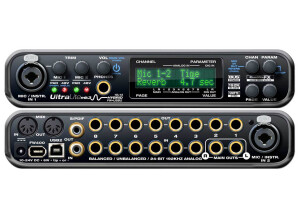
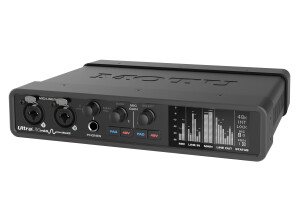
    The Motu Ultra Lite is a simple, USB audio interface for use in home studios. This type of interface is a perfect way to start building your small home studio. It's definitely not going to be adequate for an sort of in depth recording, but if you're just looking to get some demos down it will do the job. There are a lot of audio interfaces out there like this, so definitely make sure to do your homework before deciding on one. The UA-25 in particular has two dual XLR-1/4" microphone preamps, each with their own gain knobs and a 1/4" headphone jack in the front. In the back it's MIDI and digital (ADAT) inputs and outputs as well as 1/4" and RCA outputs for your main monitors. It has built in phantom power and can support sample rates up to 96 K. UTILIZATION If you understand the basics behind audio interfaces, nothing should seem complicated to you about the Motu Ultra Lite . Once you make your initial connections, there's not too much to be aware of on this, as it's pretty simple. Of course I do understand that those who are looking at something like this probably are just starting out. If you feel lost just looking/hearing about this, grab the manual for some help... GETTING STARTED The sound of the mic preamps on the Motu Ultra Lite aren't all that great, but are suitable for laying down demos at the least. Those looking at the UA-25 most likely aren't going to need the best sounding preamps, and if you are I'd suggest you stop reading this review and look elsewhere! You probably couldn't make a professional sounding recording, but if you just want something with a few mic inputs to use in your DAW, the UA-25 sounds just fine for that. OVERALL OPINION While there isn't too much that sets the Motu Ultra Lite apart, it's still a solid USB audio interface for very small home studios where you might have this and a microphone and your DAW basically.

  • « Not impressed, dull recordings compared to other interfaces. »

    I travel sometimes and help out friends with studio projects. In my travels I sometimes use great gear and sometimes not so great gear. This one is the later in my opinion. I spent two weeks at a friends home studio doing a project with him and he used this interface. He said he bought it at the time because he likes to record at 96khz and this was one of the more affordable units back in '06. We ran this on a PC running protools with an ART Pre Amp and some AKAI condensors and Shure sm57/58s. This was run using the FireWire 400 slot. We recorded single takes using no more than 6 mics at a time (drums). UTILIZATION The unit itself was very stable. We never had any serious crashes or glitches. Occasionally his PC would get overloaded in mixing but that was because of the heavy use of Plugins and his computer was a little behind. The latency was OK but was only noticed during mixing as we properly setup his gear to handle the latency during recording. We used Pro Tools for the entire session and everything seemed to run smooth with the occasional CPU spike from CPU hungry mixing plugins. We never did more than 6 tracks during our session but he did say he would run more when sequencing/recording his synthesizers and that it handled the load just fine. GETTING STARTED There were no compatibility issues that I experienced. Everything booted up properly and his drivers were up to date so it was all good. I never read the manual. He seemed very confident with the unit and said that he was able to start recording in a matter of minutes after it had been installed. The unit is fairly easy to use. The dsp Mixer that comes with unit makes controlling your ins and outs very easy. I have been using Totalmix with my RME Fireface 800 for awhile and I found them to be similar. With the dsp mixer and the front face of the unit itself, most of all the typical functions are found very easily. A few things are down in some menus and such, but nothing is too hard to find. OVERALL OPINION What I liked most about this unit is that it was stable and was able to record and mix our entire project in 96khz which was a stipulation for my friend. What I didn't like was how, in my opinion, the recorded tracks were pretty dull, especially the drums. We spent a lot of time with EQ, Compression and various other effects trying to bring life back into them. I think we did a decent job, but as soon as I was home, I compared our Raw tracks with some raw tracks I recorded with my FireFace and the difference was very noticeable. The Fireface had much better dynamics and clarity and in my opinion, put the MK2 to shame. I have worked with some MK3's briefly and find they don't suffer nearly as bad ad the MK2 does with this dullness. I don't know what he paid for the MK2, and maybe it was considered good quality back in the day, but I don't recommend it to anyone who wants a competitive quality of sound. The reality is you get what you pay for. If you want top notch AD/DA, then you need to spend some serious cash.

  • nickname009's review

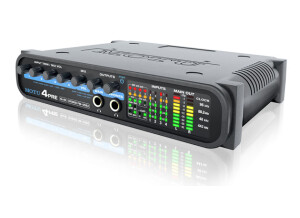
    # -input, 2-output bus-powered "plug-and-play" USB audio interface for Mac and Windows. # 4 x 8 physical input/output channels. # 10-bus digital mixer to route and mix live inputs with live computer tracks. # Pre-amp equipped mic input with Precision Digital Trim™, 48V phantom power, and 20 dB pad. # Includes female XLR to quarter-inch adapter for plugging in a standard male XLR mic cable. # Guitar input with Precision Digital Trim. # Stereo line level analog input (balanced TRS quarter-inch or stereo mini). # Stereo balanced TRS quarter-inch line level main outs. # Stereo eighth-inch “mini” line level out. # S/PDIF digital out (duplicates main out). # Headphone output on eighth-inch stereo "mini" jack with independent volume control. # Support for both 44.1 and 48 kHz sample rates on all analog and digital ins/outs. # Digitally controlled analog trim for all analog inputs. # Digital trim for all outputs. # CueMix™ FX no-latency mixing and monitoring with EQ and dynamics processing. # 7-band parametric EQ and compression. # Test tone and white/pink noise generator. # Advanced audio analysis software tools, including FFT display, spectrogram "waterfall" display, oscilloscope, X-Y plot, and phase analysis. # Industry standard Mac and Windows drivers (Core Audio, Wave, and ASIO) for across-the-board software compatibility. # Compatible with all current and recent generation Macs and PCs. # Includes AudioDesk DAW software for Mac, USB cable, and mic cable adapter. # Chassis dimensions: 3.6 × 5.5 × 1.0 inches (9.14 × 13.97 × 2.54 cm). # Weight: 10.5 ounces (297 grams). This is a sort of portable Mic preamp that motu offers. Quite small, like the size of an external hardrive but thinner and a little bit smaller overall. USB powered, which is quite convenient. For the features included in such a small unit I think it's quite good!! UTILIZATION The cuemixfx latency is almost non existent! It's great! Though I still just really use my DAW for most of the monitoring. As for tracking and what not, it's fine. Stable and reliable! I can't really complain much about it. I can record up to about 2 tracks, though I don't really do that live anyway as I track everything myself and I only have two hands. GETTING STARTED Plug it in and install the software if needed. The CUEMIX FX needs some getting used to. When I first plugged this in there was some auto-monitoring coming through to my speakers, which was nice, however, I run cubase and use the monitoring from cubase. So when I booted up cubase I had 2 signals coming from the microbook's software as well as cubase, it was kind of distracting and took me a few minutes to figure out how to mute the micrbook's monitoring. As far as cuemixfx go I don't really use it. Don't really need it either, I have everything I need from cubase and other software DAWs I run. Oh, well maybe I use the phantom power. That's a definite necessity. OVERALL OPINION I like it. Quality sound. I have the motu ultralite and downgraded to this simply because I wanted something smaller and I didn't even use any of the onboard FX etc that were built in the ultralite. I'm very simple when it comes to tracking and didn't need all the fancy gadgets etc. And if I do, it's all software and plugins now anyhow. I don't need anything else from a preamp except the A/DA converters to be honest, and phantom power. That's about it and that's what this microbook offers. The fact that it's USB powered also means less tangle which is always great! I've never had problems with MOTU stuff. This is why I only go with MOTU.

  • « Okay, but noisy and currently being repaired... »

    12 analog inputs and outputs on xlr, high-end converters, the same as protools HD...Possibility to add 3 other interfaces to the same pcie card, without installation. 8 core Mac pro, 10 Gb ram, Mac OS 10.6.6, different HDDs for the OS and "work.". USE Drivers okay, Logic 9, 12 tracks and sometimes 16 or more for live recording (drums+ guitar, keyboard, bass, vocals...simultaneously). In such cases I add a 2408 (8 analog inputs). OPERATION No problemo. OVERALL OPINION It'll soon be 3 years, having had an m-audio delta 10/10, it works fine. Pros: The sound. Cons: The sound of the fan. Good value for money. It's currently at the shop because inputs 1 and 2 recently broke down at the same time (fortunately Thomann offers three years of warranty, although MOTU only offers 2 years). Good gear, but I'm not sure I'd buy it again.

  • moosers's review

    The MOTU 1224 is a digital audio interface that is fire wire based. It has eight channels with 1/4" TRS inputs and outputs, as well as word clock in and out, an AES/EBU input and output, and XLR outputs for your monitors. It also has a 1/4" headphone output on the front. This all fits in a single size rack mountable unit. UTILIZATION Setting up and using the MOTU 1224 is really easy, as there isn't anything complicated about it's make up whatsoever. Everything is really easy to follow, and there isn't anything out of the ordinary so if you have experience with other audio interfaces, this knowledge will transfer to the 1224. The metering on the front panel of the unit is also very helpful, making it easy to monitor your levels. I haven't seen a manual for the 1224, so I can't comment on it's make up. GETTING STARTED While the overall tone of the 1224 isn't anything to write home about really, it is overall pretty clean and will work in most situations. The sound of the MOTU 1224 does come off a bit digital, if you understand what I mean, but it will reproduce your signal pretty accurately for the most part. It doesn't have the thickest or fullest sound out there, but definitely isn't the worst. Since it doesn't have any real mic preamplifiers on it, you're going to need some preamps to use with it anyway, or use it in tandem with another MOTU interface. OVERALL OPINION While the MOTU 1224 can be used as an expansion unit for a MOTU 2408, it can also be used on it's own. I've used it with a 2408, but it will definitely work as a stand alone unit as well. I have used the 1224 mostly in a home studio for use with Wavelab 5 for editing purposes, so I didn't really do much actual recording with it. I'm not sure what type of price the 1224 commands exactly, but MOTU usually has very reasonably priced gear at a high quality. I'm a fan of the 1224, but there are a lot of options out there, so I'd recommend doing a good amount of research on both the 1224 and other interfaces...

  • moosers's review

    The MOTU 896 HD was the first audio interface I bought when I wanted to get into digital recording with my computer. I was running it with a Hewlett Packard lap top with a 3 Ghz processor and 2 GB of RAM and using Cubase SX as a sequencer. It has eight XLR input based preamplifiers and then has eight more ADAT inputs and outputs and also has a AES/EBU connections. UTILIZATION Setting up the MOTU 896 HD was quick and painless. I had no compatibility issues and was able to have the unit up and running with my machine within minutes. The general configuration of the unit is simple and easy to follow, which makes it easy to manipulate and to learn what everything does. The manual is complete and through and is useful when setting up and using this audio interface. GETTING STARTED I ran the MOTU 896 HD with Cubase SX without any problems. The drivers were stable and are updated pretty often. I was able to record without any latency, as this machine does all of its processing within the unit, freeing up space on my computer. I was able to record at least ten tracks at once, sometimes more, which has more to do with my computer I think, but being as fast as this interface is, it definitely helps to run everything quickly and smoothly. OVERALL OPINION I bought the MOTU 896 HD about four years ago, but I have since switched to a Pro Tools based system with a different audio interface. The reason I switched had nothing to do with this unit, as I think this is better than the audio interface I have now - a Digidesign Digi 002 rack version. The reason I switched was simply because I need to run Pro Tools. If you don't use Pro Tools, this is one of the best home studio audio interfaces you can get. The preamps aren't the best sounding, but are definitley usable and will get a pretty clean sound. One of my favorite parts about this is the metering, as it is extremely clear and looks great! This interface worked great for me while I had it, and if I could run Pro Tools with it, I would still have it. Highly recommended for those looking to put together a computer based home studio with an audio interface like this one.

  • M Elise's review

    I believe this was one of the first consumer oriented external firewire devices on the market. It originally sold mail order for $800.00. I bought mine around 2001 or 2002 and am still happily using it (2008) to record onto my home computer. It features two preamp inputs with individual adjustable gain with phantom power switch and XLR or 1/4 inch inputs, 6 more balanced inputs with 1/4 inch jacks and level controls for each pair of two, LED in/out lights, headphone jack, master volume level knob, monitor level knob, stereo main out jacks, 8 individual balanced out jacks and some optical and Adat jack options I don't use or know much about. It has 24 bit 64 and 128 oversampling converters. It has a software control panel that is easy to use. UTILIZATION I have installed this on two different Macintosh computers and have never had any difficulty whatsoever with the installation or functionality. The manual is clear. GETTING STARTED I have never had any issue with the Motu 828 except that often when I turn it on the clock does not sink up with the computer and the clock lights continue to flash. This requires me to turn off the Moto 828 and turn it back on again. The second time I turn it on it always sinks right up to the computer. My drivers are updated and I have had this issue with 2 different computers each running Tiger OSX. I have no idea if this issue is peculiar to me or an issue with Tiger or a characteristic of the unit. It is annoying but not terribly bad. I use the 828 with Logic software. OVERALL OPINION The Motu 828 sounds great to me! I don't hear any negative coloration of the sound whatsoever. I don't have a lot of experience with soundcards but it sounds professional to me. It sounds better that my Tascam US-122. I don't know how it compares to the newer products but overall it is a great product and I've been very happy with it.

  • phraseland's review

    I bought the MOTU 2408 about four years ago and chose it mainly for the several setups you can run. I already owned an 8-Mic T/DIF interface and wanted to find a good solution to integrate it into my setup. There are not a lot of devices out there that actually have the T/DIF ports so I was excited to find this piece of equipment. It comes with a PCI card that hosts a lot of the calculations needed for 24 channel audio processing. I also like that I can take it in my studio and use other than my equipment - simply by plugging in ADAT or T/DIF on the back. I am ashamed to admit that I am using a 2,0GHz PC with 512MB RAM to run my setup - but I slimmed it down a lot and it runs without problems...only when I try to run Cubase, Melodyne and Reason at the same time :-) I am about to change that but for the last four years this computer setup has never hesitated to record 24 tracks at the same time. My whole first CD was recorded on this configuration - mainly thanks to the efficiency of the 2408. The eight analog inputs are icing on the cake and have enabled quite a few live recordings (along with my T/DIF interface) UTILIZATION I was quite amazed when I installed the PCI card and the drivers...because very quickly I was 'out of work'...everything was ready to go! There are a few settings that are very convenient but sometimes a bit difficult to understand at first. You can route the mixer settings any way you want before they reach your host. And the ASIO driver has worked in Cubase SX flawlessly for the last four years. GETTING STARTED MOTU is just great about driver updates. They are amongst the first when a new operating system comes out and they fix problems very quickly. As I already mentioned I have used this interface to the max and it has not hesitated to deliver. When I was recording my album I was not only recording 20 tracks at a time (initial drum recordings) - towards mixdown I was playing back about 40 tracks (with effects) and still recording overdubs. I can't really expect more of a software. OVERALL OPINION The PCI card works with other interfaces from MOTU as well - so I figure they run just as well. I only have experience with the 2408 and I can only recommend MOTU to anyone looking for a professional solution that doesn't blow the budget. Maybe they could have given the unit a couple of microphone preamps...but for that you have all the other interfaces. I can't really find anything bad about this interface - even though it is not for everyone. But if you already own preamps and want to use them (be it ADAT, S/PDIF or T/DIF) this is a really good option.

  • Audiofanzine FR's review

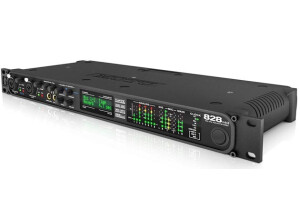
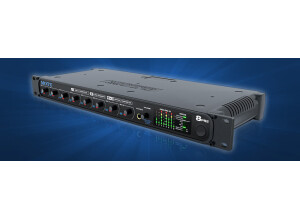
    (Originally written by Guiloux666/translated from Audiofanzine FR) - Which technical specifications motivated your choice? Pros: * input + parametric EQ + compressor concept. * Compact size (1U) * Expansion possibilities (two ADAT ports), two FW ports that allow you to cascade several cards via FW with Mac OS X. * Multiple input formats (line, mic, toslink, ADAT) * Standalone capability for live recording. - What do you use it for? * Live applications mainly. * To replace an analog mixer, which would be much more comprehensive but also heavier. Now I want to buy a Motu 8Pre or a Presonus Digimax FS to add eight mic preamps. What's your setup (motherboard, CPU, RAM, hard drive,...)? * MacBook Pro with 10.4.11, 1.83 GHz Intel Core Duo, 2 GB Ram, 200 GB Sata HDD (7200 RPM) - Do you use it with other instruments or systems (mixing console, preamp, DtD, ...) and what's your setup? * For small setups: my Tonelab via SPDIF TosLink, bass footboard via SPDIF RCA, keyboard via stereo line input, second guitar via line input, two vocals mics via the preamps and two additional mics with T1953 preamp via two line inputs. * If I want to add a drum kit I will need to connect the Digimax FS preamps via ADAT and I insert noise gates on the bass drum, snare drum and toms. UTILIZATION - Did you have any problems during the installation? No installation problems with my Mac. Th computer had already an old Motu UltraLite driver. Once I removed everything (all files and their locations are listed in the documentation), I downloaded the latest driver release (1.4.8) from the Motu website, I updated the firmware (1.0.6) and everything went sweet. - Did you encounter any incompatibility problems? No - How complicated is the overall configuration? It's a breeze with CueMix. It's a bit more complicated but still ok if you only use the front panel. But I also take my Mac with me so I never make the settings on the front panel. - Is the user's manual clear and comprehensive? Yes. Some details are still not totally clear to me. I give it a 7. GETTING STARTED Is the driver stable? Yes but when I rename the tracks in my Mac the Motu Channel Name software crashes. - Are they up-to-date? Last release: 2008/06/20 - Which software do you use? Logic Audio Pro and I will buy DP5 because I heard CueMix is directly accessible from DP. - What's the latency of your system? I haven't measured it because I'll use it mainly for live applications. - How many tracks can you record/playback simultaneously? Input channels: Stereo SPDIF Toslink Stereo SPDIF RCA Five line Two mic Outputs: Two main Three monitoring mixes with AN1/2, AN3/4 and AN 5/6 One echo with AN 7/8 (send) and line input (return) OVERALL OPINION - How long have you been using it? A few months. - Which feature do you like the most / the least? * Most: integrated compressors (forget about all those heavy racks), EQs like on a real mixing desk, reverb (but not really necessary for me). * Least: * Click noises in both mic preamps (digital adjustment of the analog preamp's gain with an endless knob). It's a bad joke, considering the price!! * I miss a noise gate with a parametric side chain on each channel instead of the three compressor types (very useful for drums). * CueMix can't manage mono outputs so you have to create several mixes and manage the pan for mono monitoring mixes. A future CueMix update could solve the problem. - Did you try any other models before buying it? I've had an Hercules 16/12 FW and I was very satisfied with it but I couldn't use it as a mixing desk, a Motu UltraLite, which is very good (however the 828mk3 has a compressor and an EQ per channel) but it is not rack mountable and thus seemed less reliable to me. - How would you rate its value for money? Great: I use it as a digital mixer for a small band and the price is reasonable. I bought it on sale (new with a two year warranty). - Based on your experience, would you buy this product again? Yes considering the sound cards in this price range. But it would be great if Motu added noise gates and created a rack mic preamp with outputs (like the Presonus Digimax FS) because the Motu 8pre has only mic inputs. Update four months latter: ------------------------------ I've been using it regularly for four months (including two live gigs). With a Presonus Digimax FS I get 10 mic and 8 line inputs, a group for drums via SPDIF toslink (more convenient to control the full drum kit and to sum it to the main and monitor mixes). I also add an UltraLite (for its two mic inputs) via SPDIF RCA. I have an EQ in almost all inputs and a compressor on the bass drum, snare, toms and vocals channels. It's great for live gigs: just make the monitor mixes and don't mess with anything else. It's ultra convenient and it works great (no crashes working 18 hours straight). No DSP overload (CueMix prevents overloads during setup and disables the effect). To wrap it up, it's a very expandable mixing desk.

  • FP User's review

    Conectivity is well...ok. (could be better) You get eight 1/4 inch/XLR plugs for input but only XLR for the output! (who's smart idea was that!?) Price paid: $1000 bucks give or take UTILIZATION Not many nobs on the thing so u dont have to have a degree to use it. GETTING STARTED The thing is built like a tank! great for taking along on gigs. OVERALL OPINION Sounds great. Converters sound nice and plenty of headroom with the onboard pres as far as it goes, i just like motu stuff with macs. it works when i need it to and I dont need to read 400 pages of a manual when i want to do sumthing new. Just PLUG AND PLAY. &quot;whats not to love?&quot; Originally posted on FutureProducers.com Posted by: Meech_young ( 7-, 2005)