Log in
EN
FR

Digidesign Audio Interfaces

26 products found

Categories
Filter
Sort by
Digidesign
Evaluation
  • Reviewed or not
  • Editor’s award
  • Reviewed by Audiofanzine
Availability
  • Available or not
  • Sold new or used
  • Sold new
  • Sold used
Must-have products
  • All products
  • Flagship products
  • Best rated products
  • Hot products
  • Popular products
Price
  • Freeware
€
Clear
Sort by
  • Popularity
  • User ratings
  • Price - low to high
  • Price - high to low
  • Used price, increasing
  • Used price, decreasing
  • Name (from A to Z)
  • Name (from Z to A)
  • Added on
Choose a category
Selected category: Audio Interfaces
Sort results
  • Popularity
  • User ratings
  • Price - low to high
  • Price - high to low
  • Used price, increasing
  • Used price, decreasing
  • Name (from A to Z)
  • Name (from Z to A)
  • Added on
Filter results 26 results found
Brands
Evaluation
Availability
Must-have products
Price
  • Freeware
Show results

The best Digidesign Audio Interfaces reviews

The reviews Audiofanzine members found the most helpful.
  • « not for every daw »

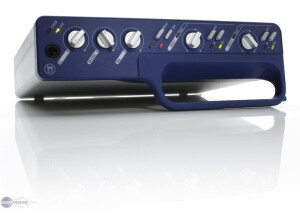
    The Digidesign Mbox 2 is a great little interface that goes via usb to your computer. It comes with a handle on it for portability when taking it from place to place. Mine came with Pro tools 7 at the time which I absolutely hated with a passion at the time. I am ok with pro tools now, it was just a little to complex for me then. UTILIZATION Well I had no installation problems, but the issue was using it in my daw at the time which was cubase I think. I didn’t want to use Pro tools I wanted to use a daw that I was comfortable with. Digidesign told me it would be a breeze to set it up in cubase but it was far from easy. It took me forever to figure it out and it was still buggy and gave me all sorts of problems during recording. GETTING STARTED Getting started was very difficult for me, not too sure if it was just me or what. It was so hard to set this thing up and get it configured. Digidesign failed on this one for me. I have used plenty of there products before but nothing gave me troubles like this one did. Plus I experienced a lot of latency and some very strange feedback and echo noises when using it in cubase and a horrible hum noise that was really loud even after everything was grounded. OVERALL OPINION Overall, it works pretty good in Pro Tools but that’s if you understand pro tools. Don purchase this if you plan on using on a different daw that doesn’t come with it. You will have major issues plus I think you have to pay for updates which is ridiculous. So if you are a pro tools user you will love this, but if not run away from it and get something better!

  • « Digidesign 003 rack review »

    I purchased the 003 rack because i use protools and because it has many in/outputs. And at the time protools only worked with a digidesign interface. The 003 Rack has the following inputs: Mic inputs: Connector: Four balanced XLR jacks Mic Phantom Power: 48V Line inputs: Connector: Four balanced 1/4" jacks Frequency Response: +/- 0.1 dB, 20 Hz - 20 kHz Di inputs: Connector: Four balanced 1/4" jacks Frequency Response: +/- 0.1 dB, 20 Hz - 20 kHz Aux inputs: Connector: Two balanced 1/4" jacks Frequency Response: +/- 0.1 dB, 20 Hz - 20 kHz And the following outputs: Line outputs: Connector: Eight impedance balanced 1/4" jacks Frequency Response: +/- 0.5 dB, 20 Hz - 20 kHz Monitor outputs: Connector: Two impedance balanced 1/4" jacks Frequency Response: +/- 0.5 dB, 20 Hz - 20 kHz Headphone outputs: Connector: Two unbalanced 1/4" jacks Frequency Response: +/- 0.5 dB, 20 Hz - 20 kHz UTILIZATION The latency you get is depends on the buffer size you use, at a low buffer size you will not have much latency. And the drivers are pretty stable depending on your computer specs. I personally use protools the most with the rack. GETTING STARTED I didn't experience compatibility issues, and the manual is clear and provides all the information you need. OVERALL OPINION I dont like the AD conversion, and the mic preamps are waste of money as well, if protools wasn't restricted to a digidesign interface back then i wouldn't have bought it.

  • « Dated, but still decent »

    The DigiDesign is an all-in-one solution towards getting a basic recording studio set up. Basically, this is a hardware controller for your audio. The device itself is not rack mountable as far as I know, but they do make a separate rack mount version for those who want to go that route. There are four mic pres, it hooks up via Firewire, has S/PDIF, MIDI and a ton of other features that I'm sure most of you guys already know. UTILIZATION DigiDesign did a really good job making this. For one, everything is laid out very nicely. It's easy to understand and easy to navigate. The sliders themselves feel nice, and the overall construction doesn't feel overly cheap. I like how everything is contained within this unit so you don't have to use some ridiculous breakout cables like certain other pres out there. It comes with Pro Tools, and that's one of the greatest things about this device. Because you have this all-in-one solution at your hands, it's extremely easy to get up and start recording within minutes. Pro Tools never has any install problems, and the manuals for these devices are always very clear. GETTING STARTED The pres sound pretty good, especially considering today's standards. While it was more expensive back in the day, today you can find these pretty cheap. I never experienced any hiss with the devices as the converters themselves are pretty clean and clear. Pro Tools itself sounds great, and there are all kinds of built-in features that can truly make your mix stand out from the rest vs using certain other DAWs out there. OVERALL OPINION Given the price of these used, they're a pretty good buy for those looking for an all-in-one solution with the hardware mixer and mic pre setup. While I'm more of a digital software mixer kinda guy, these definitely serve the market for those who want a more hands on kinda feel when recording and mixing.

  • « Decent entry level pre »

    The Mbox 2 is probably the most popular pre that Digidesign has offered throughout the years. This model is meant for the beginning recording artist due to its price point and features. The preamp features 4 inputs, 2 outputs, MIDI, USB, phantom power, S/PDIF and a few other things tucked up its sleeve. One of the biggest things this one comes with is Pro Tools LE. UTILIZATION Dididesign did a decent job with this preamp. On the plus sides, everything is contained in a nice, small box. There are no breakout cables for certain connections like other preamps on the market. That means mininal wiring mess and less overall strain on the ports. The device is also very easy to set up, so no issues there. On the down side, it has USB. I'm not a fan of USB preamps due to latency issues once you start adding plugins in the DAW. You'll constantly be adjusting the buffer size or just recording without any serious plugins on the buss. GETTING STARTED The device is very easy to use. Simply plug in the components into their corresponding ports, install Pro Tools LE and you're good to go. Pro Tools LE might be a bit daunting at first for those who have never used a professional DAW before, but there are some nice quick start guides that'll help you throughout the process. There shouldn't be any compatibility issues out there with this device as it works on both PCs and Macs. OVERALL OPINION I generally don't recommend this pre as much as others simply because it has USB 2.0. The pre itself sounds decent for the price, but there's still some congestion going on, and if you can afford a nicer preamp with firewire, I'd check that one out instead. However, if you're working on a limited budget and can only use USB devices, this isn't too terrible to use.

  • « Good midlevel pre »

    The Digidesign Mbox 2 Pro is part of the Mbox series. This pre is a step up from the normal Mbox 2 and has a few cooler features. First of all, you always get Pro Tools LE with these bundles, so you'll always have a good recording environment. This one is powered by firewire instead of USB, and that's probably the biggest reason I recommend this model over the Mbox 2. This also has 4 analog inputs, 6 analog outputs, 2 DIs, 2 channels of S/PDIF, MIDI, 2 headphone jacks, phantom power and more. UTILIZATION Digidesign did a great job fitting everything into this box without it being too hectic. First of all, everything is self contained in this unit. That means there are no breakout wires running anywhere to connect various gear. Apogee tends to have this problem, and it can be a real pain. Thanks to the firewire connection, there's zero lag. Whereas USB 2.0 could sometimes have some lag issues depending on how you set the buffer and how many plugins you're running while tracking, firewire is much more forgiving in that aspect. Pro Tools LE is pretty stable, and I didn't have too many problems with it. I'm more of a Logic guy, so I can't praise it too much. GETTING STARTED The unit is very easy to set up, and getting started is a breeze. Simply plug in the components to their corresponding ports, install Pro Tools LE and you're good to go. One issue with all Digidesign stuff is that it's locked to Pro Tools. That was a big issue for me since I'm a Logic user, but that's what happens when you start using proprietary gear. OVERALL OPINION I prefer this unit over the regular Mbox 2 simply because this has firewire. The software bundle that comes with it is solid, it's easy to set up, everything is self contained without any breakout cables, the price is pretty good and it sounds good as well. If you're looking for a good mid level pre, check this out.

  • moosers's review

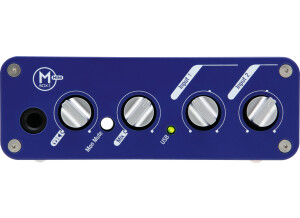
    The Digidesign Mbox 2 Mini is a compact audio interface made to run Pro Tools LE. Like all Digidesign hardware, it comes with the Pro Tools software, which of course is a major draw for getting any Digidesign audio interface. The Mbox 2 Mini has pretty basic characteristics, and none all that impressive for an audio interface, but it will get the job done for small projects and for those looking to run Pro Tools with a simple interface. The Mbox 2 Mini has only a single microphone preamplifier, a channel which also has a 1/4" TRS input as well. The pre has 48 volt phantom power and a pad, as well as a button for mic/line selection. There is also as two channel which has only a 1/4" input. There are only two 1/4" outputs for your monitors. It is a USB based interface, as it only has USB and nothing else to put this into your computer. UTILIZATION I have run the Digidesign Mbox 2 Mini on a simple Apple G4 desk top computer a few times at a friend's house. There isn't really anything to setting up or using the Mbox 2 Mini, as they have made it as easy as possible for just about anyone to use this in their home. We weren't getting any latency, but that really depends on your system. However, since you can only record up to two tracks at a time with this, I don't think that too many people will be having problems with latency or lagging issues, or any performance issues really...But again, this totally depends on the computer that you're running with it. A manual isn't necessary unless you're an absolute beginner and don't know anything about recording or home studios. GETTING STARTED The sound of the Digidesign Mbox 2 Mini in terms of the preamp, is definitely not the best by a long shot. But it doesn't sound half bad if you're just using it for simple recordings in your home as most people will be doing. It would be nice if there were two mic pres on this, but of course if you want that you can always look at the Mbox Pro or even the 002 or 003... OVERALL OPINION While overall this isn't my favorite interface at all, the fact that the Digidesign Mbox 2 Mini comes with Pro Tools LE, really makes it worth it. I'd recommend it for anyone who wants Pro Tools and doesn't need all that much to work with, or whom doesn't want to spend too much money. As far as getting Pro Tools LE goes, the Digidesign Mbox 2 Mini is just about the cheapest way you can do it...

  • moosers's review

    The original Digidesign Mbox will still get the job done even with all of the new interfaces that Digidesign has put out in the last few years. To me, this is just as good as some of the newer interfaces that are comparable in make up and will cost you less if you get it used (as these are no longer being made). This audio interface will allow you to run any version of Pro Tools LE and runs via USB to your computer. It has the capabilities to record two tracks at once as it has two microphone preamps with both XLR and 1/4 inch connections. It has phantom power as well as RCA connections and an output on both the front and the back for headphones. It also has 1/4 inch outputs so you can send this to monitors and also has SPDIF capabilities (which I haven't used). UTILIZATION Setting up the Digidesign Mbox is really easy and will only take a few minutes. You can only use this interface with Pro Tools LE, but I'm assuming that if you are looking into a Digidesign interface that you are doing so for the reason that you can indeed use it with Pro Tools. Simply plug in this interface via USB to your computer and it will guide you into how to get everything going. It is very easy and will only take a little bit of time to get everything going. Like I said before, you can only record two tracks at once but that is usually enough for home studio owners looking to just get down some ideas or do some basic recording. I don't get too much latency with this, but that really depends on your machine. GETTING STARTED Everything about the Digidesign Mbox is really straight forward and even if you don't have experience with Pro Tools or audio interfaces, the Mbox makes it as easy as possible to learn and figure it out. The Pro Tools software is the best feature about getting the Mbox as it allows you to have the same software used by the pros and gives you the ability to switch between your home LE rig and HD systems in professional studios if you so chose to. The manual for the Digidesign Mbox is put together pretty well and will definitely outline everything you'd need to know, but it isn't necessary if you don't have one. OVERALL OPINION I first used the Digidesign Mbox a number of years ago and don't use it anymore because I have another Digidesign audio interface that I use, but this will still get the job doing for doing basic recording or for simply running Pro Tools. While the preamps really don't sound all that great, but if you are doing demos or just getting down some ideas which is what I would imagine most people are using this for, it is fine. The best part is that you can get this fairly cheap now that it is an older model and you can run Pro Tools on the cheap!

  • FP User's review

    This is a great audio interface for your computer. The one problem is that Protools takes up too much DSP, as a result you won't always be able to get 24 tracks of audio. Price paid $800 UTILIZATION Very easy to use. Learn Protools and you're gold . GETTING STARTED Excellent user support. Amazing features. Infinitely upgradable! Buy the plugins install the plugins use the plugins. OVERALL OPINION Digidesign has always been known as the king of audio interfaces... with good reason. The Digi 001 uses the same quality inputs as found on thier $8000 Protools TDM System. You won't get a better audio interface for you computer under $1000! Excellent gear. Don't know how I worked without it. Originally posted on FutureProducers.com Posted by: Unknown ( 5-, 2002)

  • FP User's review

    Plugins are alot. 002 has a built in mixing surface. rack version lacks it but im not a fan of the built in one. id recomend a mackie controller. you cant expand the number of tracks to mix on the 002 full. so im happy i got the rack version. Price paid 1100 UTILIZATION Easy to use if you have used any other audio program like cooledit and cubase cuz they all jock protools. the manual sucks if you dont know protools. it shows you some basics but is only 80 pages or so. GETTING STARTED It seems well built. nothing has broken. i havent had it for a long time to say it stands up to anything. OVERALL OPINION Sound quality is on point. more than enuff inputs good pres compared to other digi products. more than worth the money yeah im really happy with my purchase. for a grand you cant get software and hardware that would ever touch a 002 rack or protools. i use this for hip hop and its the best for me. my mic sounds on point and its easy to run mpc or reason through. exactly fits my needs. if you need more than a protools le system id say look at higher end protools equipment Originally posted on FutureProducers.com Posted by: dfacedxa ( 1-, 2004)

  • moosers's review

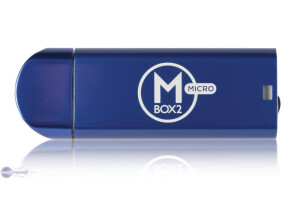
    The Mbox 2 Micro is great for anyone who has a laptop and likes to do work on the go. It allows you to run Pro Tools without having the burden of carrying around a big interface. I use it all the time to do edits and mixing on the go with my Macbook Pro (2.2 Ghz, 2 GB Ram). UTILIZATION I have had no problems at all with installing or setting up my Mbox 2 micro, although I do sometimes have some issues with the Pro Tools software. It was really easy to set up and get going so I didn't need to use the manual at all. All I really had to do was plug it in and run Pro Tools because I already had Pro Tools installed. However, just running the Pro Tools installation disc will run you through the easy steps of installing Pro Tools. GETTING STARTED I've had no latency with the Mbox 2 Micro, but it really depends on what machine you are running it with. There are no inputs, so you must have some sort of other interface, like an Mbox or a Digi 002 or 003 if you wish to track with Pro Tools. OVERALL OPINION My only problem with this is that there is no way to use my laptop speakers with it, you must use the mini-plug jack built into it. This is the first unit that Digidesign has introduced that can run Pro Tools without a full interface. I would recommend this to anyone who has a laptop and would like the convenience of editing and mixing on the go.