Log in
EN
FR

M-Audio Audio Interfaces

71 products found

Categories
Series
Filter
Sort by
M-Audio
Evaluation
  • Reviewed or not
  • Editor’s award
  • Reviewed by Audiofanzine
Availability
  • Available or not
  • Sold new or used
  • Sold new
  • Sold used
Must-have products
  • All products
  • Flagship products
  • Best rated products
  • Hot products
  • Popular products
Price
  • Freeware
€
Clear
Sort by
  • Popularity
  • User ratings
  • Price - low to high
  • Price - high to low
  • Used price, increasing
  • Used price, decreasing
  • Name (from A to Z)
  • Name (from Z to A)
  • Added on
Choose a category
Selected category: Audio Interfaces
Sort results
  • Popularity
  • User ratings
  • Price - low to high
  • Price - high to low
  • Used price, increasing
  • Used price, decreasing
  • Name (from A to Z)
  • Name (from Z to A)
  • Added on
Filter results 71 results found
Brands
Evaluation
Availability
Must-have products
Price
  • Freeware
Show results

The best M-Audio Audio Interfaces reviews

The reviews Audiofanzine members found the most helpful.
  • « Upgrade from the 410 »

    The M Audio Fast Track C600 was a completely different design than any of the other interfaces M Audio has created over the years. I was really surprised with the way they stepped outside of the box and created the C600. The C600 is the upgraded from the M Audio Firewire 410 which I also owned for a while. The C600 has a very low Noise and works great in Acid Pro and in Cubase, even used it in FL Studio from time to time just for a few small projects locally. UTILIZATION Setting the M Audio Fast Track C600 up was very simple and easy to do, there weren’t any out of the ordinary problems that we ran into while setting it up. It is very similar to the 410 from M Audio so we already knew what to do. Drivers are very stable and I am pretty sure they may have got updated once. GETTING STARTED No compatibility issues and no manual was needed to use and set up. Latency is extremely low, as it is with most M Audio interfaces. We have been using interfaces from M Audio for a long time now and each time we try a different one they seem to get better and better. I stand by the C600! OVERALL OPINION The least favorite thing about the M Audio Fast Track C600 is that the top part of the actual interface isn’t made of steel. It is made of plastic, which seemed a bit cheap. They put all that time into creating a great newly designed interface they should have made the top of it like the rest of it. But non the less, it works and looks great. I recommend using it if you are looking into M Audio’s interfaces. We have tried its previous model which was the FireWire 410 and it worked great, but the C600 has it beat. Give this a shot.

  • « Great »

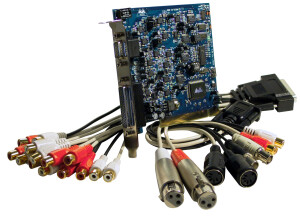
    Good soundcard. I've used it with win 2000 and XP. PC: 2 gb, 512mb, 32GB HDD. 8 inputs/outputs to record a drum kit or several musicians. Desktop PC mandatory because it works with a PCI card. I've had no sync issues with MTC or Wordclock. M-Audio takes driver updates very seriously. USE I've had no sync issues with MTC or Wordclock. M-Audio takes driver updates very seriously (see site). Insignificant latency. It's perfect for live recording, with a sequencer like Sonar or Cubase. OPERATION The pack includes the rack unit + the PCI card + installation software + user's manual (but it can also be downloaded from the M-Audio website). Easy installation, but make sure to read about the electrical connections and to understand how it works. OVERALL OPINION This card is outdated today: It has no preamps, no XLR connectors, no FireWire or USB ports, so you can't connect it to a laptop. But its (secondhand) price is unbeatable.

  • « Simple to use, works with plenty of DAW's »

    The M Audio Fast Track C400 is a sleek designed interface that has a very appealing look to it. It sits perfectly on a desktop and cannot be racked but when on our desktop it will not look like an interface at all. It is a 4 in and 6 out interface that lets you record and play back multiple sources. One feature that I really liked with this interface is that I could connect more than 1 set of monitors to it and switch back and forth between them for monitoring on different speakers as a reference. A lot of interfaces in this price range do not have that feature. UTILIZATION The C400 also has built in reverb and other effects. The monitoring is very close to zero latency. The main controls of this interface are on the top panel of it making it easily accessible to change what is needed. When I purchased this interface it came with Pro Tools SE which I didn’t expect to get with it when I purchased it online. I was already using Pro Tools and didn’t need it but it was still a plus that they shipped it with it. I have used this interface is Logic, Cubase, and Reason many times and it never gave me any issues no matter what I used it with. GETTING STARTED There are 2 front panel ¼ instrument inputs and 4 balanced analog outputs with monitoring management for switching back and forth between monitors. Those features alone make this interface worth the money spend. It connects to your computer via USB and gets its power from the computer so there is no need to plug it into a wall outlet. OVERALL OPINION The Fast Track C400 interface is a must have for someone who wants a sleek and stylish portable interface that they can run their whole set up with.

  • « Preamp is not so good »

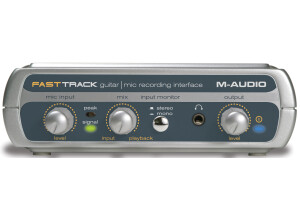
    The Fast Track from M Audio is one of the most popular interfaces they make because it is probably the most affordable ones and it is great for someone who is looking for their first interface. I was using the Fast Track about 4 and a half years ago and still have it to this day. It has held up well over the years but I just don’t think that it has a good enough preamp for me to even bother with it now. This interface only has 1 preamp and it is a 2 in and 2 out interface that can be used with either a MAC or PC. UTILIZATION Setting this interface up is extremely quick, installing the drivers takes no time at all. I am not sure if they are still coming out with drivers for it though since it is so old now. But they probably have since there are so many more machines and OS out now than there were a few years back. GETTING STARTED The microphone preamp on the Fast Track is not very good, and the knob on the front is not very well made. This whole interface is very cheap feeling and light but it will give you a decent recording quality. It also comes with Pro Tools SE which is a basic version of Pro Tools but it still has a lot of VST instruments that comes with it. OVERALL OPINION I remember trying to configure this interface to work in FL Studio back then and it gave me some problems. But when using it with the Pro Tools SE that it comes with gave me no issues at all. There are some pros and some cons to this device but if you need a good preamp then this is not the interface for you. You will need to spend a little more money to get a better preamp. This interface only cost about 150 when it first came out and it is even cheaper now.

  • « Very good deal, comes with Pro Tools SE »

    The Mobile Pre is a basic 2 in and 2 out interface that has zero latency monitoring. It is one of the most affordable interfaces on the market and it also comes with Pro Tools SE to record with. There are 2 preamps on this model from M Audio. The preamps are decent, but nothing that I would want to use long term. When using this interface it will really depend on which microphone you will be using with it. It is phantom powered and it does not require you to have it plugged into a wall because the power runs from the USB connection to your computer. UTILIZATION Setting the Mobile Pre up is really quick, just like most of the other interfaces from M Audio. It will only take a few minutes to load the drivers and if you want to load up Pro Tools SE it may take a few more minutes depending on how fast your computer is. You can use this interface in almost any DAW that you want, I have used it with Pro Tools SE and with Cubase the most. GETTING STARTED The sound you will get form recording with this interface is nothing to brag about but it will get the job done for the time being. You will need to have a good microphone to make up for the preamp quality. The interface itself is made out of a plastic material and does not seem to be able to stand any drops or abuse. Not that I would expect it to because it only cost 99 bucks. OVERALL OPINION The best part of this interface is that it comes with Pro Tools SE, this version of Pro Tools comes stocked with a lot of VST instruments and can work on your PC and your MAC computers. It is a basic version of Pro Tools because it will only allow you to record up to so many tracks but it is a great foundation to learning Pro Tools for a beginner.

  • « M audio's interfaces rock »

    The M Audio FireWire 18/14 was an interface that I used on several occasions back around 2008. It was well built and it came with a pretty good software that I didn’t expect to have any use with but ended up mixing some really good stuff with it. (I cant remember exactly which software it was although). The Fire Wire 18/14 has all the connections you need to get your mics and instruments or almost any sound sources audio to your laptop or desktop computer. The Latency on this interface is very low, probably almost a 0 latency from the time that I had with it and it was amazing. You can also use your ASIO drivers with it to make the latency even lower. ASIO for all is a free tool you can use with almost any interface and with any system and software. Another key feature of the Fire Wire 18/14 is how great it is in a live setting. You wont need to use some of the interfaces that are already at venues if you are a live performer , you can just use your interface ( the 18/14) something you stand by and that you know works. The M Audio Fire Wire 18/14 Builds confident s because you know its going to work for your every time you use it. UTILIZATION It has 8x4 24 bit I/O and 18 in and 14 out fire-wire Audio and Midi connections. It is a very user friendly interface that has pretty much everything right on the face of the unit including Output, input and Axillary send monitoring right on the front of the Fire Wire 18/14. Latency is low in Cubase LE and the drivers are very stable as with most M Audio’s products are. GETTING STARTED I don’t remember a manual for this interface, and I don’t think I every saw one. But since it’s a M Audio interface there is no doubt in my mind that it was easy to understand and use. OVERALL OPINION The quality of the sound you will get with the Fire Wire 18/14 is very good, its second to none. I am very happy to have the honor to use this unit while our group had it. I though about purchasing one for my self but I already had two interfaces at the time. But I do love all M Audio’s interfaces. They are well built and worth the money.

  • « Nice starting package »

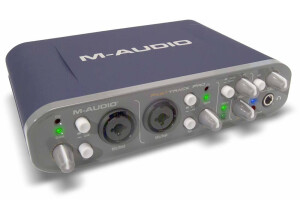
    M Audio Fast Track Pro was a very affordable interface that I purchased from eBay in a package deal online about 2 years ago. It came with a basic version of pro tools. I think the pro tools version that it came with was the student version. That version of pro tools was really limited, I ended up giving that version of pro tools away because I already had the full version of pro tools installed on my mac and didn’t need it. UTILIZATION The Fast track pro was more for a beginner if you ask me, that is the reason that It didn’t work for me long. I was just at the point in my music career where I was trying to expand, and using the fast track pro wasn’t going to let me expand and record multiple inputs at the same time . It really isn’t that type of device, its more for beginners who are recording simple things and aren't expanding right now. GETTING STARTED Fast Track Pro does work great in a few different programs and DAW's. And updating the drivers is easy because M Audio will keep in contact with you if you need to update the drivers. But when I purchased this I plugged it in and it was recognized right away and I didn’t have to load any disk in or anything. I don’t know how it did this but it did. I was not complaining. OVERALL OPINION I was able to use this on my laptop and my desktop pc without upgrading or loading any extra software or drivers onto my system. It was truly plug and play. I am not sure if it will be the same for everyone, but I really recommend using this if you are just getting into recording music. Look on eBay and purchase the package deal with pro tools. It is a great starting point

  • « I took the ProFire everywhere »

    Any M Audio interface is going to be very good to use, they are well built and will work with almost any daw. So when using the M Audio ProFire 610 I already knew what to expect out of it. It ended up being my main interface for a while. I did experience some lag with it on my pc laptop running Windows XP but I was able to over look that because of the quality that I was getting when recording with analog and digital signals. This is the perfect device for the mobile musicians or someone who moves around a lot. This is one of the better mobile devices you can have. There are plenty of smaller mobile devices but this one will give you a great sound. UTILIZATION The M Audio Pro Fire 610 is probably the best mobile fire wire device that I have used since I went digital years ago. I was just going to get a USB interface for my set up. So I was looking at another M Audio interface that was USB until someone told me to check this one out. So I checked it out decided to purchase it and the rest is history. I still own this to this day, I still use it a lot too. I don’t used it all the time, but for most of my on the road laptop stuff this comes with me. GETTING STARTED Manual was not needed, I don’t think I have ever even opened it. I was having some issues getting my software to recognize the interface, but that was just a small hump and It got worked out in no time and was no longer an issue. All the features of this interface are very easy to use, and its very easy to install. OVERALL OPINION The sound quality is great, I loved the quality that I was able to get just from hotel rooms when using the M Audio ProFire 610. It has really gave me the true at home experience no matter where I was at.

  • « good, there are some lag issues though »

    The Jamlab from M Audio was created for someone who is on a budget and doesn’t have a lot of room in their home studio. Its very small but packs a very powerful punch. There are no bells and whistle with this interface, its very simple, maybe one of the most simple ones that I have seen this far. UTILIZATION I have used this several times to plug the guitar into. When you first receive the M Audio Jamlab device you will need to install some drivers. Installing these drivers was important for me, because I didn’t have them installed on one of my laptops and the device was not recognized. On my other pc it was installed and it was working fine. So when I was out of the house and wanted to use this on my old laptop I couldn’t because I forgot to install the drivers. I was really upset and though that something was wrong and I couldn’t figure out what was going on . But I simply forgot to install the drivers on my old laptop so I couldn’t use it until I installed them. GETTING STARTED Getting started was as easy as it could ever be. There was no issues, just install the drivers and plug in it and start using it right away. There are some small latency issues though, I could over look them but some of my friends just couldn’t and they wouldn’t use the interface anymore. Also the software that comes with it wasn’t not very good too me, it did have some pretty cool effects though but that’s about it. OVERALL OPINION Good little interface, but the only reason I bought it and most people would buy it is because of the price that it cost. Its very cheap, but the lag could be a deal breaker for you.

  • « Nice little device, powerful »

    The M Audio USB is a very small audio interface device that is very well built. I have taken this thing everywhere with me and I have dropped it so many times and almost lost it once and it keeps on ticking and working perfect. I have used this device to record vocals as well as some instruments and it has no problem with anything. As long as you have a good mic to plug into it, it will get the audio right into your DAW setup so you can finish your session. At first when I started using it, I was having a slight humming sound coming from the speakers. I really thought that it was a defective unit or that it just wasn’t a very good unit. But it was because I didn’t have one of my mic cables plugged all the way in. I wish I would have checked that first and that would have saved me a lot of time , and a lot of time on the phone with one of the techs from M Audio trying to figure out why I was getting this humming sound coming from my KRK monitors. UTILIZATION Using it was easy and setting it up was extremely easy. There really isn’t anything too it except making sure that your drivers are installed then you can plug it in via USB and as long as you have a 2.0 USB port you will be ok, most all newer stuff made in the last 7 years or so has 2.0 USB ports so you don’t really have to worry unless your system is really that old. GETTING STARTED You wont need a manual to use this at all, maybe you will if its your very first time every having an interface. OVERALL OPINION I think this unit is great, its very small and compact and does such a great job. I do with that it had more ins when I purchased it though, but that’s why I got rid of it and upgraded. But for the laptop computer musician , this is perfect.

  • « M-Audio Omni Studio »

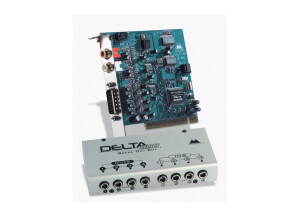
    Bought this piece of equipment from Musician's Friend for $319. It came with the Delta66 audio card (PCI) and the Omni breakout box. I just needed an inexpensive way to turn my PC into a digital recording studio for home use. The audio card installs just like any PCI card into your PC's motherboard. It was very easy. My PC detected the new hardware and I installed the drivers included with the card. The Omni breakout box connects to the audio card via a 15-pin DB cable. The breakout box is a "must have". Instead of fumbling around behind your pc to hook up and unhook instrument cables, you just plug your instruments into the breakout box. The DB cable included with the Omni Studio is 6 feet long, so it gives you enough length to set the breakout box in a convenient place. And the breakout box has all sorts of controls, input and outputs, so its very versatile. And the sound is great! Very, very low noise with this model and the digital reproduction of live sound is extremely accurate. It came with 2 manuals (one for the Delta66 audio card and one for the Omni breakout box) that were well written and relatively easy to understand (though this isn't a simple piece of equipment!). Another handy feature is that the 2 analog inputs are "Neutrix" jacks, meaning you can plug an XLR or 1/4" cable into them. Very handy! This is an awesome unit for the money. I do with the DB cable was a little longer. The breakout box is rather smallish (2in high X 9in wide X 6in deep). There are so many knobs, inputs and outputs that everything is sort of crammed onto the unit. Some of the knobs are hard to turn because of their close proximity to other knobs. But everything is well labeled and, if you have some background with basic music gear, rather intuitive. But be sure to read the manual BEFORE you even hook it up! One other thing...you only have 4 inputs (2 Neutrix jacks and 2 1/4" jacks), so if you plan on recording more than 4 voices/instruments at once, you'll have to use an external mixer. The Delta66 audio card seems well built, but all PCI cards look the same to me. The Omni breakout box is very well constructed. It has a heavy metal frame and the knobs and buttons feel like high-quality components. All in all, it seems very heavy duty. I've had this unit for about 4 months now and I've been very impressed with the quality construction of the unit. But the true test of any equipment like this is the sound quality. Trust me, this unit sounds great. It's fairly easy to use (but you MUST read the manual!). I would highly recommend this unit to anyone interested in home recording. This review was originally published on http://www.musicgearreview.com

  • « M-Audio Firewire 410 »

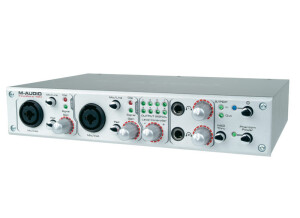
    I purchased the M-Audio FW410 from Sam Ash (12/29/03) for $384 pre-tax to record my girlfriend's audition CD. I'm using the FW 410 with an iBook G4 and Behringer B1 microphones. For recording software, I use felt tip's Sound Studio 2.11 ($50). At $400 or less, the FW410 is one of the cheapest Firewire audio recording interfaces. It supports 24 bit / 96 kHz audio playback/recording. It has two XLR microphone inputs and eight channel line level outputs. I also like the fact that the unit can be powered from the Firewire bus alone (though it's probably not a good idea if you are driving two condenser microphones off the Firewire bus). Although I haven't had the chance to test the SPIF audio stuff it's good to know that it's there when I needed. Finally, it has MIDI in/out for those who need it. The bottom line is that it has the speed and feature to serve the need of most home recording studios and pro's on the road. Because this is my first computer audio recording interface (skipped USB completely), I have nothing to compare the quality of the audio with so I'll have to get back to the discussion of audio quality after using the unit for a while. The startup is just a little flaky sometimes. There were a few times that I turn on the unit and my iBook G4 doesn't see anything connect through Firewire. It might a problem with Mac OS X though. Restarting the computer would fix the problem. (Remember to disconnect any firewire device when restarting your computer, doesn't matter what is connected!) All the inputs/outputs are UNBALANCED. I wish they are balanced I/O but at given that the unit is targeted primarily for high end consumers, not professionals, it's really not a big deal. The FW410 is meant to be used with a computer so it can't be used without a computer unlike the MOTO 828 MKII, if you desire computer independent operation, this is not what you want. Solid construction, have only had it for a few days so can't say much about reliability yet. It feels good though. The M-Audio Firewire 410 is an amazingly well conceived and executed product targeted at musicians and audiophiles desiring Firewire audio without the associated high price tag. It's ideal for stereo recording in a home studio setup and to take with on the road. Highly recommended! I would give it 4.5/5 because it's almost perfect. I might write a follow-up review once I have used it for a while. This review was originally published on http://www.musicgearreview.com