Log in
EN
FR

SeriesM-Audio Fast Track

11 products found

Filter
Sort by
Evaluation
  • Reviewed or not
  • Editor’s award
  • Reviewed by Audiofanzine
Availability
  • Available or not
  • Sold new or used
  • Sold new
  • Sold used
Must-have products
  • All products
  • Flagship products
  • Best rated products
  • Hot products
  • Popular products
Price
  • Freeware
€
Clear
Sort by
  • Popularity
  • User ratings
  • Price - low to high
  • Price - high to low
  • Used price, increasing
  • Used price, decreasing
  • Name (from A to Z)
  • Name (from Z to A)
  • Added on
Sort results
  • Popularity
  • User ratings
  • Price - low to high
  • Price - high to low
  • Used price, increasing
  • Used price, decreasing
  • Name (from A to Z)
  • Name (from Z to A)
  • Added on
Filter results 11 results found
Evaluation
Availability
Must-have products
Price
  • Freeware
Show results

The best M-Audio Fast Track reviews

The reviews Audiofanzine members found the most helpful.
  • « Shameful! »

    Which technical specifications motivated your choice? The number of inputs and the USB connection. Do you use the product with other instruments or systems (mixing console, preamp, DtD, ...) and what's your setup? ... MAC & PC digital audio What do you use the product for? What's your setup (motherboard, CPU, RAM, hard drive,...)? To record guitars/vocals MacBook Pro 13" Core2duo OSX Mavericks 8Gb RAM 2DD PC Windows 7 Quad core 4Gb RAM 3DD USE Are the drivers stable? No, I often have to reboot because no sound comes out. Which software do you use? Reason, Ableton Live... How many tracks can you record/playback simultaneously ? ... Compared to my M-Audio 410, not many. Reason displays an error message, which doesn't happen with the 410. Are they up to date? No, and it's weird by the way, because it's hard to know who's in charge of the drivers and support of this fast track, Avid and M-Audio blame each other. In the end, Avid seems to have updated the drivers, for example: The drivers for Mac OSX Mavericks were updated in November 2013. But they don't work, so the card is useless up to this day. You only need to go to Avid's Facebook page to realize how many users are raging about it while Avid doesn't provide any answers. It's impossible to contact them for free, you need to pay! It's shameful! What's the latency of your system? It's hard to answer this question, since it's not stable. You need to constantly change the latency to avoid crackles. OPERATION Did you have any problems during the installation? Logically Plug&Play, but I've had to start over again several times. How complicated is the overall configuration? Not too complicated. Did you have any incompatibility problems? Yes with OSX Mavericks Is the user's manual clear and comprehensive? ... Enough for me OVERALL OPINION How long have you been using the product? About 1 year. Did you try any other models before buying this one? E-MU, M-Audio 410 ... sniff Which feature do you like the most / the least? I don't really recommend this soundcard and I don't understand the different reviews on this soundcard. When I received it, it was a huge disappointment, a light plastic box. Then, in use, it lacks power, it's constantly unstable, in short, it's not even worth $100. How would you rate its value for money? Based on your experience, would you buy this product again? ... No, I'll never buy another Avid product again.

  • « Similar to the Fast Track »

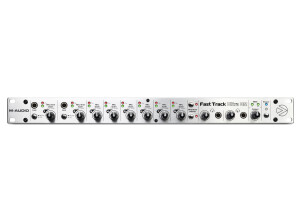
    The M-Audio Fast Track Pro is the next step up in the Fast Track world. You have a few more features that make it a bit more desirable. This pre features an insert cable for outboard processors, 2 balanced outputs, 4 unbalanced outputs, S/PDIF with 2 channel PCM, MIDI I/O, headphone output with level control, headphone A/B with source switch, input/playback mix control for monitoring, mono switch for playback monitoring, master output level, USB 2.0 and bundled software. UTILIZATION The device is setup pretty nicely. I'm a big fan that it has MIDI. For some reason, people don't like to include MIDI in all of these devices. I'm not sure why because MIDI is such an important part of the recording process in today's world. Heck, it was important even back in the 80s. There are no annoying breakout cables to have to utilize with this, so that's great. I'm a huge fan of self contained pres like this. Everything is laid out in an easy to use manner, and the quality is pretty good. The pres themselves don't sound the best, but they definitely get the job done. I've heard much worse converters out there. GETTING STARTED Getting this set up is super simple. You just plug in the devices to their corresponding ports, open up your DAW, set up your preferences (making sure this device is selected) and you're ready to make music. This comes with Pro Tools LE, and it's a great DAW to start using. Once you master this, you can really use any other DAW out there, and I'm glad they include that. That said, don't be afraid to try out other DAWs such as Reaper. There are some really great ones out there that have a bit more versatility when it comes to using VSTs and other plugins. OVERALL OPINION This is probably my favorite M-Audio device for the price. It's packed full of features, super simple to use and sounds pretty good. The converters aren't the best in the world, but they're certainly not the worst. I wish it was firewire, but that's a personal gripe I have with most of these devices today.

  • « Simple to use, works with plenty of DAW's »

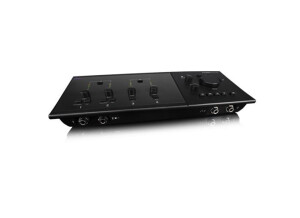
    The M Audio Fast Track C400 is a sleek designed interface that has a very appealing look to it. It sits perfectly on a desktop and cannot be racked but when on our desktop it will not look like an interface at all. It is a 4 in and 6 out interface that lets you record and play back multiple sources. One feature that I really liked with this interface is that I could connect more than 1 set of monitors to it and switch back and forth between them for monitoring on different speakers as a reference. A lot of interfaces in this price range do not have that feature. UTILIZATION The C400 also has built in reverb and other effects. The monitoring is very close to zero latency. The main controls of this interface are on the top panel of it making it easily accessible to change what is needed. When I purchased this interface it came with Pro Tools SE which I didn’t expect to get with it when I purchased it online. I was already using Pro Tools and didn’t need it but it was still a plus that they shipped it with it. I have used this interface is Logic, Cubase, and Reason many times and it never gave me any issues no matter what I used it with. GETTING STARTED There are 2 front panel ¼ instrument inputs and 4 balanced analog outputs with monitoring management for switching back and forth between monitors. Those features alone make this interface worth the money spend. It connects to your computer via USB and gets its power from the computer so there is no need to plug it into a wall outlet. OVERALL OPINION The Fast Track C400 interface is a must have for someone who wants a sleek and stylish portable interface that they can run their whole set up with.

  • « Preamp is not so good »

    The Fast Track from M Audio is one of the most popular interfaces they make because it is probably the most affordable ones and it is great for someone who is looking for their first interface. I was using the Fast Track about 4 and a half years ago and still have it to this day. It has held up well over the years but I just don’t think that it has a good enough preamp for me to even bother with it now. This interface only has 1 preamp and it is a 2 in and 2 out interface that can be used with either a MAC or PC. UTILIZATION Setting this interface up is extremely quick, installing the drivers takes no time at all. I am not sure if they are still coming out with drivers for it though since it is so old now. But they probably have since there are so many more machines and OS out now than there were a few years back. GETTING STARTED The microphone preamp on the Fast Track is not very good, and the knob on the front is not very well made. This whole interface is very cheap feeling and light but it will give you a decent recording quality. It also comes with Pro Tools SE which is a basic version of Pro Tools but it still has a lot of VST instruments that comes with it. OVERALL OPINION I remember trying to configure this interface to work in FL Studio back then and it gave me some problems. But when using it with the Pro Tools SE that it comes with gave me no issues at all. There are some pros and some cons to this device but if you need a good preamp then this is not the interface for you. You will need to spend a little more money to get a better preamp. This interface only cost about 150 when it first came out and it is even cheaper now.

  • « You get what you pay for »

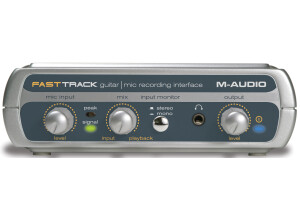
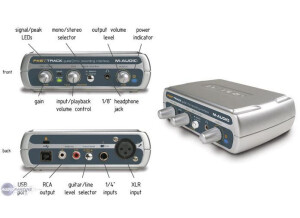
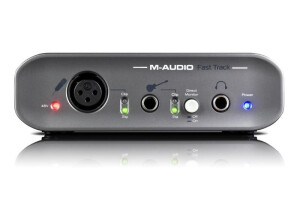
    The M-Audio Fast Track is a budget preamp for those who want to get to recording quickly without too much of a hassle. The pre features 2 inputs, 2 outputs, 24bit/48KHz audio, USB 2.0, XLR inputs with 48V phantom power, 1/4'' instrument input w/ gain control, 1/4'' stereo headphone output, RCA speaker outputs, output level knob for adjusting volume, direct monitoring button and bundled software. UTILIZATION The device itself isn't too bad in the way they set it up. There are no annoying breakout cables, so you don't have to deal with that. A lot of times, people cram tons of features into a small box and then have a breakout cable. These cables can snag and cause all kinds of issues. By having it all self contained, you have a much cleaner work area. It's a pretty intuitive device, and it's easy to use. Drivers seem to be fairly stable, so no issues there. I used this with the bundled software and had no issues at all. GETTING STARTED The device is very simple to set up and start using. You simply plug everything into their corresponding ports, open up your DAW, set your preferences up and you're good to go. Making music is very easy with this. The pres themselves aren't the cleanest out there, but what do you expect from something this cheap? They definitely get the job done, but I wish it was firewire. I know some people dislike firewire, but it's still superior to USB 2.0 in real world applications. OVERALL OPINION If you're on a budget, this pre isn't too bad. If you can afford it, I recommend trying to get the Fast Track Pro. It'll have a few more features, although they basically sound the same. Try to find one of these used and use it in conjunction with your favorite DAW.

  • « Average interface »

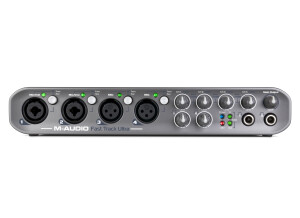
    The M-Audio Fast Track Ultra is a fairly nice, multi input pre from M-Audio. It features 24 bit/96KHz audio, USB 2.0, 4 preamps, 4 XLR inputs, LED indicator lights, phantom power, 6 balanced inputs, 6 balanced outputs, 2 analog inserts, S/PDIF, MIDI, 2 headphone jacks with controls and even has phantom power. UTILIZATION M-Audio did a pretty good job setting this whole thing up. The interface itself is nicely laid out, and everything is easy to use. There are no annoying breakout cables that cause a tangled mess. One thing I'm not a huge fan of, however, is the fact that they use USB 2.0. While USB 2.0 can work nicely, I find that it can be a pain once you start running lots of effects. The latency can get annoying, so you gotta monitor your latency more so than if you'd have a Firewire connection. M-Audio also tries to claim that USB 2.0 is faster, but anybody who knows about technology knows that theoretical output does not equal true output. GETTING STARTED Setting up is very easy, just like any other M-Audio device out there. Simply plug in the devices to their corresponding ports, and you're good to go. I didn't experience any compatibility issues, and that's a great thing. This works with both PC and Mac, so nearly anybody can use it without a problem. I never read the manual, but I can't imagine a real need to unless you're trying to figure out how certain connections work. Anybody who has used an interface before should know exactly how everything works. OVERALL OPINION The price is kinda high, but there are a lot of features packed in here. It's a solid device that has good sounding converters. There are better devices out there, but they either lack the versatility this has, have breakout cables, are Firewire only and/or are Mac only. For the features this thing has, it's definitely worth checking out.