Log in
EN
FR

M-Audio FireWire audio interfaces

7 products found

Filter
Sort by
Evaluation
  • Reviewed or not
  • Editor’s award
  • Reviewed by Audiofanzine
Availability
  • Available or not
  • Sold new or used
  • Sold new
  • Sold used
Must-have products
  • All products
  • Flagship products
  • Best rated products
  • Hot products
  • Popular products
Price
  • Freeware
€
Clear
Sort by
  • Popularity
  • User ratings
  • Price - low to high
  • Price - high to low
  • Used price, increasing
  • Used price, decreasing
  • Name (from A to Z)
  • Name (from Z to A)
  • Added on
Sort results
  • Popularity
  • User ratings
  • Price - low to high
  • Price - high to low
  • Used price, increasing
  • Used price, decreasing
  • Name (from A to Z)
  • Name (from Z to A)
  • Added on
Filter results 7 results found
Evaluation
Availability
Must-have products
Price
  • Freeware
Show results

The best M-Audio FireWire audio interfaces reviews

The reviews Audiofanzine members found the most helpful.
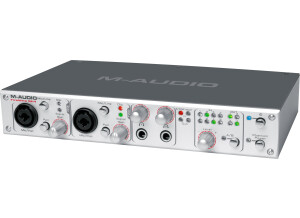
  • « M-Audio Firewire 410 »

    I bought this unit because I have a desktop and a laptop system. I wanted a flexible solution to have good sound in both systems and , at the same time , keep the laptop thing portable. I bouhgt it online at Midi-Store (http://cdbm.com) The sound is really nice. I'm happy with the latency as well. I use included ASIO drivers (will discuss it after) with 64bit buffer length. I have around 8ms latency, using several outputs and processing inputs in real time. The drivers are NOT mature. I've suffered a lot of problems. There are conflicts with most motherboards regarding IRQ sharing (specially laptops). I had to reinstall the whole systems several times until I got an stable configuration. My issues are not solved yet, although it works better than first days, when it was really a nightmare. I had to fix many things without help from customer support, which in my case has not been good at all (I sent very long emails explaining all my System/ACPI/IRQ configuration and the answers were like "have you installed the latest drivers?" ... About that, they only released one update 2 months ago. No complaints about this. I like the design and the materials. It's a solid metal box with fancy lights. The rotary controls are OK. I like the 2 front XLR inputs. I think it will be an excellent sound card if proper, more stable drivers are released. I like how it sounds, but at the moment can't rely on it for live performances. I know some people get this to work without problems, but you have to be very very careful choosing your motherboard and peripherals, as most modern motherboard don't offer a lot of control regarding resource assignment. The customer support should really improve, or at least have updated FAQ's, as everybody is asking the same over & over again. I've contacted a lot of Firewire 410 users in Cubase.Net forum and we all have the same problems. It's a pity we have to trial & error time-costing solutions found wherever in the net, instead of getting a straight solution from the customer support. This review was originally published on http://www.musicgearreview.com

  • « Good pre »

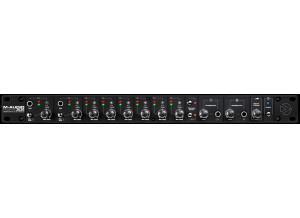
    M-Audio is usually known for their small mic pres, but they also have some very high quality rack gear that works great. This device features 24 bit/192 KHz audio, 8 analog inputs, 8 XLR mic inputs, 8 TRS inputs, 2 TS inputs, S/PDIF, 16 x 16 ADAT, 8 TRS balanced line outputs, 2 headphone outputs, MIDI, a proper world clock for setting up I/O, master volume knob, an onboard DSP mixer, and it should work with pretty much any of today's DAWs. UTILIZATION M-Audio did a great job setting this whole thing up. The interface itself is nicely laid out, and everything is easy to use. I'm especially happy that they used Firewire for this. While they make comparisons on the USB page stating how USB is theoretically faster than Fiewire, that's not the case in real life. There are some major flaws with USB 2.0 when compared to Firewire, and I always found it a bit dishonest when they tried to claim USB 2.0 was faster. Keep in mind that you'll probably want some sort of rack to mount this in. On top of that, it has a few breakout cables for some of the features, and I'm not really a fan of breakout cables. GETTING STARTED I never had a single compatibility issue when using this device. It's a very easy to use and straightforward device. There's no need to even read the manual because everything is laid out in an easy to use and understand manner. Simply plug in the devices to their corresponding ports, and you'll be good to go. I was able to use this in Logic without any hiccups, and it sounded awesome. OVERALL OPINION If you're one of those people who enjoy rack interfaces and want one of the better ones out there, check this out. This has some really nice and clean converters that sound great. It also has MIDI and tons of other features. I just wish it didn't have all those annoying breakout cables for certain features, but then they'd have to make it 2U, so I can see why they did it.

  • « Good firewire interface »

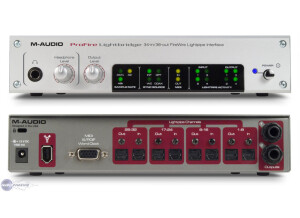
    M-Audio has usually pushed their USB stuff, but it's nice to see them start getting into Firewire mic pres as well. This device is an 18 x 14 Firewire interface that has 8 24 bit/96 KHz analog inputs, 4 24 bit/96 KHz outputs, 2 x 4 24 bit/192 KHz analog I/IO, 8 x * ADAT Lightpipe, S/PDIF, supports AC-3/DTS, contains great Neutrik jacks with a 20 dB pad, phantom power, two different headphone jacks with independent volume control and MIDI and a ton more features. UTILIZATION M-Audio did a great job setting this whole thing up. The interface itself is nicely laid out, and everything is easy to use. There are no annoying breakout cables that cause a tangled mess. I'm especially happy that they used Firewire for this. While they make comparisons on the USB page stating how USB is theoretically faster than Fiewire, that's not the case in real life. There are some major flaws with USB 2.0 when compared to Firewire, and I always found it a bit dishonest when they tried to claim USB 2.0 was faster. GETTING STARTED Setting up is very easy, just like any other M-Audio device out there. Simply plug in the devices to their corresponding ports, and you're good to go. I didn't experience any compatibility issues, and that's a great thing. This works with both PC and Mac, so nearly anybody can use it without a problem. I never read the manual, but I can't imagine a real need to unless you're trying to figure out how certain connections work. Anybody who has used an interface before should know exactly how everything works. OVERALL OPINION If you're in the market for a good, solid Firewire mic pre, this is definitely one to look at. It's packed with features, contains audio software so you can get to recording as quick as possible, and it doesn't cost a ton of money like certain other interfaces out there. On top of that, there's built-in MIDI which is a huge plus.

  • Audiofanzine FR's review

    (Originally written by Pofri 6/translated from Audiofanzine FR) Mobility and price. UTILIZATION During the installation different drivers appeared: network card. Clear user's manual. GETTING STARTED I have a crackle problem which I can't solve yet (my last recordings were rendered useless because of these noises). The unit seems to have problems at 96 kHz sample rates. I use it with Cubase 4 to record my acoustic guitar. OVERALL OPINION I've had it for one month. Customer support recommended me to have the unit replaced. I think this product was not ready to hit the market. If I could I would buy another product.

  • Audiofanzine FR's review

    (Originally written by elco7/translated from Audiofanzine FR) Instrument and mic source signals. SPDIF in/out, headphone out, 1/4" line out 48v phantom power Very sturdy die-cast housing Firewire UTILIZATION During installation Windows will warn you that the software is unsigned. Click on accept. Shut down your computer, connect the Firewire cable and try to configure the Asio driver. System crash. Try again. The update was not compatible with Windows XP in September 2008... I don't know why! Three system crashes within one year, two successful updates and one update I didn't understand.... GETTING STARTED Firewire is perfect when you don't want to share a USB port already in use. I use it at home: good sound quality, easy-to-use interface, sturdy housing... It makes a good impression on other musicians. I've recorded tons of short demos with it. I loved it in the beginning and had no compatibility nor driver problems. Notice: the clock is sometimes synchronized with synch software like palm or dictaphone... and then you can't make music anymore. OVERALL OPINION Mine is one year old. I did a full cleanup of my computer and I never touched this device again. It works, I just have to reinstall it along with Cubase but I don't feel like doing it!

  • FP User's review

    Id like to see some 1/4 I/O, a phono preamp, and maybe some line in ports. That would have been nice. price paid: $200 UTILIZATION Its easy to use but my only issue is that the software always has had bugs in it. the knobs dont always work actually more often then not they dont but u can do what u need to in the control panel with ur mouse. GETTING STARTED Ive had a few issues with it in the 2 years Ive had it. Mainly with the knobs and I dont think M Audio plans to fix this. OVERALL OPINION Good quality. Not the best for the price but it definetly gets the job done. I am happy with this card. I'm happy with the card it gets the job done and it works with Pro Tools but if I had to do it again I would have bought the firewire 410. Originally posted on FutureProducers.com Posted by: Xabiton ( 4-, 2006)