Log in
EN
FR

M-Audio Computer Music

203 products found

Categories
Series
Filter
Sort by
M-Audio
Evaluation
  • Reviewed or not
  • Editor’s award
  • Reviewed by Audiofanzine
Availability
  • Available or not
  • Sold new or used
  • Sold new
  • Sold used
Must-have products
  • All products
  • Flagship products
  • Best rated products
  • Hot products
  • Popular products
Price
  • Freeware
  • Low-cost (< $70)
  • Mid-range ($70 - $150)
  • Premium (> $150)
€
Clear
Sort by
  • Popularity
  • User ratings
  • Price - low to high
  • Price - high to low
  • Used price, increasing
  • Used price, decreasing
  • Name (from A to Z)
  • Name (from Z to A)
  • Added on
Sort results
  • Popularity
  • User ratings
  • Price - low to high
  • Price - high to low
  • Used price, increasing
  • Used price, decreasing
  • Name (from A to Z)
  • Name (from Z to A)
  • Added on
Filter results 203 results found
Brands
Evaluation
Availability
Must-have products
Price
  • Freeware
  • Low-cost (< $70)
  • Mid-range ($70 - $150)
  • Premium (> $150)
Show results

The best M-Audio Computer Music reviews

The reviews Audiofanzine members found the most helpful.
  • « Nice to amuse yourself when traveling »

    32-key master keyboard with 8 pads. I hesitated getting an AKAI MPK mini, but the keys are really small for my big fingers. The M-audio seemed better fitted and it turns out it is. Connections: USB UTILIZATION I'm not a pianist and, to me, the keyboard is very good. I have fat fingers and it's OK. I wouldn't say it's great, but it's all right. Concerning the pads, they fell kinda strange. I'll explain myself: Since you don't press anything (it's a sensor), it's hard to gauge the force. But you end up getting it with practice. The setup is not a problem, however, the transport keys aren't necessarily recognized (I use it with Ableton Live 9), but I still haven't looked into why is that... OVERALL OPINION I've had it for 6 months, more or less. I bought for the World Music Day to trigger some drum phrases. But I plan to use it more intensively as soon as I have more time. You can take it anywhere to write songs, it's great. Besides, the IGNITE software that comes with it is simply incredible... And everything fits inside a laptop bag.

  • FP User's review

    Features are very basic..has midi, 8 I/O's plus SPDIF to make it 10 I/O's, thus the name 1010. Wish it had a headphone jack but with a mixer that is solved. But has a very clean look to it and fits in my rack perfectly. Price paid: $280 USD UTILIZATION Very easy to setup--just make sure you update to the latest drivers but it is 64bit and PCI-X compatible also. There is some compatiblity issues with Apple Dual 1.8 / 2.0 G5's. http://www.m-audio.com/index.php?do=support.faq&ID=b9f145c1c2ef3fd398ae0c17b1a4cb48 GETTING STARTED Quality is top notch...There are many M-audio interfaces to choose from but this one is right up there with the best for analog. Considering it came out years ago..it is still very good. Just make sure you check PCI compatiblity with Macs when purchasing. http://www.m-audio.com/products/en_us/Delta1010-main.html OVERALL OPINION Very clean for a package in this price range..So clean that with proper speakers, cables and line conditioners...the sound of bad humming is non-existant. Read other reviews from other retailers to get more information. Love it..for my purposes for a in home studio..I am glad I bought this to go with my protools m-powered 7.0 setup. Originally posted on FutureProducers.com Posted by: Smithy ( 4-, 2006)

  • « Comes with Pro Tools SE »

    I just recently had the chance to use this interface made by M-Audio. It is the Fast Track C600 and it looks nothing like any of the previous “Fast Track” models that they have made over the years. This interface is pretty thin/small and it is made for more of a tabletop style use because when you lay it flat all of the knobs are on the face of it facing straight up. This interface comes with Pro Tools SE which is easy to work with and using this interface with any other DAW is just as easy because I have used it with Cubase, Ableton and Reason just recently. I have not seen any issues with this interface. UTILIZATION Installing the drivers only takes a few minutes and I have not seen any updates for this device. There are reverb and delay effects right on this interface. For me that is a huge plus because that allows me to save some of my CPU because I do not have to run reverbs and delays on those audio signals coming in; that is a great way to save some CPU for later on. GETTING STARTED Pro Tools SE is a really good DAW to work with and I am very happy that it came with this interface. Even though it is only the SE version it still gives over 100 VST instruments and a bunch of effects to add to your mixer tracks. You can even have up to 24 audio and VST tracks, but that will would not hold long for me because a lot of my instrumentals alone have more than 24 tracks so that is why I just purchased the full version of Pro Tools so I can have unlimited tracks and a lot more effects. OVERALL OPINION This interface is sleek and worth the buy. It fits perfectly on my desktop surface and it is very portable. It can work great in Reason and Logic (on Macs) too!

  • « not worth it »

    The M Audio Axiom Pro 61 usb is a decent midi controller but not as good as some of the others on the market. It does not send a Midi Note Off (CC64=000) to sustained notes when switching Midi channels via the "Zones" feature...a very risky proposition for performance use. A "panic" key combination was put in place to cover this obvious error instead of creating a toggle function that filtered the message for those desiring that effect. UTILIZATION No omni mode either. M-Audio, now Avid, requires you pay for support on this product and after a 4 call process ultimately provided no solution. Hyper control worked very well but in the end requires that you choose between your DAW and other software like Reason- otherwise its detects and controls both at the same time generally causing undesired effects. Midi maps cannot be edited with hyper control "engaged". Thus for some controls to work with your DAW, and others with rewired software,(faders vs knobs) you cannot use the hyper control bus thus defeating the benefit of the software layer and the extra $160 vs. the 2nd gen Axiom. Returning product and also shipping back the not included power supply I had to purchase directly from Avid for non-bus powered use. OVERALL OPINION But on the positive side, its a portable controller. Great key feel with not a lot of springy bounce back, smooth and consistent knobs with also a great feel, and mapping to Logic was automatic and smooth and the control work great. USB communication with my Mac Power book means no latency and controlling the various soft synths that I have with the knobs and buttons and sliders on the controller has been transparent and effortless. Great size and weight for lugging around also. If your on the fence with this purchase I say go with a midi controller from Akai.

  • « Midi is a must.. »

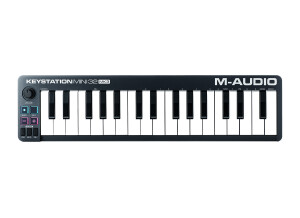
    M Audio KeyStation Mini, is a great midi keyboard. M Audio always brings some of the best midi keyboards on the Market. After using the Axiom 61, I didn’t think that the mini would have much for me. But I gave it a chance and its great, this midi keyboard is very small and portable. I packed it right in my laptop bag with my laptop and had my production studio go anywhere that I went. On the Keystation Mini, there aren’t knobs and sliders that you can use to sync with your software to automate certain things. That is really the only thing that is missing from the mini that is on most other models that M Audio Creates. UTILIZATION Even though this is a small midi controller its still very sturdy and holds up great. Its all plastic but still holds its own weight. I didn’t even have to load the drivers. I just plugged it in via usb and it automaticly was recognized by my windows computer and was ready to use in Cubase and Fl Studio. But if you need to load the disk up to get your drivers in you can and will have no problem doing so. Even if you need to update your drivers M Audio makes it extremely easy to do so on their website you can go on there and update the drivers for free anytime you wish for any of the products that they create. OVERALL OPINION Overall this is worth it, the price is affordable and all producers need a midi keyboard that can be hooked up with usb or with midi cables. You can take this with you anywhere and have your studio on hand no matter where you are so when inspiration hits you are prepared to start creating on the spot.

  • Deleted member's review

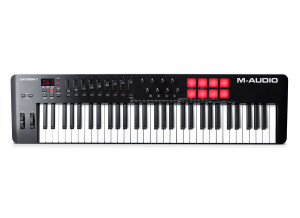
    The M Audio Oxygen 61 is a very affordable and capable 61 key MIDI controller. It has 9 faders, 8 knobs, transport controls, pitch bend and modulation wheels, and a bunch of programmable presets for different DAWS. The M Audio Oxygen 61 also feels very solid, and I would not feel afraid to hit a misbehaving friend on the head with one of these (would not feel afraid for my keyboard, that is). The Oxygen 61 is very sparse on the connections in the back; there is no dedicated MIDI out, so forget using the Oxygen 61 to do any work with outboard MIDI gear. It only has a USB connector, and a power switch. It is some kind of wonder that M Audio decided to give the Oxygen a sustain pedal input at all. While the Oxygen 61 has plenty of controls, its selection of connections is quite painfully sparse. UTILIZATION Everything with the Oxygen seems to work perfectly, and it is an enjoyable MIDI controller to use for the most part. The simple fact that one feels faders and knobs in his or her hand instead of dragging a mouse across a table is already reason enough to buy the Oxygen. The problem in it lies in the keys. Unfortunately, M Audio has decided that all controllers in the lines below the Axiom line of controllers must resign themselves to a fate of having springy keys. That, I could get used to, if it weren't for the fact that this generation of the Oxygen controllers happens to register a keystroke in the wrong place. Most pianos and controllers make sound when the key is about half depressed, but the key has to be pressed almost all the way down with these keyboards. It's very upsetting to be going through an intimate string section (because we all strike keys gingerly when playing strings on a keyboard) and having them just not sound. OVERALL OPINION The Oxygen is, don't get me wrong, a joy to have, but it certainly is not one of those products that you can own and evangelize to everyone else. It's not perfect by a long shot, and anyone who really wants a comprehensive MIDI controller ought to look a bit deeper into the sea of MIDI controllers to find one good enough. For me, however, the Oxygen simply acts as a control surface and occasional replacement for my piano.

  • « Similar to the Fast Track »

    The M-Audio Fast Track Pro is the next step up in the Fast Track world. You have a few more features that make it a bit more desirable. This pre features an insert cable for outboard processors, 2 balanced outputs, 4 unbalanced outputs, S/PDIF with 2 channel PCM, MIDI I/O, headphone output with level control, headphone A/B with source switch, input/playback mix control for monitoring, mono switch for playback monitoring, master output level, USB 2.0 and bundled software. UTILIZATION The device is setup pretty nicely. I'm a big fan that it has MIDI. For some reason, people don't like to include MIDI in all of these devices. I'm not sure why because MIDI is such an important part of the recording process in today's world. Heck, it was important even back in the 80s. There are no annoying breakout cables to have to utilize with this, so that's great. I'm a huge fan of self contained pres like this. Everything is laid out in an easy to use manner, and the quality is pretty good. The pres themselves don't sound the best, but they definitely get the job done. I've heard much worse converters out there. GETTING STARTED Getting this set up is super simple. You just plug in the devices to their corresponding ports, open up your DAW, set up your preferences (making sure this device is selected) and you're ready to make music. This comes with Pro Tools LE, and it's a great DAW to start using. Once you master this, you can really use any other DAW out there, and I'm glad they include that. That said, don't be afraid to try out other DAWs such as Reaper. There are some really great ones out there that have a bit more versatility when it comes to using VSTs and other plugins. OVERALL OPINION This is probably my favorite M-Audio device for the price. It's packed full of features, super simple to use and sounds pretty good. The converters aren't the best in the world, but they're certainly not the worst. I wish it was firewire, but that's a personal gripe I have with most of these devices today.

  • moosers's review

    The M-Audio SP-2 is a sustain pedal for use with electronic and MIDI keyboards. It's compatible with anything that has a 1/4" output for a sustain pedal, which is going to be pretty much every digital keyboard out there. It's got the traditional design for a sustain pedal however, as it's not the cheap press down button that you'll see a lot of out there. This is for players who want a more realistic feel for their sustain pedal, somewhere in the vein of that you'd get while playing a real piano. It can be used for applications beyond sustain as long as your keyboard has the option for sending to another kind of pedal, however, probably 9 times out of 10 people are going to be using the SP-2 for sustaining, and that's what I've used it for as well. I've used the SP-2 along with an M-Audio Axion 61 MIDI controller and I've found it to do the job adequately for inducing sustain into your sound. I love that it has a realistic feel like a real piano would, and while it doesn't feel as sturdy as a real one would, it's close enough to get the job done. I personally don't have this at home but I'm thinking about making an upgrade to it as I've only got a simple press down sustain pedal as of now. This is a lot better and more realistic as I've found out while using it at a home studio where I work with the producer who owns it. The M-Audio SP-2 isn't going to cost you too much at all and if you're after a realistic feel all around for your MIDI controller or other electronic keyboard, the SP-2 or something like it is definitely a good thing to pick up.

  • « Great MIDI Piano. »

    What made me buy this 61 key MIDI piano was it's great sound quality and it's great MIDI function and also it's convenient DirectLink tools that connect directly to Pro Tools' transport bar and faders. This MIDI keyboard also works as a control surface because you can control the internal mixer Pro Tools' has. The keyboard can also play any sound you program in Pro Tools' XPand2! or any other instrument. The Oxygen 61 has a MIDI connection as well as an input for a sustain pedal and the USB cable. UTILIZATION The keyboard was very easy to setup and get going because once you have Pro Tools installed with its default configuration, all you have to do to make the Oxygen 61 work is connect it. The manual was very clear but it wasn't really needed because of how easy the setup was. The channel path is very simple as all you do is choose the instrument you want on a stereo instrument track and play the notes. The general configuration, as I said is very simple and it won't cause any problems. OVERALL OPINION The best thing about the Oxygen 61 is it's Pro Tools' compatibility and DirectLink because this allows you to easily control the volume and effects of your sounds and lets you choose any sound/instrument you want to play with the piano's keys. I believe the value is a bit too high, which is why I found it used at a lower price because 250 dollars new is too high for just a 61 key keyboard. The sound quality and precision is optimum and has velocity-sensible keys for your high speed musical pieces. This was my first MIDI keyboard and I believe I made a great choice because it has exactly what I wanted.

  • Audiofanzine FR's review

    (Originally written by Yjanet/translated from Audiofanzine FR) Features: - 88-key half-weighted keyboard - USB/MIDI master keyboard - Internal sound presets (GM standard = 128 instruments + percussions) for laptop or standalone applications - USB audio/Midi interface Connections: - Inputs: 1/4" jacks, RCA and XLR audio inputs (no phantom power so don't try to connect a condenser mic) - Outputs: two 1/4" jacks plus two headphone outputs on the front - Midi output - USB - Sustain pedal connector (auto-detect mode on power on) UTILIZATION - Pleasant playing feel compared to the current "light" keyboards, but it's still far behind the quality of the first GHS system for example... - Extremely easy general configuration if you only use the main controls : direct access to seven sound presets, reverb and chorus on/off, etc. It starts getting more complicated if you want to control more things because advanced functions are not very user friendly. Why are the advanced functions not labeled on the buttons? To solve this problem you'll have to label them yourself with tape. It would also be nice to know what you're doing on an LCD display. - Very easy installation on a PC with generic drivers (the keyboard is automatically detected by Windows). Installing the drivers provided results in more editing possibilities. - The PDF user's manual is very short but clear. OVERALL OPINION I've been owning it for a few weeks and I use it every day. Cons: advanced editing i not user friendly. MIDI sounds are quite bad, except for the seven "high-quality" sound presets that you can use in case of urgency. Pros: audio inputs with comprehensive connections and rather good mic preamp (I thought it would sound awful). Other pros: light weight and compact size. I tested many other models that didn't match my needs: either a simple master keyboard without standalone operation (useless when I travel without my rack) or much more expensive digital pianos and synths without comprehensive audio/USB interface. As a summary, I consider it an all-round tool even if I prefer to use virtual synths (Timidity++) that sound much better.

  • FP User's review

    THe model itself is great. It's a 2x2 MIDI controller via USB. it works well. The driver, however, doesn't do sysex properly under OS 9 or OSX on macintosh. This is a bit of a disapointment when trying to use a sysex librarian to store patches, especially with the Electrix filter factory or mo-fx. Price paid $50 UTILIZATION Easy to use, easy to install the driver, works great (with exception of sys-ex) pretty rugged. no issues in getting it to work (once again, see sys-ex) OVERALL OPINION Midi controller is midi controller. it's nice b/c it's small. Originally posted on FutureProducers.com Posted by: Unknown ( 4-, 2002)

  • RickD's review

    - What technical features/characteristics motivated your choice? I wanted a small, possibly portable keyboard with a fair amount of assignable knobs & things. Oh, and i needed it to be cheap. This one has those 'features'. - What connection types are there (MIDI, pedals...)?... Now i sold this so check before you buy...there is a USB connector, that's for sure, and i think there is also a MIDI out but i'm not sure anymore. It's quite basic but, still, it has quite a lot of buttons & knobs to fiddle with. UTILIZATION - Is the action/feel of the keyboard nice? Does it suit your needs? Ouch. Need i say more? This keyboard is small, light & cheap, and that's exactly what the keys are: small & cheap. Hard to talk of a 'feel' at this stage. I have very little experience with keyboards (i own a Yamaha PSR-90...which says a lot, doesn't it?...and a MicroKorg) but this is the worst i've ever touched. - Is the general configuration/setup simple? Using it is simple, very simple, but beware: no Windows 2000 drivers. You need XP. They probably have Vista drivers by now but that wasn't out when i had mine. - Is the channel/patch selection simple? Seemed simple enough, i didn't keep it long enough to really say, though...sorry. - Is the manual clear and sufficient?... Same as above. OVERALL OPINION In my experience, totally unusable. Absolute rubbish. Yes, i mean it. The action of the keys is about 2 mm (ok, i'm exagerating here, but you get my drift...). You have to jump onto the keyboard with all your weight to get the velocity to his 127...and you can't set the velocity curves...aaarrrgh...!!! The best thing about it was the knobs & buttons...i guess you could use those quite easily...but forget about the keyboard. Overall? I feel sorry for the guy who bought this off me. Looking back, it's the sort of rubbish you'd probably throw out the window, break with an axe or burn just out of frustration if youo could afford to... BUT....BUT....don't go & think all M-Audio products are this bad...! After my terrible O2 experience, i bought the Axiom 49...a FANTASTIC MIDI keyboard...just brilliant throughout. Ok, it's twice the price and 10 times the weight...but WOW! You can actually USE it...think about that...