Log in
EN
FR

M-Audio MIDI Keyboard Controllers

70 products found

Sort results
  • Popularity
  • User ratings
  • Price - low to high
  • Price - high to low
  • Used price, increasing
  • Used price, decreasing
  • Name (from A to Z)
  • Name (from Z to A)
  • Added on

The best M-Audio MIDI Keyboard Controllers reviews

The reviews Audiofanzine members found the most helpful.
  • « Axiom 49 Review by C-Los »

    M-Audio’s Axiom 49 MIDI keyboard controller is a great board! In my opinion, it’s probably one of the best out there. Producers who are skilled in playing piano gravitate toward this controller for the semi-weighted keys alone. I’ve seen many people from bedroom producers to long-time professionals utilize this controller in their studio, and I definitely understand, and agree, with their weapon of choice. UTILIZATION The Axiom was my second MIDI keyboard controller. I bought it used from a user on Ebay. It served it’s purpose well and though I do not have it hooked up to use in my studio anymore, it is still capable of getting the job done should I need it again. During its time of service, I used this controller for everything from school projects, to commercial productions, and a lot of practicing, all within Logic Pro, Maschine, or a combination of the two. Before I bought the Maschine hardware, I also used the Axiom 49 to program my drums and different instruments I created using vocal samples I recorded. This board also has faders and knobs that useful for setting volumes or automation. I also would use the board to control basic functions within Logic. GETTING STARTED The Axiom 49 is very sturdy weighing six pounds. Like many boards this size, the Axiom 49 has nine faders, and rotary knobs, and eight soft drum pads. There’s also a modulation wheel and pitch-bend controller. The thing I like best about this keyboard is the semi-weighted keys. I now use a Nektar Impact controller and I wish I could take the keys of my Axiom and put them on the Nektar controller! I love the feel of playing a real piano no matter what instrument I’m actually playing. It just feels right. The faders are nice to have, but they are limited to being programmed to control one track. If you wanted to control another track you would have to reprogram it to do so. The transport bar is very convenient. Without having to go back and forth in between my keyboard and computer, I can play, stop, rewind, fast forward, cycle, and record right from my keyboard. The other thing I wish I can salvage from this keyboard is the rotary knobs. I love them because they are infinite not having a start and stop point. Because of this, I am able to automate any parameter I come across while producing and mixing music. The only board I know that offers this is Nektar’s Panorama series. The only reason I do not use this board now is because the sensor alignment for my pitch-bend wheel is off and it hinders what I play when creating music. It was so bad at one point, before I realized the real problem, I literally transposed and entire song I did song I made a while ago because I thought that key was off somehow, when in fact the pitch-bend knob was not resting in the “neutral” position when not being touched. Though I can turn it off, I am finding that I desire to use the wheel more often, but it would come at the expense of constantly adjusting. The Axiom 49 is a great controller, especially for experienced keyboard players. The price is not as competitive as others, but you will get more of the features that you need (and maybe want) by investing in this controller. Forty-nine keys may not be enough for some, but for most this board will exceed expectations. PROS Semi-weighted keys Infinite rotary knobs CONS Be careful when using knobs not to move unwanted parameters

  • « A great MIDI controller for basic stuffs »

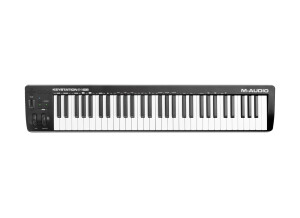
    I used M-audio Keyrig 49 with cubase 5 in a Windows 7 PC. The Keyboard has velocity sensitive keys. I personally like this keys for playing synth instruments rapidly. It has no advanced function buttons. It has one slider, octave buttons. No faders, transport controls, knobs & pads. But it will suit for basic MIDI recording and editing. Only one disadvantage is the modulation and pitch bend wheel are sticky rubbery materials. Generally It is suitable for beginners as well as for advanced users.

  • « Excellent product »

    The transport panel, and the illuminated key pads, since they help you to know, at a glance, what choices have you made. Usb and Midi connections, pedal (sust) and power line. UTILIZATION Very very easy to install. and start to using it. The only issue I had was with the software i downloaded for the Cubase. They had a Cubase 7 edition and I had the 7.5. During the installation of this program, the software searches a directory of cubase 7 to "drop" the necessary dll files. Since i had no cubase 7 directory, the installation created one. As a result at the end of installation the cubase 7.5 and the keyboard was not working together. So I moved the dll files from cubase 7 directory to the cubase 7,5 and ..... "Problem solved". OVERALL OPINION Value/money: totally worth it. I tried a couple but this one was the best at this range of money. The dedicated buttons for cubase are very helpfull. Although the keys are semi-weighted i was expecting something closer to a piano touch. Of course I am completely wrong not only because initially i am a pianist so i will always searching for my piano but also because M audio saids "SEMI-Weighted"!!! Happy for my purchase? Yes, totally!

  • ejmitra25's review

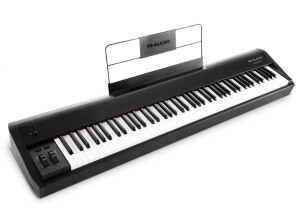
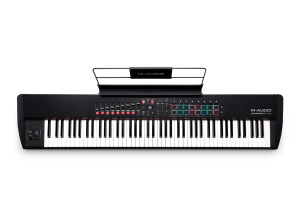
    I chose this product because of its color black grey and white it matched the color theme of my Macbookpro and my audio interface Steinberg UR44. This unit is very simple. It has 88 semi-weighted keys, which will give you more like playing an acoustic piano and it has a midi ins/out similar to other controller but i use the USB connection because the cable is much more cheaper I use the m-audio sustain (sp1) and its compatible UTILIZATION Setting this up was very simple, just plug in play. i use macbook pro ( mid 2012) 4 gig ram 2.66 quad-core running at osx 10.9.4 and it works very smoothly. my audio recording software that I use is Cubase 7 and theres no compatibility issues I didnt have time to read the manual because of its thickness. but the unit itself is a plug and play so everything will just work fine OVERALL OPINION The Cheap plastic feel of its casing irritates me. sometimes i hear crackles when i move it to one place to another. this unit might crack if you fell it accidentally. you must place it to a flat and solid flat-form for the plastic not to squick I tried Casio keyboard before but my heart is in the m-audio because of its simplicity and support and integration Pros - Natural feel of keys -cheap - for home studio use Cons - cheap plastic feel - it doesn't feel sturdy -some keys squeaks

  • JoeW1's review

    Some of the features that motivated my choice were the 49 velocity sensitive keys, the DirectLink technology that creates a quick connections to your DAW functions. There are two type of controls , both midi and pedal based. UTILIZATION The general configuration and setup is quite simple , nothing really advanced for the configuration stage , thanks to the technology that comes with this product , you get an instant connection with your working DAW trough the Direct Link feature. The manual is a saver , very easy to follow starting from the basic to the more complex. OVERALL OPINION What I like most about this product , is the great price , the powerful design by M-audio , the eight assignable knobs and nine assignable sliders, the Direct Link mode and may other cool features. You get also 6 dedicated transport controls , a bend wheel , and some dedicated track up/down buttons which take you away from your qwerty keyboard. What I don't like about it , is the lack of drum pads , if you would get at least 8 drum pads , this would be a perfect product , also another thing that I found quite disturbing , is the feeling of the keys , they feel like a toy , not really high quality. However, my opinion about the price is great , this is a very cheap product , and probably one of the best in this quality price range , you can get it for 120$. Precision and quality of the sound is very good , no issues found in this area. I've tried several midi controllers , this would be probably the easiest to work it , the faster to setup doe to its Direct Link Mode , and the cheapest , good midi controller for amateurs. Knowing what I know, I would buy this midi controller.

  • « Works »

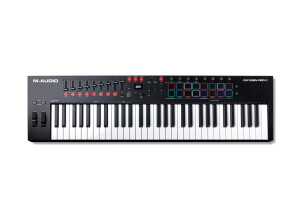
    The Midiman(now called M-Audio) Radium 61 is a 61 key, synth action keyboard with 8 knobs and 8 sliders. It is meant for amateur musicians to use as a way to input notes into their DAW of choice and play and control instruments within a DAW. It is USB powered(a nice feature, since you don't have to have another cord for the power). It has a USB port, midi in and out and sustain pedal jack on the back, though I've only ever used the USB mode. I've had no issues with the jacks or anything, and setup was pretty simple. The driver was easy to find on M-Audio's website, and the installation was quick and painless, and it worked like a charm after that. The board is of standard build quality, passable for sure but nothing outstanding. The knobs feel a little cheap, and don't turn a full 360, and the sliders are pretty awful, but I mostly bought it to put in the back of a van just to hash out arrangements on long road trips. UTILIZATION Setup was a breeze. I downloaded the legacy keyboard driver installer from M-Audio's website, installed it and was done. I just configured the DAW's I was using to utilize it, and presto! It worked! No complicated setups, missing or incompatible drivers etc. I've had no issues with it so far, regardless of whether it's plugged into a Mac, or a PC. Configuration is pretty standard for comparable Midi keyboards, as long as you have the manual you'll be just fine. OVERALL OPINION Overall this is a solid and usable product. I wouldn't tour with it, I wouldn't play a show or perform with it but it does exactly what it was made for: offering an alternative form of input from clicking in notes with a mouse in our DAW of choice. So far it has performed that function perfectly, and I have no regrets about the purchase.

  • « Cheap yet useful! »

    What features motivated my choice was the 49 keys velocity sensitive , the mod wheels , the mixer build-in , the direct link provided with the product itself. It has both type of connections , midi and pedal. UTILIZATION The general configuration and setup is fast , if your daw is compatible with the Direct Link mode provided by the M-audio series , you just connect your midi controller and you'll have it connected due to this great connection type. The manual is consistent of good information and different types of tips and tricks useful. The patch selection is very easy and fast. The general configuration and setup as I mentioned is very easy , this type of product may be even used by children , it's very straight forwarded. OVERALL OPINION What I like most about it how cheap this product is , yet however the material which is made of is consistent , looks quite good , I like how the keys feel , I like the full daw support and the Direct Link mode which is such a great feature. I like the way this midi controller is designed and that it requires a lot of space , so it's quite portable. My opinion about the value for the price is great , I really think this is probably one of the best deals you could get for such an amount of money , this product combines great features with a cheap pocket , this product can be bought on amazon for just 120 $. Precision and quality of the sound is very good , everything works as it should be on a pro level. This product is used world wide even in top studios , the only bad thing about this product is that it doesn't have a drum pad , but no worries you can use the keys as a main drum pad. Knowing what I know, I would buy this product again.

  • Azuma's review

    What features motivated my choice are those semi weighted keys , a great velocity sensitive feature , I also did like how you can totally forget about your mouse and your daw , so that way you can control the features and options trough that little blue lcd screen. The drum pad was also quite good and sensitive which worked as an mpc. This product has a midi type of connection. UTILIZATION General configuration and setup is straight forward , pretty amateur and easy to follow along. The manual provided with the program was quite good, well detailed , all the information that was relevant to the way this product works and how you can get a pretty easy understanding. The channel and patch selection was quite simple and fast , which I really like about M-audio products. The general configuration and setup didn't take a long time , this product has a direct link mode which saves a lot of time from setting up every mixer , pad , effect to your daw. OVERALL OPINION What I like most about are the keys , they feel really good , almost as real as an acoustic piano , they have a great time response , a great velocity response. I also must say that the drum pad feels very good , its material is soft and pleasant , the mod wheel is made from a nice material as well. I like that blue screened lcd , so that way the musical process goes much faster and way more fun that it usually is. I haven't had and found any errors , so I would rate precision and quality of the sound with 10/10. The price of the product is about 350$ , so this isn't a very cheap midi controller , however the design and features are awesome. Knowing what I know , without a doubt I would get this product again.

  • « Mini Keys »

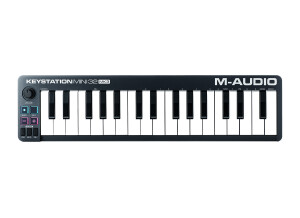
    The M Audio AIR Mini 32 is very portable, it is only 32 keys but if you need something that can go anywhere with you that is about all of the keys you will need. There are also 8 knobs and 8 pads that you can assign to whatever functions you choose them to be assigned to in your DAW. There are also dedicated transport controls and it comes with Ableton Live Lite (just in case you need a DAW and are new). I use it with Cubase, and I use it on the go. I can easily throw this into my bag and take it with me wherever my laptop goes, it is very light and you will not even notice that you have it with you. UTILIZATION I have used this on my PC computer and Macbook, either way it works great once you load up the drivers. The drivers are very stable and have not been updated yet. The keys are touch sensitive and you can really jam on them, with their only being 32 keys you will have to play your melodies separate from your bass notes because there just isn’t enough room/keys. But it is not that bad, unless you are a seasoned keyboard player and in that case you mine as well go with a full 88 key board but it will not be portable. OVERALL OPINION With this portable control being less than 100 dollars it only makes sense that it is the best choice to go with, it is the perfect size to take with you anywhere and it works great. I was also surprised that it has dedicated transport controls and gives you 8 knobs and 8 pads. I basically have my full studio with me wherever it is that I go. The keys are “mini” though, that could take some getting used to. But after you get use to using them it will not be an issue anymore.

  • « Works good, cheap feeling keys though »

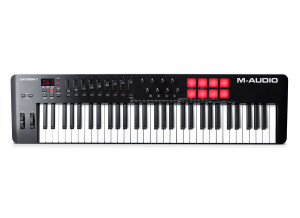
    There are 61 velocity sensitive keys on the M-Audio Oxygen 61. It has 9 sliders, transport controls and it is compatible with just about any DAW you can name. It is very affordable and well built. I have been using this MIDI controller since 2010 and I used it for about 6 months and don’t have a complaint about it. I chose to go with this MIDI controller because it had some sliders that I could assign to different options in my DAW and it was well built. At the time I wanted more than my 49 key controller so I started looking at 61 key Controllers and came across this one. It was affordable and made by M-Audio so I knew it would be well built. UTILIZATION It does come with a manual but there really isn’t a need for it unless you are having compatibility problems with a program or your computer. I used it on my Windows 7 desktop and a Windows Vista computer and it has not caused a problem. Actually on my Windows 7 machine I didn’t even have to install anything I just plugged it in and it worked automatically. OVERALL OPINION If you use the Oxygen 61 with Pro Tools then you will notice that it has some instant controls over it. Some of the sliders are pre mapped to options in Pro Tools automatically you don’t even have to do anything. You can go in and re assign things the way you want them later or if you don’t like the way they are when you get it. Also notes this with Reason, it was pre mapped to control certain aspects of Reason which I ended up mapping it the way that I wanted later down the road. The keys on the Oxygen 61 really don’t have much weight to them, but I figured that it wouldn’t since it only cost less than 200 dollars. The keys do feel like plastic and cheap but that’s what you get for this price range. If you are really into playing the keys and need weight and a good feel to the keys then do not get the Oxygen 61 you will feel helpless and it will affect your playing.

  • « great small usb keyboard »

    I was using M Audio Key Rig 25 a few years ago when I just had a little set up with my laptop. The best thing that I liked about this midi keyboard is that it synced up with my software right away. I didn’t even have to enter any information because I just used the genaric midi preset that it had built in and it worked fine. There few knobs and sliders I never used too much, but if you wanted you could synch them up to work as the hardware for some of the knobs and sliders in your program (whichever one you use. ) when you purchase M audio Key rig you will get a few pieces of software as well. I never used any of it except for audacity. For some reason M Audio’s midi keyboards come with software. The keys are pretty light and cheap, but you really cant expect to get great keys in any 25 key midi keyboard. Most of them all are like plastic, so if you are looking keys with some weight you will have to probably go with a different keyboard. The M Audio Key Rig 25 will get the job done without a doubt. The unit is pretty small and can fit on pretty much any sort of workspace you might be using it on. I was using it on just a single chair personal desk and it fit fine. I no longer use it because I purchased a board with more octaves once I really started to learn how to play. This board works great and will do exactly what you need it to do. You will have no problems loading the driver onto your system and you can get started with using it right away. Check out some of M Audio ‘s other midi keyboards as well, they make some really good ones.

  • « M-Audio Axiom 25 Red Special Edition »

    This is, um, red. Actually very red. Very, very red. Actually I think it's limited edition. It has 25 keys, eight trigger pads, eight rotary encoder knobs (the endless kind) and an LCD display. I paid about $180 smackers for this unit at Music123.com. I was looking for a seperate USB Midi controller for my rig, and this hot little unit was the right price, looked good, and had the features I was looking for. I like the look for starters. It really dresses up my rig. I also like the fact that the keys are semi-weighted which gives it a traditional feel, and the transport controls are all assignable. There are 20 memory locations as well. There's not much to like. I'm not a big fan of the included Enigma software that can be used to manage your setups, but that's just my personal preference. I guess you can't win them all. Seems pretty well built. It's a plastic housing, but it's solid. I mentioned the keys being weighted, and that helps to give it a solid feel while playing. All the knobs and rotary controls seem pretty well built like this thing could hold up to it's share of gigs. Overall, I'm pretty pleased. For the price, I guess it's not really a steal. Probably pretty fairly priced actually, but I liked the look and features and wasn't really interested in saving 20 or 30 bucks either way. I'd prefer to get what I want and be happy with it. This review was originally published on http://www.musicgearreview.com