Log in
EN
FR

Behringer MIDI Keyboard Controllers

Series

14 products found

Choose a series
Sort results
  • Popularity
  • User ratings
  • Price - low to high
  • Price - high to low
  • Used price, increasing
  • Used price, decreasing
  • Name (from A to Z)
  • Name (from Z to A)
  • Added on

The best Behringer MIDI Keyboard Controllers reviews

The reviews Audiofanzine members found the most helpful.
  • « Very good value for money »

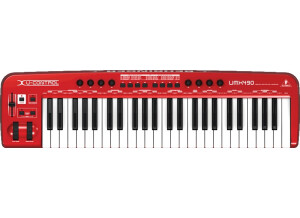
    I bought this keyboard due to the range of pretty heavy assignable keys it offers for a ridiculously low price. In terms of connections, it's a pity that it doesn't have a MIDI out. It has only one MIDI in, a pedal plug and a USB port to connect it to a PC. UTILIZATION It's a 49-keys master keyboard with rather hard keys (and it's not heavy). In my case, it replaces a Korg K49 and the keyboard annoyed me in the beginning, but you get used to it quickly and in the end it proves to be nicer than the one of the korg. The manual is pretty clear and includes a lot of diagrams. It was pretty easy to get it running on windows 7 64 bits and it works at your beck and call without the need to install anything: You plug it and wait. The built-in USB soundcard is a big plus because it allows you to reduce the latency to the minimum and it includes interesting connection possibilities: Optical output, headphones output, RCA input/output. OVERALL OPINION I've been using it for some hours and having tested several models in the same price range, I think it's an excellent choice for people starting out or to replace a K49 because it's cheaper and offers many more functions. The pros: -Built-in audio interface -Good value for money -Pretty heavy assignable keys and knobs - Design The cons: -Weight -The korg k49 comes with more bundled software -No midi output

  • webstersays's review

    I got this controller because I wanted a second MIDI input device that would have a few other bells and whistles. You can connect with USB since it has a built in interface. You can also go the traditional way and just connect it with MIDI cables. It has input for a foot switch, power switch on back as well as plug for an AC adapter, and it also can be battery operated if you want to use this live which is a handy feature. UTILIZATION The action on this keyboard is not really great. It is very, very bouncy, and so it is very hard to get a good capture of different velocities. You really kind of have to learn its velocity curve and play to the keyboard instead of playing to the material, which is a pain. Setup of this controller is very easy though - you just load up the driver and plug it in with USB or MIDI. Mine worked straight away on windows XP and Cubase. The manual is not very in depth, but it is sufficient to get you started well enough. OVERALL OPINION I have been using this for about a year now. My favorite thing about this keyboard is the low price - it is hard to beat this in terms of value. The mod and pitch wheels work very well, and the assignable pots and output fader are really nice to have. It's only 49 keys, but you can easily change which octaves of a normal 88 key piano are represented with buttons on the front panel. The ease of connectivity is also a big plus with this controller. On the downside, the action is very poor and not realistic at all. You will need to take some time to get used to the velocity curve before you get any dynamically sensible results from playing this keyboard. If you just need a basic MIDI input device with a few extra bells and whistles at a very low price, this will definitely suit you. I would probably buy it again considering it's just a backup for me, but I wouldn't want to use it as a primary MIDI keyboard.