Log in
EN
FR

Behringer Computer Music

77 products found

Categories
Series
Filter
Sort by
Behringer
Evaluation
  • Reviewed or not
  • Editor’s award
  • Reviewed by Audiofanzine
Availability
  • Available or not
  • Sold new or used
  • Sold new
  • Sold used
Must-have products
  • All products
  • Flagship products
  • Best rated products
  • Hot products
  • Popular products
Price
  • Freeware
  • Low-cost (< $60)
  • Mid-range ($60 - $150)
  • Premium (> $150)
€
Clear
Sort by
  • Popularity
  • User ratings
  • Price - low to high
  • Price - high to low
  • Used price, increasing
  • Used price, decreasing
  • Name (from A to Z)
  • Name (from Z to A)
  • Added on
Sort results
  • Popularity
  • User ratings
  • Price - low to high
  • Price - high to low
  • Used price, increasing
  • Used price, decreasing
  • Name (from A to Z)
  • Name (from Z to A)
  • Added on
Filter results 77 results found
Brands
Evaluation
Availability
Must-have products
Price
  • Freeware
  • Low-cost (< $60)
  • Mid-range ($60 - $150)
  • Premium (> $150)
Show results

The best Behringer Computer Music reviews

The reviews Audiofanzine members found the most helpful.
  • « May not be pro quality, but great for begtinner - better than UM2 for just a couple of quids more. »

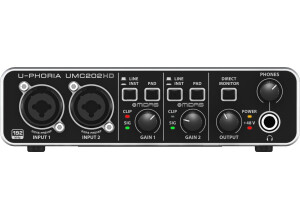
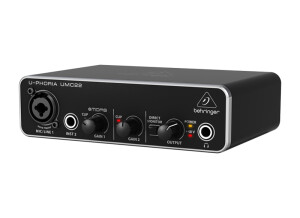
    Use this on top of my Dell Optiplex 360, have my Neewer 1500 (£18) at Input 1 (XLR powered) and my Tanglewood Jetstream guitar through a Zoom G1on going to Input 2. Really happy with the quality of the sound - its years (30) since I did any home recording and this setup is far better than I expected. Seems very stable - as in I've not foumd anything unstable at all. I've been able to get latency at ~5ms. Is that good? I can work with it anyway. Currently have the outputs going to desktop speakers and using it as a sounds card as well, have switched off the internal soundcard. Saving up for proper monitors!

  • « fully customizable »

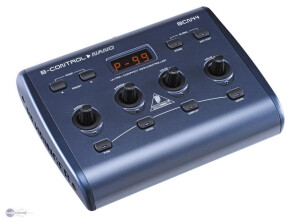
    I have been using the B Control Rotary BCR2000 in Cubase and even in Logic on my Mac for a long time now. The control surface of the BCR2000 gave me complete control over all of my virtual synths that I was using. This unit is so well made it actually feels like knobs that are on some expensive Motif or Fantom keyboards. You can have 4 groups and 32 presets with each group. It can be connected to your computer through USB or through standard MIDI connections. Using the BCR2000 will change the way your workflow is without a problem. It will take some time to fully remember how you have everything set up if you choose to save it as a preset, because there really are not any labels or any places to put labels so you can remember. There are blank spaces so you can write in your own labels that you may want but I just don’t like that because it can get sloppy if you want to move things around or change things up after time using a pen then having to scratch out words and write more. The unit has a good weight to it, it does not feel cheap or plastic like. It does also come with a power connection to a wall outlet. Using it with Reason was probably the easiest to set it up with and start using it. Cubase took a little more work and so did Logic. It also runs great in Ableton Live and Sonar. It is very versatile and can be used to control anything you want. As long as you are using Windows XP or higher then it will work with your system. If you do need some new drivers you can easily download them from Behringer’s website and you can also get all of the support you need. This unit is also backed by a factory warranty as long as the damage is not your fault they will fix it or give you a new one.

  • « Hard to program, but powerful »

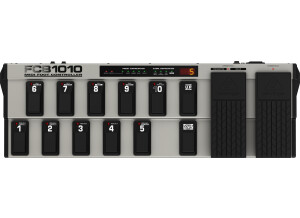
    The Behringer FSB1010 is a Midi Floorboard that can fulfill anyone's midi footswitch needs. With 10 banks of 10 customizable presets each, two expression pedals will customizable midi channel, control, and range, two programmable external relay switches, midi in, midi out, and midi through, this footswitch is very midi powerful! For each preset, you can program 5 different program changes (on 5 different channels), 2 control changes, 2 expressions, and a direct midi note output. You can also set the two external switches on and off; these are perfect for controlling amp channels, such as on Mesa Boogie guitar amplifiers. The hardest part is going through the manual to figure out how to program the unit; it can get very confusing, very fast! Behringer always makes budget, affordable items, and this item is no different. Functionally, it is great, but it is obvious that the ease of programming the unit suffers from cheap development. You have to know your midi very well, which is usually the case anyways with most midi applications. There are lights on each of the pedals, which helps decipher how the preset is programmed (while in the edit more), so that can be helpful. Depending on what version the software is on the FB1010, some of the system features are different. For example, the newer software has an easier, faster way to recalibrate the expression pedals. On the older software, you have to run though an entire diagnostics test, which includes checking the function of all the pedals. I've used this pedal for multiple bands, multiple applications, and although I haven't used it in years, I keep it around, because one day I'm sure I'll need it again. Whether you simply need to change channels, or it you want to use the expressions, or just play some midi notes, you can't go wrong with this midi floorboard. Just don't expect it to be easy to program.

  • ShyneBeats's review

    It has the essential features like volume control, pan knob, etc. It's pretty cool for a cheap MIDI Controller. UTILIZATION Yes to all questions! - Behringer did a good job on this points! thumbs up! OVERALL OPINION It's pretty simple &amp; very easy to use. No complicated installation required. The price is okay, it could be cheaper, for the fact that its so simple, but it's "okay". <img class="smiley" src="/images/audiofanzine/interface/smileys/icon_mrgreen.gif" alt="mrgreen" /> The quality is pretty much like any other MIDI Controller. It's actually my first MIDI Controller. I don't think i would make the same choice. - I would rather get a m-audio one.

  • FP User's review

    Good extras, the noise gate has been espeicially useful. ADAT connectors work well. The main weakness is that it outputs a stereo mix of the inputs so if you've got more than one stereo source going in you can't record them seperately. You can get passed this by hooking something up to the ADAT in. Price paid: £150 UTILIZATION Compared to the Pro Control 24 about as easy as opening your eyes. GETTING STARTED Sound quiality is good for the price, balanced cables are must for connecting your monitors as allways. Behringer IMP's (yeah I had to look it up to, apparently stands for Invisible Mike Pre-amp)are acctually very impressive. I used a Rhode NT1a through them and got very uncoloured tone. OVERALL OPINION It is well built but wouldn't withstand constant abuse. I thought mine was faulty because the back panel was live but apparently it earths throught the USB cable, weird. I love this thing because it works. It does exactly what it does on the tin for a killer price. Theirs a lot to be said for that. Originally posted on FutureProducers.com Posted by: bgold ( 5-, 2005)

  • « A must for exploring new tones and rediscovering your instruments »

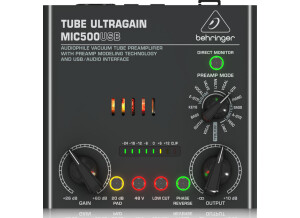
    The Behringer MIC500USB is a compact tube preamp that also doubles as a USB interface. It delivers warm, analog character at a very reasonable price. I love it, even if it can occasionally produce a bit of noise. That said, swapping out the stock Ruby tube for a Brimar 12AT7 changed everything: the noise disappeared, and the sound quality is unbeatable at this price point. It replaced my old ART Tube MP Studio. Both offer similar sound quality, but the MIC500USB is clearly better built internally. On the ART, changing the tube was risky—you could easily damage the board. That’s not the case here. It’s solid, reliable, and honestly, I hope to keep this little gem forever. What I like: • Super easy to use—just plug and play • Very versatile, both in terms of sound and connectivity • Low noise floor, easily cleaned up with basic tools like Audacity • Better internal build than the ART Tube MP Studio What I would have loved: • A stereo version would be more than welcome!

  • « A fun bit of kit »

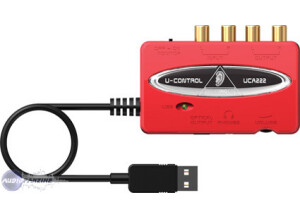
    I was looking for something portable but functional. I'm mainly a guitar player so I didn't want to spend a fortune on a controller - so I was looking at the entry level market but still with enough features and functions that it was usable as a composition tool and controller. The fully assignable knobs and 25 keys were the main technical features, and the knobs work really well. The keys are pretty average I guess, but it's definitely a step up from my laptop keyboard. The other characteristic that motivated my choice was the size. It's very light and so is good for me as I am currently abroad. I was able to take it abroad with me and take it around so I can still work on music whilst away from home. The unit connects to my laptop via USB and is also USB powered (so no extra power source required). The midi functionality works via the USB and the unit also functions as an audio interface, so that meant there was one less thing to bring (in theory). The audio interface itself is not great. I find the sound distorts so I use a separate audio interface, which I already had (and was about three times the price of this unit). So that is something to bear in mind - if you're buying this and expecting to be able to monitor the sound via this unit you may want to think again. I still think for the price this is a good unit though. UTILIZATION This is a simple USB powered, plug in a play midi controller. All of the knobs are fully assignable so you can set each knob to a parameter on your DAW. This is great for controling effects in real time and it's amazing what you can come up with just by playing around with this. You also have controls to control playback and record, which is very handy. Also included are some CDs with a free DAW and a heap of VST plug ins. I use Logic so I haven't used these but if you're using this device as an entry level controller and don't have a DAW it could be a good entry level choice (although Logic is so cheap now I would probably recommend you save another couple of hundred bucks). If you have even a basic understanding of using controllers this should be a very simple unit to setup and operate. OVERALL OPINION What I like about this is the ease and simplicity of use. I just plug in and play. I can easily control effects in real time. Recording is very easy. The keys although average are adequete for what I am doing. The unit is light and feels a bit cheap but I am not taking this out live and it gets looked after. No damage so far. I also like the bright red finish. It looks really cool and because it is light it feels like you can throw it around and have fun with it. It feels like a toy so whatever I do with it feels like fun, whereas if I'd bought a more expensive unit I maybe would feel like I'd have to make more serious music. It also comes with a carry case so there is some protection if you do decide to use it live. I guess again you can go out and gig with this unit with a lot less stress than if you're carting an expensive Nord or something around with you. I think for the price this is a great controller. It's simple to use, it looks cool, it's light and you can use it anywhere. If this is your main instrument maybe get something a bit more professional, but if it's an extra bit of kit for your arsenal then I think it's a lot of fun.

  • « My first podcast »

    If you are looking for a Podcast Kit then the Behringer Podcastudio FireWire is just what you need. I have been using it for a while now and though about upgrading to something better several times but I keep telling my self why. If its working great and it’s a good quality and hasn’t failed me yet so I have no reason to want to move on and upgrade. I have tried a few other pod casting packages from local stores most of them are cheap and didn’t sound to good. I am happy I chose to purchase this kit, I did it without any knowledge on this type of stuff and pod casting was new to me. The sounds is great and everything is really easy to set up I looked at the instructions and manual for a few mins . Probably less than 5 minutes and I was able to understand just about everything. I started my first pod cast almost immediately and was broadcasting it in now time. I have recommended this to a friend and now he has it and has been using it for a while now. The mixing console that comes with it doesn’t seem to well built though, so I wouldn’t plan on something not breaking off it you drop it. So you will have to make sure you take care of it. The mic sounds good enough to record your pod cast or any type of look show you may have. Don’t try to use the mic to record instruments or singing vocals or anything like that because it will sound horrible. For the price you will love what you get with the Behringer Podcastudio Fire Wire kit. If something every happens to mine, I will go out and buy this exact same kit in a heartbeat.

  • « perfect for my show »

    The Behringer Podcastudio USB is package that you really need to have if you are audio blogging or pod casting from home. I have been using this for years and run a little online sports talk radio station with it. It has far exceeded my expectations and is everything I needed. I had no idea what I really needed to get started with this type of stuff because it was my first time running a talk blog from my computer. So I thought that I would do it with a regular mic but for some reason I went out and bought this package and I am 100 percent happy with my decision to go with the Behringer Podcastudio. All of my listeners really say that everything sounds great compared to what I was using before I got this. So I think by having the podcastudio it brought me some more listeners because of how good the quality actually was. I purchased this for 89 dollars from a seller on eBay and it was brand new. I think retail its around 100 dollars so I got a 10 dollar discount and im very happy . The little interface that comes with it is one that Behringer also sells stand alone. Which is one of the reason that I purchased this package because I already had the interface by behringer and it works great so I knew for a fact that I can trust Behringer to put out a Podcasting system that would work great. You will love the Behringer Pod cast studio I suggest you get this for the cheap price that it is and don’t waste your time buying everything separate like I was going to. I would have ended up paying way more money than 89 dollars if I would have did it that way.

  • « Behringer BCF2000 »

    The BCF is a usb powered motorized 8 fader control surface retailing for under $200. It has 2 buttons per channel along wit a endless rotary knobs. The BCF2000 comes logic, mackie, and hui control built in and can be programmed to control and midi capable feature in your selected software. I wanted a control surface to help control Logic and Pro Tools and 8 motorized faders for under $200 is hard not to look at. I purchased this control from Musiciansfriend for $179. After doing some research this control surface got pretty good reviews. This control surface is really bang for your buck. Motorized fader for under $200 you will not find anywhere else. Expect to pay at least $900 one. Fader responsiveness is good enough to use. Once set up it will take some time to learn since functions aren't listed on the controller, but once you learn them this can speed up your work flow. The size of this controller is good. its 13x11 so it won't take up a lot of room on your desk. Other control surfaces like the mackie and alesis I find rather large. My biggest complaint is there in no led screens to see which track you have selected in pro tools, in logic this is not a problem because one of the buttons highlights to show selected track. Also this was an absolute pain to get working with Pro Tools. Had to do a lot of downloading extra software and configuring. Once it was set up it was fine though. My biggest second complaint is that the faders are rather noisy. Hearing the motor move the faders is annoying, especially when playing back a mix. Buttons are not labeled so you have to memorize or print out the layout of what buttons do what in what DAW. Buttons are a little too clicky for me. While recording my podcast I always have to go back and edit out the clearly audible click the control surface makes when I'm punching in. If your recording someone not in the same room with you than you will be ok. Behringer is not known for their build quality but the build quality on the BCF2000 is better than it seems. At appearance it looks all plastic but holding it in person it has some weight and mass to it. All buttons are hard plastic. Despite the buttons being loud and clicky, loud motorized faders, no led screen showing tracks, and no button layout on the control surface, I still have to give this product a perfect 5. Reason is all those cons can be overlooked because of the price point. Again 8 motorized faders for $179 is a unbeatable deal. If this cost the price of normal 8 fader control surfaces I never would of even considered it. so if you are looking for an inexpensive control surface with 8 motorized faders your only option is the BCF2000, and its not a bad option to be stuck with. This review was originally published on http://www.musicgearreview.com

  • « Worth the rack space »

    The Behringer Firepower FCA1616 has 16 inputs and or outputs plus a midi hook up for us on the digital level. In my opinion this is a high quality audio interface. It has 96 Khz resolution as well. It comes with a power supply not too sure if power can be supplied to it from something other than the AC adapter though. But In my time using it I didn’t find another way to provide power to it. So rack it up, it has plenty of ins and outs for your set up and only takes up 1 rack space. So no more having to worry about your rack space being limited with this and still have plenty of ins and outs. UTILIZATION During the time I was testing this interface after seeing it at a few music conferences and showcases, which was less than a year ago I did not see any issues with the drivers. The drivers are stable, I never used or needed a manual, everything is pretty much right in front of you and if you have used interfaces before you will have no problems with this one. Unless you are having problems in your DAW , but your DAW manual could probably work you through them. GETTING STARTED I had no compatibility issues , synced right up with the daw and we were able to start using right away which is what I like. I hate manuals and difficulties , I like plug and play and that’s what this is. OVERALL OPINION Overall, its great, good sound quality and has enough outs and ins for your session. The price for this will be a pretty standard price (well that’s what they are saying) the release date isn’t set yet, but we know it will be later this year. Behringer has provided a quality product here. Much better than some of the other cheaper interfaces they have released. The FCA1616 should be a big hit when they release it! Get your hands on it!

  • « Very good value for money »

    The keyboard is very simple, it has some knobs, two modulation wheels and pads. The connection is via USB, no midi out. It's a 4-octave keyboard, and it's hard to get one for the price, so I bought it. UTILIZATION The keyboard itself is not an example of fidelity, but you get used to it pretty fast, it's not unpleasant at all. The general setup is pretty easy and most of the time it's just plug & play with computer music software, there's no need to reassign the knobs, it's taken care of directly. OVERALL OPINION I've been using this keyboard for about a year and I didn't try any others before. The particularity of this keyboard, its 49 keys, may discourage mobile users, but it is also perfect for a home studio. I think this is the first time I'm not disappointed with Behringer, it's perfect in terms of value for money, and if I ever have to get another one (at the same price point), it would be this one without a doubt. FYI, Missill, the artist, uses one live!