Log in
EN
FR

Avid Computer Music

116 products found

Categories
Series
Filter
Sort by
Avid
Evaluation
  • Reviewed or not
  • Editor’s award
  • Reviewed by Audiofanzine
Availability
  • Available or not
  • Sold new or used
  • Sold new
  • Sold used
Must-have products
  • All products
  • Flagship products
  • Best rated products
  • Hot products
  • Popular products
Price
  • Freeware
  • Low-cost (< $450)
  • Mid-range ($450 - $1,000)
  • Premium (> $1,000)
€
Clear
Sort by
  • Popularity
  • User ratings
  • Price - low to high
  • Price - high to low
  • Used price, increasing
  • Used price, decreasing
  • Name (from A to Z)
  • Name (from Z to A)
  • Added on
Sort results
  • Popularity
  • User ratings
  • Price - low to high
  • Price - high to low
  • Used price, increasing
  • Used price, decreasing
  • Name (from A to Z)
  • Name (from Z to A)
  • Added on
Filter results 116 results found
Brands
Evaluation
Availability
Must-have products
Price
  • Freeware
  • Low-cost (< $450)
  • Mid-range ($450 - $1,000)
  • Premium (> $1,000)
Show results

The best Avid Computer Music reviews

The reviews Audiofanzine members found the most helpful.
  • « Finally, 64 bits »

    Hassle-free installation on my PC running Win7 64 bits (obviously). The most complicated part is transferring the license to the iLock lol No incompatibilities with my pc nor soundcard (Motu 828mk3 Hybrid). The only 2 plug-ins not recognized are RTAS. I must update them to AAX. SUITABILITY/PERFORMANCE - Intel Core I5 - Gygabite motherboard - 16gb ram DDR3 - System drive: 120gb ssd - Audio drives: 2x1Tb sata3 7200rpm in raid1 - Sound card: Motu 828mk3 Hybrid via usb2 Pro Tools works perfectly well except for the fact that, on pc, you have to close it to change the buffer size of the Motu, while on my Macbook I can do it directly from within PT. OVERALL OPINION Version 11 is really fresh but I've been using PT10 for a year and I'm very satisfied with it. I switched to 11 because I can FINALLY work at 64bits and do offline bounces, which is faster if you don't use any hardware during mixdown. There are other details worth noting, like the new keyboard shortcuts or double-clicking on the Mix window to add a new track. However, as I said before, there's the drawback that you need to close PT to change the buffer size of the soundcard when working on a PC, but not on a Mac. I disapprove AVID's commercial policy of offering a somewhat limited software, which is nevertheless enough for small setups, and also forces you to buy AVID interfaces for several thousand dollars to upgrade to the HD version. Especially if you consider that surround mixing is offered by default on all competitor software programs.

  • « Just a notation software. »

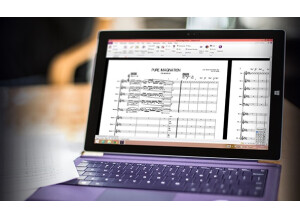
    One of the first things to notice, it's that the program will take some time to install it (it requires a minimum of 40 gigabytes free space) and make sure that you have a better hardware than the one specified on the minimum requirements section, otherwise it will either crash or freeze quite often. I've only used it under Windows 7 and no compatibility mode was required. The audio configuration could be a little tricky, since the manual it's a little hard to understand if you're new with this type of software, so as the MIDI configuration. Tutorials a little hard to follow, so basically you have to learn on the go. SUITABILITY/PERFORMANCE As regards the performance, it's pretty good, but it needs some improvement. I've been using it for a couple of years and showed a few crashes and freezing, but mainly because I've been trying other MIDI programs at the same time. As long as you use it alone with no other programs running, you shouldn't have any problems of stability. At the beginning caused me trouble when I was trying to setup my external audio card, since it didn't want to recognize it, so that needs to be improved as well. As regards the MIDI controller, it works like a charm. Unlike other MIDI notation software, NEVER use it for live playing/performance, not due to stability problems, but it may stop recognizing the external audio card on the go (like happened to me a few times) and you'll spend some time in order to get it working again. OVERALL OPINION First of all, if you're looking for a program that will replace a real orchestra, you're looking at the wrong place.If you are new to this type of software, I'll suggest you trying a simpler one first. Sibelius 7 is a really good notation software, specially designed for orchetral composition, but one of the major turn-down's is the quality of the samples, specially due to the price of the software. Of course, there are certain turn-arounds that will let you play the composition with a better quality and more realistic sound, but don't expect any miracles, since the human-like instrument play it's still really hard to achieve by any computer software. Maybe it's a little expensive for what it really offers, but certainly it's a great option for the serious composer who looks for a preview-like of the sound of his/her composition.

  • Azuma's review

    The program works on any platform either Windows XP, Windows Seven or MAC OS , so I haven't had any kind of compatibility issues. The manual included with the DAw is great , Avid made a great book explaining how the program works , how it's made and the usual functions and basics of it. The typical functions are easy to spot trough a great designed interface with a lot of chapters and topics to choose from. The common installation of the system requires a while, but except for that, it's primary and very straight-forwarding. SUITABILITY/PERFORMANCE The application performs very constant and Pro , as you would expect from Avid. The gear is extremely stable and it works without any problems or errors. I'm getting high performances with this Daw , mainly because of how powerful are the build in processes , how advanced are the synths , how good the piano roll is and many other cool features. OVERALL OPINION What I like most about it, It's the stability of the daw and the excellent interface offered by Avid. I like the piano roll window , I like the notation windows a lot , this Daw feels more like you make music than others do. Without a question, one of the most high-quality Daw's that I ever experienced and the perfection and deficiency of any crashes makes it better. I tried many and many Daw's but Pro tools designed by Avid is something quite new even now, the excellent build-in results, those elegant converters , high-quality reverbs, and many other functions make this one of the most used Daw in our time. After getting to know the system quite detailed, I would make the same choice and purchase Pro Tools by Avid, basically because of the interface , stability , power and great notation tools.

  • « difficulties when using with other programs »

    The Avid MBox Mini 3 is a 4 channel USB interface that has 2 built in mic preamps. It comes with Pro Tools software, but it is the express version and not the full version of Pro Tools. You can purchase the Avid MBox 3 Mini for 375 dollars which is a very fair price because you not only get a great interface but you get the basic/express version of Pro Tools as well, which is great because it will give you a great foundation for learning Pro Tools so that when you get into a big studio or upgrade your set up and get the full version of Pro Tools you will already have some understanding of it. UTILIZATION The interface is very simple to install, and because it is built around Pro Tools it will work great with it. You can however, use this interface with other software programs and different DAW applications but they may make you jump through some loops to get it to work properly. I had a heck of a time trying to get this MBox Mini 3 to work with Sonar. GETTING STARTED You can record simultaneously 4 channels at a time, and as a bonus this interface does have a guitar tuner built in to it. When you purchase Avid MBox Mini 3 it will tell you how easy it is to set up in Logic, Live, Cubase and others but to me in my experience that is not the case. It does take more effort and understand how to get this interface to work with these programs. OVERALL OPINION The interface is very well built, I would not say it is very portable though because it was bigger than expected. It does have MIDI in and out as well as Phantom Power. This unit cannot be racked nor is it portable which caused some issues for us.