Log in
EN
FR

Universal Audio Computer Music

324 products found

Categories
Series
Filter
Sort by
Universal Audio
Evaluation
  • Reviewed or not
  • Editor’s award
  • Reviewed by Audiofanzine
Availability
  • Available or not
  • Sold new or used
  • Sold new
  • Sold used
Must-have products
  • All products
  • Flagship products
  • Best rated products
  • Hot products
  • Popular products
Price
  • Freeware
  • Low-cost (< $450)
  • Mid-range ($450 - $1,500)
  • Premium (> $1,500)
€
Clear
Sort by
  • Popularity
  • User ratings
  • Price - low to high
  • Price - high to low
  • Used price, increasing
  • Used price, decreasing
  • Name (from A to Z)
  • Name (from Z to A)
  • Added on
Choose a category
Selected category: Computer Music
Sort results
  • Popularity
  • User ratings
  • Price - low to high
  • Price - high to low
  • Used price, increasing
  • Used price, decreasing
  • Name (from A to Z)
  • Name (from Z to A)
  • Added on
Filter results 324 results found
Brands
Evaluation
Availability
Must-have products
Price
  • Freeware
  • Low-cost (< $450)
  • Mid-range ($450 - $1,500)
  • Premium (> $1,500)
Show results

The best Universal Audio Computer Music reviews

The reviews Audiofanzine members found the most helpful.
  • « Getting it soon for sure »

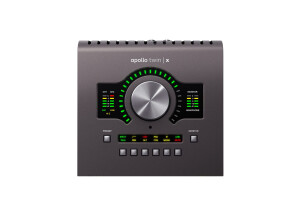
    The Universal Audio Apollo Quad Interface is what is used at the main studio that we go to when we are ready to do some final recordings. We have used this interface over 20 times now and we love everything about it. It has 8 channels that are analog to digital. On board mixing in real-time and 8 line outputs. The Apollo Quad Interface as kind of been hour workhorse do it all interface. We get our best and most crisp sound when we use it that is why it is only done for our final recordings. With the Apollo Quad interface you are getting 18x24 FireWire, and all of the processing is done in real time. It has up to 4 microphone inputs and it supports sample rates of 44.1, 88.2, 96, 192. The latency is undetectable with the Apollo Quad Interface. It includes 10 digital inputs on top of the microphone ins. UTILIZATION This unit is very expensive, we are currently saving up for our personal studio to own this device because we like it in the studio that much. We will be getting one soon, we just recently started using it and wish we had more time with it but studio time is expensive. It does require phantom power. The bits per sample are 24 if I remember correctly. GETTING STARTED Depending on what microphones you use with it will really depend on the final sound that gets recorded. Higher end microphones will give you a crisper sound, and cheaper microphones.. Well you mine as well not even use a cheap microphone with the Apollo Quad interface because no interface can make a poor microphone sound good. OVERALL OPINION We did not install the Universal Audio Apollo Quad Interface since it is not ours, but after talking with the engineer in the studio and owner they assured us that it was extremely easy and effortless. With a price tag of 2500 bucks it is worth it without a doubt. This is the first and only interface from Apollo that we have used consistently and it is now our favorite one! Any one who can afford to have this in there home studio is truly blessed. Buy it!

  • « A Must Have »

    As always, make sure that you've got the right version software that is compatible with your OS and whatever recording/audio software that you've got and your installation should be golden! The EQP-1A is fairly self explanitory, so you should have no difficulty becoming familiar with it. SUITABILITY/PERFORMANCE I've been using the EQP-1A for about 7 years and I have to say that the EQP-1A and it brothers, the MEQ-5 and the EQH, are simply some of the best emulated hardware plug-ins that you could possibly buy. Performance and Compatability-wise you shouldn't have any problems. This family of EQ's are very minimal CPU hogs and can really be essential in your arsenal once you become comfortable with them. The EQP-1A really shines when used as a plug-in in a mastering session. The 'P' in EQP stands for program. It should be inferred that that implies that it's intended use is for material that is already "mixed". Of course, that shouldn't scare you away from trying this guy out on other things. Just try this plug-in on an overhead track sometime.However, I strongly suggest that you employ this plug-in in your mastering sessions. That is what it was designed for, trust me you will love it. Strangely, the EQP-1A, and it's counterparts, behaves differently depending on the source input. For example, if you throw something with REALLY prominent high end, then the treble section of the plug-in will respond differently than it would if you input something REALLY bass-heavy. The opposite is true as well. Another odd fact about the EQP-1A, is this: The low end boost and cut knobs can actually be used simultaniously. You may initially think, "OK, so I can boost or cut some frequency in the low end, no big deal." You would be correct, but, if use boost and cut together, and this means simultaniously boosting and cutting the same frequency, what ends up happening is that you can alter the phase relationship of that particular range of frequencies. It may sound strange but, try using that technique to really tighten up a bassline and kick drum during mastering. I promise that the results will tell the tale. Yet again, strangely, the high end sction of this EQ does not operate on the same principle. It does however, regardless of the "Q" knob setting, have a slightly different "Q" between the boost and cut settings. You may have a 5K cut and a 5K boost but the phase relationship will remain unaffecred, but the difference in "Q" width will alter the sound in unusual and quite often pleasing ways. If you really want to get the most out of this plug-in, do yourself a favor and purchase a good real-time spectrum analyzer so that you can SEE just how subtle and incredibly awesome the EQP-1A really is. OVERALL OPINION The EQP-1A is an absolute must have if you are creating your own masters. It's versatility when used on other, single instruments(specifically strings), is amazing. You really cannot go wrong by buying the EQP-1A.

  • « What the BBE never could've done... »

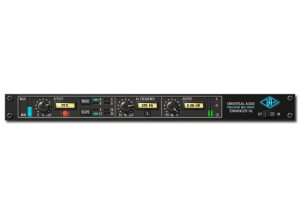
    Typical U-Audio, everything is spot on. SUITABILITY/PERFORMANCE See above. OVERALL OPINION The Precision Enhancer Hz allows the user to selectively add upper harmonics to bass fundamentals, sometimes referred to as “phantom bass.” This signifi- cantly enhances the perception of low-end energy beyond the conventional frequency response of small speakers. These harmonics stimulate a psychoa- coustic bass-enhancing effect in the listener, giving even the smallest speakers greater translation of low frequency sources. Universal Audio’s unique ap- proach to this common problem combines a simple control set that yields ex- acting results with minimal adjustment and allows the widest range of tonality available in its class, from subtle to decidedly audible. The Hz Frequency control sets the corner frequency of the bass-isolation low pass filter, while Effect blends the generated signal into the original signal. Four effect slopes are available for variations in harmonic density, while five modes present various internal control configurations to support the widest ar- ray of source material. Finally, the Precision Enhancer Hz includes control over the final output with metering to compensate for gain changes created by the effect. Precision Enhancer Hz does for low frequencies what Precision Enhancer kHz does for the highs. Together, they are a great complementary pair. The Precision Enhancer Hz effect can serve multiple purposes. When the fre- quency control is set low, the effect extends into the audible low end. Lower frequencies work well for adding a low end thump or beefing up percussive bass/kicks, but be careful not to overdo it. With the frequency control set to mid to higher frequencies, the effect is designed to add bass tone that would ordinarily disappear on smaller speakers. For the most predictable results, it is recommended to audition your mix on both full range systems with a subwoofer, as well as small consumer systems such as a boombox or computer speakers. A different effect response will be achieved when the plug-in is used pre- compression. It is recommended to experiment with processing order as re- sults can vary substantially.

  • « Simple yet effective »

    Typical U-Audio everything works perfect. SUITABILITY/PERFORMANCE See above. OVERALL OPINION The Precision Buss Compressor is a dual-VCA-type dynamic processor that yields modern, transparent gain reduction characteristics. It is specifically designed to “glue” mix elements together for that cohesive and polished sound typical of master section console compressors. A flexible and intuitive tool, the Precision Buss Compressor is intended primarily for controlling the final output of your mix, but can be usefully applied to a variety of sources from drum busses or overheads to vocal groups, or even as a channel compressor on individual track inserts. The Precision Buss Compressor’s control set features Threshold, Ratio, Attack and Release, with all parameters specifically tailored to buss compressor usage. The Release control includes a multi-stage Auto Release also designed for a wide variety of program material. Input and Output Gain control is offered with metering for input, output and gain reduction. A high pass Filter is offered for the internal control signal sidechain to reduce the sensitivity of the compression to lower frequencies while retaining them in the output sig- nal. An automatic Fade feature is included, which allows the user to set a cus- tom fade-out or fade-in of the mix between 1 and 60 seconds long. Rounding out the feature set is a Mix control that allows the user to achieve “parallel” style dynamics control, without the need for a second buss or channel. When Ratio is changed, the Threshold value is updated accordingly: When Ratio is set to 2:1, the Threshold range is –55 dB to 0 dB. When Ratio is set to 4:1, the Threshold range is –45 dB to +10 dB. When Ratio is set to 10:1, the Threshold range is –40 dB to +15 dB. Slower release times can smooth the transition that occurs when the signal dips below the threshold, especially useful for material with frequent peaks. However, if you set too large of a Release time, compression for sections of audio with loud signals may extend to lengthy sections of audio with lower signals.

  • « A Moogerfooger as a plug-in »

    U-Audio perfection! SUITABILITY/PERFORMANCE Nothing bad can be said about U-Audio on any of this. OVERALL OPINION If UA were able to conceive a product with Moog, what would it be? The answer is revealed in the new UAD Moog Multimode Filter, which delivers the first truly analog-sounding VCF (voltage controlled filter) emulation made for mixing, performing, creating, or destroying. The Moog Multimode Filter is a ‘digital-only’ tabletop filter set that combines the best of Bob Moog’s classic designs with select features from his final Voyager instrument. UA modeled the analog behavior of the historical 4-pole ladder filter conceived by the world’s most recognizable electronic instrument maker right down to the self-oscillation, saturation and non-linearities of its analog counterpart. As the name suggests, the heart of the Moog Multimode Filter is the switchable Low- pass, Highpass and Bandpass filter that allows Moog’s signature self-oscilla- tion and extreme resonance in any of the three modes, bringing a new level of sophistication to Moog filter designs of the past. The Moog Filter is true stereo, with separate filters for the left and right chan- nels. The dual filters share the same controls. The only time the left and right filters diverge is when Filter Spacing or LFO Offset are not zero. Drive controls the amount of saturation gain before the filter. Drive is where much of the sonic “juice” in the UAD Moog Fil- ter originates. Drive can change the signal from clean to slightly overdriven to extremely distorted, particularly when used in conjunction with the Boost switch The non-linear modeling of Drive characteristics is extremely DSP-intensive. For this reason, Drive is not available on the SE version of UAD Moog Filter. In UAD Moog Filter SE, the parameter is named Gain instead of Drive, and is a straight (non-modeled) input gain control. The range of Drive/Gain is 0 to +40 dB of gain. Drive/Gain affects both the wet and dry signals (the control is heard when Mix is zero and/or when Bypass is engaged). This gain range closely mimics the external input section of the Minimoog. The Envelope controls (Envelope knob, Smooth/Fast switch) closely mimic the controls of the MF-101 Moogerfooger. However, UA has broadened the sonic palette with a negative range allowing unique negative envelope effects. The cutoff frequency of UAD Moog Filter can be modulated by the amplitude of the signal coming into the plug-in. This function is typically called an “en- velope follower” or “auto wah” because the cutoff frequency “follows” the signal input level. The amount and speed of the envelope response can be ad- justed. The envelope knob determines how much the filter cutoff frequency is affected by the signal input level. Positive and negative values are possible. Positive values increase the filter cutoff as the input amplitude increases (the filter opens as the signal gets louder). Negative values decrease the filter cutoff as input amplitude increases (the filter closes as the signal gets louder). The greater the value (either positive or negative), the greater the amount of filter modulation (the cutoff frequency range is increased with greater values).

  • « Super useful... »

    Can't fault U-Audio on any of this. SUITABILITY/PERFORMANCE They got their stuff together very solidly. OVERALL OPINION The Universal Audio Precision EqualizerTM is a stereo or dual-mono four band EQ and high-pass filter designed primarily for mastering program material. The Precision Equalizer may also be used in recording and mixing where the utmost in EQ quality is required. The Precision Equalizer is based on industry standard analog mastering filters, and uses the classic parametric controls ar- rangement. The Precision Equalizer utilizes the best from those designs while incorporating features convenient to digital mastering. To preserve the great- est sonic detail and ensure a minimum of artifacts in the upper frequency range, the Precision Equalizer is upsampled to 192 kHz. In Dual mode (dual-mono mode), the left and right parameters can be inde- pendently adjusted so that each side of the stereo signal can have different EQ settings. Note that this mode is infrequently used during mastering be- cause phase, imaging, and level inconsistencies may be induced in the result- ing stereo signal. Mode Selection Any of the below methods may be used to modify the Mode value: • Click the Stereo button to cycle through modes A and B • Click the Dual button to activate dual-mono mode • Click the indicator light above each mode • Click+hold+drag the indicator light above each mode. n Stereo mode, the L and R equalizer sections both control one side of the ste- reo source signal. The L and R controls are linked in stereo mode. In stereo mode there are two sets of EQ settings (referred to as A and B), with each set containing the full set of L and R parameter values (the high-pass filter value is global per preset). This feature enables easy switching between two EQ settings for comparison purposes. Both the A and B parameter sets are contained within a single Precision Equalizer preset. Each control set (L and R) has four EQ bands. Two bands are overlapping low frequency bands labeled L1 and L2, and two bands are overlapping high fre- quency bands labeled H1 and H2. Each of the four bands has a control for bandwidth, enable, frequency, and gain. All four of the EQ bands can be used in parametric or shelf mode. The controls are exactly the same for each band; only the available frequency val- ues differ. The Bandwidth (Q) knob defines the proportion of frequencies surrounding the band center frequency to be affected by the band gain control. The numbers represent the filter slope in dB per octave. The available selec- tions are 4, 6, 9, 14, 20, and Shelf. When set to Shelf on the L1 and L2 bands, the band becomes a low shelving filter. When set to Shelf on the H1 and H2 bands, the band becomes a high shelving filter. Each band can be individually engaged with the Enable button. All bands default to disabled. When a band is enabled, the button glows blue. To enable a band, click the Enable button or move the band Gain knob. You can use these buttons to compare the band settings to that of the original signal, or to bypass the individual band.

  • « Sounds just like my real one... »

    U-audio does it right. SUITABILITY/PERFORMANCE As with all their stuff, it's solid. OVERALL OPINION The Boss CE-1 Chorus Ensemble is another classic effect faithfully reproduced by our ace modeling engineers. The CE-1 is considered by many to the defin- itive chorus effect, renowned for its rich and unique timbres. Even for the mix engineer, stomp boxes can provide “secret weapon effects” not found any other way. In 1976, BOSS originated the chorus effect pedal, and nobody has come close to matching the CE-1’s captivating chorus sound since then. Its unmistakable warm analog stereo chorus and vibrato have been heard on countless tracks; particularly on guitars, bass and electric keys. Universal Audio has been commissioned by Roland to accurately model the CE-1, and the results are nothing short of spectacular. The Boss CE-1 has two operating modes, chorus and vibrato. Only one mode can be active at a time. The operating mode is set using the Vibrato/Chorus switch. This is an effect bypass switch. Click to enable/disable the cho- rus or vibrato effect. The effect that will be heard is determined by the Vibrato/Chorus switch. The active state is black text. The inactive state has gray text. The default state is effect. This is not a plug-in bypass switch. The hardware CE-1 has a slight affect on the sound even when the effect is “bypassed” in normal mode. We have mod- eled the plug-in faithfully and like the hardware unit, when the effect is by- passed with this switch, audio is still processed to sound like the CE-1 in “nor- mal” mode. To disable audio processing, use the CE-1 Power Switch. The Stereo Mode switch determines the operating mode of CE-1 when the plug-in is used in a configuration with stereo input, such as a stereo audio track insert or stereo effects bus. The hardware CE-1 has only a monophonic input. Its output can be mono (wet and dry signal mixed at one output jack) or stereo (dry signal in one output jack, wet signal in other output jack). We’ve adapted the model for the modern era, enabling a true stereo input.

  • « The famous SSL cannel strip as plug-in... »

    Everything is great with all U-Audio plug-ins. I'm a huge fan. SUITABILITY/PERFORMANCE Rock solid! OVERALL OPINION The SSL 4000 is famous as the console employed on more Platinum-selling records than any other. With its wide range of VCA compression characteristics and intuitive EQ — rich with colorful band interdependencies — it’s easy to hear why. Today, working in close partnership with Solid State Logic®, UA proudly unveils the SSL E Series Channel Strip plug-in for UAD-2 — an exacting circuit emulation of this certified hit-making machine. The SSL E Series Channel Strip plug-in allows UAD-2 users on Mac and PC to apply classic SSL 4000 EQ curves and dynamics control to their music. This unique plug-in is distinguished by its remarkably authentic sound, and its inclusion of both the Type E “black knob” and “brown knob” four-band EQ and filters, long considered favorites in SSL lineage. Other features include high and low cut filters, independent Expander/Gate, and bespoke Compressor/Limiter. The E Series’ middle EQ bands are fully parametric, while the high and low bands provide the user with switchable bell or shelving filters. The Comp/Limiter provides Threshold, fast or slow Attack time, a 0.1 to 4 second Release, and a continuously variable Ratio control. The Exp/Gate offers Threshold, fast or slow Attack time, a 0.1 to 4 second Release time, and a Range control to tailor the Gate or Expansion effect. In addition, the SSL E Series Channel Strip plug-in adds a second Gate setting, featuring a “no-chatter” circuit borrowed from later SSL designs. For increased flexibility, a PRE-DYN button allows users to reorder the signal chain, placing the EQ before the dynamics section. With the DYN-SC button, users may engage a sidechain feature, providing frequency-dependent com- pression using the EQ filters, cut filters, or both. Lastly, a Link button adds the ability to link or unlink the sidechain when using the stereo version of the plug-in. Taken together, these features make the SSL E Series plug-in for UAD-2 among the most flexible and best-sounding channel strip emulations available today, bar none.

  • « Super flexible compressor/limiter plug-in »

    Buy, download, go... SUITABILITY/PERFORMANCE Rock solid under either OSX or Windows. OVERALL OPINION Derived from the original Neve 2254 compressor, circa 1969, the 33609 stereo bus compressor/limiter utilizes a bridged-diode gain reduction circuit and many custom transformers. The uniquely musical character of this circuit made the 33609 a studio standard since its release. The UAD Neve 33609 is the only Neve-sanctioned software recreation of the Neve 33609 (revision C). Every detail of the original unit is captured, and matches its hardware counterpart with absolute precision. The 33609 plug-in includes a DSP-opti- mized 33609SE which allows for higher instance counts. The completely step-controlled 33609 is made up of separate compression and limiter sections, each with their own threshold, recovery and bypass con- trols. Two of the recovery selections for each section are dedicated to a pro- gram dependent auto release. The compressor section also offers five ratio se- lections and 20 dB make-up gain, while the limiter offers a fast or slow attack. The mono/stereo switch couples and decouples the left and right gain reduc- tion elements. The UAD Powered Plug-In version of the Neve 33609 adds a few control en- hancements not found on the hardware: An additional stepped output control with 20 dB of gain, a link switch allowing ganged left/right control of all pa- rameters, and a headroom switch, which allows the DAW user to take advan- tage of the full range of 33609 gain coloration. The UAD Neve 33609 is a two-channel device capable of running in stereo or dual-mono modes. The active mode is determined by the mono/stereo switch. The UAD Neve 33609 models all aspects including the desirable harmonic distortion more prominent at higher input levels

  • « So simple, so effective. Don't know how I ever lived without it... »

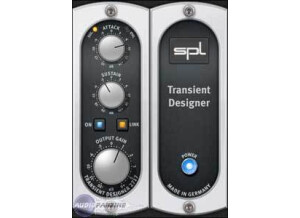
    Easy as pie, download the authorization after purchase and it's unlocked on your UAD card. SUITABILITY/PERFORMANCE Rock solid! OVERALL OPINION Universal Audio has partnered with German company Sound Performance Lab (SPL) to bring you the Transient Designer, with its unique and compelling Differential Envelope Technology for shaping the dynamic response of a sound. Only two simple audio controls are required to allow you to effortlessly reshape the attack and sustain characteristics. SPL was the first company to design an analog solution for level-independent shaping of envelopes, allowing transients to be accelerated or slowed down and sustain prolonged or shortened. You can shorten or lengthen the attack and sustain of percussive signals such as kick drum, snare or toms, easily take the bleed from open mics, or expand the room sound of overheads. The Transient Designer’s magic can be applied to virtually any other signal as well: Amplify or reduce the picking sound of an acoustic guitar, hold the sound of strings longer, or reduce the reverb time of a choir. Containing only two primary controls, the UAD SPL Transient Designer is ex- tremely simple to operate. The technology behind the processor isn't as im- portant as how it sounds. Attack enables amplification or attenuation of the attack of a signal by up to ±15 dB. The Attack control circuitry uses two envelope gen- erators. One follows the shape of the original curve and adapts perfectly to the dynamic gradient. The second envelope generator produces an envelope with a slower attack. From the difference of both en- velopes the VCA control voltage is derived. Positive Attack values emphasize attack events; negative values smooth out the attack envelopes of sound events. Sustain enables amplification or attenuation of the sustain of a signal by up to ±24 dB. The Sustain control circuitry also uses two envelope generators. One follows the shape of the original curve and adapts perfectly to the dynamic gradi- ent. The second envelope generator produces an envelope with a longer sustain. From the difference of both envelopes the VCA control voltage is derived. The gradient of the control voltage matches the time flow of the original signal. Positive Sustain values lengthen the sus- tain; negative values shorten the sustain. Gain controls the signal level that is output from the plug-in. The available range is from –20 dB to +6 dB. The default value is 0 dB. Use the Transient Designer on guitars to soften the sound by lowering the AT- TACK. Increase ATTACK for in-the-face sounds, which is very useful and works particularly well for picking guitars. Or blow life and juice into quietly played guitar parts. Distorted guitars usually are very compressed, thus not very dynamic. Simply increase the ATTACK to get a clearer sound with more precision and better in- tonation despite any distortion. Heavy distortion also leads to very long sustain. The sound tends to become mushy; simply reduce SUSTAIN to change that. If you, how- ever, want to cre- ate soaring guitar solos that would make even David Gilmour blush, just crank up the SUSTAIN control to the max and there you go. With miced acoustic guitars you can emphasize the room sound by turning up SUSTAIN. If you want the guitars to sound more intimate and with less ambi- ence, simply reduce SUSTAIN

  • « Ideal for guitars and drums... »

    Authorisation file download and ready to go as with all UAD plug-ins. SUITABILITY/PERFORMANCE Runs rock solid on my OSX lap top and Vista desktop. OVERALL OPINION The SSL G Series Bus Compressor plug-in for UAD-2 is an incredibly faithful circuit emulation of the legendary SSL 4000 G console’s bus compressor. The undeniable drive and punch of this G Series master compressor — modeled to exacting detail by Universal Audio and fully authenticated by Solid State Logic® — helped make the original 4000 G Series the world's most success- ful studio production console. Engineers have come to rely on this master com- pressor to “glue together” mixes like nothing else, as well as patching into it for wonderful results on drums, pianos and more. With simple, intuitive controls and transparent compression characteristics, the G Series Bus Compressor plug-in for UAD-2 captures the iconic SSL sound with stunning accuracy. Plug-in controls comprise fixed Compression Ratios (2:1, 4:1 and 10:1), and Attack and Release controls with program-depen- dent Auto Release function. Continuous Threshold Control and Make-Up Gain, compressor bypass, and the original Auto Fade (1-60 seconds) feature provide full operational authenticity. The SSL G Bus compressor has been used to put the final touch of cohesive- ness or “glue” to more mixes than any other compressor in history! Its true use- fulness and beauty is usually in its subtle ability to make your mix “pop” just a little more, with a subtle increase in energy and excitement. Traditionally, the SSL G is most commonly used from the beginning of the mix process, and the engineer is “mixing to” the sound and behavior of the com- pressor. The ideal way to audition this plugin is on a new mix, dropped into an insert on your stereo master fader. In this case, you will be spending a lot of time keeping an eye on gain reduction metering and you may make tweaks to the setup as the mix progresses. Of course it can also be dropped in exist- ing mixes at any time, but keep in mind it may take a bit more effort to dial in, especially if your ear is already used to the sound without its compression properties. The SSL G is also useful of groups, such as drum busses. in this case, a more aggressive approach may be appropriate, with a greater range of gain re- duction. 10:1 will give a harder sound often desired for drum groups. Fast at- tacks releases will give the most audible sound of the compressor working. Finally Auto Fade is useful when the end of a song needs a gradual decrease in volume. The speed of the fade can be tuned from 1 to 60 seconds, and in- corporates SSL's unique fade curves. fade in is also available.

  • « Simple yet sophisticated.... »

    Easy as always download authorization, and it's on. SUITABILITY/PERFORMANCE Super staple on either Mac or PC platform. OVERALL OPINION The original Trident A-Range desk holds near-mythic status in the professional recording industry, and is arguably the best loved of the classic Trident con- sole designs. Particularly noted for its fantastic preamps and the unique band interactions of its colorful EQ section, the Malcolm Toft / Trident-designed A-Range console has made an indelible impact on the sound of record mak- ing. During the “Golden Years” of rock, the A-Range was employed to record some truly great records — David Bowie’s The Rise and Fall of Ziggy Stardust, Lou Reed’s Transformer and Queen’s Sheer Heart Attack, to name a few — helping to solidify this console’s reputation forever. And now, this sound comes to the UAD Powered Plug-Ins platform, courtesy of the Trident A-Range Classic Console EQ plug-in. Working in partnership with Trident Audio Developments, UA scrupulously analyzed and faithfully reproduced the EQ section from the specific Trident A-Range console used to record classic albums by both The Police and Rush. One of only 13 A-Range consoles ever built, this desk was hand-picked by El- liott Smith for his private studio, and now resides at New Monkey Studio in Van Nuys, CA. The unique inductor-based EQ section of the board is what the Trident A-Range sound is all about. A series of three high pass filters and three low pass filters are arranged at the ends of the EQ section (see Figure 181). These are unique in that the switches can be pushed in simultaneously, offering dis- tinct cut filter combinations with unusual filter curves. The rest of the EQ section contains four bands: low shelf, low-mid bell, high-mid bell, and high shelf (see Figure 181). Each band has four selectable fixed frequencies and ±15 dB of gain. These were the good old days before sweepable frequencies and bandwidth controls, but the results are wonder- fully warm and musical. The controls complement is rounded out with phase, output level, and bypass. There is band interaction between the high and low shelving filters, and also between the low-mid and high-mid bell filters. The midband interactions can be significant if the center frequencies are near each other.