Log in
EN
FR

Line 6 Computer Music

55 products found

Categories
Series
Filter
Sort by
Line 6
Evaluation
  • Reviewed or not
  • Editor’s award
  • Reviewed by Audiofanzine
Availability
  • Available or not
  • Sold new or used
  • Sold new
  • Sold used
Must-have products
  • All products
  • Flagship products
  • Best rated products
  • Hot products
  • Popular products
Price
  • Freeware
€
Clear
Sort by
  • Popularity
  • User ratings
  • Price - low to high
  • Price - high to low
  • Used price, increasing
  • Used price, decreasing
  • Name (from A to Z)
  • Name (from Z to A)
  • Added on
Sort results
  • Popularity
  • User ratings
  • Price - low to high
  • Price - high to low
  • Used price, increasing
  • Used price, decreasing
  • Name (from A to Z)
  • Name (from Z to A)
  • Added on
Filter results 55 results found
Brands
Evaluation
Availability
Must-have products
Price
  • Freeware
Show results

The best Line 6 Computer Music reviews

The reviews Audiofanzine members found the most helpful.
  • « Upgrade to 2.5 »

    The Line 6 POD Farm 2 is a tone plug in, I have recently upgraded to POD Farm 2.5 after using Farm 2 for quite some time. Version 2.5 has some flexible digital processing that will give a wider and fuller range of tones when using it. The interface is not the easiest interface to use and it has took me some time to get use to it even when I was using the standard version 2 and just purchased it I was spending some time reading through the manual to get the swing of things before I just dove right in and started using it. But as far as the sounds that you can use, they are all set up in a simple easy to understand system that are categorized by source folders and then put into another window by “name” “Author” and “type”. There is even a search bar at the top where you can do a search to bring the styles you are looking for. There are not any small hard to read text and a bunch of sub menus. SUITABILITY/PERFORMANCE Version 2.5 has allowed me to use it has a standalone version and not even have load up my DAW. I can just open up Farm 2.5 and start playing. I was very surprised on how well 2.5 has been on my CPU too. I can load up several different instances of it without having to worry about it getting slow or crashing on me in my DAW. OVERALL OPINION You can run Farm 2 or 2.5 on a Mac or a PC as a RTAS, AU, or a VST. Most of the time I use it it in Cubase 5 or Reaper, I have only used it in Logic 1 time and really didn’t like using it in that DAW so I never did it again though it did work fine and will work fine as long as you are using version 9.2 in Logic. If you are currently using Farm 2 I recommend upgrading to version 2.5 or Farm 2.5 Platinum!

  • « Eats CPU »

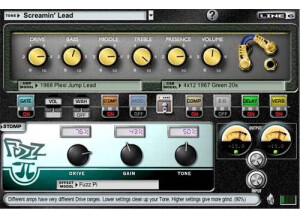
    The Line 6 Gearbox Plug in is very simple to use, there are only 6 knobs on the main interface (Drive, Bass, Middle Treble, Presence, Volume). I do recommend looking through the manual to get a better feel of working with the pedal options and cab models/amp models though. The Gearbox does come with a manual that is easy to understand and comprehend. This plug in can work with Mac and PC computers, it is an effect and amp modeling plug in software that uses a high amount of CPU. The amount of CPU that it uses almost made it impossible for me to run more than 3 instances of it without wanted to deal with the cracking sounds that most DAW programs start to make when there is no CPU to use. Even when running with ASIO drivers it still uses a significant amount of CPU. There are a few different bundles you can purchase of it as well including the Silver bundle and the gold bundle and they will cost more. SUITABILITY/PERFORMANCE I originally started using the Gearbox plug ins with the Line 6 Hardware USB back in 2008. I loved it and it had some great effects emulations to use. I also had the Toneport DI that allowed me to have very low latency monitoring because it served as a dongle for the Line 6 GearBox software. OVERALL OPINION This whole package has over 80 effects and comes with a total of 78 guitar amps and 24 guitar cabs/28bass amps and six microphone preamps. I loved working with it but do not use it as much anymore mainly because of how it ate up the CPU. It makes it almost un usable some times and If you do not have a lot of RAM available then I do not suggest wasting your money on this because it is not cheap. If you have sufficient RAM then I recommend buying it because of how many great amps it comes with!

  • « MIDI controller and Interface!! »

    The Line 6 POD Studio KB37 is a 37 key MIDI controller/keyboard that has a built in audio interface. This was the first unit like this that I have ever seen. It is not common to have a MIDI controller with a built in interface. Having this makes it the ultimate portable unit because there is only one piece of gear to take with you for your MIDI controller and interface. The price of it is 350 dollars but that is nothing, compared to everything that you are getting with this interface/MIDI controller. UTILIZATION Setting the KB37 up is very simple and easy, it only takes a few minutes and you can use it on your Mac or PC. For your Windows system you need Windows XP service pack 2 or Windows 2000 service pack 4 or higher. If you are running it on a Vista machine it does not matter if you have 64 or 32 bit. If you want to use the KB37 on a Mac you will need OSX 10.4.6 or higher. You can use the KB37 with a USB 2.0 and even a 1.1 port. GETTING STARTED The KB37 is very well built and will last you a long time as both a MIDI controller and as an interface. The interface does have phantom power in case you want to plug in a condenser microphone, and there are two balanced ¼ line outs. The MIDI controller is pretty good as well, the keys are well made but they don’t have a weight to them as most similar MIDI keyboards don’t. OVERALL OPINION The KB37 comes with Ableton Live Lite , or you can use it with whatever DAW or application you choose to use it with. Having this unit will make your life easier; I would not get this if you are not very mobile. But if you are the type of musician that travels a lot and takes gear with you this is perfect and a must have.

  • « Effects and more, but could be a headache installing »

    The Line 6 POD Studio GX (POD Studio Series) is a 1 channel interface that connects to your computer through USB. There are some simple effects on it and a preamp. You can use it with a Windows or Mac computer and operating system. This is one of the more affordable interfaces that Line 6 has come out with over the last few years. UTILIZATION You will need to pay attention to your computer specs before purchasing this unit, because if you are not careful then you will buy something that will not work on your system. If you are on a Windows computer you will need 512 MB of RAM and 10GB and up for recording. You will need the most recent service packs for Windows and it will work with Vista 64 or 32 bit. If you are on a Mac you need a G4 with OSX 10.4.6 or higher running at 800MHZ. GETTING STARTED The Line 6 POD Studio GX comes with a FX pack called Junkie, it has over 30 different effects to choose from and some of them are really good for this unit to be so affordable. There are also 20 plus other effects that are based off of the iBanez Tube Screamer, LA2A compressor, MXR Phase 90 and many more. OVERALL OPINION With 5 bass cabinets and 5 bass amplifiers you cannot go wrong. With the Line 6 POD Studio GX you are getting way more than your money’s worth which is what makes it a must have for anyone. Keep in mind that there is no Phantom Power on this interface and the resolution is only 24 bit/48kHz. Overall, it has ups and downs to it. The most important part is that your system will work with it, if it does I am sure that you will love all of the effects. But installing this unit can give you a headache.

  • JeffTadashi's review

    Line 6's Toneport UX-1 is one of the first USB-audio interfaces that the company has created, and one of the first to use their brand new Gearbox software. For inputs, it had a single XLR mic preamp input with trim knob, a single 1/4 inch instrument input, two 1/4 inch stereo line inputs, and a 1/4 inch stereo monitor input. For outputs, it had an S/PDIF stereo output (RCA type), 1/4 inch balanced line outputs (controlled by the master volume knob), and a 1/4 inch stereo headphone output. The box was compact, but a fully-functional usb-audio interface, and it comes with Line 6's Gearbox software, which includes multiple guitar and bass amps, vocal preamps, compressors, effects, and much much more. It's what you would expect form Line 6. UTILIZATION One of the unique features of the UX-1 (and other Line 6 audio interfaces) is the use of direct monitoring of the wet, processed guitar signal. Normally, monitoring an input signal requires the signal to pass through the computer software, which usually results in a lag or delay from anywhere to 10ms to a couple seconds. When playing guitar and hearing the sound right back, even the smallest lag (as small as 30ms) can be noticeable, and it can effect your playing, when doing serious recordings. However, with the Line 6 interface, the monitoring of the wet, processed guitar signal is instantaneous, and it does not use significant cpu usage either. This is perfect for recording guitar, as you can use this software and hardware with even mediocre and slow computers, with high latencies. GETTING STARTED The Line 6 UX-1 is very simple to set up. You need to register the hardware and software through Line 6's website, but there are no serial keys, challenge/response, or any other protections necessary. You just need to have the hardware plugged in, the software recognizes it, and it automatically activates everything. Very convenient! OVERALL OPINION Overall, the UX-1 is a wonderful product, and it can be used as an introductory usb-audio interface for many guitarists, who are looking to get into the recording world.

  • « Great classic guitar amp software »

    Line 6's Gearbox Software was the start of their venture into software versions of their amp and pedal simulations, and although the product is mostly discontinued, it still is valuable to computer users today. The sounds in the Gearbox suites are identical to the sounds found in the newer POD Farm suites. The fx include gates, volume pedal, wah pedal, stompbox pedals, delay pedals, modulation pedals, distortion pedals, compressions, eq effects, and reverb effects. Of course, it also includes Line 6's legendary amp and cabinet and microphone modeling, and depending on what version of Gearbox you own (Silver or Gold), you can have anywhere from 18 to 78 guitar amp models. That is quite a lot! SUITABILITY/PERFORMANCE One of the newer features of Gearbox, is that if purchased, you can use the VST or RTAS plugin versions of the Gearbox software. Initially, Gearbox was a standalone executable program, that let you record wet/processed tones into whatever DAW you were using. Now, with the plugin, you can record guitar parts dry, and add the effects and modeling afterwards: this allows much more flexibility, more tweaking power, and much more creative possibilities. However, the guitar amp emulations can be cpu intensive (this is also true with the newer POD Farm software). So using a Gearbox plugin on every track (including vocals) can slow your computer's performance, and you can quickly get CPU overload and glitching. So be careful. OVERALL OPINION The Gearbox software allows semi-custom routing, where you can change the position of certain effects, like delay or modulation, to be before or after the amp modeling. You cannot, however, use two delays, use two stompbox effects, or do any dual amping: these routing flexibilities were added in the POD Farm software systems. But Overall, Line 6 Gearbox is an incredible piece of software, and if you can get it for free with your Line 6 hardware, it is certainly worth using today.

  • « A priceless creative and recording tool! »

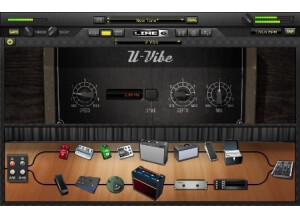
    Line 6 Pod Farm is the direct successor to Line 6's Gearbox software, and although functionally, it is very similar to Gearbox, the layout and aesthetics have been much improved in Pod Farm. Pod Farm includes over 15 guitar amplifier emulations, over 20 guitar cabs, 5 bass amps and cabs, over 20 stomp box and studio effects, and 5 microphone preamps. What is new here is the ability to run two amplifiers at once, which allows for some deep creative possibilities. There are also many more guitar amps, bass amps, and effects that can be purchased in addition to the basic package. SUITABILITY/PERFORMANCE One great thing about Line 6 software, is that it runs almost flawlessly on Windows systems. With the supported Line 6 hardware (which is necessary to run Pod Farm), the hardware processes the sound directly, allowing for zero latency monitoring. This, thankfully, bypasses the main problem with most PC systems..latency. This way, when you play your guitar lines, there is no noticeable delay, and even the smallest delay can be very noticeable. Line 6 has some of the best guitar emulations available, and Pod Farm is no exception. Although the sound will always sound digital and synthesized when the distortions are turned up, and it's compared directly to the real thing, the convenience of being able to play through an amped guitar system, at anytime, anywhere, is invaluable. You can quickly record scratch tracks and guitar lick ideas, and the emulations sound very good for any sounds with low distortion. In fact, I prefer Line 6 emulations for clean guitar over the real clean channels on my Mesa amplifiers, especially for super clean guitar lines. OVERALL OPINION Overall, the Line 6 Pod Farm is a solid product, and although many guitarists still may not be on board with digital emulations, no one can deny the versatility and flexibility this tool can bring to any recording artist's table.

  • « The recording interface that does it all! »

    The Line 6 Toneport KB37 is a usb recording interface that does it all! It features 37 midi keys with pitch and mod wheels, expression and footswitch controls, transport controls, mic inputs with phantom power, stereo line level inputs, guitar input with pad, headphone and main outs, and that's just the hardware. I use my KB37 for various recording, songwriting, and production projects, and with this piece of hardware, I can recording and work with pretty much any instrument except drums. It also features great Line 6 software, with includes their signature guitar amp models, bass models, and vocal preamp models. Also included are guitar pedal effects and studio effects, and additional models can be purchased as well. Best of all, there is zero latency monitoring when using the models. which is perfect for recording guitar. Under normal recording circumstances with guitar amp emulation, there is a slight lag, which can definitely affect the recording performance on faster material, such as guitar solos. UTILIZATION Generally, Line 6 hardware is very easy to setup, and it especially works well on Windows systems, which isn't always the case when it comes to usb audio interfaces. Notably, I've always had driver problems with Tascam audio interfaces working with Windows, when it seems their main support is for Mac OS. But I've never had driver problems with Line 6 hardware. Line 6 has their own update software (Monkey), which helps detect and properly register all Line 6 devices, authorize purchases, and download the newest drivers and software. It is very centralized, very well supported, and Line 6 puts out new software updates with new features on a regular basis. The KB37, specifically, is an older device that has been succeeded by the POD Studio KB37 (which, feature wise, is almost identical), but I would expect Line 6 to create new drivers if, for example, Windows 8 comes out. OVERALL OPINION Overall, the Line 6 KB37 is one of the few pieces of musical hardware that I use every single day, and I would recommend it to anyone who has a smaller, personal studio setup. It is one of the most versatile usb audio interfaces I have ever owned, and I would easily pay double than what I paid for this hardware. It even sits perfectly on the middle of my desk, between my monitor and my computer keyboard. And with all the various equipment and computer changes that I've been through, the KB37 has never moved from it's spot on my desk.

  • « Line 6 UX2 »

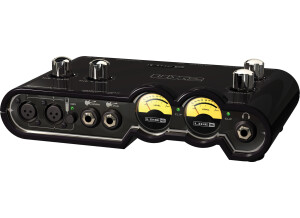
    This is an entry level recording interface with two XLR inputs, two quarter inch instrument inputs, and two quarter inch line in's. It has a head phone jack, also quarter inch. It has two analog quarter inch outs and a Spdif digital out. There are two footswitch controls and a stereo monitor in. It connects via USB, and supplies phantom power. The interface comes with Pod Farm software which is a modeling plug in. It also comes with Ableton Live Lite, and Reason Adapted. I bought this unit from an ebay store for $189. I shopped for many different units but I felt this was the best thing for a beginner to learn to record on. It came with everything I needed, software and all, to get started and learning the basics. It is very easy to use. All you have to do is plug in, make sure you have the right input selected and record. The setup was easy as well. If you are using the Ableton software that was included, it guides you through to get the interface set up. If you have your latency settings set right, the interface has very small latency even when you are recording a processed signal. The Pod Farm plugin has some neat sounding presets and you can get some decent sound by tweaking EQ. The controls are very easy to use as well. Both of the mics have a gain control and there is a headphone level and an output level. The phantom power button is clearly labeled. Once you figure out how to use reason, it is also a powerful program. Each program is only a trial version but they all are very usable to start out. I wish you could select the input you are recording with on the interface itself and not in a program. It also needs to be able to record inputs simultaneously. This isn't really a complaint for the interface, but they could have included a tutorial on how to use Reason with Albeton. It seems to be built very well. I haven't had any trouble with it yet. There isn't much else to say here. I think this is the best little package you can get for $200 or less. It has everything you need to get started and is fairly easy to use. You certainly wont end up with Pro Tools professional recording but it is a great way to learn. This review was originally published on http://www.musicgearreview.com

  • « Line 6 Guitarport »

    I bought this unit in Holland because i dont earn a lot of money, but still wanted to have many possibilities, i payed roughly 120 pounds for it. This 'guitarport' has so many possibilities, that can even grow because line6 has made it possible that you can download new updates, effects, and styles of playing.. You can basicly press on a button for example 'Jimi hendrix' and it puts the effect that Jimi uses to play with, so you can play just like him. What i dont like that because you have to play through you're computer speakers, you cant just take the 'Guitarport' and give a gig somewhere, you have to play at a computer.. But the price makes up for everything, considering a normal Stompbox (single effect box) has a price of about 100 pounds. The construction well its a little box with on one side an socket for you're guitar cord, on the other side a socket for the withbrought usb cable. The quality of the unit is super, only if you have got bad quality speakers attached to you're pc, then the problem wont be the guitarport, but you're speakers. Overall the Guitarport produced by Line6 is an outstanding product. Everybody can learn from it, even the professionals, and for the beginners it opens a new world of infinite possibilities.. This review was originally published on http://www.musicgearreview.com

  • « grea on my mac »

    I have had little trouble with my UX2; after upgrading from version 1 most issues just involve a restart of the computer. After messing with it for a couple of days to familiarize myself with the controls and sounds, I have been using it to record guitars/keys/bass/ and vocals on my iMac/garageband. I've been sending my recordings to fellow musicians and they are totally blown away at how good they sound. I have a friend who is a professional studio engineer and musician, and he was really impressed with the tones I was getting on my guitar through the UX1 and Gearbox. Gearbox is literally infinite in the permutations of amps/cabinets/effects/etc. that one has control over. I'm having too much fun to write anymore. Highly recommended for the budget-minded. Or anyone who just records one instrument at a time. It runs great and only had some minor issues with it loading up, but no crashes for freezes which is always a good thing. Especially when your on a mac, or maybe it doesn’t freeze because im on a mac, if I was on my pc with vista it would probably have all types of problems. UTILIZATION It runs great and only had some minor issues with it loading up, but no crashes for freezes which is always a good thing. Especially when your on a mac, or maybe it doesn’t freeze because im on a mac, if I was on my pc with vista it would probably have all types of problems. GETTING STARTED Getting started was pretty quick and easy not much too it. Very good clear manual too. OVERALL OPINION Overall, This is the interface you need if you are on a budget, but need something that sounds pro. I use it with ezdrummer & the included 8 track software. The effects for guitar are endless, & The thing is just plain easy to use & install. This is the BEST interface in this price range. I am 90 % happy with it. The ONLY drawback is no phantom power on the mic. jack....However, If you are using a Sure SM-57 like I am, you can get great results plain & simple. Order one today!!

  • moosers's review

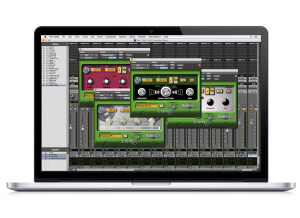
    Line 6 Amp Farm was quick and easy to install. I had no compatibility issues with my machine the general set up of the plug-in is easy to follow. The interface of the plug-in is set up smart and it is easy to find your way around. I don't have a manual for this plug-in, so I can't speak to how sufficient it is. SUITABILITY/PERFORMANCE I have run Line 6 Amp Farm on both a Pro Tools LE and HD system. I mostly run it on a Pro Tools LE system with a Mac Book Pro that has a 2.2 Ghz Intel Core 2 Duo processor and 4 GB of RAM. I run Pro Tools LE 7.4 with a Digi 002R audio interface. In both the HD and LE systems, I never had a problem running this. I have never run more than two or three of these at once, but at this rate I have been able to run it without any problems. OVERALL OPINION I've been using the Line 6 Amp Farm for about two years and I have found it to be a great tool for amp modeling of all types. It has modeling for all types of amps - including Vox, Marshall, and Fender amps, in all types of forms. Each amp has its own parameters and all different types of effects. My favorite on this is the vintage Fender interface as it has the look and feel of an old Fender. This plug-in is quite versatile and is easy to get a wide array of amp modeling done with this. The price isn't too expensive and I would compare this to Native Instruments Guitar Rig, because they do similar things, but this is more aimed at amp modeling rather than guitar effects. I would definitley recommend those with DAWs looking into this, as I have found it a great tool when recording and mixing guitars.