Log in
EN
FR

SeriesLine 6 POD

39 products found

Filter
Sort by
Evaluation
  • Reviewed or not
  • Editor’s award
  • Reviewed by Audiofanzine
Availability
  • Available or not
  • Sold new or used
  • Sold new
  • Sold used
Must-have products
  • All products
  • Flagship products
  • Best rated products
  • Hot products
  • Popular products
Price
  • Freeware
€
Clear
Sort by
  • Popularity
  • User ratings
  • Price - low to high
  • Price - high to low
  • Used price, increasing
  • Used price, decreasing
  • Name (from A to Z)
  • Name (from Z to A)
  • Added on
Sort results
  • Popularity
  • User ratings
  • Price - low to high
  • Price - high to low
  • Used price, increasing
  • Used price, decreasing
  • Name (from A to Z)
  • Name (from Z to A)
  • Added on
Filter results 39 results found
Evaluation
Availability
Must-have products
Price
  • Freeware
Show results

The best Line 6 POD reviews

The reviews Audiofanzine members found the most helpful.
  • « Great if you are a beginner »

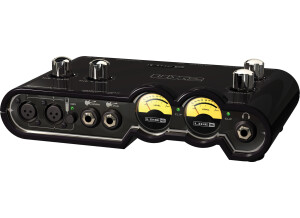
    The Line 6 POD Studio Ux2 is an interface that we used to record guitar tracks with a few times. The thing that I loved about it more was the plug ins that came with it. The “Farm” plug in included 18 guitar amps, 5 bass amps, 5 bass cabs, 29 different stomp box effects and 6 mic premaps. I still use all of these plug ins to this day even though I do not use the actual interface much anymore. When I purchased it, it also came with a another pack that had about 40 more effects and filters to use and I felt like that was well worth the money to spend on this small little interface. UTILIZATION This interface is very simple and easy to use/set up. There are 2 ¼ inch guitar inputs and ¼ inch line inputs. There are balanced XLR inputs with microphone preamps and phantom power. It comes with Ableton Live Lite Studio Edition which will only let you record up to 16 tracks which may be enough if you are a beginner. GETTING STARTED If you are low on money and need an interface to record your guitar tracks with, this is the way to go. You will also get some really good effects and plug ins that you will use for ever. There have been a few driver updates over the years that they have made as well for Windows 7 users and anyone who is using Snow Leopard on a Mac. So it is basically compatible with any system you have right now unless you are on a very new system especially something like Windows 8. OVERALL OPINION This system is a must have, you will get some very good sound quality for a low price and a bunch of other cool effects and plug ins too. If you are more advanced I would not recommend this because you will want something a little more stable and in depth.

  • « The most sounds in one pedal, period. »

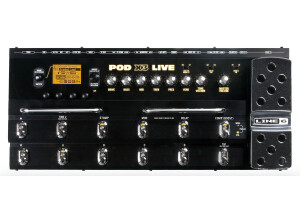
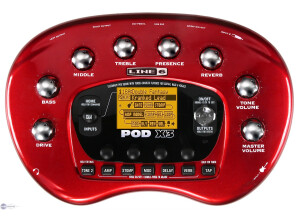
    The POD X3 is an amp sim/multi-effects pedal from Line 6. It uses all digital signal processing. Getting started is as easy as plugging in your guitar and headphones, then stepping on the foot-switches to jump between presets. The software application for the POD X3 has always given me problems. I think there are some 'bugs' in the way it downloads the presents to the foot pedal. Normally, I recommend using a software editor with a GUI. However, with the problems, I find it easier just to tweak the knobs on the pedal whenever I want to make changes. UTILIZATION There is a learning curve when starting out with the POD X3. There are tons and tons of options to edit the internal processing like: amp EQ, speaker models, microphones, effects pedals, parallel signal chains, etc. This requires scrolling through a lot of menus when looking at the screen on the pedal. It can take a while to figure out how to get to the right place to edit what you want. After you figure this out, this pedal is capable of a ridiculous amount of different sounds. SOUND QUALITY Amp simulation isn't perfect. The Line 6 X3 sounds convincing, especially if it is in the context of a full band. Still, it only gets the guitar player most of the way to the experience of playing through a real amp. To me, the best use of these kinds of effects pedals is in the studio to experiment with a ton of different sounds without having to completely change your setup. If you play live in a cover band, it might be useful to be able to switch between a lot of different sounds as well. OVERALL OPINION Although Line 6 has released a new line of PODs (the HD series), the POD X3 still has some useful aspects. I really the Matchless, Orange, Budda, etc. amp sims in the X3, but they are missing in the HD series. Hopefully, Line 6 updates the firmware of the HD series in the future with more amp models. Until then, the X3 has the most number of different amp simulations, well over +100. This alone should attract the true tweakheads.

  • nickname009's review

    22 HD amp models 100+ M-class effect models Up to 8 simultaneous effects POD HD Edit software editor/librarian (free download) Fully routable signal chain Dual Tone functionality Dedicated top-panel knobs for Drive, Bass, Mid, Treble, Presence, Tweak, Channel Volume and Master Volume A, B, C and D channel buttons Tap Temp button Looper control buttons 512 preset locations Built-in tuner 1/4-inch input XLR input Balanced 1/4-inch outputs 1/4-inch stereo headphone output S/PDIF digital output USB 2.0 FBV™ foot controller jack Metal chassis This is the newest latest and improved POD HD by Line 6. Apparently 'revolutionary' regarding the older PODs. As usual with the older PODs, there's always tons of features, very usable and very very versatile for both live use and recording. Of course though if you plan to use this desktop model live you'd need a seperate foot controller to get things working for you properly. UTILIZATION Being a previous POD user I know my way around these things. However if you're a first time user you should definitely have the manual with you while exploring. This newer POD is supposed to be a bit more user friendly than the older versions but I personally haven't really noticed such a big difference. It may be slightly easier but not heaps easier. It still takes some getting used to and tweaking your sounds will also take some getting used to and of course, TIME. SOUND QUALITY For me, and maybe most other POD users. The effects have always been quite decent, in terms of delay, chorus, flange and the weird synth stuff. They've always sounded ok but the new POD HD has definitely upped the tones quite a bit and added some more cool sounds to boot. The biggest beef has always been the distortion sounds. The cleans were always usable but it was always the distortion sounds that weren't right to most players. Either the distortion was way too grain and sizzly for heavy metal and not good enough for bluesy overdrive or the other way around depending on each player. I do have to say that the distortion sounds out of the box have improved. Though I wouldn't say they are MILES above. They are definitely better but i would say maybe by 15-30% better. They have definitely improved the picking dynamics however, which is great and makes the sound more amp-like. But it still needs tweaking and for those who hate tweaking, this might not be the best option for you. OVERALL OPINION Overall it is an improved POD definitely. Not by much though. Don't be persuaded by the "HD" title. You've got to try it out for yourself to see if this is something worth investing into. It's not expensive, but it will take TIME to play around with. And of course, TIME is the most important thing of course depending on each player. Some just want plug and play, some like to sit down and explore. If you're willing to take the time, you'd be able to get some great sounds out of this box. If not, look elsewhere! Simple as that!

  • « It's a staple unit. »

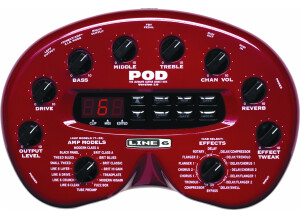
    Features Amp Models based on*: '64 Fender ® Deluxe Reverb ® '59 Fender ® Bassman ® '68 Marshall ® Plexi 100 watt Marshall ® JTM-45 meets Budda Twinmaster '60 Tweed Fender ® Champ ® Budda Twinmaster head '65 Blackface Fender ® Twin Reverb ® '60 Vox ® AC 15 '60 Vox ® AC 30 non-Top Boost '85 Mesa/Boogie ® Mark IIc+ Clean Channel '85 Mesa/Boogie ® Mark IIc+ Drive Channel Dumble ® Overdrive Special Clean Channel '95 Mesa/Boogie ® Dual Rectifier ® Head '89 Soldano SLO Super Lead Overdrive Dumble ® Overdrive Special Drive Channel 1987 Roland ® JC-120 Jazz Chorus Line 6 ® Insane Cabinet Models based on*: 1960 Fender ® Tweed Champ ® 1952 Fender ® Tweed Deluxe Reverb ® 1960 Vox ® AC-15 1964 Fender ® Deluxe Reverb ® 1965 Fender ® Blackface Twin Reverb ® 1967 Vox ® AC-30 1995 Matchless Chieftain 1959 Fender ® Bassman ® 1996 Marshall ® with Vintage 30s 1978 Marshall ® with stock 70s 1968 Marshall ® Basketweave with Greenbacks Line 6 ® 4x12 Line 6 ® 1x12 Line 6 ® 2x12 Line 6 ® 4x10 POD 2.0 Effects Compressor Delay/Compressor Tremolo Delay/Tremolo Chorus 1 Delay/Chorus 1 Chorus 2 Delay/Chorus 2 Flanger 1 Delay/Flanger1 Flanger 2 Delay/Flanger2 Rotary Speaker Delay/Swell Delay Reverb UTILIZATION I think nearly everyone has owned or played with one of these. If you haven't, you've certainly HEARD one - listen to anything produced in the last 11+ years, and there is usually something from this unit on there, from a simple overdub to a smattering of all guitar and bass sounds of a full album. I've actually done both approaches - I've made a couple of full-length albums that used only tones from this box, no miked sounds, and have gotten lots of positive feedback regarding those sounds. I tend to mic up guitar amps more nowadays, but this baby back in the day made great tones acheivable on the cheap and easy. It's a ubiquitous box that makes life simpler for a recording engineer. SOUND QUALITY The sounds are good. I'm rating it a 7 because the technology for amp modelling has improved vastly since these came out. But I know I could still jam out on a recording with one of these units and be satisfied with the results. The Treadplate sound is one of the best metal rhythm sounds around, and the delays are really cool on here as well. It's fun to use as a practice headphone amp! No matter what one thinks of amp models, I don't think anyone could plug into this and not find some kind of usable tone. OVERALL OPINION It's a collection of good, usable amp and effects tones, for not much money. And it is a lifesaver on a recording session - especially if a "signature tone" type amp goes down, this box can be plugged in to save the day. With some EQ and compression, the tones can be nearly indistinguishable from the originals in many cases. If one still turns one's nose up at the thought of using the little red bean pod for a record, it still makes a great headphone amp. And it's fun to mess around for reamping, like with crushed drums or distorted vocals!

  • « Cheapest POD HD model »

    The HD300 is the lowest model in the Pod HD line. Even though it is the lowest model in the line it still has the exact same models that the higher end models have. The only differents is the user interface. This lack of user interface makes it a bit harder to use than the HD500. With the 300 and 400 you pretty much need to connect it to your computer and use the patch editor to make any decent patches. It comes with all of Line 6's HD amp models which there are now 22 of. When you first get the unit there are 16 models. This is a lot less than the 80 or so amps the Pod X3 came with but these amps are modeled in much more detail than those. If you are wondering if you should get this instead of the X3 just think quality vs quantity. The X3 can sound just as good but it will require much more tweaking and skill in your patch making. UTILIZATION Utilization is the weakest part of the 300 for me. For something this complex they really do not have that many controls. There is an unlabled 3 way mode switch which switches from amp mode to looper mode to patch mode. You will have to learn what each color indicates. These modes change the fuction of the buttons on the bottom face of the amp. There are dedicated amp eq controls and dedicated effects controls. There is a large expression pedal that can be switched from a wah to a volume pedal. There are plenty of outputs on the back, anything you would need for working in the studio. There is no on or off switch like on the XT you just plug it in which is kind of unnerving. SOUND QUALITY With only a fraction of the models of the outgoing POD units the detail in the modeling of these units is much better. It is easy to get a good raw amp sound from this unit. Me being a mostly heavy music player the low number of high gain amps is kind of disappointing but the models it has are good. The amp has all the classic amps modeled in it. The models I find myself using the most are the JCM 800, Bogner Uberschall, Mesa Dual Rectifier and ENGL Fireball. It has several old Fender blues amps. I just wish it had a Roland Jazz Chorus or something with a really pure clean sound. The amp models sound good but you pretty much have to use the computer based patch editor to make up the patches. The user interface on the unit is too cluttered and the tiny LED screen doesnt help as much. The big screens on the X3 and the HD500 are much better for creating more detailed patches on the unit. OVERALL OPINION If you are looking for a cheap way to have a good sound this is a good unit. It can be used lived with a PA or power amp and it is also great for just home studio stuff. Your first few days with it will be the toughest as you learn what all the functions do and make all your favorite sounding patches. With the 400 and 300 you pretty much have to use the computer based editor to make the patches because the screen on the unit is too small and awkward to use. If you just want the HD amp models and can edit everything on the computer there is really no point in getting the more expensive models because the amp models are exactly the same throughout the line.

  • Audiofanzine FR's review

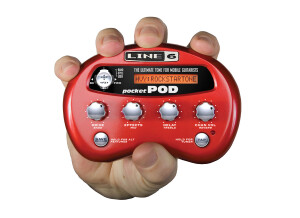
    Originally written by benbao on Audiofanzine French. I won't describe the effects provided: you'll find them on the Line6 website. In short, it's a pocket amp simulator. Works with batteries. The battery life is not very long: with rechargeable batteries, I can play nearly three hours. Connections: guitar input, phones out, amp out, line input to play along with a recorded song, PSU connector. Sold with a small manual but no PSU. It's a pity! UTILIZATION You can do your settings either directly on the unit or via a PC. Directly on the unit it's a bit difficult because some parameters require key combinations. Browsing within the presets is not very practical: in some cases, you'll press a key by mistake when you want to select another preset. For PC editing you'll have to download the software. Storing presets is not very intuitive: you can lose your settings by mistake pretty easily. I use it with headphones when I play guitar at home or when I'm on the road (I don't have to carry my guitar amp with me). It's ok for these applications. SOUND QUALITY Considering the price, the sound is rather good. However, I found some weak points, like noise with high-gain simulations. Another con: the simulations don't fully reproduce the sound character of the guitar you play. Altogether, the sound is ok for me. OVERALL OPINION I've been using it for three years as a practice tool. Don't expect to be able to use it as your main amp. Once you made your settings (with the software), it's ok as an additional amp, especially considering the price. I bought it to play/practice without making too much noise since my big amp is not ideal to play at home. I wouldn't buy it again if I had more money. I would choose a quality compact combo or a good sound card, but it would be more expensive.

  • goodbyebluesky's review

    The POD Pro is basically the same amp modeling technology and effects contained in the POD unit but contained in a rackmount unit with actual knobs so editing presets on the fly is much easier. It has the capability to be controlled by a floor footswitch, though I never forked out the money for it and I don't play out so I don't require that kind of control. On the rear of the unit it has stereo outputs to go to power amp, footswitch jack, effects loop input and output, and a single guitar input on the front. Its pretty sharp looking, sitting in a rack all lit up. UTILIZATION Editing the presets is super easy, its as simple as twirling knobs to dial in the desired amp model, gain, eq, and effects. Fine tuning the paremeters on some of the effects would probably require the foot controller but the stock settings aren't bad and satisfied me. I actually did read the manual which is unusual for me, it was very informative and saved me some time tinkering with it. SOUND QUALITY I played a couple of humbucker equipped Les Paul style guitars through it, while running it into a samson 120 watt power amp, then into a crate 2x12 combo amp I turned into a speaker cab. The amp models are the typical Line 6 stuff, sometimes you are suprised at how close they get capturing the "essence" of a particular tube amps sound like the Dual and Triple Rectifier models, but since modeling technology is not quite capable of emulating the dynamics and behaviour of tube amps- some models don't stand up to the amps they seek to imitate at all. I LIKED the sound of the "blackface" model but it doesn't actually sound like a Fender. If you are into heavy riffing, you will LOVE the "Insane" model. Think of a Boss metal zone morphed with a typical Marshall hi gain sound, and there you go. The effects are quite good, not as good as the Flextone III I had owned previous but the POD Pro was of an older generation so it shows Line 6 is contantly improving their products. Playing in true stereo makes a real difference here though, the effects don't come alive nearly as much otherwise. OVERALL OPINION The thing I like the most is its versatility, but the thing I hate the most is that out of all the things it does.... it doesn't do any of them stellar enough to warrant buying this unit just for those sounds. If you love the original Line 6 amp models like Insane then you could just buy the standalone stompbox and run it through a tube amp. You will probably enjoy the dynamics and not miss the "sterileness" of the POD Pro. I got this unit pretty cheap used, especially compared to my Flextone III amp I owned previous so I wasn't disapointed. It was far superior to multi-fx units I have owned before. I've just come to learn, not to put all my eggs in one basket. When you buy something expecting it to do everything you need, then you will likely be let down for end up settling for mediocre sounds in and of themselves just for the sake of versatility.

  • « High Quality Sounds & Options »

    There are so many features behind the Pod Express that I will not cover how to access, save presets, etc., since the manual and instructional videos are available. However, I will begin with the sound quality, since that is paramount. The seven amp and seven cab models are of high-quality, since they come from Line 6’s Helix family. They sound raw, meaty and natural. To my ears, they are superior to similar Fractal Audio models, and perhaps not as organic or full sounding as some other tech that boasts amps and cabs in a pedal format (I’m also referring to far more expensive products). Having said that, it is difficult to make such comparisons, since they are different flavors of a similar beast. I will say that I prefer recording with the Pod Express over some of my other gear, and would not hesitate to gig with it – it sounds darn good! https://rumble.com/v4msiii-line-6-pod-express-guitar.html The seven amp models range from very clean, to slightly dirty and into high-gain territory. The names include Clean, Special, Chime, Dynamic, Crunch, Heavy, and Lead. Something for everyone. These amps are modeled after industry standards, from Fender, Matchless, Friedman, Peavey, and some Line 6 exclusives that stand very well on their own. You can adjust the bass, midrange, and treble, as one would expect, but you also can adjust the amp’s gain and presence. Fortunately, unlike some other multi-effects/amps units, these tones are pretty much ready from the start, with only a touch of tweaking to best match pickups and the cab selection. Now, you can bypass the amp if you wish, and use the Pod Express for the effects, but you also can do two things with the cabs. First, you can bypass the cabs, to use your own external IR or if going into a cabinet, but also match up any of the cabs with any of the amps, thus providing a wide tonal palette. The speaker types include Fender, Bogner, Marshall, MESA/Boogie, ENGL and Matchless. These are quality IRs and I suspect you will not require external cabs, unless there is a particular tone/sound response you’re after. There are several effects on board, with four each in the categories of dirt, modulation, delay and reverb. The drives include Boost (Klon Centaur), Overdrive (Ibanez TS808), Distortion (BOSS DS-1), and Fuzz (Ram’s Head Big Muff Pi). The latter two are pretty intense, and work best with a clean amp. Modulation includes Chorus (Arion SCH-Z), Flanger (MXR 117), Phaser (MXR Phase 90), and Tremolo (Fender Optical circuit). Delays include Analog (BOSS DM-2), Digital (Line 6 original), Tape (Maestro Echoplex EP-2), and Ping-Pong (Line 6 original). The reverbs include Spring, Hall, Plate, and Space, all Line 6 originals. I have no issues with the quality of these effects, and they are easy to dial into: Select what effect you want in each category, then use the color-coordinated main control to adjust the mix (e.g., Delay is green, which means seeing a green LED range finder). You cannot alter effect parameters, but you can the mix, which sounds perfectly fine to my ears; I’m uncertain how much I would fiddle with parameters, even if available – I want to plug ‘n play more so than tweak. Pod Express provides room for 21 presets (3 banks of 7), accessible by pressing both the On & Tap Tempo switches simultaneously, then scrolling up/down using those two footswitches. Line 6 included seven presets in the first bank and in each category (Clean, Special, etc.), which you can over-write. The Tap Tempo switch also doubles as a Tuner (one longer press), with an LED wheel for easy viewing on any stage. There’s a lot going on with the Pod Express, but it also has a Headphone Jack (with the pedal and headphone jack’s volume control next to the input), stereo out, the ability to connect an expression pedal (to act as a volume pedal), and/or two assignable footswitches. It can be used as a computer interface (via USB, which also is used for firmware updates), for DI recording and re-amping, and you can assign global settings. Next is the price for what you get. At $179 USD, the Pod Express is worth it just for the effects. However, some people are comparing this pedal to a few multi-effects units at around the same cost, and suggesting the other tech offers more (more bells and whistles, amps, cabs, etc.). There are a number of considerations with the Pod Express. First, the sound quality is very, very good, whereas most budget modelers do require quality cab IRs to sound decent. Second, the Pod Express is fantastic for those who dislike spending hours dialing in, scrolling through touch screens, etc. This is a no-brainer type pedal that fits in the palm of your hand and takes 5-10 minutes to navigate and become accustomed to. In other words, a practical fly-rig, perfect for home practice and recording, travel, and certainly ideal for those not wanting to lug large, expensive gear to a practice or gig where damage or theft may occur. And the fact that the Pod Express operates on three AA batteries (or 9v 500mA power) is a bonus. I played around with the Pod Express for a few hours, then did a composition, the demo video, knob turning, etc., over the course two days, and the batteries are still holding. How long batteries last will depend on the quality of the battery, with no further details provided. Would I compare the high-gain models on the Pod Express to my Purple Nightmare Preamp by Driftwood Amps? Likely not in isolation, but the latter is about $700 USD (without any effects, cabs, etc.), and if playing live I suspect most people wouldn’t even know the difference. The Clean amp is pretty decent (great pedal platform), whereas the Special, the Line 6 Litigator, sparkles and shines exceptionally well. A few reviewers were concerned about the chassis being made of plastic. Bear in mind that this is not cheap plastic… there is some heft to this pedal, although the housing weighs less than aluminum and likely costs less to produce, which keeps pricing down for the consumer. Regardless, you would have to be very abusive to crack or damage it. I may sound biased, and certainly we all are when it comes to gear we like, but the Pod Express is fantastic for the price, can hold its own with more expensive competitors, and has brought affordable, flexible gear to beginners and experienced alike. I would have flipped when I was younger and if this were available, and as an older dude who still plays mediocre guitar, the Pod Express is not leaving my home studio, unless it comes traveling.

  • « Upgrade to 2.5 »

    The Line 6 POD Farm 2 is a tone plug in, I have recently upgraded to POD Farm 2.5 after using Farm 2 for quite some time. Version 2.5 has some flexible digital processing that will give a wider and fuller range of tones when using it. The interface is not the easiest interface to use and it has took me some time to get use to it even when I was using the standard version 2 and just purchased it I was spending some time reading through the manual to get the swing of things before I just dove right in and started using it. But as far as the sounds that you can use, they are all set up in a simple easy to understand system that are categorized by source folders and then put into another window by “name” “Author” and “type”. There is even a search bar at the top where you can do a search to bring the styles you are looking for. There are not any small hard to read text and a bunch of sub menus. SUITABILITY/PERFORMANCE Version 2.5 has allowed me to use it has a standalone version and not even have load up my DAW. I can just open up Farm 2.5 and start playing. I was very surprised on how well 2.5 has been on my CPU too. I can load up several different instances of it without having to worry about it getting slow or crashing on me in my DAW. OVERALL OPINION You can run Farm 2 or 2.5 on a Mac or a PC as a RTAS, AU, or a VST. Most of the time I use it it in Cubase 5 or Reaper, I have only used it in Logic 1 time and really didn’t like using it in that DAW so I never did it again though it did work fine and will work fine as long as you are using version 9.2 in Logic. If you are currently using Farm 2 I recommend upgrading to version 2.5 or Farm 2.5 Platinum!

  • « Flagship Amp Sim »

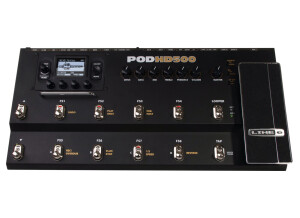
    The Pod HD 500 is the flagship effects pedal from Line 6. Getting started is as easy as plugging in a guitar and headphones to start picking away at a preset amp model. Tweaking the internal processing of the pedal has a learning curve if you haven't used a Line 6 pedal before. I suggest using the downloadable software application to really go deep in the editing, but some people will always prefer twisting knobs. UTILIZATION This pedal has many improvements over the previous generation of POD X3s. The hardware has been upgraded to metal rather than plastic. This gives the pedal more of a rugged feel compared to the old plastic pedal which seemed like it wasn't made to last for very many years. The internal DSP chips are capable of significantly more processing, which means that the amp sim models sound more realistic. There is also more storage, so there is tons of room for user presets. SOUND QUALITY I use a Variax 700 guitar with the HD 500. This allows for even more control because I can assign a specific guitar effects model to a particular user preset. Then with only click of a button, the entire signal chain can be changed. I can change between a Gibson Les Paul through a Marshall JCM800 to a Fender Telecaster through a Fender Bassman, to a Gibson J-200 acoustic guitar all by stepping on a footswitch. This can make for a huge range of possible sounds with only two pieces of gear at a gig. OVERALL OPINION The Pod HD 500 is another step forward in amp simulation. There are a wide range of amps included from clean to overdrive to extreme distortion. To me, there are still a few amps 'missing' from the X3 that I hope Line 6 includes as a firmware update to the HD line (Matchless, Orange, Budda). All in all, this effects pedal is capable of some very realistic amp sounds. Unless you are willing to pay for an Axe-Fx, this pedal is the best bang-for-your-buck.

  • « MIDI controller and Interface!! »

    The Line 6 POD Studio KB37 is a 37 key MIDI controller/keyboard that has a built in audio interface. This was the first unit like this that I have ever seen. It is not common to have a MIDI controller with a built in interface. Having this makes it the ultimate portable unit because there is only one piece of gear to take with you for your MIDI controller and interface. The price of it is 350 dollars but that is nothing, compared to everything that you are getting with this interface/MIDI controller. UTILIZATION Setting the KB37 up is very simple and easy, it only takes a few minutes and you can use it on your Mac or PC. For your Windows system you need Windows XP service pack 2 or Windows 2000 service pack 4 or higher. If you are running it on a Vista machine it does not matter if you have 64 or 32 bit. If you want to use the KB37 on a Mac you will need OSX 10.4.6 or higher. You can use the KB37 with a USB 2.0 and even a 1.1 port. GETTING STARTED The KB37 is very well built and will last you a long time as both a MIDI controller and as an interface. The interface does have phantom power in case you want to plug in a condenser microphone, and there are two balanced ¼ line outs. The MIDI controller is pretty good as well, the keys are well made but they don’t have a weight to them as most similar MIDI keyboards don’t. OVERALL OPINION The KB37 comes with Ableton Live Lite , or you can use it with whatever DAW or application you choose to use it with. Having this unit will make your life easier; I would not get this if you are not very mobile. But if you are the type of musician that travels a lot and takes gear with you this is perfect and a must have.

  • « Effects and more, but could be a headache installing »

    The Line 6 POD Studio GX (POD Studio Series) is a 1 channel interface that connects to your computer through USB. There are some simple effects on it and a preamp. You can use it with a Windows or Mac computer and operating system. This is one of the more affordable interfaces that Line 6 has come out with over the last few years. UTILIZATION You will need to pay attention to your computer specs before purchasing this unit, because if you are not careful then you will buy something that will not work on your system. If you are on a Windows computer you will need 512 MB of RAM and 10GB and up for recording. You will need the most recent service packs for Windows and it will work with Vista 64 or 32 bit. If you are on a Mac you need a G4 with OSX 10.4.6 or higher running at 800MHZ. GETTING STARTED The Line 6 POD Studio GX comes with a FX pack called Junkie, it has over 30 different effects to choose from and some of them are really good for this unit to be so affordable. There are also 20 plus other effects that are based off of the iBanez Tube Screamer, LA2A compressor, MXR Phase 90 and many more. OVERALL OPINION With 5 bass cabinets and 5 bass amplifiers you cannot go wrong. With the Line 6 POD Studio GX you are getting way more than your money’s worth which is what makes it a must have for anyone. Keep in mind that there is no Phantom Power on this interface and the resolution is only 24 bit/48kHz. Overall, it has ups and downs to it. The most important part is that your system will work with it, if it does I am sure that you will love all of the effects. But installing this unit can give you a headache.