Log in
EN
FR

Antares Audio Technology Computer Music

Series

63 products found

Categories
Series
Filter
Sort by
Antares Audio Technology
Evaluation
  • Reviewed or not
  • Editor’s award
  • Reviewed by Audiofanzine
Availability
  • Available or not
  • Sold new or used
  • Sold new
  • Sold used
Must-have products
  • All products
  • Flagship products
  • Best rated products
  • Hot products
  • Popular products
Price
  • Freeware
  • Low-cost (< $70)
  • Mid-range ($70 - $100)
  • Premium (> $100)
€
Clear
Sort by
  • Popularity
  • User ratings
  • Price - low to high
  • Price - high to low
  • Used price, increasing
  • Used price, decreasing
  • Name (from A to Z)
  • Name (from Z to A)
  • Added on
Choose a category
Selected category: Computer Music
Choose a series
Sort results
  • Popularity
  • User ratings
  • Price - low to high
  • Price - high to low
  • Used price, increasing
  • Used price, decreasing
  • Name (from A to Z)
  • Name (from Z to A)
  • Added on
Filter results 63 results found
Brands
Evaluation
Availability
Must-have products
Price
  • Freeware
  • Low-cost (< $70)
  • Mid-range ($70 - $100)
  • Premium (> $100)
Show results

The best Antares Audio Technology Computer Music reviews

The reviews Audiofanzine members found the most helpful.
  • « Easy to use , Love it. »

    There weren't any kind of compatibility issues , the program worked really pro on any platform like Windows XP, Windows Seven or a MAC OS. The book provided by the program was quite clear and I could understand the basic configuration of the program and its features. General configuration and setup is fast and it doesn't require a lot of time and effort. The typical functions are accessible and straight placed , you have two mods to choose from , either the manual or the automatic. SUITABILITY/PERFORMANCE The software works smooth and its stability is pro. Regarding the functions and the performances , I must mention that all the functions and features are working they way they supposed to. I've been using Antares Auto Tune for a while now , it's been a couple of years since I found the features provided by Antares. OVERALL OPINION What I like most about it , is the speed , you can turn a decent vocal performance into a perfect one , you can draw some notes , you can edit the curves regarding vibrato , you can build nice harmony effects. I like the dual interface mode also , you can just let the work do your work or you can tweak the pitch information yourself , both features has ups and downs. My opinion about the value of the price is amazing , this program offers a lot of features at a decent price which makes the product quite fun and well spread. Precision and quality of the sound is 10/10 , I haven't encountered any errors , mistakes or bad functioning of any of the features in both modes. I've tried several pitch modulation tools , this is one that allows the creativity and freedom to combine in a very fun and easy way. Knowing what I know , I would buy or at least try it , it's worth it , it works great , it's fast and its use is music wide.

  • « Algorithms anyone? »

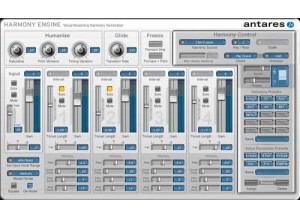
    Antares Harmony Engine Evo is a harmony generator for vocal tracks that has physical modeling. This software has over 15 effects that are all ready to use just by the press of a mouse button. I have used a lot of products made by Antares and they are all pretty easy to use. This Harmony Engine is a little more difficult to use if you want to step outside of just using the standard presets and you want to mold your own sound. As long as you understand the Algorithms and calculations then you might be able to work it easily but I am not big on that stuff so it took me a little more time to learn how to use them properly and get the sound that I was looking for. I had to stick to using the presets for a while before I was ready to start using it without them. SUITABILITY/PERFORMANCE When I first started trying to dial up the calculations and algorithms myself the sound was not very realistic. The harmonies were really choppy and sounded computer generated, but once I got the hang of how to use it I was able to get that realistic and smooth harmony sound that I was looking for when I purchased it. OVERALL OPINION Installing it was a bit longer than I thought it was going to take, it takes up a little more hard disk space than I thought that it would. But after it installed it was not easy to set up with Pro Tools and Cubase. I have only used it in those too DAW programs so far and it has worked great. I have been using the Harmony Engine EVO since February last year (2012) and I still use it frequently to this date, or just when I am looking for my harmonies to be realistic and add them to my main vocals. You can do some really neat stuff with this software if you understand how to dial up the algorithms.

  • moosers's review

    I can't say anything about the installation process with the Antares Systems Auto-Tune Evo as the one that I have used was already installed on the studio's computer. I don't think that there were any issues related to installation, but can't say for sure as I wasn't the one installing it. Since it does work with the system that I've been using it on, I do know that we didn't have any compatibility problems. The interface of the software isn't hard to follow and is very similar to the last version of Auto-Tune and other versions as well, so if you have any experience with other Auto-Tune editions, you should be able to catch on to this one quickly. The manual is put together well, but I didn't need to look at it much as I was familiar with previous versions. SUITABILITY/PERFORMANCE Since I have been using Antares Systems Auto-Tune Evo on a Pro Tools HD system, this plug-in has run flawlessly. I can't say how well it would run on a Pro Tools LE system or something equivalent, but I do know that I have been able to run previous versions of the plug-in well on an LE system and this version isn't all that much different. I have only used one of these plug-ins at a time in a single session, but I think it will run fine granted that you can already run plug-ins well on your system and have an overall adequate system. I only first used this version of Auto-Tune a few months ago, but feel I've been able to adapt quickly to the new interface. OVERALL OPINION Overall, Antares Systems Auto-Tune Evo is the best version of Auto-Tune to date as it sounds cleaner than its predecessors. While I generally prefer using Melodyne to tune vocals as I think it sounds smoother overall, for using auto mode this plug-in is the way to go. The price isn't unreasonable and is definitely affordable for both home and professional studios. If you are looking to get your first tuning program, I would suggest trying out both Auto-Tune Evo and Melodyne to see what will best suit your style and preference. All in all, this is a powerful plug-in that is definitely worthy of being using if you are looking to tune.

  • Audiofanzine FR's review

    (Originally written by yoyo92/translated from Audiofanzine FR) Quick and easy installation. Very easy and user-friendly GUI. SUITABILITY/PERFORMANCE No stability problems. I like the variety of settings (plenty of models, adjustable proximity effect, possibility to choose the polar pattern of each model, and the filters provided with the different models) and the tube simulation which can actually enhance an average guitar recording. The sound is good but you don't always have to select the mic model you would have chosen in real life to get the sound you want... You'd better try out several models. The only disadvantage is that the plug-in needs a lot of resources (I use a 2.8 GHz CPU with only 512 MB Ram) and I can't use more than two instances in the same project. I believe a DSP version would be a great idea (If it doesn't exist yet...) OVERALL OPINION I used it regularly at a friend's and it surprised me. Obviously you can't expect a Neumann sound if you recorded with an SM58, it's only a computer-based simulation. But this plug-in is very convenient to record vocals and guitars with a vintage sound.