Log in
EN
FR

Roland Computer Music

213 products found

Categories
Series
Filter
Sort by
Roland
Evaluation
  • Reviewed or not
  • Editor’s award
  • Reviewed by Audiofanzine
Availability
  • Available or not
  • Sold new or used
  • Sold new
  • Sold used
Must-have products
  • All products
  • Flagship products
  • Best rated products
  • Hot products
  • Popular products
Price
  • Freeware
  • Low-cost (< $100)
  • Mid-range ($100 - $350)
  • Premium (> $350)
€
Clear
Sort by
  • Popularity
  • User ratings
  • Price - low to high
  • Price - high to low
  • Used price, increasing
  • Used price, decreasing
  • Name (from A to Z)
  • Name (from Z to A)
  • Added on
Sort results
  • Popularity
  • User ratings
  • Price - low to high
  • Price - high to low
  • Used price, increasing
  • Used price, decreasing
  • Name (from A to Z)
  • Name (from Z to A)
  • Added on
Filter results 213 results found
Brands
Evaluation
Availability
Must-have products
Price
  • Freeware
  • Low-cost (< $100)
  • Mid-range ($100 - $350)
  • Premium (> $350)
Show results

The best Roland Computer Music reviews

The reviews Audiofanzine members found the most helpful.
  • « At last I can make music »

    Having already had many quality soundcards, I hesitated between this one and an RME Fireface, which I compared it to. I have a computer music setup, no mixer, and use a hackintosh (I7 3.5GHz + 32Gb ram, OSX 10.6.8) with Logic pro 9. I record guitars and vocals mainly. I chose the octa-capture due to its price and, especially, because it features 8 quality preamps, which allows me to also use it to play with my friends without having to add a mixer. USE It will soon be 4 years since I've been using it and I have never had the slightest issue. Given that, I think I made the right decision. Stable driver, I haven't measured the latency, I work with 128 samples under Logic. OPERATION To be honest, it's so transparent that I have forgotten I have a soundcard. Even the compressor included is transparent. I leave the default settings for every take, there's no need for more. The auto-gain is an awesome feature. I plug in my guitar, press auto-gain, I play a bit, press again auto-gain and voilà, I'm done with the settings and I can start recording. OVERALL OPINION I won't say that this card is better than the RME, but it's not far from it. I sold my Apogee Duet and TC konnekt. I didn't get any better takes with the Fireface RME. I haven't had any interest in soundcards for 3 years, although I used to know them all before. An AF member, Jeezo, recommended me this card. In short, it's a great soundcard that goes unnoticed so you can concentrate on the music. What else can you ask for?

  • « A good soundcard »

    I wanted a not-too-expensive soundcard to be able to compose without the master set to the minimum (I'm on a 1.8Ghz desktop PC, so it was a bit hardcore...). All the soundcards I saw were the same to me. What caught my eye was the looks of the UA-55. The connections are somewhat ordinary: Two xlr/jack combo inputs, midi in/out, RCA output (which I have used as SPDIF with a Presonus Firebox, two jack outputs, a HiZ switch, phantom power. Something to meet my needs for some time. I use (now) a Dell 17R, intel core i7, 8Gb RAM, 1Tb, an M-Audio Oxygen 49, MDP 26, and Mackie MR8. UTILIZATION Unless you really put some strain on it (I abused Reaktor with the "replayer"...), the drivers won't give you any trouble. Further, like on any other soundcard I guess, you can adjust a fader according to ten levels, going from "stability" to "real time," which is really useful depending on the situation. With my i7 and with maximum stability (I don't like to keep it low-key when adjusting the parameters...) I run 96 tracks, most of which have at least 2 inserts, and some of them have even 8 inserts, and I can hear no crackles, the master is set halfway I have 10ms when recording, and if I really push it, the latency goes to 30ms, but you have to try really hard. In other words, if you optimize, you have no latency. You can control it via the potentiometers (with LED level indicators, which are really nice and useful). The auto-sens function adjusts the sensitivity automatically, which can be very useful when you use the built-in preamp, which is very useful. It's made of solid metal to withstand transport. It is very sturdy, mine has no scratches yet. GETTING STARTED I use it with Cubase 5.1 and have no issues. The driver is very useful and well thought-out. OVERALL OPINION I've been using it for almost a year. I just tried the firewire Presonus Firebox. I don't know what to say regarding its value for money, but I love to think I made the right choice. It is very cool, nice-looking and sounds good. To wrap it up, if you are starting out with your home studio, it's a good choice and a very good value for money, given all its features (level LEDs and pots, drivers, etc.). I think I would buy it again.

  • « Really cool keybed and Features (Aftertouch Like the Juno 2) - 1984-1986 »

    PROS : The synthesizer keybed is like the Famous Roland Juno 2 (Velocity-After touch). I try it with the Roland BK-7M and it's really insane for live sessions with this. All features is fast and easy to use. Quick Transposition (-12 to +12) Two Sliders near the Modulation/Pitch bend lever. You can tweak the synthesizers on the module, without have to bind any CC manually. CONS : No Octave transposition (You have to octave-transpose with the module). You need the M16C memory (Like the Juno 2), to save your settings.

  • « Best keybed in my opinion »

    I am old school and like the old vintage synthesizers and midi controllers. I came across the MK-300 years ago and bought it, to be used with the Muse Research Receptor and was pleased with them until my Receptor couldn't work with my pc and sold the Receptor but kept the MKB, to be sold later with some sound modules. After having several modern midi keyboards, i was fed up and searched for the MKB-300 and found one and its now my ultimate keyboard. It has 4 midi outputs, so you can connect as much midi devices as you like. But the most important thing is that the keys feel like a piano but don't play like that. The first time i had one is 7 years ago. Right now it is not set up because renovation in the neighborhood is going to take place and i don't want it to be damaged.

  • Audiofanzine FR's review

    (Originally written by bubblebe/translated from Audiofanzine FR) Everything has been already said. Compared with modern Midi master keyboards, it doesn't offer many controls for live performances. (only 4 faders). But its main advantages are elsewhere. UTILIZATION Its main asset is the piano feel. I already owned several keyboards. They where all supposed to be half-weighted (W30, A33, XP80) but this one is not comparable. It's a true delight to play it. I had no problem with the setup. I just decided to give it a go on my own and I never felt lost. OVERALL OPINION I've been using it for two years. I love the playing feel. It's quite heavy but the playing feel more than compensates for that (the weight contributes to the good playing feel). I never regretted having bought it. Don't hesitate to buy it if you need a studio keyboard.

  • BeyondR's review

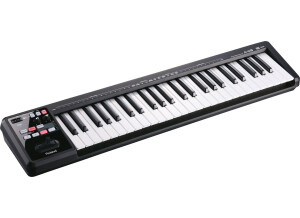
    Roland A-88 is a midi controller, not very cheap cheap but very high quality and playful. Characteristics that motivated my choice was Premium 88-key Ivory Feel-G keyboard,and also the direct link mode. It has a midi connection that works really great with Pro Tools and other daw's . UTILIZATION The general configuration of the program it's very simple, yet very very fast. The manual has a nice description regarding the knobs, slides, velocity sensitive keys, presets, program changes and MIDI channels. The patch selection is easy to follow even for an amateur, it's very straight-forward and sensitive. OVERALL OPINION What I like most about are the 88-key Ivory Feel-G keyboard , the lightweight and compact design , the Two knobs, two switches, the D-BEAM controller is also a great feature. What I also like is the fact that is USB bus powered , is compatible with Windows Xp / Vista / Mac OSX and Windows 7 and the fact that this product can be connected to an Ipad. My opinion regarding the price of this product is decent , you can buy this great usb midi controller online for about 1000 $ , which is not that much if you consider the 88 keys provided , the great feel , the weighted keys and the great design. Precision and quality of the sound is very good, the knobs , the keys , everything responds very well , I haven't find any problems regarding its features. I've tried several midi controller , this is one of the best that describes the feel of a real piano , however if you're fancy about different knobs , pads , and stuff , you can find a more complex kind of midi controller. Knowing what I know , I would buy this product if I would search for something that is as close to a piano.

  • moosers's review

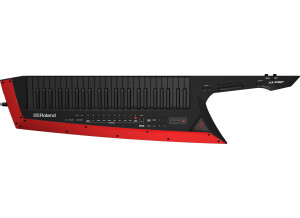
    The Roland AX-1 is a MIDI controller in the form of a 'key-tar." It spans about four and a half octaves and has a variety of setting controls that are programmable. The keyboard has a variety of connections including a standard MIDI input and output as well as some 1/4 inch connections. It keyboard also has a pitch bender on the handle which helps to give it the feel of a guitar. UTILIZATION Using the basic features of the Roland AX-1 isn't too difficult, but there are a lot of features that I do not know about since I don't actually own one of these. The typical functions are easily located and after playing it for a bit I felt I had a good grasp for what it is about, but there are definitely a lot of options and features that I have yet to unlock. I haven't seen a manual for the AX-1 so I can't say anything about it, but if you aren't an expert with MIDI controllers and want to take this in depth, then I would recommend trying to get your hands on a manual. OVERALL OPINION Since the Roland AX-1 doesn't actually have any sound patches of its own, the main thing that I look for in a MIDI controller like this would be its feel and its features, and I would say that the AX-1 excels in both of these categories. It is an easy keyboard to play and has a great action, unlike many of the MIDI keyboards out there that are virtually unplayable. While I've only used this keyboard a handful of times, if I were looking to pick up a MIDI keyboard in this type of form, the AX-1 would be the first place that I would look because of its high quality and reasonable price. While I can't say this is a necessity for any keyboard player out there, there's nothing wrong with a little flare every once in a while...

  • « Excellent unit, despite its age »

    In my setup I have two A880 units that distribute 6 MIDI outputs from the computer interfaces to all my gear. Also they collect the input from various keyboards and send it to the interfaces. Mind you, this is not an interface, there is no USB input to communicate with a computer. However, they do a very fine job in distributing various inputs to various outputs, with the possibility to merge 2 inputs to one output. Also different filtering is possible, though there are devices on the market that are more extentive in their possibilities than an A880. Active Sensing for example, can't be filtered with the A880 patchbay, but you can filter notes and CC in order to ease the MIDI signals to certain outputs. There are some 'panic' options, to send ALL MIDI NOTES OFF to all outputs. The Roland A880 is a very good MIDI patchbay that is easy to operate and with a good visual feedback. You can store different routing configurations too.

  • « Must have for Midi Guitarists »

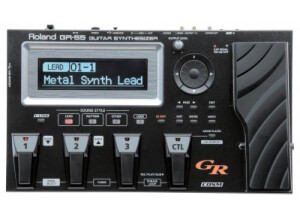
    The GI-20 converts the 13 pin signal from a properly equipped guitar into midi data to be sent to a sound module, computer, or similar midi device. The inputs/outputs are as follows: -13 pin input -Midi In and Out -Foot SW input -EXP Pedal Input -Guitar output (for normal guitar signal) -USB Midi -DC In UTILIZATION Everything can be accessed and edited from the front panel with the provided knobs and buttons. I was originally disappointed that there was no software editor from Roland, but after finding a 3rd party editor I realized that I was still using the front panel more because it was so simple. The drivers are working on my Windows 8 PC no problem. I have also used the GI-20 with a Mac G5, Windows XP, Windows Vista, and Windows 7. I haven't had to use the manual because there is a chart showing you all of the options printed on top of the unit. GETTING STARTED You won't have to put much effort into understanding how the GI-20 works. There is a "Play Mode" for using your settings, and a knob that can turn to different options for programming. You can adjust Guitar Sensitivity, Play Feel, Control Assign, Program Change, Bend Range, Transposition, String Mute, and Midi Channel all from the front of the unit. OVERALL OPINION This is an amazing little unit, and I am sad that Roland has not continued developing these rack-mount GK/midi converters. I assume it is because there is not a huge market for them. You can program every little aspect of what the strings of your guitar and the knobs and buttons on your 13 pin pickup will do. The options give you complete control over your setup. There are 50 user slots to store your settings in, and that includes program changes that you can assign to midi programs in your external hardware. This is nice because if you want a certain setup for a violin sound, such as a slow attack and fast release, you can assign that to always show up with that patch. Then you can change programs to have your settings match a piano sound better. (NOTE the GI-20 produces no sounds). Sadly the limit of user programs is 50, and there are many more sounds I would like to program in this unit. There is a useful on-board tuner that is one of the most accurate I've used, most likely due to the individual signals it receives from the strings. The unit also works with GK equipped Bass guitars, though I have not tested this. There is very low latency when using this, which is rare for midi guitar converters. I previously owned the GR 20 and GR 55 midi guitar boards, and these don't even come close to the GI 20. If you are a midi guitarist, get one of these used NOW because they will be hard to find the longer you wait. I am considering picking up 3 or 4 more just to keep around in case mine fails, because Roland will likely never make something like this again.

  • « small and compact, worth the try »

    The roland UM One is a very basic and simple midi module that only allows for one midi connection via usb to your computer. This is Ideal for the traveling musician for use with a laptop. That is the only reason that I purchased it so I can switch it back and forth between my MuseBox and Midi keyboard when on the road. This midi interface is the most compact midi interface possible. It can be rolled up and fit right into your pocket like some small in ear headphones and you wont have to worry about it being damaged because there really isn’t anything to damage. Not to mention that it only cost around 40 bucks brand new, if you have a laptop that is semi good, then you will have no lag between the hardware and your computer when using the Roland UM One. UTILIZATION didnt have to update the driver. OVERALL OPINION The roland UM One is Very easy to setup, I didn’t even have to install a driver for some reason my computer just synced right up with it and pro tools is my daw or was at the time I was using this and it worked great and didn’t have any issues with it, I still own the Roland UM one and don’t use it that much anymore though because when I travel I tend to just bring more gear every since I purchase a nice travel case that I can put a lot of my gear in, so just one midi connection wont work for me anymore. But if you travel a lot and have a decent laptop with you and have midi gear than the Roland Um 1 will be perfect for you. It is a must by at 40 bucks what more could you really expect to get. You have nothing to lost with this little un damageable device.

  • FP User's review

    Nothing i havent noticed really $50.00 USD UTILIZATION None at all just plug the damn thing in It looks pretty durable just treat it right and it'll love you back OVERALL OPINION My favorite part about the controller is that it is so easy to hook up, plus its so lightweight and has enough knobs to do what you need to do and none that you dont need It is your basic midi controller nothing more nothing less all of what you need and none of what you dont Originally posted on FutureProducers.com Posted by: Ganjabreadman45 ( 4-, 2006)

  • RickD's review

    I've owned this for about 7 or 8 years...basically from since it came out. The best thing about it obviously that it enables you to add sounds to your guitar that simply couldn't not imagine before...and it can be damn handy. The worst thing is that the tracking is slow and ghost notes can occur. This means that if you're not careful or you go too fast or strum too hard or not hard enough then you will get weird notes that were not quite desired. You can set the sensitivity of each string, though, to avoid this in most cases...takes some attention. This was the first MIDI guitar system i tried and it's not surprising because before this there was virtually nothing. I think there was maybe the GR-50 and GR-1, and they were slower etc. This one could have benefitted from the expression pedal...you get with the GR-20 ! But you can always add your own i think. Beware that the female output jacks are laid out & shaped in a way that will NOT let you use Neutrik jacks. You'll need something thinner! The sounds in this are quite amazing, although i wouldn't use most of this for anything else than impressing the mates... If you're careful, you can use the synth pads (which are VERY dynamic) to great effect, and if you put them through a good effects processor then you've got some fantastic sounds at your fingertips... You can also use this as a regular MIDI expander for your existing keyboard! You can have 2 layers going at the same time, which is pretty cool. I used this with my shitty PSR-90 to make it into something acceptable. If you have a Godin LGX (midi, electric and electro-acoustic separate outputs) you can have your regular electric mixed with the electro and then have a piano with strings via the GR-30. Now THAT makes a difference! Also, you can do your solo through your electric amp and have it layered with 1 or 2 wild synth sounds. Overall, i think it was a very expensive piece of equipment (i paid 4150 Francs, ie 625 €) but second hand it's probably quite a good deal now. If you use it. And put your mind to it, you really could! The piano & organ sounds are quite good, the double bass sound is not bad either, and if you stick to the middle of the range you can use strings & trumpets and even trick people into making them think they're real.