Log in
EN
FR

Cakewalk Computer Music

134 products found

Categories
Series
Filter
Sort by
Cakewalk
Evaluation
  • Reviewed or not
  • Editor’s award
  • Reviewed by Audiofanzine
Availability
  • Available or not
  • Sold new or used
  • Sold new
  • Sold used
Must-have products
  • All products
  • Flagship products
  • Best rated products
  • Hot products
  • Popular products
Price
  • Freeware
€
Clear
Sort by
  • Popularity
  • User ratings
  • Price - low to high
  • Price - high to low
  • Used price, increasing
  • Used price, decreasing
  • Name (from A to Z)
  • Name (from Z to A)
  • Added on
Sort results
  • Popularity
  • User ratings
  • Price - low to high
  • Price - high to low
  • Used price, increasing
  • Used price, decreasing
  • Name (from A to Z)
  • Name (from Z to A)
  • Added on
Filter results 134 results found
Brands
Evaluation
Availability
Must-have products
Price
  • Freeware
Show results

The best Cakewalk Computer Music reviews

The reviews Audiofanzine members found the most helpful.
  • « Lightweight synth, but sounds very full! »

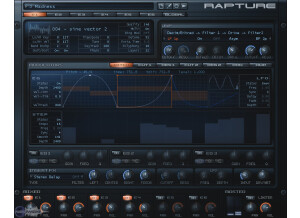
    Cakewalk's Rapture is similar to design and look to their other main synthesizer, the Dimension Pro, but there is less sampling here, and more routing and effects features. With a non-aliasing sampling engine, over 500 presets, 6 individually programmable elements per preset, tons of filters, step generators, and LFO's, Rapture can do it all. It especially functions well with arpeggiating and step-generated synth sounds. SUITABILITY/PERFORMANCE Each of the six sound elements starts with the basic waveform, and there are many to choose from that Rapture offers. You can even use your own waveforms and base sounds. There are no lengthy samples, such as pianos, organs, or strings, present here, which helps keep the synth lightweight, and it never sounds like a cheap sampler either. There is a DSP-routing section first, which sets the filters and effects (including distortion), and whatever routing option you want for those sections. The main modulating envelope generator is probably the best feature is (and it is similar to the one found in Dimension Pro), the envelopes are extremely visual, and can be shaped and modified to very precise levels, without being hard to modify either. There are a few keyboard commands that need to be memorized (one key changes the envelope from regular to exponential, for example), but once you figure out the basics, the possibilities with this envelope generator are endless. Plus, you can use an envelope for seven different parameters, including filter cutoff, volume, pitch, and panning. If you've even been fed up with the lack of envelope control with other synths, that simply give you Attack, Decay, and Sustain knobs, then then synth is the synth for you. Cakewalk Rapture comes with hundreds of great sounding presets, which show off the ability and versatility of the synth very well. The presets contain no funny business, as they are easy to load up, view, and recreate. With this synth, it is very easy to recreate any of the preset sounds, which can't always be said with some synthesizers, as some synths tend to have hidden or hard-to-edit settings. OVERALL OPINION Overall, Cakewalk's Rapture is a solid synth that specializes in arpeggiated and step-sequences synth sounds. Be sure to check it out if you own a PC-based workstation!

  • « Cakewalk Guitar Tracks Pro »

    I bought the software online for $95 including shipping. I wanted software that was as easy to use as a 4 or 8 track tape recorder, with a good, well written manual. Guitar tracks pro is exactly that. The mix view looks like an 8 track (although up to 48 tracks available). The manual is extremely well written. The software interface takes a day or two to get used to, but with about 20 hours of experimentation, you can pick up all of what you will ever need from the manual. The software has great EQ, which allows you to set up to four parametric eq points. It also has a very good compressor. All in all, very impressive software for the price. Also included is both email and phone software support. The included fruityloops software, used for creating drum loops, looks a little mysterious at first, but if you print off the manual, you'll find it is a very cool chunk of software for creating or more likely customizing supplied drum loops. Going back to edit an effect is disconcerting, because it doesn't tell you the which saved effect name your editing. It sounds a little weird, but you'll soon know what I'm talking about. Probably the only glaring oversight in the software. Also, the software does not support 24 bit using Windows XP. I couldn't push it past 16 bit, because it doesnt really support Windows XP WDM drivers. What a pity, considering the package says it supports both XP and 24 bit. Cakewalk told me that Home Studio 2002 and Sonar support 24 bit using XP, so you'd have to upgrade to those pricier and more complicated software packages if you want the extra sound quality. The software is pretty stable. But I'd recommend you need a second drive, preferably a 7200 RPM unit (40 gig Maxtor's are pretty cheap these days) to write your audio files to. You need the 2nd drive so that running the software on your system drive doesnt fight with trying to work with 8-10 tracks worth of sound files being processed at the same time. At 16 bit 44100 Khz (standard CD recording quality), the audio files take up about 5 meg per minute per track. So a 4 minutes, 8 track song will take up 160 meg. Make sure you configure the software to write your audio file to the 2nd drive, and keep only your audio file and nothing else on it. Defrag your disk often, and don't open alot of other programs while using this program. And save your stuff and maybe shut down and reboot for every couple of hours use. Audio software recording is very demanding on a PC. So, its okay to expect the software to become unstable after a couple of hours use, or if you really have to open your email, browse the web, and who knows what else while using this program. Best to start your computer, open no other programs, use guitar tracks pro, save your files after recording each track, and maybe shut down and reboot after a couple hours use. Simple. Its a very good product for the price. Be willing to put about 20 hours of manual reading and experimentation, if you really want to learn what the product can do. I use it to record maybe 10 tracks of guitar, bass, vocals, and some stereo drum loops. I put lots of effects on like reverb, compression, EQ. I use the two effects buses to group common effects like reverb and compression, as theres a limit to the number of effects. Basically, thumbs up, but forget 24 bit recording on XP (you probably won't go there anyway). This review was originally published on http://www.musicgearreview.com

  • « Cakewalk Guitar Tracks »

    I bought this software at the local CompUSA. I believe I paid around $49 for it. The included program Slowblast is worth the cost of the program alone. Slows down music without changing the pitch. Great for working out guitar licks and songs. Well thought out interface, fairly easy to use. I did not get my moneys worth as the recorder was beyond my systems performance. You really need a fast hard drive to use this software. I kept getting skipping when I was recording. My computer is a 500 MHz unit with 27 gig of hard drive space. The tech support told me that my IDE drives were not fast enough. You need a hard drive with at LEAST a 300 MB/Second transfer rate (according to the manufacturer). If you don't have that then don't buy the program. Other than that problem, the interface and everything else was good. If you have a fast hard drive on your system then this program should work great. The sound quality was excellent and the package easy to use....BUT ...you need that fast hard drive. This review was originally published on http://www.musicgearreview.com

  • Audiofanzine FR's review

    (Originally written by B7/translated from Audiofanzine FR) Very easy installation. I chose Sonar because it doesn't need any dongle (and for its price too). I find the way tracks are presented a bit confusing. A project with several tracks requires some organization and the creation of folders otherwise it can quickly becomes a mess. Unlike other sequencers, Sonar opens dual tracks (Midi + audio) for each source. So you really have to be well-organized. Version 8 solves this problem and gives you the possibility to set a track in Rec mode while the song is being played back. Very clear user's manual. SUITABILITY/PERFORMANCE The main problems start here... Sonar5 worked perfectly with the WDM drivers of my MIA sound card but now I have serious problems! ASIO compatibility doesn't seem to be quite finished yet and I don't think I'm the only user having this problem. Midi functionality has been greatly enhanced from v5 to v7. The effects provided are ok but I don't use them a lot since I also have an UAD DSP card. The synths are a real plus considering the price, and their quality is good enough for demos. I don't use them because I own a lot of keyboards and sound generators. OVERALL OPINION To be honest I could get used to Sonar. I come from Logic Audio 5.5.1 and I still have problems with Sonar's shortcuts although they are freely configurable. The habit is too strong! I'm waiting for the new v8 demo version to check if the ASIO compatibility is better. If it's not the case I will simply buy another sequencer. It makes me sick to think I will have to pay for bug fixes, or functions that have been already implemented in other products! I tried out Tracktion's demo and even though Midi seems to be quite basic, I think it's great to have everything displayed on the screen and readily accessible, making work faster. I haven't had any system crashes but I don't compose any symphonies... BTW the score function is very bad... when you come from Logic! I also tested Samplitude and found it really good, but I don't want to buy a product when I know I'm only going to use 10% of its functions... And it's not the same price. I wouldn't choose this sequencer again. I will test version 8 as soon as it comes out and if the ASIO problems are not solved yet (like on Tracktion and Samplitude) I will choose another brand.

  • FP User's review

    Has all the features of any modern sequencer save - 5.1 Mixing - Midi Track Layering Both features either I have in other products, or don't need. Price paid ~$150 for upgrade By FAR the easiest Modern sequencer to use IMO. Nice 500+ page manual, details pretty much all the features. SUITABILITY/PERFORMANCE N/A. No native sounds, you use this to sequence those sounds ;) The Effects are OK. Nothing great. Never played it live. No major stability issues. Only when keeping latency around 2ms, and trying to max out the application. OVERALL OPINION Now that Logic is Mac only, I'll probably use Sonar for the forseeable future. Originally posted on FutureProducers.com Posted by: Unknown ( 5-, 2003)

  • FP User's review

    I hate the sound editor and the loop functions but the record functions are great. Its very easy to understand and has great tutorials. Its straight foward once you get used to it. Price paid $100 Its easy to use once you get used to it. I had to read the tutorials which is rare for me on most software programs. SUITABILITY/PERFORMANCE Its a DAW it gives what u put into it It has crashed on me several times. I dont use with it no more because of that. OVERALL OPINION Its a cool little program but after months of use I wouldnt put all my gold into this pot. Its good but Ive seen other software do me much better. Originally posted on FutureProducers.com Posted by: Xabiton ( 4-, 2006)

  • FP User's review

    Extemely satisfied, absolutely gorgious interface, new audio engine is rock solid, superb over all design, very high quality effects plugins included, not to mention vsampler3.0 which is indeed sweet. Price paid $179 FOR UPGRADE FROM SONAR 2 with new audio engine editing can be done on the fly(very nice feature) SUITABILITY/PERFORMANCE Sound is as good as the audio card or capture.and it is compatible with quiet a few devices. Cake Walk at least in my opinion has the absolute best tech support in the buissness, very prompt and extremely helpful, great people to work with. OVERALL OPINION I've been using cakewalk since pro audio 7, Professional quality software all the way. Originally posted on FutureProducers.com Posted by: Unknown (January 1-, 2003)

  • FP User's review

    I can't think of anything missing. There is a VST plug in converter, included DXi synths, ReWire functions, groove clipping and looping, video editing, MIDI. It can save your project in all sorts of formats, making it cross-compatible with even Pro Tools, while Pro Tools doesn't offer the same. It's got it all, and it isn't a headache to use. I switched over from Cubase SX 2 to SONAR 3 because my sound card didn't have ASIO support, and as it turns out I never looked back. Even when the ASIO drivers became available, I had no interest in leaving SONAR. I will strongly back this product under any circumstances, and in my opinion it kills its main competitor Cubase on every level, from aesthetics and appearance to functionality and quality. Price paid: $300 USD or so SONAR is incredibly easy to use. Any producer who is forced to abandon the DAW they are used to is going to be apprehensive. My apprehension disappeared in the opening minutes of my foray into SONAR. One of my favorite features is the window right next to each channel where you insert FX. It is as easy as right clicking and choosing an effect, and you are using any of your plug ins or VSTs real time. If you are new to the game, its very easy, and if you are making the switch from another DAW, its laughable. A perfect 10, beyond the shadow of a doubt. SUITABILITY/PERFORMANCE The sound quality is excellent. I've used everything from Cool Edit to Logic to Pro Tools to Cubase to DP, and I would buy SONAR over every one of them for the same price. If you have the audio card and hard drive space for it, it can go right up to 192kHz/24bit. Quality-wise, it very rarely runs into problems or bugs, and hasn't lost any of my projects yet. I haven't had any problems with it that would detract from its grade, so I have to give it another 10. OVERALL OPINION I love this product. I realize I've given it straight 10's across the board, but I really think it deserves it. I can't think of any way its restricted or hindered me. It totally revitalized my interest in making and producing music. Its incredible in every way, it definitely compares to Logic and Pro Tools and is half the price. If you're a PC owner, skip PT, skip Cubase, go for SONAR. It really is a Cakewalk. Originally posted on FutureProducers.com Posted by: XL83 ( 7-, 2005)

  • applesforapples's review

    This recording software requires very little schooling to use. Similar to garageband's ease of use. SUITABILITY/PERFORMANCE I used this on an older toshiba laptop and was able to record without much latency at all! Sometimes i do need to restart though (which is the case with every recording software). OVERALL OPINION I've utilized Sonar and Cakewalk recording programs for years. However, with the recent garageband market takeover, one may ask why they would choose this over it or why not just get protools? As a user of all of the above, I can state with confidence that it's ease of use is in between garageband and protools. It offers lot of the perks that garageband does such as built in loops (that are actually pretty usable). It comes with guitarrig 3 which is a fantastic guitar amp plugin. I've personally become a lazy engineer at times because of it. For instance, instead of throwing mics on my marshall, i'll just program the mic I would have wished I had plus choose from a multitude of different amps and cabs. My suggestion is to purchase this if you don't have a mac with garageband yet don't want to purchase protools and all the additional components you would need to work at the level Sonar offers. Plus it's going to run a lot cheaper than protools!

  • JackLudden's review

    Sonar 7 installs very easily. The installation is intuitive, and a good amount of customization options are presented throughout the install. Cakewalk is a company that is on the leading edge of DAW creation, so they of course have drivers for every windows version you'd want to use, including 64-bit editions. I had no compatibility issues thanks to that. The general configuration is as simple or complex as you want it to be, which is one reason I love Sonar. You can customize this program so much that if you spend a little time with it, it can easily provide the best workflow of any DAW on the market - including the "industry standard" protools. The manual is of course very large because the scope of what this very powerful program can do, but it is also very thorough. SUITABILITY/PERFORMANCE I run Sonar on a Windows XP system with an Intel motherboard, dual core Intel processor, 4GB of Ram, an 80GB Raptor hard drive for audio and 3 500GB data drives, and I use a MOTU 896HD as the interface. It works great in this configuration. Sonar is quite efficient, and with my computer I pretty much never run out of CPU headroom - and I use a LOT of plug-ins - including CPU intensive ones like Altiverb and the Waves bundle. Sonar also of course lets you adjust latency, so you can squeeze more perfomance out that way. I will say that now and again you enconter a bug in Sonar. Usually cakewalk patches it up within a few months, and usually they are not a big deal. But that is one caveat to this program. However, most of the time if you have a crash, Sonar 7 lets you make an emergency save of your project, so you rarely lose data between that and the auto-save feature. OVERALL OPINION I've been using Sonar in its various forms for about 5 years. I love how customizable it is, and the fact that it comes with SO many useful features such as time stretching, pitch correction, a ton of soft synths, a nice midi editor, multiple clips per audio track, etc. I have used all of the major DAWs, and Sonar blows them all out of the water if you asked me. It's a shame it's not more popular, as it really should overtake protools. It seems to be getting more frequent use though. The value is a no-brainer - you get so much with this DAW, that you save a ton of money on other software that becomes not quite so essential when you consider all the nice bundled plug-ins and soft-synths. I would definitely buy it again. Also - Cakewalk has great customer service, and their web forum is very active with knowledgeable users. So if you have a problem, expect to have a solution very quickly. Sonar rocks!