Log in
EN
FR

Waves Computer Music

392 products found

Categories
Series
Filter
Sort by
Waves
Evaluation
  • Reviewed or not
  • Editor’s award
  • Reviewed by Audiofanzine
Availability
  • Available or not
  • Sold new or used
  • Sold new
  • Sold used
Must-have products
  • All products
  • Flagship products
  • Best rated products
  • Hot products
  • Popular products
Price
  • Freeware
  • Low-cost (< $95)
  • Mid-range ($95 - $350)
  • Premium (> $350)
€
Clear
Sort by
  • Popularity
  • User ratings
  • Price - low to high
  • Price - high to low
  • Used price, increasing
  • Used price, decreasing
  • Name (from A to Z)
  • Name (from Z to A)
  • Added on
Sort results
  • Popularity
  • User ratings
  • Price - low to high
  • Price - high to low
  • Used price, increasing
  • Used price, decreasing
  • Name (from A to Z)
  • Name (from Z to A)
  • Added on
Filter results 392 results found
Brands
Evaluation
Availability
Must-have products
Price
  • Freeware
  • Low-cost (< $95)
  • Mid-range ($95 - $350)
  • Premium (> $350)
Show results

The best Waves Computer Music reviews

The reviews Audiofanzine members found the most helpful.
  • « A comprehensive -yet complex- virtual channel strip »

    Pro Tools 12.5 / MacBook Pro 2015 This channel strip has to be one of the most beautiful plugins Waves ever released! :8O: No, you’ll never insist enough on how important it is to work with beautiful plugs (I mean audio plugs, of course), if only to compensate for the hours spent in front of the screen, breaking your back, ruining your eyes – spoiling your health altogether. As usual, it’s "a faithfull reproduction of the famous EMI channel strip made by my aunt’s janitor’s cousin’s stepbro..." For all this commercial talk, go and see with Waves directly, even if i’ll admit that this one console is pretty famous, and perhaps the entire British Invasion was recorded on it so yeah, soundwise, it’s a real heavyweight. After trying it. It’s a preamp/EQ/comp combo. Available in mono or stereo versions, but I personally only tested the stereo one and even only in MS mode, so divide by two for an advice on the mono version and we should be there. (For those who wouldn’t know, the MS mode allows to split the center (Mid) from the Sides, and on a drum buss for instance it’s as lethal as it gets.) Now, back to the plugin. Preamp stage – hard to judge a preamp sim, as it may be one of the rare things that can’t be emulated – along with getting a Tokai karaoke mic sound like a U-47. However! The good point here is the volume settings are used to modify the compressor’s reaction, and clearly tweaking the input gains really do change a lot to the overall sound. A good point. Compressor/Limiter stage – this time it’s different. Touching a knob immediately results in an audible change. Hold, Recovery and Mix. No values, just tweak and listen, this is it. EQ stage – keep it between us, but the ergonomics is initially quite a bit messy. The Bass and Treble do what they say (respectively), but in between is a parametrical “Presence” setting that makes things less clear. Again, you get used to it and it’s approximately as subtle as a sledgehammer. Let’s make it clear, the TG12345’s EQ sounds more like a filtre than anything. A bit like the EQs you’d find on old Korg products (Polyphonic Ensemble, Delta... ) – yeah, i know, this has nothing in common but it reminds me of such effects. And this is MY review so I’ll say what I want. Finally, the usual output settings are here, with an additional drive that you’ll be careful not to push too far as it can very quickly sound ugly. SOUNDWISE, It’s a typical sound. A very typical sound. A very, really typical sound… But if you’re working on a neo vintage track ala Amy del Rey, here you are. On the overheads, on a drum buss with MS treatment or an electric guitar you want to make stand out of the mix, that’s the kind of effects that’ll make you spend more time than you’d thought, keeping you busy playing with the filter – so beware. Hiss and grain (yes, grain) are brought in, and overall it brings a real identity, provided you need it. Is it easy to use? Yes and no (that’s for a useful advice, huh?) Is it efficient? Yes. Pros: - MS mode - the EQ - filter, as there’s a moment when you have to choose, either you do rock or you knit, and this is no time for knitting. - the look is a killer, and that’s good news as you’ll have to spend a while on it before getting a really satisfying result Cons : A bit expensive for a basic config, especially if you keep adding Waves to Waves: you’ll end up thinking that you could have bought a Trident channel strip of several Joemeek EQs for the same price, and THAT’s a downer. But hey, that’s progress, they say, what could you do about it?

  • « Experimental Jet Set, Garbage and 3 stars. »

    Pro Tools 12.5 / MacBook Pro 2015 Fashion of the time is what it is, and one can think what one wants of it (always start with a deepest thought...) In Waves’ Signature plugin series (Chris Lord-Age, Eddie Kramer, Jack Joseph Puig...), here comes one of the latest inventions from our friends the Waves Brothers, who seem to have decided to be true to their names in surfing on just every passing wave. Fot the youngest readers who haven’t bothered to go and check Wikipedia, let’s briefly address the “Who’s that Butch Vig?” question by mentioning Vig is (or was?) an outspoken producer during that (temporarily) forgotten decade we now call the 90s. From the Smashing Pumpkins to Sonic Youth to Nirvana’s legendary Nevermind, “the Butch” also and mostly was the brain and producer behind fusionist ephemeral sensation Garbage. Here’s for the outline. We first could wonder why such an anachronical channel strip would be developed – then thinking again you end up like “yeah, after all why not try and make a few extra bucks recycling famous names?” In the absence of Steve Albini drums, Jeff Lynne guitars, Trevor Horn synths or Brendan O'Brien grunge toolkit models, I’ve tried the Butch Vig Vocals. First: the look. While we’re at it… Although I have no remembrance whatsoever of a link between Vig’s productions and the steampunk universe, the GUI seems right out of a crossover between Borderlands et Bioshock. Nothing to do with the music, you’ll say – oh so rightly. At least, this is a GUI that must have provided a job to a whole team of graphists! Why not after all: it’s much more fun to spend hours in front of a well-drawn interface instead of a factory plug-in that looks like cr*p. OK. But soundwise, where does it go ? In a nutshell, on a vocal track (let’s go crazy, huh?) recorded more or less correctly, there it goes: A lot of Grrrrr, a pinch of Pshhhiii, quantities of Brrrr plus a touch of Fzzzzzz. Compression + EQ + Distortion + Filter = smashed teeth splattered all around !! :bravo: Nah, you frankly can’t blame the BVV for sounding either too transparent or thin – no chance it ever will be. As with most of the aforementioned signature series models, this kind of processing is so hard-hitting that it’s hard to give a neutral review of it. If you like the Buzzcocks, P.I.L, Transvision Vamp, Television or the Sex Pistols – AND you’re ready to change your wallpapers after the cat has scratched them out after merely listening to all presets… No way to get anything defined with such a nuanceless processor, but for demoing… Hey, it’s so punkifying it might work! A bit like with Beretta’s latest model: you need to have a use for it.

  • « The Swiss Army knife of on-the-go reverbs... »

    Igniting a reverb so as it integrates to the source material in a perfectly natural manner is an incredibly difficult thing to do. To me, only hardware mabages to do it in a natural, systematic and quick way. But I don’t always have my studio with me, especially on holiday with my laptop computer. So I tried Waves’ H-Reverb and immediately had this feeling of perfect integration. By the way, this is my sole valid criterion when judging the qualities of a software reverb, as in this price range the color and reproduction quality (whether IR or vintage) are of little interest and hard to compare. What matters is that my idea of the sound and the settings I’m after can easily be obtained (and sound good). Quick settings and ER choice make this reverb a pro tools with a very good position compared with its competitors. Somehow it’s the missing link between Universal Audio (think of their beautiful EMT and Lexicon renditions) and Altiverb (or other IRs). Working on the go on a production work, you can get a bit of both worlds at hand and that’s quite clever. I was able to send functional test mixes with no reason to blush. I can also easily compare different reverb sound worlds and colors very quickly, with a single instance of the plug-in!! +++ takes little resource, all the opposite of what I’ve read here or there ++++ GUI allows for a smart and reasoned workflow +++++ sound palette is very versatile and easy to access -- a little less good ans realistic-sounding on heavy reverbs -- producer presets are difficult to use because of the way they are organized - some reverb presets end a bit abruptly and require a manual slope setting Used on ProTools 12, on which it’s 100% functional Won’t work (crashes) with Cubase SX. It won’t replace a nice hardware yet, but perhaps someday – who knows?

  • EricH's review

    Very easy to use (you need an iLok to get the license) SUITABILITY/PERFORMANCE My setup: Macbook core 2 duo 1.83GHz 2Gb ram, running leopard It works great I use it with a Presonus Audiobox with a buffer of 64 samples and it never crashes. OVERALL OPINION This plug-in is incredibly realistic, I haven't heard anything better (and I have tried almost everything there is: guitar rig, revalver, amplitube, pod farm) It gives me the impression that I'm playing with a real tube amp, the crunch sounds are truly wonderful! At this price point, it's really worth it. I'll do my next gigs with my mac and a midi pedalboard.

  • « A lot of bang for your buck »

    Touted by Waves as the industry’s most popular plugin bundle, Gold certainly has a lot of bang for your buck. With 35 plugins to help you with producing, mixing and mastering your tracks, this bundle is a pretty good starting point for anyone wanting to mix in the box. SUITABILITY/PERFORMANCE There are some great, stand out plug ins in here - the V compressor and EQs add a lot of warmth. I use the H-Compressor a lot for parallel compression, and the L1 is my go to limiter. You also get access to a whole host of EQ, reverb, modulation effects, stereo imaging and Waves Tune LT (a plug in similar to Melodyne, allowing you to tune vocals - an essential effect in today’s music climate). Waves do regular sales so it’s definitely worth waiting until you can get a discount (I got 50% off the retail price if I remember correctly). Waves also offer a 7 day free trial on all their plugins and bundles, so you can try before you buy, which is definitely worth doing (but don’t expect to get grips with the ins and outs of all the plugins in that time - there’s just way too much there!) On the negative side, I found it quite hard work to install. But once it’s done it’s done (in fact I wouldn’t have remembered this at all had I not just read another review on the bundle!). To be more specific regarding the installation, you have to install an application called Waves Licence Center (WLC). This requires you to set up an account and log in to receive your licence for the bundles/plugins you have bought or are demoing. It took a few attempts to download the bundle from WLC and at first I could not see the bundle in my DAW (Logic 9). I had to reinstall, restart, reinstall, restart a few times before it worked. I don't know what specifically I did the last time that was different than the other times, but it did work on the third attempt. You have to install WLC if you want to demo the bundle. It's free to demo so I would suggest demoing the bundle before you buy it and you can see if WLC causes any headaches for you. OVERALL OPINION Overall this is a good starting point to anyone getting into mixing their own tracks in the box. There is a wide choice of plug ins here and there is definitely an argument for using fewer plugins but really getting to know how they work, and I’m only really familiar with half the plug ins here (the ones I use on almost every mix I do). However, if you can get this bundle in a sale you’ll find it’s cheaper than buying a few plugins individually, and you never know when you are going to need to use that Doppler or Metaflanger. Pros Wide range of plug ins Professional sound Cons Installation can be time consuming If it’s not on sale, you might want to wait until parting with you cash

  • « Every studio needs an LA-2A »

    The CLA-2A is a software plug-in to be used in a DAW. It digitally emulates the processing of the famous LA-2A compressor. Waves plug-ins are easy to install. You just download it off their webpage, then authorize it using a USB stick as a dongle, or using a software application if you computer connects to the internet. Waves plug-ins are stable. I have never had any problems with bugs or anything like that. SUITABILITY/PERFORMANCE This is the easiest compressor I have ever used (Waves Ren Axx is a close second). Essentially there are just two knobs. The knob on the right is used to control the gain reduction (i.e. how much amplitude of the signal gets compressed). The knob on the left is used to control the overall volume of the output signal. There are no controls for attack/release/knee/etc. Basically, all these settings are fixed and set internally. It is worth noting that the attack and release of this compressor are not very fast (especially compare to an 1176). Therefore, it is typically used for things like vocals, bass, and guitars. Using this compressor with drums can be tricky because it has the slow attack time. One popular technique is to use an 1176 first with fast attack and fast release to control the transients, followed by an LA-2A to control the sustain of the drums. Another good thing to do it to use the side-chain HPF to cut the low frequencies of a bass drum. OVERALL OPINION The LA-2A compressor is famous for 'smoothing' out audio tracks. If you can spend the money to buy a hardware version, more power to you. For the rest of us, we can be glad that many software companies are digitally modeling the signal processing. I own several modeled versions of the LA-2A (Waves CLA-2A, BF-2A, NI/Softube VC 2A, Line 6 Tube Comp). I definitely like the sound of the Waves version the best. I would like to see them include the feature of parallel inject/mix on an update version of all the CLA compressors. The LA-2A is an essential signal processor for any studio. I definitely wouldn't want to try to mix without it. With that being said, it would be a great idea to buy this plug-in as part of the CLA compressors bundle because the 1176 is also essential.

  • « It does the trick »

    I use this plug-in with the following configuration : PC w/ Windows Seven, I7-4770k, 16GB, SSD (Samsung 850pro) Berhinger U-PHORIA UMC 1820 sound interface It's better to have a sound interface with at least 6 outputs so as to be able to mix in 5.1. Otherwise, you can also consider using out port emulators... This plug-in is very stable and light on the CPU. Very easy to get used to, it also has a very complete documentation. It is quite efficient, but certainly not the best. It was released at $49, but for its current price (twice as much I believe), there may be better from competitors. An interesting included feature is the possibility to customize the plugin according to your head size. Even if, to complement -or replace- it, the best solution would have been to ba able to choose several hrtf filters... No calibration depending on the headphone used is offered... a real pity! The head-tracking feature is rather toyish and inefficient. For $49, I'd do the same choice again (while still remaining open and attentive to comparable products by competitors), but for its current price... Well, not so sure I would ^^

  • « The Go-to channel strip »

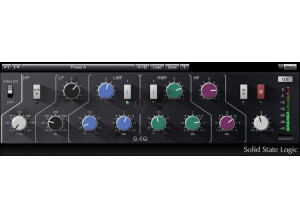
    Waves makes easy to use plug-ins. They are easy to install - you just download them off their website. They are easy to authorize - you can use any USB stick as a dongle, or use their software application to authorize if your computer connects to the internet. They are stable - you don't have to worry about it crashing your recording session. They can be used in almost any DAW. They don't take up a lot of CPU - you can pretty much run this channel strip on every track in your session without maxing out your CPU. They are easy to get started with - Waves plug-ins come with great presets if you don't want to mess around with all the details or you aren't very experienced at mixing. The SSL E-Series channel strip comes with tons of amazing presets from top producers. I highly recommend using these, and at the very least just looking at the settings in the presets to give you some ideas for your own mixing. SUITABILITY/PERFORMANCE I have been using this plug-in on every session that I record since I bought the SSL bundle. The eqs sound smooth, but more importantly I love the dynamics section. The compressor is intuitive and does exactly what you would want it to do. It has its own 'analog' color/sound. The Expander/Gate is my favorite part of the plug-in. I almost never used to use an expander/gate when mixing, but that was mostly because I had been using stock plug-ins in Pro Tools. The gate in the E-series plug-in does amazing things for drums, it can really clean up a mix and make your drums punch. I also think the gate is awesome for vocals. It is great at cutting out the background sound between singing. OVERALL OPINION The Waves SSL E-Series channel strip is probably The Most Important Effects Plug-in released in Native or TDM format. UAD has their own version of the E-series channel, but that requires a UAD-2 card. I say it is the most important because the SSL sound is the most famous sound of modern music from mixing boards. The eq curves and dynamics (compressor/gate) have touched a ridiculous number of tracks on almost all music made in the past 25 years. Sure there is other famous outboard gear (1176, LA-2A, Lexicon Reverbs, etc), but as far as mixing desks go, SSL is king. Bringing this sound into the digital DAW world opens up the possibility for almost anyone to add this sound to their tracks. With that being said, these plug-ins have been around a long time. Waves really needs to re-model them assuming their modeling technology has advanced in the past 10 years. I would love to see these plug-ins released 2.0 with the same controls and flexibility of the new REDD plug-ins.

  • « Simple Modern Rock Bass Sound »

    The Waves CLA Bass plug-in is an effects processor to be used inside a DAW. It can be downloaded and installed directly from the Waves website. Authorization is completed with any USB stick as a dongle, or with the Waves authorization software application if your computer connects to the internet. All of the CLA signature series plug-ins are simple to use, and easy to get started with. As soon as you insert on your track you will hear a difference, hoping a good difference. There are just a few controls. Sliders increase or decrease whatever effect you are adjusting. Buttons pick between different types of effects. For instance, you can pick between different low-frequency eq options. Essentially this will allow you to boost or cut a particular range of low-frequencies. The same goes for the 'distortion'. You can pick between 3 different types, then change the amount. SUITABILITY/PERFORMANCE In use, this plug-in makes your bass sound rock and roll. It is useful for both bass DI or on the recording of a mic'ed up bass amp. I find that it is easy to get carried away with the effects like 'sub' and 'distortion'. In reality, I usually find that a little goes a long way in the mix, extreme settings can be a bit too much. I am not someone that usually uses modulation/pitch effects on bass. I usually don't use this effect in the plug-in, but it is nice to know its there on the rare occasion. This is another effect that I think if you are going to use it, you probably only need to mix in a very small amount to be appropriate. The most useful part of the plug-in is the compressor. Bass is definitely an instrument where a consistent level is key. All three compressors options are great. Getting the attack/release/ratio/threshold settings on a normal compressor set up properly for bass is difficult. I love being able to open this plug-in and slide the fader to get my bass level right. OVERALL OPINION The CLA Bass plug-in is best suited for modern rock bass. It is high specialized at achieving this sound, but also really simple to use. If you are looking a the various Signature Series options from Waves, there are other options that will be better for a large range of musical styles. This plug-in is best if you want your bass sound to be over-the-top, in-your-face, over-driven, and heavy. I don't always mix modern rock, but I like having the CLA plug-ins so that when a band comes in that needs that modern/polished rock sound, I just call up these plug-ins and it is instant gratification.

  • « Sweet Analog Saturation »

    Waves NLS (Non-linear summer) is a suite of software plug-ins (single channel and mix buss versions) that can be used in a DAW. Waves plug-ins are easy to download and install direct from their webpage. Authorization can be completed using any USB dongle, or over the internet if you computer is online. This plug-in was designed to simulate the sound of an analog hardware console. It adds in some specific saturation modeled after three consoles - SSL, EMI, and Neve. The software contains hundreds of modeled individual channels, as well as the mix-bus from each console. This is cool because the imperfections of analog are what given 'analog' its sound. Each channel on these desks is a little bit different - saturation and frequency response are not identical. Its great to flip through the channels to pick which one sounds best, but this can also take a long time. SUITABILITY/PERFORMANCE Mixing with an analog console sounds a little bit different than mixing in the box (ITB) because individual channels add a little bit of pleasing distortion (harmonics) and subtle compression to an input signal. Waves NLS comes with a plug-in to add this to your individual tracks. Another thing that makes analog consoles sound unique is the mix-bus summing. This part of the console also adds a little bit of pleasing distortion, subtle compression, and possibly some changes to the stereo field. I think the EMI console is the most dramatic because it rolls off some top end and thickens up the low end. The SSL and Neve models don't change the frequency response as much, but can add a lot of harmonic saturation to your tracks. Compared to other analog modeling software (Slate Digital VCC), I think Waves NLS can add a lot more saturation on the extreme settings. In practice, I usually only crank up the gain until I can hear a small change in the signal. OVERALL OPINION Waves NLS can be used to remedy the problem of digital recordings sounding sterile and lifeless. Each of the different consoles add their unique 'color' or 'flavor' to your tracks. I really like the EMI console in this plug-in because it thickens up drum tracks, and can be used to take off the harsh top-end of electric guitars. Waves NLS has some tough competition with VCC, but in reality I think they are both different and complement each other well.

  • « I like it...I like it a lot. »

    Waves installs are easy. Not issues with compatibility in Cubase 64 bit. That's always nice. I'm not sure if this has a manual because I've never really read it. I just sort of learned it as I went which in retrospect was probably not the best idea because this thing can be tricky at first. Honestly though I think the learning curve doesn't matter too much due to the great presets included. You can do a lot with this out of the box just with the presets alone. Even cut a full mix if you are patient. I found the channel strip to have a medium difficulty to use. It's not super complicated but it is tricky at first. Not a gripe. Just honesty. SUITABILITY/PERFORMANCE I use it with Cubase and it works fine. Does take up a fair amount of resources but I can imagine with all the emulation going on this is to be expected. If you end up using this as often as I do then you might want to think about getting a fast rig. Mine is top of the line and I still have trouble with keeping a few of them running sometimes. In some mixes I will have 6 or 7 at once and have to start freezing. OVERALL OPINION This has become my most used all in one comp and EQ plugin. It does both wondefully. Adds a serious punch to everything works miracles for a song that is in danger of crowding. The comp can be a bit much on some slower songs when dynamics need to be left low but I must say the EQ sounds great on everything no matter what. There's some kind of magic sauce going on here...and I don't know why but I love what it is. There have been days where I have tried 10 or 20 other plugins on a track just to go back to the SSL. It's that good. If you are just getting started in the VST game then I would suggest you buy this pack first. You can do a lot with it and not have to make another purchase for some time. I highly recommend it for the price. I just wish I would've found it sooner. This is one of those vsts that makes you want to load up ALL your old projects and put the SSL on them to see what wonders it can do to a remix.

  • « Interesting subharmonic synth »

    For those of you who have ever wanted a subharmonic generator for post production work, this could quite possibly be the exact plugin you're looking for. The plugin is basically a super adjustable low end adjuster to add depth and girth to your overall mix. The plugin has four knobs for resonance, lo, loair and output. It also has four sliders for L/R, C, Ls/Rs and LFE. Finally, there are two buttons for align and trim. The plugin itself is implemented in a very intuitive way, so anybody can use this without having to read the manual. Personally, I've never read it, so I can't comment on it. The plugin is also real easy to utilize. Simply enable it on whatever buss you're looking to shape the low end on. It tends to work best on the master buss, but don't let that stop you from utilizing it on other busses. SUITABILITY/PERFORMANCE Waves is the king when it comes to things like stability and performance. They're almost unbeatable in this category. I've never experienced a single crash or hiccup while using this plugin inside of my favorite DAW -- Logic Pro. The plugin is cross compatible, and that means that almost every user out there should be able to utilize this plugin on their favorite machine. It also doesn't take up too much RAM or processing power, which is a huge plus. There is one issue I have experienced, however. The plugin itself is a 32 bit plugin. I run a 64 bit DAW, and it can be a real pain because Logic Pro has to run a special bridge application to utilize this inside the 64 bit workspace. I'm hoping they'll update this plugin later down the road to work in 64 bit environments natively. I've been using the Mercury bundle for about half a year now, and I'm loving every minute of it. OVERALL OPINION If you're looking for a high quality low end shaper for your master buss, this is a good plugin to check out. It's very solid at what it does, and I found that it works great for certain mixes. However, I'm a heavy metal guitarist, and using this can sometimes make the overall mix muddy if you use too much of it. I think this would work much better for electronica music and the like. This could really help deliver that huge thump without having everything sound like a jumbled mess.