Log in
EN
FR

SeriesWaves CLA

14 products found

Filter
Sort by
Evaluation
  • Reviewed or not
  • Editor’s award
  • Reviewed by Audiofanzine
Availability
  • Available or not
  • Sold new or used
  • Sold new
  • Sold used
Must-have products
  • All products
  • Flagship products
  • Best rated products
  • Hot products
  • Popular products
Price
  • Freeware
€
Clear
Sort by
  • Popularity
  • User ratings
  • Price - low to high
  • Price - high to low
  • Used price, increasing
  • Used price, decreasing
  • Name (from A to Z)
  • Name (from Z to A)
  • Added on
Sort results
  • Popularity
  • User ratings
  • Price - low to high
  • Price - high to low
  • Used price, increasing
  • Used price, decreasing
  • Name (from A to Z)
  • Name (from Z to A)
  • Added on
Filter results 14 results found
Evaluation
Availability
Must-have products
Price
  • Freeware
Show results

The best Waves CLA reviews

The reviews Audiofanzine members found the most helpful.
  • « Essential 1176 emulation »

    Waves CLA-76 is a software plug-in to be used in a DAW. It is a simulation of the famous 1176 hardware compressor. It was modeled off of the actually hardware compressors owned by Chris Lord-Alge. This plug-in actually contains two different 1176 models - a black-face (most popular model), and a blue-stripe (less common). Each compressor sounds a little different, but has the same controls. Waves plug-ins are easy to install and authorize. Version 9 of their plug-ins has moved away from using an iLok. Now any USB stick can be used as the dongle, or the authorization can be done without a dongle if your computer connects to the internet. SUITABILITY/PERFORMANCE The controls on the CLA-76 are pretty simple if you have a general idea about compressors, and even easier if you have any experience with an 1176 compressor. Although some people consider 'presets' in a plug-in to be blasphemy, I think they are actually pretty good in the CLA-76 for just getting started. The 'presets' are useful for getting the 'attack' and 'release' time set for a particular instrument. For instance, fast attack and fast release is the quintessential drum sound for the the 1176. Dialing up the drum 'preset' gets everything set right. What a 'preset' can't do for you is set the input gain correctly because this depends on the source material. In practice, I select a preset and then play around with the input gain until I get the right level of compression. In all honesty, I have never used a hardware version of the 1176 so I can't tell you how close the model gets to the actual product. I have used several modeled versions (Bomb Factory, NI/Softube, IK Multimedia), and I like the sound of the Waves version the best. One feature that is lacking on the CLA-76 is a wet/dry or parallel inject control. The 1176 compressor is famous for heavy parallel compression. Ideally, I don't want to create two tracks in my DAW to achieve parallel compression, but it is necessary with the CLA-76. Many other modeled versions of the plug-in have this feature built-in. I wish Waves would update their plug-in with this control. OVERALL OPINION I have used the black-face model more often than the blue-stripe model, mostly because when I want the 1176 'sound', I am putting the compressor on drums. The black-face is my favorite compressor for drums. Chris Lord-Alge recommends the blue-stripe for vocals. I own the entire CLA Classic Compressors bundle. For a long time I used the CLA-3A on guitars because I had read a lot of commentary that the 3A is great for guitars. However, recently I had time to experiment more with the CLA-76, and discovered that I really like what is does with slightly overdriven electric guitars. One other trick with the 1176 plug-in is to put it in series with the LA-2A. The 1176 is used first to tame the transients of the input signal, while the LA-2A boosts more of the sustain of the signal. I really like what the compressors do when working together. In closing, I like the sound of the CLA-76 better than the other native models of the plug-in. Universal Audio has a critically acclaimed model of the 1176 for their UAD-2 DSP processors. I don't own their hardware, so I haven't tried the UAD stuff. Finally, I wish Waves would add the feature of parallel compression into the CLA-76 plug-in.

  • « Rock 'n Roll Guitar Processing »

    The CLA Guitars plug-in is designed to process recorded guitar tracks inside a DAW. Waves installation is simple. Once you get the program up and running, it is simple to figure out the controls of the software. The basic processing functions are all available with this plug-in (eq, compressor, reverb, delay, chorus). The dial that selects the 'drive' adds a predefined eq curve based on CLA's preference. 'Bypass' seems to have a flat eq curve. If you turn 'Re-amplify' to 'On', the plug-in adds amplifier simulation processing. When this is selected, the dial that selects the 'drive' changes between different amp sims that have different amounts of distortion. Obviously the plug-in was intended to be used for guitar, although you could use the reverb or compressor for other instruments. SUITABILITY/PERFORMANCE Compared to other amp simulator software (Guitar Rig 5, Amplitube, Pro Farm 2, Eleven, Waves GTR), the amp simulation in CLA Guitars sounds equally realistic. The disadvantage is this software is you can't control any settings of the amp sim like overdrive for each amp. You really just have a choice between low-, mid-, and high-gain. Where this software excels compared to the previously mentioned amp sim software is the post effects after the amp sim. In my opinion, the other software focus on the amp sim and the other effects are just an after-thought. The secret to a professional sounding guitar track is both a good amp sound, but also a lot of post-processing. I would assume that the eq curves in CLA Guitars are specifically chosen with the corresponding amp sim. For this reason, I don't mind the fact that the plug-in doesn't give me the options to change a lot of detailed eq settings like frequency, bandwidth, etc. The compressors are not subtle and add a lot to the guitar sound. I rarely use the reverb in any of the CLA Signature plug-ins. However, I still think they sound good. My preference is to have a reverb bus track that I send all the instruments to. The 'pitch' or chorus effects are another way that this plug-in can make your guitar tracks sound rock 'n roll. This effect definitely adds a lot to the tone of a guitar track when it is part of a mix. This effect really makes your guitar sound thick and full. OVERALL OPINION Some people won't like that there aren't more controls for tweaking. Honestly though, I have plenty of other plug-ins if I want to tweak. I don't really need another one to do the same thing. What I like about this plug-in is that I can throw it on a track and it makes things sound better. Generally I will use other amp sims instead of the 're-amp' feature of this plug-in. I have a POD HD 500 for amp sims. But, I will always throw this plug-in for post processing. Compared to the other Signature Guitar plug-ins (Kramer, Maserati, JJP), this one is the most dramatic and the most rock 'n roll.

  • « Over the top drums! »

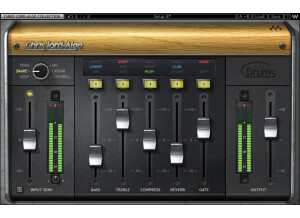
    The CLA Drums plug-in is designed to process recorded individual drum tracks inside a DAW. Waves installation is pretty easy. Once you get the program up and running, there isn't much of a learning curve to get it working. The basic processing functions are all available with this plug-in (eq, compressor, reverb, gate). The dial that selects 'drum' adds a predefined eq curve based on CLA's preference. Selecting different drums on the dial also changes how some of the other processing works behind the scenes. For instance, selecting 'cowbell' gives you access to a delay effect instead of a gate. Obviously the plug-in was intended to be used for drums. That's not to say that you couldn't use the reverb or compressor for other instruments. SUITABILITY/PERFORMANCE The processing in CLA Drums is not subtle. It immediately changes the sound of your drum tracks. I think some of the eq curves are pretty extreme (kick and snare). This kind of extreme processing will make your drums sound hyped up and closer to typical modern rock drums. This may or may not make your drums actually sound better. It is all a matter of preference. If you prefer to add your own eq curve for the kick and snare, one option to consider is that the cowbell setting has a flat eq response, which makes the processing of the plug-in much less extreme. The compressor options are the highlight of the plugin to me. I haven't really liked using the reverbs, and I don't use a drum gate in a lot of the music I make. In general, I do like the convenience of pulling of a plug-in, clicking a few buttons, and have a decent sounding mix. OVERALL OPINION Some people won't like that all the functioning of the effects are happening behind the scenes (no control of attack, release, ratio, knee for the compressors for instance). I'm sure part of the idea for this plug-in was to make a product for the amateur and semi-pro musician who doesn't know much about mixing. If you don't know much about mixing drums, this plug-in is probably a good idea. On the other hand, if you are an experienced mixing engineer and already have a bunch of effects with all the functions and knobs to tweak, do you really want another plug-in that does the same exact thing as all your other gear? This plug-in offers a nice change of pace with that respect. In conclusion, this plug-in will make your drums sound rock and roll, no doubt about it. My main gripe with the product is that it only does over the top rock drums. When you need that, its great. When you don't, you would be better off picking up the JJP Signature Collection. His drum plug-in can do a lot more than just rock.

  • « Vocal mixer »

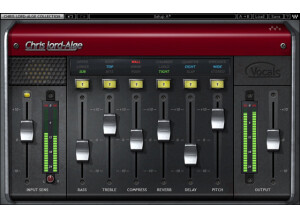
    CLA Vocals is part of the CLA bundle that Waves has to offer. These are plugins that were created by/for Chris Lord-Alge, the famous mixer who's done everything from Rocky IV to Slipknot. This plugin is great for those wanting to master your vocals. It has sliders for bass, treble, compress, reverb, delay, pitch, input and output. On top of that, there are small switches on top of each slider to adjust for different frequencies. To use this, you simply enable it on your vocal buss and start adjusting. I didn't experience any compatibility issues, so I can't comment on that. I never read the manual, but I don't think it's really necessary for these plugins. It's very easy and simple to use, so no issues there. SUITABILITY/PERFORMANCE Waves plugins have always been some of the most stable plugins I've experienced. They're cross platform compatible, so they'll work with both PCs and Macs. As a Mac user, that's a huge advantage for someone like me. They run in 32 bit mode, but Logic uses a wrapper-like application that runs so you don't interfere with your 64 bit interface. I've tried this on various different buses, and it seems to work on anything with ease. It even works nicely on MIDI, which I found a bit surprising. There are no performance issues at all, and that's a huge plus when working in a DAW filled with all kinds of synths and tracks running tons of plugins. These plugins came with my Mercury package, and I've had that for a few months now. OVERALL OPINION This is the other CLA plugin I find myself using quite a bit. It can really add another dimension when it comes to mixing vocals. I find myself treating vocals very similar to guitar leads. They generally act the same in a mix, and they have similar frequencies. As a guitarist, it's easier for me to visualize them that way and mix, so if you're a guitarist who's having trouble with vocals, try it out.

  • « All in one solution »

    CLA Effects is part of the CLA bundle that Waves has to offer. These are plugins that were created by/for Chris Lord-Alge, the famous mixer who's done everything from Rocky IV to Slipknot. This plugin is basically an all-in-one effects solution. I like to think of it as the same as a basic multieffects unit for guitar. You have EQ, distortion, reverb, two delays and a pitch slider. It also has an input and output slider, along with different buttons up top to adjust various presets/settings. To use this, you simply enable it on your buss and start adjusting. I didn't experience any compatibility issues, so I can't comment on that. I never read the manual, but I don't think it's really necessary for these plugins. It's very easy and simple to use, so no issues there. SUITABILITY/PERFORMANCE Waves plugins have always been some of the most stable plugins I've experienced. They're cross platform compatible, so they'll work with both PCs and Macs. As a Mac user, that's a huge advantage for someone like me. They run in 32 bit mode, but Logic uses a wrapper-like application that runs so you don't interfere with your 64 bit interface. I've tried this on various different buses, and it seems to work on anything with ease. It even works nicely on MIDI, which I found a bit surprising. There are no performance issues at all, and that's a huge plus when working in a DAW filled with all kinds of synths and tracks running tons of plugins. These plugins came with my Mercury package, and I've had that for a few months now. OVERALL OPINION This is a decent plugin, but I always find myself wanting more versatility. Personally, I prefer different plugins for each individual effect rather than have some sort of all-in-one solution like this. There just isn't enough versatility to do everything I want to do. It can deliver some quality effects, and considering how it's laid out, it's very easy to get some of the tones you're looking for in your head, but I guess I'm just too used to adjustability within individual plugins.

  • « Good bass mastering program »

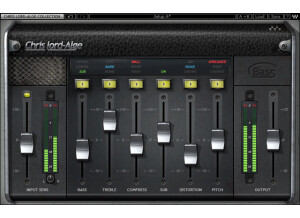
    CLA Bass is part of the CLA bundle that Waves has to offer. These are plugins that were created by/for Chris Lord-Alge, the famous mixer who's done everything from Rocky IV to Slipknot. This plugin is meant for those wanting to add some proper bass compression and mastering to the mix. The plugin itself is pretty easy to use. It has a slider for input, bass, treble, compress, sub, distortion, pitch and output. There are also buttons at the top of each slider to adjust the type of frequency you want to adjust. To use this, you simply enable it on your bass buss and start adjusting. I didn't experience any compatibility issues, so I can't comment on that. I never read the manual, but I don't think it's really necessary for these plugins. It's very easy and simple to use, so no issues there. SUITABILITY/PERFORMANCE Waves plugins have always been some of the most stable plugins I've experienced. They're cross platform compatible, so they'll work with both PCs and Macs. As a Mac user, that's a huge advantage for someone like me. They run in 32 bit mode, but Logic uses a wrapper-like application that runs so you don't interfere with your 64 bit interface. I've tried this on various different buses, and it seems to work on anything with ease. It even works nicely on MIDI, which I found a bit surprising. There are no performance issues at all, and that's a huge plus when working in a DAW filled with all kinds of synths and tracks running tons of plugins. These plugins came with my Mercury package, and I've had that for a few months now. OVERALL OPINION If you're looking for a good bass buss master plugin, this will work fairly nicely. It sounds great, and it's easy to use. I think Waves tries to push this as a simple solution to do any bass mastering, but it really depends on the mix. The best weapons you'll always have when it comes to getting bass to fit the mix will be high pass and low pass filters. Learn to master those, and it'll make your life so much easier when it comes to getting just the right amount of bass.

  • « Getting that cool reverb »

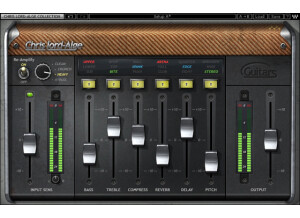
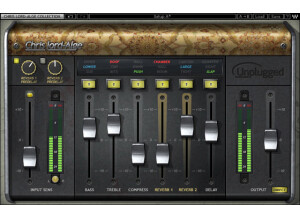
    CLA Unplugged is part of the CLA bundle that Waves has to offer. These are plugins that were created by/for Chris Lord-Alge, the famous mixer who's done everything from Rocky IV to Slipknot. This program basically gives that very acoustic kind of feel going on. It has sliders for bass, treble, compress, reverb 1, reverb 2, delay, input and output. There are also small buttons at the top for adjusting different frequencies. On top of that, there are two knobs for adjusting the reverbs in the upper left. To use this, you simply enable it on your buss and start adjusting. I didn't experience any compatibility issues, so I can't comment on that. I never read the manual, but I don't think it's really necessary for these plugins. It's very easy and simple to use, so no issues there. SUITABILITY/PERFORMANCE Waves plugins have always been some of the most stable plugins I've experienced. They're cross platform compatible, so they'll work with both PCs and Macs. As a Mac user, that's a huge advantage for someone like me. They run in 32 bit mode, but Logic uses a wrapper-like application that runs so you don't interfere with your 64 bit interface. I've tried this on various different buses, and it seems to work on anything with ease. It even works nicely on MIDI, which I found a bit surprising. There are no performance issues at all, and that's a huge plus when working in a DAW filled with all kinds of synths and tracks running tons of plugins. These plugins came with my Mercury package, and I've had that for a few months now. OVERALL OPINION I find myself using this plugin quite a bit on drums for hard rock mixes, actually. You can get some sick reverbs without having to fiddle with too many knobs and buttons. It's real simple to use, and it sounds great. This is one of the better plugins in the CLA bundle, in my opinion.

  • « Solid state compressor »

    This is Waves' second plugin in the line of their three main famous compressors out there. This one is modeled after the famous '70s solid state compressors that were much more transparent than the tube counterparts. Because of that, this one tends to work a bit better on guitars and vocals than the CLA-2A. The compressor itself is fairly easy to use as it only has a Gain knob, Reduction knob, a switch to select between limiting/compression and some buttons to introduce some of that characteristic hum that was associated with these units. SUITABILITY/PERFORMANCE Waves plugins are pretty well renowned in the business as being some of the most stable and popular plugins in the audio world. For one, they're cross platform. That means Mac users like me can use pretty much every single one of their plugins without a problem. Granted, they run at 32 bit instead of 64 bit, but Logic kindly provides a nice application that allows them to run without harming the 64 bit environment. I've never once experienced a crash that was directly correlated with inserting a Waves plugin on a buss. They're extremely stable, and I can't say enough about them. The biggest issue would be the overall cost as they cost a ton of money. I've never read the manual, so I can't really comment on that. These plugins are super easy, and the only main hurdle is figuring out what the names mean. OVERALL OPINION This compressor is a lot better for guitars and vocals because it's much more transparent. On the other hand, you kind of lose that famous tube sound that those compressors had. It's all a trade off, so you really have to experiment and see what's best for the mix you're currently mixing. If you ever get the chance to check out some of these Waves plugins, I highly recommend giving them a go. There's a good reason why they cost so much. Also, please don't support piracy.

  • « Optical tube compressor »

    Waves has a series of three popular compressors that are modeled after their old school counter parts. This one is modeled after the electro-optical tube compressor that was used throughout the 60s and 70s. On top of that, they include some special presets you can test out. To begin with, this compressor actually doubles as a limiter. For those that don't know, compressors and limiters are extremely similar. The main difference between the two is that a limiter isn't as adjustable. Basically, a limiter is a compressor that has a very high ratio. This means that it won't let anything past the threshold it's set at. There is a switch on this that allows you to choose between the two, and I can't say it's the most versatile switch out there. The compressor itself isn't that versatile as you only have a gain and peak reduction knob with some different hum you can introduce for character and a toggle switch to select between the two different types of compressors (or limiters, depending on how you want to classify them). I find that this works nicely on clean to low gain guitars, but it seems to struggle with anything higher as it sounds too vintage for me. SUITABILITY/PERFORMANCE Waves plugins are pretty well renowned in the business as being some of the most stable and popular plugins in the audio world. For one, they're cross platform. That means Mac users like me can use pretty much every single one of their plugins without a problem. Granted, they run at 32 bit instead of 64 bit, but Logic kindly provides a nice application that allows them to run without harming the 64 bit environment. I've never once experienced a crash that was directly correlated with inserting a Waves plugin on a buss. They're extremely stable, and I can't say enough about them. The biggest issue would be the overall cost as they cost a ton of money. I've never read the manual, so I can't really comment on that. These plugins are super easy, and the only main hurdle is figuring out what the names mean. OVERALL OPINION I prefer some of the other compressors on the market to this one mainly because of the style of music I play. This is geared towards those wanting a much more vintage sound. For me, I generally prefer something a bit more transparent and with a lot more versatility. If you're someone who is more on the vintage side of things, this could easily be what you're looking for.