Log in
EN
FR

Waves Music Software

364 products found

Categories
Series
Filter
Sort by
Waves
Evaluation
  • Reviewed or not
  • Editor’s award
  • Reviewed by Audiofanzine
Availability
  • Available or not
  • Sold new or used
  • Sold new
  • Sold used
Must-have products
  • All products
  • Flagship products
  • Best rated products
  • Hot products
  • Popular products
Price
  • Freeware
  • Low-cost (< $250)
  • Mid-range ($250 - $950)
  • Premium (> $950)
€
Clear
Sort by
  • Popularity
  • User ratings
  • Price - low to high
  • Price - high to low
  • Used price, increasing
  • Used price, decreasing
  • Name (from A to Z)
  • Name (from Z to A)
  • Added on
Choose a category
Selected category: Music Software
Sort results
  • Popularity
  • User ratings
  • Price - low to high
  • Price - high to low
  • Used price, increasing
  • Used price, decreasing
  • Name (from A to Z)
  • Name (from Z to A)
  • Added on
Filter results 364 results found
Brands
Evaluation
Availability
Must-have products
Price
  • Freeware
  • Low-cost (< $250)
  • Mid-range ($250 - $950)
  • Premium (> $950)
Show results

The best Waves Music Software reviews

The reviews Audiofanzine members found the most helpful.
  • moosers's review

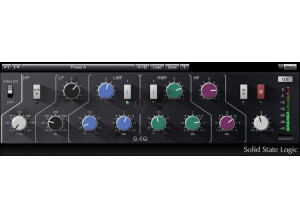
    The Waves Ltd. SSL 4000 Collection is a bundle of plug-ins available for nearly all formats. Included in the bundle are the SSL E and G Channel plug-ins, as well as the G-Master Buss Compressor and the G-Equalizer. This bundle is a really powerful group of plug-ins, as these are some of the most realistic hardware emulators that I've heard out there. I don't own this bundle myself, as I've only used it at the studio where I'm working, so I can't speak about the process of installing this bundle at all. However, the plug-ins are easy enough to figure out in terms of using them, even if you haven't used a real SSL before. The G and E Channel plug-ins do have a pretty good amount going on, but if you break everything down you'll find that there isn't anything too out of the ordinary going on. I haven't seen a manual for the 4000 Collection bundle... SUITABILITY/PERFORMANCE The system that we're running the Waves Ltd. SSL 4000 Collection at the studio is Pro Tools HD based, so we've got the TDM version of this bundle. The computer that we've got to run it on is a very powerful Mac, although I'm not sure the exact specs on it. We've got a ton of analog gear and a Neve 8068 console, so it's definitley saying something that these plug-ins get used a lot. Of course if you have an HD system, you'll be all set with performance, but I can't say how well these would run on an LE system... OVERALL OPINION If you were going to buy a single bundle of plug-ins for your studio, I'd highly encourage you to consider the Waves Ltd. SSL 4000 Collection. Not only do each of the plug-ins sound amazing, but there's a whole lot that can be done with all of them. Usually you won't find plug-in emulations of pieces of hardware to sound this good, as most of them don't even come close to the original. This isn't really the case with the Waves SSL 4000 Collection, as these sound pretty close to the original although I haven't had a chance to shoot them out. I like the G-Channel plug-in the best since it's the most versatile, but I use the G-Channel Master Buss Compressor a good amount as well, and I'm definitely a fan of all the plug-ins available here. If you've got a studio of any kind I'd recommend trying out these plug-ins, as I think you'll want to add them to your suite as soon as you're able!

  • « its a must have »

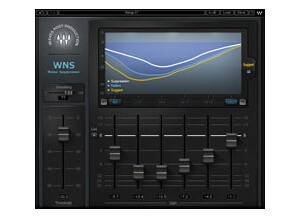
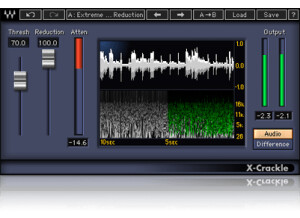
    The Waves Noise Suppressor has taking my mixing on my music to a whole new level. I have heard so much talk about the Waves plug ins and bundles so I finally decided to invest in some of them. I purchase this one about a year and a half ago and I have used it in every single project since the day that it got installed on my system. It is very easy to use and there really isn’t a whole lot to it that you can get confused with. But its just so good at what it does. It will allow you to filter out some of the noises or sounds that you don’t want but it can do it better than almost any other plug in because it allows you to zoom in. My standard fl studio plug in wont allow you to zoom in. SUITABILITY/PERFORMANCE Installing was easy and it runs great on my pc. I have not had an issue with it and don’t plan on having one no matter what system I install it on. I use this plug in multiple times on multiple channels at the same time to filter whatever I don’t want out of drums and other vst’s. OVERALL OPINION But overall, The Waves Noise Suppressor is a must have if you are into mixing your own music. Most of us think that what comes with our program is good enough and we are able to get good mixes and just use the standard ones but untill you purchase this one you wont know what you are missing. This is the best one hands down and its not even that expensive either and you can purchase the bundle with all types of plug ins for your mixer track that will help. Waves bundles have really made my music crisp. Buy it.

  • « Fairly nice digital reverb »

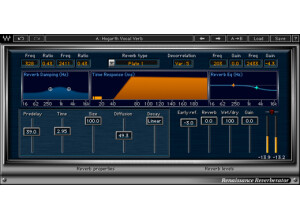
    Reverb is probably one of my favorite effects to really add depth to a mix. It's been a staple of the 80s LA studios, and it's works awesome on clean passages. This is a pretty powerful plugin, and there are a good amount of options. To me, this has just about the right amount of options without getting too out of hand. The plugin has the following features: damping controls for low frequency, low ratio, high ratio, high frequency, frequency band marker graphic per band and ratio, reverb types (hall 1, hall 2, room, chamber, church, plate 1, plate 2, reverse, gated, non-linear, echoverb and resoverb), decorrelation variation, EQ controls for low frequency/low gain, high frequency/high gain, band markers, pre-delay, time, size, diffusion, decay, reflections, wet/dry, gain and more. It's a pretty complex plugin, so if you never used something like this before, I recommend trying to either read the manual or finding some tutorials online. To use it, simply enable it on whatever buss you want to have reverb. I usually end up using some sort of Aux Buss and mixing it in. SUITABILITY/PERFORMANCE I've been using the Mercury bundle for half a year or so now, and it's been awesome. I've never experienced a single crash or issue with any of these plugins, including this one. No matter how many plugins I tend to load, my machine still keeps chugging along. The plugin itself is cross platform compatible, so nearly anybody can use this on his or her favorite machine. Personally, I'm a Mac user, so I'm using OS X on a Mac Pro with Logic Pro. There is one issue that I've been having, however. For the OS X users out there, this plugin is a 32 bit plugin. That means that your DAW will need to utilize a special bridge application for this to work inside your 64 bit DAW. It's not a huge deal, but it can be a bit of a pain, depending on how your particular DAW handles the 32 bit conversion. OVERALL OPINION I've used this with success very many times. In fact, I use this quite a bit for my more 80s-esque mixes. It adds some great depth to your mix, and you can get that awesome 80s LA studio tone with this plugin. Don't be afraid to use it on things like drums and other instruments where you might not think to use it on. It can really open up a mix and make it fatter. Just be sure not to overuse it.

  • « Simple "dynamics compressor" »

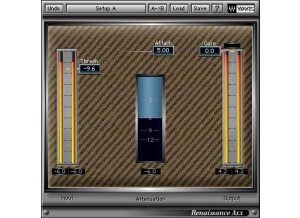
    Compression has long since been a staple of today's music. It's been one of the most used and abused effects to ever hit the market. A lot of compressors out there are extremely complex and contains many options that cane make one's head spin. However, some people need a more basic compressor for that regular compression sound. This plugin was made for you, especially if you're looking to add some compression to guitars. The plugin is basic in that it has a threshold, gain and attack adjustment. There aren't really any other things in this plugin besides those. However, that's all you really need to deliver a solid compression sound if you're not looking for something very specific, tone wise. To use this, just enable it on whatever guitar buss or busses you have. There's no need for a manual because it's so simple to use. SUITABILITY/PERFORMANCE I've been using the Mercury bundle for half a year or so now, and it's been awesome. I've never experienced a single crash or issue with any of these plugins, including this one. No matter how many plugins I tend to load, my machine still keeps chugging along. The plugin itself is cross platform compatible, so nearly anybody can use this on his or her favorite machine. Personally, I'm a Mac user, so I'm using OS X on a Mac Pro with Logic Pro. There is one issue that I've been having, however. For the OS X users out there, this plugin is a 32 bit plugin. That means that your DAW will need to utilize a special bridge application for this to work inside your 64 bit DAW. It's not a huge deal, but it can be a bit of a pain, depending on how your particular DAW handles the 32 bit conversion. OVERALL OPINION The plugin sounds good, and it delivers some solid compression. However, it's not the most transparent thing in the world. I realize that's part of this plugin's charm, but I tend to prefer things that are more transparent. I like the built-in Logic compressor quite a bit, and I like the multiband compressor even more. This can work out for you, but it's more for those who just want a "set and go" plugin more than anything else.

  • « The original loudness plugin by Waves »

    Waves has long since been one of the leaders when it comes to making very useful plugins. This plugin was one of the original loudness plugins in the Waves world, and it's been used on tons of mixes. While it's a bit dated today, it's still one of my go-to plugins for helping maximize loudness while retaining a safe barrier that doesn't distort the overall mix. Basically, this is a limiter plugin. In Logic Pro, they're called an adaptive limiter, and this has the same look-ahead feature that Logic's has. You have sliders for input, output ceiling, threshold, release, and different buttons for other things such as bit depth, dither, shaping and analog/digital. To use this, simply enable it on your master buss. You can use it on other busses as well, but it's usually used on the master buss. If you've used a limiter before, it should be very easy to use. If not, just keep the output ceiling below 0.0 and mess with the settings until you find something that sounds good. There's no need for a manual. SUITABILITY/PERFORMANCE Waves is great with both performance and stability. They are awesome when it comes to stability. I've never experienced a direct crash related towards utilizing this plugin inside any of my projects. The plugin itself doesn't take up too much RAM or processing power, either. While this is usually used on the final master buss, it's important to keep the RAM and processing usage as low as possible. The plugin is also cross platform compatible, so it'll work with nearly any computer out there. There is one issue, however. This is a 32 bit plugin. In a 64 bit world, that means you need to utilize a special bridge application to use this. On top of that, it's somewhat limited compared to the other plugins that are used for loudness. OVERALL OPINION The plugin is definitely showing its age, especially considering that other DAWs have their own adaptive limiter with a look-ahead function. I've used this plugin with success in the past, and it's still one of my go-to plugins if I'm not using the standard Logic plugins. That said, it lacks the options the other ones have, and that can be a bit of a deal breaker for some.

  • « Simple compressor for drums »

    Eddie Kramer is one of the world's most famous music engineers and producers. He's worked with everyone from Kiss to Hendrix and everyone in between. Waves has been working in conjunction with a lot of these famous producers to create plugins, so it's no wonder that this was created. The plugin takes an EQ/compressor approach to mixing with an all-in-one design. The plugin has knobs for sensitivity, gate, compress, bass, treble, output and fx. It also has buttons for bass drum, snare, hi-hats, overheads, toms and room. The plugin is very simple to use. To utilize this, just put this on whatever drum busses you may have for the overall mixing and mastering. I've never read the manual, but it's not really needed with this as it's such a simple to use plugin. SUITABILITY/PERFORMANCE Waves is the king when it comes to things like stability and performance. This plugin is great at using very little RAM and processing power. Considering there may be multiple instances of this plugin being used, that's a life saver. It's also very stable. I've never experienced a crash in relation to this program, and I've had probably seven or so instances of it on various drum channels. There is one problem, however. It's a 32 bit plugin. In today's world, most computers are moving towards 64 bit OSes and DAWs. Because of that, your DAW needs to run a special bridge application to utilize the 32 bit plugin in a 64 bit environment. Ideally, I'd like to do away with that, and I'm hoping Waves makes these all 64 bit compatible in their next update. I've been using the Waves Mercury bundle for the past six or so months now. OVERALL OPINION This is a fairly solid plugin, but I find that it's extremely limiting when it comes to producing drums the way I like to do them. It delivers a solid sound, but it's usually not the sound I'm looking for. It works nicely for rock, but when I'm doing metal, there are a bunch of different tricks I have to do, and I'm constantly dealing with mixing triggers and acoustic drums. I just find that my method is a bit better than utilizing this plugin on all my drum channels.

  • « Another vocal mastering plugin »

    For those who don't know, Eddie Kramer has done everything from Led Zeppelin to Kiss to Hendrix and beyond. He's crazy famous in the music engineering/production world, and considering that Waves has been doing some engineer collaborations lately, it's no surprise that he got his own plugins. The Kramer Vocal Channel is basically a compressor, eq and effects unit in one. There are two different toggles to select between vocal types, sensitivity control, bass control, treble control, compression control, output control, different effects controls for reverb and delay, and a few other tricks up its sleeve. To use this plugin, you simply enable it on whatever buss has your vocals and start adjusting. It's very simple to use. I haven't read the manual for this, but it's really not needed as it's crazy simple to use. Anybody should be able to start utilizing the tones out of this device within seconds. SUITABILITY/PERFORMANCE Waves is the king when it comes to things like stability and compatibility. The plugin is crazy stable. I've never experienced a single crash, stall or freeze while using these. It doesn't take up too much processing power, nor RAM. That's a good thing as there could be multiple instances of this plugin on different busses, depending on how you approach it. On top of all of that, it's also cross platform compatible, so just about anybody can use this. There is one problem, however. This plugin is a 32 bit plugin for OS X. That means that whenever I use this plugin in Logic Pro, it has to use a special application to work in the 64 bit environment. It's automatic, but it's a bit of a pain as it makes the plugin disappear when it's in the background. I've been using the Mercury bundle for about half a year now, and it's pretty awesome. OVERALL OPINION This works very nicely on clean vocals. Where as the JJP approach was more of a slider approach to mixing, this is more of a knob approach. Both work nicely, and it all depends on how you approach music. Personally, I have my own methods. That's not to say this plugin is bad; in fact, it's great. It's just that I have my own little methods for mixing and mastering vocals that works best for me. Waves gives you tons of options because they know everyone likes to do things differently.

  • « Interactive yet complex EQ »

    Jack Joseph Puig is a one of the most famous, award-winning music engineer who's done everything from U2 to No Doubt. Considering his popularity, it was only natural that he would get some famous mixing/mastering plugins, and Waves stepped up to build and offer them to the public. The plugin features modes for kick in, kick out, snare top, snare bottom and toms, sensitivity, main, gate, comp, lows, master and high knobs, a meter switch to select between different views, a phase switch, and center fades that select between attack, size, attitude, punch, sub, length, sustain, tone, presence and verb. The plugin itself is basically an all-in-one plugin to allow for "ease of use" and versatility without having to flood the screen with tons of different plugin. You can really do a ton of shaping with this plugin, and that's the biggest reason for using this plugin. I never read the manual, so I can't comment on that. However, everything is fairly easy and intuitive to use. I never experienced any compatibility issues with this, either. SUITABILITY/PERFORMANCE Waves is one of the number one companies out there when it comes to things like stability and performance. JJP Drums is rock solid, and I've yet to experienced a single crash when using it in my favorite DAW -- Logic Pro. The plugin is also cross platform compatible, so there shouldn't be any issues running this on both Windows and OS X. I do have one minor issue, however. These plugins are 32 bit plugins for OS X, but my DAW is a 64 bit DAW. Because of that, my DAW has to run a special bridge program to fully utilize this. If possible, I'd much rather have to not use that if I don't have to, but it's a fairly minor complaint as they still work perfectly fine. The real cool thing about this plugin is that it doesn't take up too much memory, so you can use quite a few of these as necessary for your overall mix. I've been using the Mercury bundle for about half a year now, so I've had some decent experience with these plugins. OVERALL OPINION Drums are very hard to mix/master, and they take the longest time. You always have tons of different instances of triggers, having to move things closer to the grid without it sounding mechanical, parallel drum compression on the slower stuff and on and on. This plugin is cool for those who just want some simple all-in-one solution to help make their drums sound bigger without having to go through a ton of other plugins and work.

  • « Stripped down IR-1 »

    With the IR-1 being such an extremely versatile and somewhat hard to use plugin, it's no surprise that they'd create a sister program for those who don't need all that versatility and just need a solid reverb. This plugin has a very similar sound to the IR-1, but it's so much easier to use. The interface is upgraded a bit, and it's laid out in a much easier to utilize manner. You have a setting for CPU mode, an IR graph, a reverb time section, dry, dry/wet mix, crosstalk, direct, pre-delay, gain fader and an output knob. I never experienced any compatibility issues when running this, so I can't comment on anything negative regarding that. I also never read the manual, so I can't tell you how clear that is. I can tell you that the plugin itself is a lot easier to use, so there shouldn't be any real need to use a manual with it. If you're confused about anything, adjust it. That should give you an idea as to what it does. SUITABILITY/PERFORMANCE This plugin is as solid as a rock, just like every other Waves plugin out there. They've very well known for having some of the most stable plugins in the music business, and this is no exception. The coolest thing about this is that it has a CPU feature to make sure you're not hogging your entire processor when running this. While it wasn't an issue on my Mac Pro, it could be for those who have somewhat dated hardware. The biggest issue with this is that they're all 32 bit plugins for OS X. I run Logic Pro, and while it has a 32 bit bridge to utilize these in a 64 bit environment, I'd still like to see these be fully 64 bit native. It would help out in so many ways regarding efficiency and clutter. OVERALL OPINION I generally use this plugin more than the IR-1 simply because it's easier to use. IR-1 can get very complicated, and this plugin is more than powerful enough. I like using this on everything from guitars to drums to vocals. It really does work well on everything since it's so versatile. Give it a go if you get the chance. I'm sure you'll be using it often.

  • « Modulated delay »

    The Waves H Delay is another part of the Hybrid series. This combines analog and digital delays, along with modulation and filters to create some of the best delays ever heard. The famous PCM42 was especially famous for this kind of sound, and this plugin is modeled after that famous delay. The plugin itself is super simple to use. You have three main sections -- the delay section, modulation section and filter section. By adjusting the knobs in each of these sections, you can create everything from a simple eighth note dotted delay to some crazy modulated delay that would make The Edge proud. The layout is very easy to get accustomed to, so no issues there. I also did not experience any compatibility issues on my Mac Pro. I can't comment on the manual as I never bothered reading it, but it shouldn't be too hard to figure out what everything does on this. SUITABILITY/PERFORMANCE The biggest issue with this plugin is that it's a 32 bit plugin. While this doesn't really matter on my machine with Logic Pro thanks to its built-in 32 bit bridge, it might matter to those who are forced to work in a 64 bit only environment with no such bridge. Waves plugins are always rock solid. They're well known for being extremely stable and never taking up too much memory inside your DAW. This is especially necessary when you start using multiple instances of plugins. I run a Mac Pro with OS 10.6.x, and I never had any issues when it came to the software acting up. I've had the Mercury bundle for probably half a year or so, and I've always received excellent support from the guys over at Waves. OVERALL OPINION This is my most utilized Waves plugin ever. I use it for everything on guitars, am able to create some extra space on the snare with it, can thicken up the bass and even use it for vocals. There's just so much that you can do with it that it's crazy. My main usage, however, is using it for guitar leads. It has saved me tons of frustration when dealing with mixes where the guitars were way too dry.

  • « Vocal mixer »

    CLA Vocals is part of the CLA bundle that Waves has to offer. These are plugins that were created by/for Chris Lord-Alge, the famous mixer who's done everything from Rocky IV to Slipknot. This plugin is great for those wanting to master your vocals. It has sliders for bass, treble, compress, reverb, delay, pitch, input and output. On top of that, there are small switches on top of each slider to adjust for different frequencies. To use this, you simply enable it on your vocal buss and start adjusting. I didn't experience any compatibility issues, so I can't comment on that. I never read the manual, but I don't think it's really necessary for these plugins. It's very easy and simple to use, so no issues there. SUITABILITY/PERFORMANCE Waves plugins have always been some of the most stable plugins I've experienced. They're cross platform compatible, so they'll work with both PCs and Macs. As a Mac user, that's a huge advantage for someone like me. They run in 32 bit mode, but Logic uses a wrapper-like application that runs so you don't interfere with your 64 bit interface. I've tried this on various different buses, and it seems to work on anything with ease. It even works nicely on MIDI, which I found a bit surprising. There are no performance issues at all, and that's a huge plus when working in a DAW filled with all kinds of synths and tracks running tons of plugins. These plugins came with my Mercury package, and I've had that for a few months now. OVERALL OPINION This is the other CLA plugin I find myself using quite a bit. It can really add another dimension when it comes to mixing vocals. I find myself treating vocals very similar to guitar leads. They generally act the same in a mix, and they have similar frequencies. As a guitarist, it's easier for me to visualize them that way and mix, so if you're a guitarist who's having trouble with vocals, try it out.

  • « Nice guitar mastering plugin »

    CLA Guitars is part of the CLA bundle that Waves has to offer. These are plugins that were created by/for Chris Lord-Alge, the famous mixer who's done everything from Rocky IV to Slipknot. The Waves CLA Guitars plugin is basically an easy to use mastering utility for your guitars. It has sliders for adjusting bass, treble, pitch, reverb, delay, input, and output. There are also some small buttons up top to adjust different things, as well as a knob to adjust what kind of guitars you're mixing. To use this, you simply enable it on your guitar buss and start adjusting. I didn't experience any compatibility issues, so I can't comment on that. I never read the manual, but I don't think it's really necessary for these plugins. It's very easy and simple to use, so no issues there. SUITABILITY/PERFORMANCE Waves plugins have always been some of the most stable plugins I've experienced. They're cross platform compatible, so they'll work with both PCs and Macs. As a Mac user, that's a huge advantage for someone like me. They run in 32 bit mode, but Logic uses a wrapper-like application that runs so you don't interfere with your 64 bit interface. I've tried this on various different buses, and it seems to work on anything with ease. It even works nicely on MIDI, which I found a bit surprising. There are no performance issues at all, and that's a huge plus when working in a DAW filled with all kinds of synths and tracks running tons of plugins. These plugins came with my Mercury package, and I've had that for a few months now. OVERALL OPINION This is a pretty good solution for anybody wanting to master guitars in a small little plugin. For metal, I generally find myself using other devices out there. However, this seems to work nicely for everything from clean to hard rock. For metal, I generally try to leave them as uncompressed as possible since they're already super compressed from the amplifier. A simple high pass, low pass and multiband to keep the palm mutes from booming is generally all you need.