Log in
EN
FR

Nomad Factory Music Software

103 products found

Categories
Filter
Sort by
Nomad Factory
Evaluation
  • Reviewed or not
  • Editor’s award
  • Reviewed by Audiofanzine
Availability
  • Available or not
  • Sold new or used
  • Sold new
  • Sold used
Must-have products
  • All products
  • Flagship products
  • Best rated products
  • Hot products
  • Popular products
Price
  • Freeware
  • Low-cost (< $10)
  • Mid-range ($10 - $25)
  • Premium (> $25)
€
Clear
Sort by
  • Popularity
  • User ratings
  • Price - low to high
  • Price - high to low
  • Used price, increasing
  • Used price, decreasing
  • Name (from A to Z)
  • Name (from Z to A)
  • Added on
Choose a category
Selected category: Music Software
Sort results
  • Popularity
  • User ratings
  • Price - low to high
  • Price - high to low
  • Used price, increasing
  • Used price, decreasing
  • Name (from A to Z)
  • Name (from Z to A)
  • Added on
Filter results 103 results found
Brands
Evaluation
Availability
Must-have products
Price
  • Freeware
  • Low-cost (< $10)
  • Mid-range ($10 - $25)
  • Premium (> $25)
Show results

The best Nomad Factory Music Software reviews

The reviews Audiofanzine members found the most helpful.
  • moosers's review

    The Nomad Factory Liquid Phase II plug-in is one that comes as part of Nomad's Liquid bundle and is not sold individually. The good news is that the entire bundle is about as cheap as many single plug-ins. I don't own this bundle, and have just used it at the studio where I'm working since they have it installed on a few different systems here. The bundle is compatible with both Mac and PC operating systems, as well as in every major plug-in format, so compatibility shouldn't be much of an issue here. Using the Liquid Phase II plug-in isn't hard at all, although there is a good amount to work with so it does take a small amount of getting used to, as would be the case with any plug-in. For the phaser there are parameters for stage, resonance, low and high contour, overdrive, and stereo width. It also has an LFO modulation section consisting of parameters for rate, depth, and waveform sync. Lastly, you can set your mix and overall output level inside the plug-in as well. I haven't seen a manual for Nomad's Liquid Phase II... SUITABILITY/PERFORMANCE We've got the Nomad Factory Liquid Phase II plug-in and the full bundle running on all of our systems at the studio where I work. The main room is Pro Tools HD (like the rest of them), and has a Mac Pro desktop computer with 10 GB of RAM and dual 2.66 Ghz Intel Xeon processors. The fact that it's a Pro Tools HD system is enough to run it, but of course the super powerful computer helps as well. I'm not sure how well this might run in Pro Tools LE or 9, but I'd imagine that it would be pretty stable on most systems. OVERALL OPINION The Nomad Factory Liquid Phase II plug-in is pretty average, but will certainly give you the phasing effect. It's not the warmest or most 'analog' sounding plug-in out there, but for simple phasing effects and beyond, it's certainly adequate. The Liquid II bundle as a whole has similar plug-ins for different effects and signal processing, all for a very cheap price, so it's definitely a bundle that is best suited for home studio owners. Professionals most likely already have plug-ins that are better than these, but if you're looking to further expand with more options at a cheap price, the Liquid II bundle will do the trick. So while the Liquid Phase II plug-in isn't anything revolutionary, there's a good amount of sounds that are possible with it and more times than not it will get the job done for in the box mixing...

  • moosers's review

    The Nomad Factory Liquid Delays II is a unique delay plug-in that's a part of the Liquid Bundle II from Nomad. I don't own this plug-in or the bundle myself, but have used it extensively at the studio where I work where we've got all of the Nomad Factory bundles. Although I wasn't involved with the installation process, I can't imagine anyone having issues with installing it as long as they are installing the proper version for their system. The interface of the plug-in is pretty user friendly for the most part with sections for the delay, filters, and modulation. The main delay section is comprised of parameters for tempo synching, individual left and right delay patterns, and feedback. The modulation section consists of controls for depth, rate, and waveform, while the filter section has those for low and high cut as well as resonance. It also has a little built in overdrive which I don't really use when I use the plug-in. The master section has a peak limiter as well as control over the stereo width, input and output levels, and mix. Lastly, there are a few different modes to choose from which are just different ways to route the different modules in here. I didn't need the assistance of a manual here, but I wouldn't be surprised if some new users did. SUITABILITY/PERFORMANCE I don't own the Nomad Factory Liquid Delays II plug-in or the bundle it comes in, but have used it on a few different Pro Tools HD systems at the studio where I work. I've mostly used it in our C room, but have also used it in our A room. Both are comparable systems as they are Pro Tools HD and can handle pretty much anything you throw at them. I use this plug-in with auxiliary channels to save processing power anyway, but it's not really necessary on these systems as the plug-in runs as smooth as possible anyway. OVERALL OPINION Overall, the Nomad Factory Liquid Delays II is a really cool plug-in to mess around with. While it lacks a certain warmth and presence that you'll get with some of the higher end Waves delays and those comparable, it still sounds quite good and there are enough parameters in here to keep you busy for a long while. It's awesome that it goes beyond being just a delay plug-in, as the modulation and filter sections give it an extra leg up on other comparably priced delay plug-ins. The bundle as a whole has a lot of room for experimentation, which is definitely welcome to me. The sound does come off as being a bit digital at times but for use in home studios where you working mostly in the box anyway, it's definitely more than adequate. The Liquid Bundle II is an awesome place to start for the new DAW user as it's incredibly cheap and offers up a ton of flexibility and different processors...

  • moosers's review

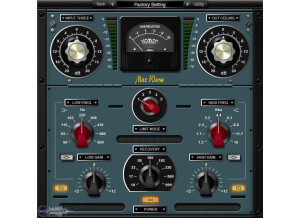
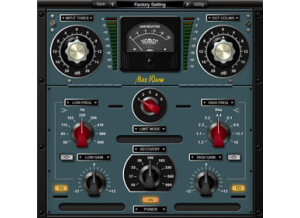
    The Nomad Factory A.M.T. (Analog Mastering Tools) Multi Max plug-in is one of three found in the Analog Master Tools bundle. You can only get this plug-in as part of this bundle, and it's the most in depth of the three in it. It's more or less a more complex version of the AMT Max Warm plug-in. I don't own this bundle of plug-ins myself, as I've only used them on the systems at the studio where I work, so I didn't have anything to do with the installation process here. Using the plug-in isn't necessarily hard, but there is a decent amount going on that you need to be aware of. From top to bottom, it's got parameters for input threshold and output ceiling for the limiter, as well as five limit modes and recovery time to set. It then has a three band EQ on the bottom with high and low band frequency controls. Any experienced user won't need a manual for this... SUITABILITY/PERFORMANCE The main system that I've used the Nomad Factory A.M.T. Multi Max plug-in on at the studio where I'm employed is Pro Tools HD based and is running on a Mac Pro computer with 10 GB of RAM and dual 2.66 Ghz Intel Xeon processors. We've also got a Neve 8068 console and Apogee converters. While it's designed for mastering, if your system can handle it (which this one can), it's suitable for mixing as well. OVERALL OPINION The Nomad Factory A.M.T. Multi Max is definitely the most versatile in the Analog Mastering Tools bundle, taking the best of the other two plug-ins in the bundle and putting it into one. I've used this one mostly for quick mastering jobs, but use the others more for mixing. It's not going to be your one stop shop for mastering, but for simple home studio mastering, it's definitely adequate as a plug-in and as a bundle as a whole. The bundle is incredibly cheap, as the Nomad Factory bundles give you some of the best bang for your buck out there. The A.M.T. Multi Max plug-in in terms of sound is definitely warm sounding for a plug-in and is incredibly versatile. I don't know if this bundle would be the best way to go in terms of home mastering, but they're great plug-ins to have around for all purposes...

  • moosers's review

    The Nomad Factory Essential Multiband Loudness Maximizer is a plug-in that's a part of Nomad's Essential Suite of plug-ins. The bundle contains nine plug-ins in total, all 'essential' plug-ins for mixing. I didn't have any issues installing the bundle as a whole, as it's compatible across the board. The make up of the plug-in in terms of parameters is simple, as it's really a basic loudness maximizer. The interface contains sliders for input and output levels, threshold, and release. It also gives you control over crossover frequencies. In general it's real easy to use, so as long as you understand the basic working parts of a loudness maximizer, so I don't think most users will need a manual. SUITABILITY/PERFORMANCE The system that I'm running the Nomad Factory Essential Multiband Loudness Maximizer on is a Pro Tools LE 8 system. I've got a Mac Book Pro lap top with 4 GB of RAM and a 2.2 Ghz Intel Core 2 Duo processor, and I'm running Pro Tools with a Digi 002R audio interface. I've only tried running this plug-in on the master fader of a session, so I can't say I've ever had a problem running it on my system at home. OVERALL OPINION While it's not going to break down any barriers, the Nomad Factory Essential Multiband Loudness Maximizer is good at what it does. After trying it out a few times, I don't think I'll be using it much in the future only because I've got a series of Waves plug-ins for this purpose, which are notorious for being the best loudness maximizers out there. If you didn't have anything other than this one however, it would certainly do the job fine. It's not as realistic sounding as something like the Waves L2 or L3, but still does a good job of giving your mixes a boost in volume. The Nomad Essential bundle is one definitely worth considering for anyone who is just putting together a DAW and wants a cheap way to get a slew of quality plugs...

  • moosers's review

    The Nomad Factory Liquid Compressor II is a plug-in from the Nomad Factory Liquid Bundle. The bundle consists of six plug-ins in total and is compatible with both Mac and PC operating systems, as well as in RTAS, VST, and AU formats. I don't own the Liquid Bundle, so I wasn't the one to install this software. Learning how to use it however, is really simple, especially if you know how to use compressors in general. The main compression section of the plug-in gives you parameters for threshold, ratio, attack, and release, which is a pretty standard configuration. It also gives you the choice of using it in either RMS or peak mode, as well as soft knee or as a brick wall limiter. The plug-in then has a side chain filter section with both high and low pass filters. That's everything that you'll find in the Liquid Compressor, so as I said if you understand the basics with compressors, you'll be all set. A manual shouldn't be necessary for most users... SUITABILITY/PERFORMANCE The system that we're running hte Nomad Factory Liquid Compressor II on at the studio where I work is a Pro Tools HD system. We've actually got it on a few different Pro Tools HD systems, but the main one has a Mac Pro computer with 10 GB of RAM and dual 2.66 Ghz Intel Xeon processors to go along with a vintage Neve console, Apogee converters, and Barefoot monitors. We never have problems running plug-ins on any of our systems, and this one doesn't seem like it would take up too much processing power anyway... OVERALL OPINION While not my favorite compressor plug-in out there by a long shot, the Nomad Factory Liquid Compressor II can definitely be useful. The Liquid bundle in general is a great deal as you get six plug-ins of different variety for just $150 US dollars. From using the plug-in here and there at the studio, I've found it to be right around average for a compression plug-in. It doesn't sound bad at all, but lacks a certain presence and fullness that you get with a hardware compressor or a higher quality plug-in. I guess what I would say is that you can definitely tell it's a plug-in, which may or may not be harmful to you depending on how you look at it. The bundle as a whole is definitely worth checking out if you're looking to get some pretty good plug-ins on the cheap...

  • moosers's review

    The Nomad Factory Essential Multiband Compressor is a compressor that is broken up into three separate frequency bands for in depth dynamics control. The plug-in can't be bought individually as it comes as a part of the Nomad Factory Essential bundle. It's not going to be hard to install this plug-in bundle, as it's a standard step by step process. The interface of the software is broken up into the three bands, where it allows you to set the frequency range between the three bands rather than individual frequency control. Each band gives you the choice of RMS or peak limiting, along with parameters for threshold, ratio, attack, and release. There's also a master section which gives you control over input and output levels and the type of limiting you'd like. That's pretty much everything that you'll find in the interface of this plug-in, and I would think that most users would be able to skate by without the assistance of the manual. SUITABILITY/PERFORMANCE I've got the Nomad Factory Essential Multiband Compressor running on my system at home, which is Pro Tools LE based. I'm running version 8 of Pro Tools with a Digi 002R audio interface, while I've got a Mac Book Pro lap top with a 2.2 Ghz Intel Core 2 Duo processor and 4 GB of RAM to run everything on. I'm monitoring with a set of Adam A7's as well. I've never had a need to run one of these on every channel or anything close to it, but I would imagine that I'd see a little lag if I did so since it's a pretty in depth plug-in. This having been said, I've been able to run multiple instances of the plug-in without issues... OVERALL OPINION The Nomad Factory Essential Multiband Compressor allows you to get more in depth with your dynamic choices than you would be able to with a traditional compressor. A more traditional compressor is also included in the Nomad Factory Essential bundle, so if you've got this one, you've got both. I've found this plug-in to be useful on a number of different levels, but it's especially great on drum buses for eliminating dynamic unwanted low end compression. I'll still tend to use a single band compressor that covers the whole frequency range, but if I'm looking to get more specific, it's great knowing that I have a tool to do so here. If you're thinking about getting the Essential bundle, I'd encourage you to do so as it's a great way to get all of the basic processors at an extremely reasonable price.

  • moosers's review

    The Nomad Factory Pulse-Tec EQP-1A is a program equalizer plug-in that is a part of Nomad's Pulse-Tec bundle. The bundle consists of three different EQ plug-ins, all designed after, you guessed it, Pultec EQ's. The EQP-1A is the main plug-in the bundle in my opinion, since the original Pultec EQP-1A is the most well known Pultec EQ and the most copied. There are a number of different plug-ins out there that model itself after the EQP-1A, including those made by IK Multimedia and Bomb Factory. I don't own this bundle myself, but have used it a number of times at the studio where I work, mostly just to mess around with it and get a feel of all the different plug-ins that we have. Even if you haven't used an original Pultec EQP-1A or any of it's copies, it's still a super easy EQ to use. It's got two bands essentially, each with their own parameters for frequency, boost, and attenuation. The low frequency band has four different frequencies to choose from, ranging from 20 to 100 Hz, while the high frequency band has six in total. There's also a band width parameter and a 'vintage' switch which is supposed to add a little more of the original feel of the Pultec to it, although I'm not convinced it does. I haven't had a need to look at the manual for this plug-in... SUITABILITY/PERFORMANCE The studio that I work at has the Nomad Factory Pulse-Tec EQP-1A and the full Pulse-Tec bundle running on a few different systems. I've used it on two of the systems, both of which are Pro Tools HD systems. The main room has a Mac Pro computer with dual 2.66 Ghz Intel Xeon processors and 10 GB of RAM, the other room has a lesser equipped Mac Pro computer, but more than adequate nonetheless. I've never had anything close to a lag on these systems at all, including while using this plug-in of course. OVERALL OPINION While not my favorite Pultech EQP-1A plug-in emulation, the Nomad Factory Pulse-Tec EQP-1A is still quite solid and is more than useful for mixing purposes. You gotta love the Pultec EQ configuration, which is just so easy to use that it makes it a real simple job to cut or boost at any of the given frequencies. While perhaps not as versatile as a fully parametric EQ, the idea is of course to model this directly after a EQP-1A. The tone of the plug-in isn't going to give you an instant Pultec sound or anything like that, but it's certainly clean sounding and solid overall. The other plug-ins in the bundle round it out to make it a worthwhile group of plug-ins at an incredibly reasonable price. At this price it's a great buy for the home studio owner looking to get some new quality plug-ins on the cheap. Not sure they would be my first buy for an EQ plug-in bundle, but for the price you really can't go wrong...

  • moosers's review

    The Nomad Factory Essential Gate/Expander is a simple plug-in that you’ll find in the Nomad Factory Essential bundle of plug-ins, which is essentially an incredibly cheap way to get a whole bunch of useful plug-ins. This one in particular isn’t hard to use at all as long as you understand the basic premises behind a gate/expander. The parameters that it gives you to work with are fairly straight forward for something like this, as it’s got sliders for threshold, attack, hold, release, and range. It also has VU meters that are programmable to input or output, as well as input and output leveling sliders. It’s definitely a simple plug-in, so I wouldn’t think that a manual would be necessary for most users out there. SUITABILITY/PERFORMANCE I’ve got the Nomad Factory Essential Gate/Expander running on my system at home currently. It’s a small rig, but it’s perfect for me to work in the box at home. The rig consists of Pro Tools LE 8 that I run with a Digi 002R audio interface and on a Mac Book Pro that has 4 GB of RAM and a 2.2 Ghz Intel Core 2 Duo processor. None of the plug-ins in the Nomad Essential seem to take up much processing power, or at least I can say I’ve never had a problem with this one or any of the others. OVERALL OPINION While simple, the Nomad Factory Essential Gate/Expander is more than capable of getting the job done when you might need something like this. In word of digital audio there of course is much less of a need for a gate than there would be without the luxuries of digital audio editing, but nonetheless there are situations where a gate/expander is needed. This plug-in does the job just about as well as any other that I’ve used. In general the Nomad Factory Essential bundle is absolutely one worth having for home studio owners looking to get a lot of bang for your buck!

  • moosers's review

    The Nomad Factory Essential Loudness Maximizer is a plug-in found in the Nomad Essential bundle of plug-ins. The bundle contains nine plug-in total, definitely living up to it’s name as an ‘Essential’ bundle, since it’s got all of your basic signal processors and then some. You install the bundle all at once, which shouldn’t be a problem at all as long as you’re installing the proper formats for your system. The configuration of the plug-in is easy to figure out and shouldn’t be a problem to use for anyone. The parameters it consists of include input level, threshold, output ceiling, and release. Even if you haven’t used many loudness maximizers out there like those made famous by Waves, it shouldn’t take too long to feel comfortable using it. For this reason I don’t believe that a manual is necessary. SUITABILITY/PERFORMANCE The system that I’m running this plug-in on is Pro Tools LE 8 based. I’m running it on a Mac Book Pro that has a 2.2 Ghz Intel Core 2 Duo processor and 4 GB of RAM, while I’m running Pro Tools LE 8 with a Digi 002R audio interface. Judging solely from running it on this system I’d say that most people will be okay using it. This bundle in general doesn’t seem to take up too much processing power, but since I’ve only been running it on one system, it’s hard to say how well it might run on a lesser system. OVERALL OPINION While not my favorite loudness maximizer to use, in most situations it will be more than suitable. It’s definitely possible to get your master louder by a few db’s. but I don’t find that it’s as clean and true sounding as that made by Waves, like the L2 or L3 maximizers which have more or less been the industry standard for this sort of thing. It’s more than nice to get this plug-in in the Essential bundle, but I wouldn’t recommend the bundle solely for this one. However, if you like the others in the bundle as well, it’s cheap enough where it’s definitely worth it to scoop up the full bundle.

  • moosers's review

    The Nomad Factory Essential Compressor is a simple compression plug-in that is a part of the Essential Studio Suite bundle of plug-ins. This plug-in is a great way to get a bunch of good plug-ins at a very cheap price per plug-in as there's nine plug-ins in total. It's an easy process to install the full bundle of these plug-ins, just make sure you do so keeping proper compatibility in mind. This is a really simple compressor in the sense that it's got all of the familiar parameters for a compressor, so if you're familiar with the make up of traditional compressors, you won't have a problem here. It's got sliders for threshold, ratio, attack, release, and gain make up, as well as a built in limiter mode. It also has input and output leveling parameters. No manual is necessary here - if something is unclear I'd recommend doing some research on compressors in general. SUITABILITY/PERFORMANCE I've got the Nomad Factory Essential Compressor and the full Essential Suite running at home on my Pro Tools LE rig. I've got a Mac Book Pro lap top that has a 2.2 Ghz Intel Core 2 Duo processor and 4 GB of RAM, and I've got Pro Tools LE 8 running with a Digi 002R audio interface. This system is definitely enough to run the plug-in more than comfortably, as none of the Essential plug-in take up very much processing power. OVERALL OPINION While not the best sounding compression plug-in that I've got in my suite at home, the Nomad Factory Essential Compressor is still adequate for getting simple compression done. It's a pretty clean sounding compressor, but definitely doesn't add a whole lot of depth or warmth as you'd get with some other compression plug-ins. This entire bundle is great for those who are just putting together a DAW and want some cheap, quality plug-ins. Nomad has some great plug-ins to offer, so getting this bundle is a great place to start if you're interested in them. This isn't the best sounding compression plug-in Nomad has to offer, but in the context of this bundle it's pretty much a steal...

  • moosers's review

    The Nomad Factory Essential Graphic EQ is an equalizer plug-in that comes as a part of the Nomad Factory Essential Bundle, which consists of nine 'Essential' plug-ins in total, all at a very low price. The bundle is basically a sort of all in one suite for all purposes for the home studio owner. Installing the plug-in takes place during the installation of the entire bundle, which is an easy enough process that should be uneventful. Using the plug-in is just as easy - it's made up of 15 bands with the frequencies ranging from 40 Hz to 16 kHz. It also has a parameter for setting the band width, as well as input and output leveling sliders. In addition, it has a built in limiter which just touches it a little bit. It's easy enough to use, so I don't believe the assistance of a manual to be necessary. SUITABILITY/PERFORMANCE I've got the Nomad Factory Essential bundle and the Essential Graphic EQ on my home system, with is Pro Tools LE based. I'm running it on a Mac Book Pro that has a 2.2 Ghz Intel Core 2 Duo processor and 4 GB of RAM and I'm running version 8 of Pro Tools LE with a Digi 002R audio interface. This plug-in really doesn't seem to take up too much processing power, so I wouldn't be too concerned with performance with the plug-in or the bundle. OVERALL OPINION There's nothing really that stands out to me about the Nomad Factory Essential Graphic EQ, but at the same time it's a nice graphic EQ that can get the job done for sure. In other words, there's no special features here, but it's solid at what it does. Being that it's a part of the Essential bundle which is extremely cheap, especially when you break it down to price per plug-in. It's not the warmest sounding EQ, but it can do simple jobs for sure. Mostly I'll use my parametric EQ plug-ins, but this is sometimes nice and easy to just boost or cut a bit at the given frequencies. If you're a home studio owner on a budget looking for a cheap way to get a bunch of professional plug-ins, definitely consider the Nomad Factory Essential Graphic EQ as part of the Essential bundle.

  • moosers's review

    The Nomad Factory Essential Tube/Tape Warmer is a plug-in that is part of Nomad's Essential Bundle. The bundle consists of nine plug-ins in total, all for just $200 US dollars. The bundle is compatible for both Mac and PC operating systems and in VST, RTAS, or AU formats. Installing the plug-in and the rest of the bundle was easy, as you just follow the step by step instructions as you would for any software. Installing the bundle is done all at once, so you don't have to do each individual plug-in one at a time. As far as the interface is concerned, it's fairly simple and does have the same sort of look as the others in the bundle. The parameters that they give you to work with aren't many, as it there are three different buttons for two different types of 12AX7 tube emulations and one for tape. You can also set the input and output levels and monitor them with the virtual VU meters it has. It's a pretty easy plug-in to use, so I wouldn't think you'd need a manual unless you're a beginner. SUITABILITY/PERFORMANCE I'm running the Nomad Factory Essential Tube/Tape Warmer on a Pro Tools LE based system. I've got version 8 of the software and I run it with a Digi 002R audio interface or a Digidesign Micro Box if I'm on the go. I also have a Mac Book Pro computer that has a 2.2 Ghz Intel Core 2 Duo processor and 4 GB of RAM to work with. I don't have too many problems running anything on this system, as it's definitely pretty sturdy. Either way, the Essential Tube/Tape Warmer plug-in is one that doesn't seem to be taking up much processing power to begin with. OVERALL OPINION While in general it seems strange to aim to get an analog sound with a plug-in, but that's exactly what the idea is with the Nomad Factory Essential Tube/Tape Warmer. While it's definitely not a replacement for real analog gear in terms of tubes and warmth, for an in the box warmer it can actually do a pretty decent job of adding some depth to your sound. I like the tape warmth the best, as it will get you part of the way there in terms of getting a bit of a warmer tone. I wouldn't buy the Essential bundle just for this plug-in, so definitely check out the full array of plug-ins in the bundle if you're thinking about picking this up...