Log in
EN
FR

Native Instruments Music Software

361 products found

Categories
Series
Filter
Sort by
Native Instruments
Evaluation
  • Reviewed or not
  • Editor’s award
  • Reviewed by Audiofanzine
Availability
  • Available or not
  • Sold new or used
  • Sold new
  • Sold used
Must-have products
  • All products
  • Flagship products
  • Best rated products
  • Hot products
  • Popular products
Price
  • Freeware
  • Low-cost (< $100)
  • Mid-range ($100 - $350)
  • Premium (> $350)
€
Clear
Sort by
  • Popularity
  • User ratings
  • Price - low to high
  • Price - high to low
  • Used price, increasing
  • Used price, decreasing
  • Name (from A to Z)
  • Name (from Z to A)
  • Added on
Sort results
  • Popularity
  • User ratings
  • Price - low to high
  • Price - high to low
  • Used price, increasing
  • Used price, decreasing
  • Name (from A to Z)
  • Name (from Z to A)
  • Added on
Filter results 361 results found
Brands
Evaluation
Availability
Must-have products
Price
  • Freeware
  • Low-cost (< $100)
  • Mid-range ($100 - $350)
  • Premium (> $350)
Show results

The best Native Instruments Music Software reviews

The reviews Audiofanzine members found the most helpful.
  • « Industry Standard Synth »

    Massive is a software application and plug-in that can be used as a stand-alone software instrument, or as a plug-in inside a DAW. It is a software synthesizer with internal sound generators and effects processing. There are many different waveform generators to choose from, and all the typical effects are available (filters, distortion, reverb, delay, etc). There is also a pattern sequencer to automate some of the effect internally. The software can be purchased on its own, however I received it as part of the Native Instruments Komplete Bundle. It can be downloaded off the NI website and installed. Authorization is completed using the NI Service Center application. SUITABILITY/PERFORMANCE Getting started with Massive is easy. There are tons and tons of included presets. I have pretty much used the presets with Massive exclusively since I purchased it in 2008. There are plenty of ways to create your own synth sounds from scratch if you want, however I have never really taken the time to really figure the software out. There are tons of videos on YouTube if you want to learn how to create your own synths in Massive. However, if you are like me, I just want to find usable sounds fast, with minimal tweaking and get on to making music. Therefore, the library of presets is one of the most valuable aspects of Massive to me. OVERALL OPINION Software synthesizers are a dime-a-dozen at this point. There are so many to choose from, its hard to know which one is best. They all have many of the same exact features, but are also slightly different. Massive has been around along time (and might benefit from an update soon), but remains a favorite to many synth geeks despite many other synths that have come along since Massive was released. The GUI really needs to be updated. It looks almost 'prehistoric' in comparison to many software applications that have been released recently. Native Instruments has some of the best looking interfaces in the music market, but they also have some of the most outdated interfaces because some of their products have been around for a really long time without update. Massive was just included with the latest update to Maschine. Hopefully this means NI will be moving forward with Massive and not cutting off support for the software anytime soon.

  • songboy's review

    So far so good. FM8 installed with no problems and has so far worked flawlessly. I use a macbook and there has been no compatibility problems thus far. FM8, like most Native Instruments plugins, can be a little tricky and somewhat daunting at first. I feel like the headings and fields are always the easiest to digest. Initially, it is quite easy, like most plugins, to go through all the presets, but making your own sounds can be tricky. I definitely recommend having the manual accessible when you get to this stage. It will save you time and a lot of guessing. Yes, the manual is clear enough. SUITABILITY/PERFORMANCE My computer configuration is as follows: A Macbook (2.2ghz, 4gb Ram, 120 HD), Presonus Firepod/Firebox Interface and Logic Pro 8. So far, the plugin has worked flawlessly with this configuration. As for performance, the FM8 certainly doesn't bog down my computer, not with 4 gigs of Ram, which I suggest for all whose computer can accept that much. The patches change quickly and the sound is fantastic so I give it a 10 or 10 for performance. As I stated before, no crashes or glitches so far. Native Instruments have given me no trouble in the past and continue to perform that way. OVERALL OPINION I have been using FM8 for roughly 6 months. What I like about it the most is the excellent sound patches (presets and the custom stuff I have made). They are so full and lush that it makes me not regret selling off all my hardware synths. What I don't like about this plugin (as with most Native Instrument products) is its sometimes confusing look. I feel like Native Instruments could learn a thing or two from Logic ( designers about plugin layouts. I have lots of synth plugins (such as Abysynth, Massive, all of Logic's synths, Sugarbytes, Arturia stuff, IK mulimedia stuff) and this one keeps popping its head up on the top list. The samples are just so...I don't know, delicious might be the right word. I got this in a package deal which is the way to go. Buying these plugins individually is way more money. I think I got 4 plugins (FM8, Pro 53, Abysnth and Kontakt) for somewhere around $400. Its a decent chunk of change, but all those plugins have certainly seen there fair share of use. Yes, I would definitely buy FM8 again. It never disappoints.

  • FP User's review

    Features are great. 6 Drum computers, 10 synth's, 6 sequencers, and much much more make this program worth every penny. I've even started using the Reaktor effects as plug-in's because they sound better than most moderately priced pi's on the market. Price paid: $450 Calling up presets and playing right of the bat is easy. But getting down to the nitty gritty and realizing the true genius of Reaktor takes some time. There are great core tutorials that will open some huge doors as far as usability goes. My only beef is that you can't used pro tools as a sequencer, but Cubase will work for that. SUITABILITY/PERFORMANCE The best sounding synth software out there! Hands down. I've tried Reason, Sampletank, even used a buddies Motif for a couple days, and kept going back to Reaktor. The quality of sound is amazing, and the ability to fidget with the structure of each synth is beyond compare to anything else. Every nuance of each synth, whether it's a drum machine, sound generator, sequencer or effect patch is completely controllable. You can actually enter the core design of each sunth and move wires around, change types of eq's, change compressors, basically, anything you want. It's got amazing sound quality. This is the most well built program I've used. It sucks up quite a bit of CPU, but the results are well worth it. OVERALL OPINION Absolutely got nothin but love for Reaktor, it's opened some crazy production doors that just weren't possible before this program. Thank god for native instruments. Originally posted on FutureProducers.com Posted by: locar ( 7-, 2005)

  • afterglow479's review

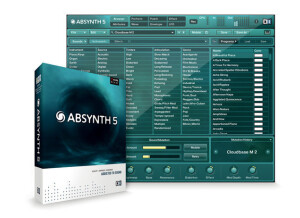
    It installed without incident. Total installation time was maybe 10 minutes, so it's pretty quick. You'll have to register your serial number and make sure your DAW program knows you have a new plug installed. The configuration is very easy after the installation. All you really have to worry about is making sure your MIDI controller is going in through the right channel in order to control this soft synth. The manual is very lengthy and detailed, actually to a fault. I think the detail they provide would go over most people's heads, because it gets down to the nitty gritty of synth technology. SUITABILITY/PERFORMANCE I have a custom built PC. It has Windows XP and I am running Cubase as my DAW platform. The hardware is based on an Intel dual core processor with 4GB of RAM. Absynth works perfectly fine on my system. It is installed in the VST format. The CPU efficiency is very good. Even when it's playing a complicated sounding synth part, this program never seems to cause more than maybe 3% of my CPU overhead to be used. Compared with other synth plug-ins that is very good. It is very stable, it hasn't crashed. OVERALL OPINION I got Absynth about 6 months ago even though it's been out for a long time. I had been using other synths for a while and I wanted to try out something new that is more customizable. That is really the key word with this software - customization. The amount that you can edit sounds is incredible. You can basically build up your own synth sound from scratch with the tools that you are given. It is a little bit overwhelming, so people new to synthesis will probably want to stick to the presets for a while (which all sound very good, by the way). But after getting the hang of it, you can start to build your own patches. If you are into customizing your synth sounds, then this is the program for you. Highly recommended.

  • « Fantastic Program »

    Kontakt is my one and only sample player. It's a strong and versatile program and after using it for about 7-8 years I'm still learning more and more about how powerful this thing is. I generally use Kontakt as a plug-in and outside of some occasional samples I've programmed myself in some of Logic's synthesizers, I use Kontakt exclusively for sample playback, editing, and creation. Most projects I've done start with me opening a multi-channel instance of Kontakt and loading up the sounds I need. For a complete beginner it might take a bit to realize the full potential of this program, such as the sample editing capabilities and using the multi-channel aspect to save CPU, but it's generally straightforward. Once it's loaded up, all you have to do is find your sounds and double-click. The Kontakt sound libraries themselves are pretty decent although not the best. The orchestral samples are very flexible and controllable, but just don't sound that great. However, they can be effectively utilized mixed-in with more professional samples for a bigger, fuller spectrum of sound. I find the strings, for example, to be a bit harsh but that can be great if you want to boost the upper frequencies of a more dull string patch, or a synth pad. In the end, there are some decent sounds in there but you have to go looking. The best thing is to separate all the sounds that really excel into another folder for easy access. Besides being a great sample player, Kontakt has been really useful to me in creating and editing my own samples. You can drag and drop any audio file into the Kontakt interface and it is immediately mapped out and pitch shifted onto the midi keyboard. After that you are free to edit the audio in so many different ways and add other audio files as well to make an entire sample collection in one .nki file. I've used this function to create my own sample libraries of percussion instruments that I've collected over the years and I've already started on some cool flutes and other wind instruments I've got lying around as well. It's an incredibly easy process and can also be really useful for sound design. You can drag any audio audio at all in and then mess with it as much as you want. Sometimes the results of random experimentation can be quite useful. I really can't see any big cons to this software, I'm just such a fan. There isn't much it can't do and there are seemingly endless possibilities. Cheers!

  • « A must-have »

    I first approached Guitar Rig when I was taking my first steps in mixing and mastering, and even then it was quite easy for me to load the plugin and get it to work on Nuendo or as a Standalone. I've tried it in a good number of PCs with no compatibility issues. The only problem that may arise, as with every software of the kind, is compatibility issues between your sound card, and the ASIO drivers. The graphic nature of Guitar Rig makes the manual almost useless, in my opinion. The fact that the pedals and boxes are stacked as in a visible traditional guitar rack helps to easily put order to long chains of effects. As for the software itself if doesn't have much options or menus to deal with, so you'll find yourself mastering Guitar Rig in a short time without ever resorting to the manual. You can work with presets or build a whole set of FX from scratch. Most of the times, for practicing, quick demo recordings, etc, the presets will be more than enough (there are a good deal and they are quite the first thing you get access to). SUITABILITY/PERFORMANCE Performance is amazing. I've only found issues with Guitar Rig when I've really overloaded my computer. That being said, it puts a strain on any DAW to run more than a couple of GR instances, or running instances with tons of effects. I've been using Guitar Rig since GR3, and the quality of the software improved dramatically with the fourth version, as did the sound and the available effects. I've never gotten the Rig Control (the pedal that was made particularly for this piece of software) but I understand you can replace it with any MIDI pedal. In any case, the Rig Control was especially designed for this, so it should work best. OVERALL OPINION The sound is nice and some of the presets are really well crafted. The ironic titles give away the kind of sound that they should recreate, and I was surprised to see how many actually nailed it. I think that Guitar Rig is an amazing tool because of its simplicity. I've tried other guitar software before, but I've only stuck with GR and Amplitube. I actually work with a combination of Guitar Rig and Amplitube: after the initial surprise at the sheer amount of effect GR offers wears down, you'll find that some of them sound a kind of plastic. It is essential to be willing to tweak the knobs a little bit if you are willing to get something near to a professional sound. It is also essential to understand that, while GR may excel when it comes to quick recordings and such, you will need to use it in combination with other software in order to get a high standard sound.

  • « Average »

    Nothing to add. SUITABILITY/PERFORMANCE It sounds pretty dull on monitoring speakers. The sound doesn't cut through. The lows are scanty. It's obvious, you'd say, since monitoring speakers have a flat response. Nevertheless, you'd think manufacturers do their modelings with this type of speakers in acoustically treated studios. Unless it's my room, which isn't treated (although I have a room-correction system). It's beyond me. It sounds better on my AKG studio headphones (which are a bit flattering). I still haven't tested it with my amp's return (I'm on it). OVERALL OPINION I tested it one day.

  • « Best NI Piano to date »

    Alicia's Keys can be purchased as a stand-alone software library, or as part of a software bundle like NI Komplete (this is how I received my copy). From owning Komplete, I also have access to all the other piano libraries from Native Instruments. My opinion is that AK's is much better than any of the old libraries. The detail of the samples and playability has been improved in this newer library. I think AK's is much better than any of the other grand piano libraries from NI. It is much more versatile for different styles of music, and sits better in a mix. I suppose the Upright Pianos library provides a different flavor compared to the grand piano in AK's. If your song really calls for an upright piano, then that would be the only reason not to use AK's. Compared to other sampled piano libraries not made by Native Instruments, there are better libraries than AK's but they are also more expensive. EastWest Pianos and Synthogy Ivory are probably the 'standards' to compare it to. I think AK's is better than the Digidesign "Mini Grand' library and the sampled pianos from IK Multimedia SampleTank. But Synthogy Ivory is superior to AKs. If you don't want to spend too much money on a piano sample library, Ivory has a few options to just purchase a single piano. Again, these are more expensive than AKs, but you get what you pay for. This software can be used with Kontakt 4 or 5, and also the free Kontakt player. It is pretty simple to use - just load it and start playing. You can adjust some controls like reverb and velocity. For the most part I haven't been very impressed with the effects inside the library. I think the samples by themselves sound really good. If I want to eq, or add reverb, I find that it is better to do inside of my DAW rather than inside Kontakt. The hardest part about using the software is getting used to Kontakt if you haven't used it before. Otherwise it is pretty much 'plug-and-play.' Alicia's Keys is a sampled piano library for NI Kontakt. It includes detailed sampling of Alicia's own Yamaha grand piano. The piano way recorded in a nice studio with nice microphones and nice amplifiers. It is pretty much the 'dream' setup most of us would wish to have. The piano is really fun to play. It sounds great, and can easily trick into thinking you are hearing a real piano. Some sampled libraries don't include enough velocity layers that make the difference between a 'realistic' sounding performance and a 'fake' sounding performance. Both soft and hard velocities are included in this library so midi performances with a lot of dynamics will come across as if you have really hit the keys harder or softer. The samples sound very clean and pristine. They are well suited for r&b (obviously thanks to Alicia Keys), but are also great for pop music too. In some cases, this piano does not provide enough 'attack' on the notes for more rock music where the piano needs to hit hard to cut through a dense mix.

  • « Huge fan of Guitar Rig »

    When Native Instruments Guitar Rig 1 came out, I was very excited to get it. It has come along ways since version one but still version 1 was what set the ground floor for everything after that. When I purchased it , it came with a Rig Kontrol foot pedal /controller to give the real feel of a foot pedal. I did have some issues with getting the foot pedal to work right on my Windows computer at the time; I think I was running Windows XP. I had to jump through all sorts of loops to get it to work right but after about 30 minutes of trouble shooting I had it figured it. But the software installed great and I was able to load up the plug in without any issues. SUITABILITY/PERFORMANCE There are a bunch of presets that are copied from major songs in Guitar Rig, I didn’t like using them because they sound so identical to the actual sound of the song it felt like I was copying but it definitely would use the presets to build off of and create something new from. The cabinet and microphone can be altered in different settings with the microphone positioning giving a completely different sound. The amps that inspired Guitar Rig 1 are the Mesa/Boogie Rectifier and the Marshal Plexi 50W. OVERALL OPINION When Guitar Rig 2 came out I was able to have both of them installed simultaneously because they were two completely different programs. But when version 3 came out for some reason it got installed over version 1 and 2 which I was very upset about because I lost all of my custom presets and never got them back. Now I am running Guitar Rig 5 and love using. It is one of my favorite plug ins of all times, I use it on my instrument and drum tracks to try out new things. I do wish Native Instruments to spend some time creating presets that are not so based off of “popular” songs because sometimes I feel like they overdue it. But none the less, this is one of my favorite plug ins to work with.

  • « Don't forget about Battery »

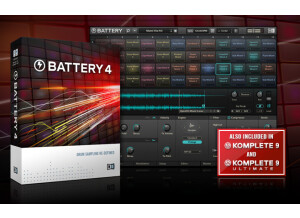
    Battery is a software application and plug-in that can be used as a stand-alone software instrument, or as a plug-in inside a DAW. Battery is a huge library of drum samples. This includes 'acoustic' sounds as well as 'synthetic' sounds. The synthetic drum samples include samples from analog drum machines and also sample from digital drum machines. There are also a large amount of pre-processed/treated/effected drum samples included if you don't want to spend the time to tweak raw or stale sounding drum samples. Battery can be purchased on its own from Native Instruments, however I received it as part of the Native Instruments Komplete Bundle. It can be downloaded off the NI website and installed. Authorization is completed using the NI Service Center application. SUITABILITY/PERFORMANCE Battery is really easy to use, mostly because it has one purpose - trigger drum samples. It is simple to load the included samples with Battery, and also load samples that weren't included in the library if you have some of your own that you would like to use. There is a lot of editing that can be done with the samples like: effects, adsr envelope, etc. One of the best effects is the 'saturation'. It is really useful for making the drum samples 'punch' in a mix. I have always wished that Battery included a sequencer for drum pattern editing. My wish came true with NI released Maschine, but I would have rather seen it included in Battery earlier. Having a library of patterns would have also been helpful. OVERALL OPINION Native Instruments have clearly moved on from Battery to Maschine as their synth-drum software of the future. However, Battery has a lot to offer Komplete users that don't want to purchase Maschine. The classic synth drum sounds are all included (808, 909, Linn, etc) and there are plenty of unique sampled drums included as well. This library was really designed to compete with BFD2, Superior Drummer 2, Addictive Drumms, Steven Slate Drums, etc. You should look into the NI Studio Drummer Series if you want realistic multi-sampled drum sounds. Battery still gets use in my studio for layering individual drum samples.

  • « Innovative Sampler »

    Kontakt is a software application and plug-in that can be used as a stand-alone software instrument, or as a plug-in inside a DAW. It is primarily a 'sample playback' engine and comes with a decent library. Kontakt can be expanded by purchasing more individual sound libraries with more sounds. You can also also create your own sound libraries in Kontakt with your own samples if desired. The software can be purchased as an individual software application, however I received it as part of the Native Instruments Komplete Bundle. It can be downloaded off the NI website and installed. Authorization is completed using the NI Service Center application. SUITABILITY/PERFORMANCE Kontakt is really easy to get started with. The libraries are easy to use - just drag and drop and play your keyboard. However, Kontakt also allows for deep editing for the experienced user. I am not an expert user by any means, because there is a whole scripting language that can be used for users that really want to program kontakt. I have created sampled drum libraries as Kontakt instruments. The round-robin and velocity layer sample playback is easy to set up, but it might take looking through the manual to understand. My recommendation is to experiment. OVERALL OPINION There are many sample-playback applications on the market. Kontakt comes out ahead in my mind because of the amount of libraries available in the Kontakt format, the innovative user interface, the flexibility of use, and the constant addition of new features. The sample libraries from NI for Kontakt are a bit hit-and-miss. There are a few that stand out in my mind - Damage, Alicia's Keys, Session Strings Pro, etc. There are a few that I don't like - Balinese, George Duke, etc. And a bunch that are average, Studio Drummer, Classic Pianos, etc. There are also a bunch of third part sound libraries to consider. I used Steven Slate Drums 3 in Kontakt for a long time before he released his own stand-alone application. Serious composers should probably look at EastWest libraries rather than Kontakt. If you are looking to just do some general propose music producing/mixing, Kontakt is the way to go.

  • « My Favorite Drums Library »

    Damage is software instrument from Heavyocity that runs inside of Kontakt (or Kontakt Free) from Native Instruments. It is comprised of drum loops and individual drum hits. Unlike Heavyocity Evolve, Mutations 1, and Mutations 2, there are no melodic instruments available in Damage. The software is installed directly downloading it from the Heavyocity website or the NI website. Authorization is completed using the NI Service Center. The library is really large, so it takes a while to download depending on your internet connection. You can also purchase DVDs if you don't want to download it. SUITABILITY/PERFORMANCE This software is really easy to use, but also has plenty of control and flexibility. The GUI was thoughtfully designed to keep each menu useful without being cluttered. There is plenty of tweakability from eqs/filters/compressors/reverbs/distortions if you want to completely shape the sound. Or you can just dial up the 'Punish' knob to liven up the samples. Trigger/stutter effects have their use, but shouldn't be over used. Another welcomed improvement in Damage compared to Evolve and EM1&2 is the ability to drag and drop the midi of loops into a DAW host. This means that it is really simple to make small adjustments to the loops to make them less repetitive or to customize the loops to fit your song better. OVERALL OPINION Heavocity has produced a masterpiece sample library of cinematic drum sounds. The percussive sounds range from orchestral to ethnic to traditional studio drum sets. The loops are amazing, and come with the added bonus that individual instruments can be triggered separately. Therefore, if you like the kick drum from one loop and the snare from a different loop, then you can put them together easily. I would love to see Heavyocity release a whole library of deeply-sampled drum sets (ala NI Studio Drummer, BFD2, Superior Drummer 2, etc). I love using Damage and Evolve to add some cinematic flavor to my music, but I would like if they did a whole drum library that I could use in place of all my other drum-sampling software.