Log in
EN
FR

Native Instruments Audio Plug-ins

49 products found

Categories
Series
Filter
Sort by
Native Instruments
Evaluation
  • Reviewed or not
  • Editor’s award
  • Reviewed by Audiofanzine
Availability
  • Available or not
  • Sold new or used
  • Sold new
  • Sold used
Must-have products
  • All products
  • Flagship products
  • Best rated products
  • Hot products
  • Popular products
Price
  • Freeware
€
Clear
Sort by
  • Popularity
  • User ratings
  • Price - low to high
  • Price - high to low
  • Used price, increasing
  • Used price, decreasing
  • Name (from A to Z)
  • Name (from Z to A)
  • Added on
Sort results
  • Popularity
  • User ratings
  • Price - low to high
  • Price - high to low
  • Used price, increasing
  • Used price, decreasing
  • Name (from A to Z)
  • Name (from Z to A)
  • Added on
Filter results 49 results found
Brands
Evaluation
Availability
Must-have products
Price
  • Freeware
Show results

The best Native Instruments Audio Plug-ins reviews

The reviews Audiofanzine members found the most helpful.
  • « Definitly, a MUST HAVE for every guitarist! »

    So far as I tried it, there were no compatibility issues at all. The tricky part comes from the configuration setup. You'll have to play with the Audio and MIDI setup options in order to have it working properly, so my advise it'll be to check to several tutorials while you first use it, since the ASIO drivers could be a real pain in the neck, depending on the computer that you're using. As regards the manual, if you're a guitarist used to just "plug and play", then you'll not understand a bit from it. If you have real technical knowledge, it's really helpful and very simple to read. Every single detail from the program is there. Besides all that, the interface it's very user-friendly and very intuitive as well. SUITABILITY/PERFORMANCE Once it's properly setup, it's AMAZING. It may have some latency due to the ASIO software drivers, but this can be solved by acquiring an external audio card. Works like a charm with my Lexicon Alpha. Stability problems? Not at all. No freezes, no crashes, no nothing! It's just like it's previous version, but with a few more options. Performance it's outstanding. You can select from the several presets from the program and even create your own ones. Several amps, delays, reverbs, filters to choose from! From a Bon Scott AC/DC sound to the Richard Z. Kruspe Rammstein's sound (which is included as the Rammfire preset and it's great for metal playing). I've been using it for a few years now and it became a vital part of my guitar compositions. OVERALL OPINION Sound quality? EXCELLENT. I used to have the GR3 and I find this one better in every single aspect. At first it may sound a little bit synthetized, but with a few adjustments works great. The more you use it, the more you learn from it, and the more you love it. It's a great product, and although it can be used as a stand-alone software, it's also recommended to get the Rig Kontrol foot pedal to get the best of it. Yes, it can be used with another MIDI foot pedal, but the Rig Kontrol was made for this program and viceversa, so that says it all. As a Native Instruments user, I couldn't expect less from them. Great sound quality, everything adjustable and customizable to the user's needs and preferrences, very intuitive user interface and outstanding performance. Worths every single cent and more, not to mention the free presets that can be downloaded straight from the Native Instrumens website. Excellent option for both studio recording and live performance. As a final thought, if you have the chance to get this software, don't hesitate. You won't regret it!

  • Azuma's review

    The program works on any platform either Windows XP, Windows Seven or MAC OS , so compatibility issues isn't a real problem. The manual included with the program is great , Native Instruments made a great book explaining the main functions and their use with the product. The general configuration and setup is simple , I haven't had any problems with it , and it took me about 3 minutes to get it done. The typical functions are easy to spot trough a great designed window that has a lot of presets on it. SUITABILITY/PERFORMANCE The software works good in this configuration , everything is well settled without any type of misunderstandings. The gear and software is very stable and works quite smooth and great. I'm getting very good performances in emulating a nice electric or bass guitar that isn't very far away from recording a live one. I've been using Guitar Rig from Native Instruments for about one year. OVERALL OPINION What I like most about it are the build in presets where you can choose from a certain style a different type of emulation directly linked to your music or your intentions. I do like as well how big and powerful this amp is , you can get a very distinct and powerful type of sound , which is found only in some great amp out there. The design and the low cpu resources needed to run this program is another factor which makes this product even better. My opinion about value of price is great , this product is probably the most powerful and pro digital amp in the music world , so don't hesitate , this is the right deal if you're searching for something like that. Precision and quality of the sound is 10/10 , without a doubt , very good program. Knowing what I know , I would get this program right away.

  • « The software is really all you need »

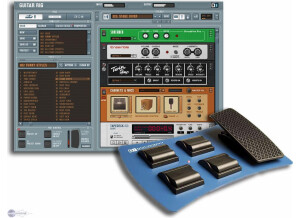
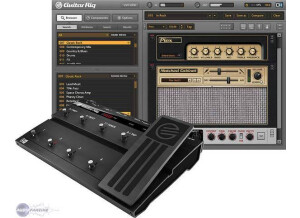
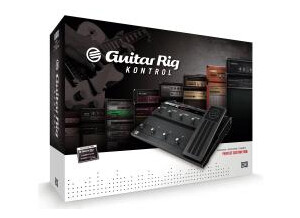
    The Rig Kontrol is a hardware interface to be used with Guitar Rig software. It includes audio in/out as well as midi in/out. It connects with USB to a computer, and then can be used to control functions in Guitar Rig. In the software, you just have to right-click 'learn' and then step on the pedal that you want to control that function. The pedal comes with 6 assignable foot switches. There is one 'variable' foot pedal (think wah-wah, or volume pedal). The variable pedal also has a switch that can be used to activate/deactivate the variable foot pedal. Therefore, relatively realistic experiences can be achieved for wah-wah effects in the Guitar Rig software if you combine the on/off switch with the variable foot pedal. Rig Kontrol also has analog in and out connections if you don't have a different audio interface. The headphone jack will also be a convenient aspect to some users that just want to use Rig Kontrol with the stand-alone Guitar Rig software outside a DAW. SUITABILITY/PERFORMANCE My opinion of the Kontrol hardware is largely based on the fact that two switches stopped working after about a year of ownership. This definitely made me feel like the unit was poorly made. I liked that the pedal was made of metal because a lot of other multi-effects pedals were made of plastic as that time (Line 6, Boss, Digitech, etc). However, the fact that the switches stopped functioning was a huge disappointment. Rather than pay the money to get them fixed, I mostly just stopped using them. OVERALL OPINION I purchased the Kontrol Edition of Guitar Rig 2 a long time ago. I used the hardware for a while in my studio. It was nice to switch on/off virtual stomp-boxes, control wah-wah effects, and select different presets. After playing with it for a while, there isn't a whole lot of utility of the hardware in the studio. I basically have used the hardware as a MIDI interface for the past few years, and nothing more. I have never liked the idea of using a computer for guitar effects when gigging. I prefer to use hardware (POD HD) with internal DSP so I don't have to worry about buffering by a CPU that causes delay. Guitar Rig is a great piece of software, but my opinion is that the hardware isn't all that necessary or reliable.

  • « Even better as stand-alone plug-ins »

    Native Instruments Vintage Compressors is a suite of effects processors to be used in Guitar Rig 5 or as stand-alone plug-ins in a DAW. I received these plug-ins when I purchased Komplete 8 Ultimate. Therefore, installation was completed as part of the entire K8U install process. This software package can be purchased separate from K8U, and downloaded directly from the NI website for installation. Authorization is completed using the NI Service Center software application. The compressors in this bundle are supposed to model some famous hardware compressors - 1176, LA-2A, and DBX-160. If you have any idea about how to use the controls on the hardware, then using this software emulations will be pretty straight-forward. However, if you are more familiar with digital compressors than hardware compressors, the controls are a little different. In these models, the compressor threshold is controlled by using the 'input' volume rather than having a separate threshold control. Depending on the compressor, the 'attack', 'release', and 'ratio' are all a little different. I actually wish Native Instruments would have included more presets for specific instruments to give me a better starting point. The Waves CLA compressors includes much better presets to use, if you aren't very familiar with using compressors. SUITABILITY/PERFORMANCE These compressors were a collaboration between Native Instruments and Softube. I can only assume that Softube performed most of the modeling and NI took over the rest. Softube has their own versions of these compressors available (minus the 160). I don't own any of them so I can't compare the sound. My impression is that the Softube versions modeled more individual components of the hardware compressors and that the NI versions modeled the processors at a higher level. A great thing about these compressors (as well as the Softube ones) are there parallel compression options. Parallel compression is a popular technique where an uncompressed version of the signal is mixed with the compressed version. Typically this means that you have to have use two tracks to achieve this - one with a compressor, one without. These compressors allow you to achieve this on a single track. One thing to watch is whether the you are 'mixing' between the dry and wet signals (30% dry, 70% wet) or if you are just adding extra dry signal to the 100% wet signal. The GR5 and stand-alone versions of these plug-ins do this differently. Just something to watch out for. OVERALL OPINION Native Instruments have finally set these compressors free by releasing them as stand-alone plug-ins rather than as effects inside Guitar Rig 5. I loved having these effects inside GR5 when I was using amp simulation. However, I almost always inserted a different compressor when I wasn't using amp simulation because I didn't want to open GR5. Now that these are stand-alone plug-ins, I am much more likely to use them on drums and vocals. The DBX-160 is especially useful for drums to make them punch, with a little bit of dirt/saturation.

  • « Native Instruments Guitar Rig »

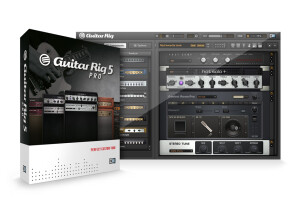
    I'm a drummer. I'm originally from Brazil. I play in a band called Glint. This was a recommendation from my brother whose a guitar player. I purchased this software a couple of years ago and I've being surprised with how much you can do with it since. This piece of software simulates various amps, microphones and effects, including distortion, reverb, modulation and equalization. It simulates so perfectly that it will make you sound like a couple grand, literally, reproducing famous microphones like Shure and Neumann and amps like Fender and Marshall. I've recorded not only guitars through it, you can do a lot with drums and vocal tracks as well. You will find this software in the market for a price of $99, not including the control pedal or interface (both parts of the guitar rig pro package). <a href="http://www.glintonline.com">http://www.glintonline.com</a> I would say the great advantage of owning this software is the ability of getting the sound of your guitar or bass through all these well known brands of amps, mics and effects without having to owning them. It probably it would cost you a few grand to have a real version of every single one. Besides that, all the customization you can do with it, gives you great ways to achieve the sound you are looking for. These are the requirements for this products: Windows® XP (SP2, 32bit) / Vista® (32/64 Bit), Windows 7® (32/64 Bit), Pentium® or Athlon XP 1.4 GHz, 1 GB RAM and#8232;Mac OS® X 10.5 or higher, Intel® Core™ Duo 1.66 GHz, 1 GB RAM For it's price, owning a copy of this software is a great buy. For guitar and bass players into the home studio music production. This review was originally published on http://www.musicgearreview.com

  • « Effect that does more than it says on the tin. »

    This effect has worked fine in every DAW I have ever used, including FL Studio, Ableton Live and Cubase 5. It is extremely simple to install as usual with VST's, and is easy to function through the mixer. The GUI of the effect is very simple too as the presets come in categories that are easily recognisable including real life song presets. These are some of the best lifelike guitar effects I have ever heard from software and sound very good on other instruments such as drums. There is even a drum section for the effects. SUITABILITY/PERFORMANCE This program works extremely well, however the performance can be a turn off for anyone with a slow computer. I had problems running this on my Pentium 1.8ghz processor, however it ran like a dream on my Core 2 Quad 2.5GHZ. Multiple instances of this effect on a slower computer will cause extreme slowdown in the DAW and maybe even crash. I have had crashes a few times even on my faster computer because of the complexity readily available from the presets in this program. I have been using it for around a year now. OVERALL OPINION I do love this effect though, it allows much more than just a guitar effect. You can use the presets on normal instruments and still have a nice sounding gritty effect. The delay and reverb effects from this too are extremely nice sounding and can fit right in place with most instruments. I love the presets that come with it that come straight from real industry songs and offer instant emulation of the guitars from famous songs. Knowing what I do now i would DEFINATELY purchase this VST, as there is lots of songs that I have made that depend on it! I love the gritty sound that it delivers on instruments and even drums and wouldn't consider ever losing it.

  • moosers's review

    Native Instruments Spektral Delay is a plug-in designed for a variety of digital audio workstations. I didn't have anything to do with the installation process as it was already installed on the system that I have been using it on, so I can't say too much about the process in general. The interface of the plug-in has a decent amount going on with it, so it would take too long to list all of the different sections and parameters, but I will say that while there are a lot of options available, it is pretty easy to navigate through everything. I haven't seen a manual for this plug-in so I don't know how useful it would be. SUITABILITY/PERFORMANCE The system that I have used Native Instruments Spektral Delay on is Pro Tools HD based and runs with a Digidesign 192 I/O on an Apple G5 computer. I actually don't use the plug-in in Pro Tools however, I use it primarily in Apple Logic Pro. I have used it in Pro Tools using the Fxpansion VST wrapper, but find it more useful when working with MIDI rather than audio. Within the configuration that I mentioned above I'm able to get great performance from this software as I can't say that I've ever had a problem with it in the year or so since I've been using it. However, since I haven't ever run this on an LE based system or something comparable, it is hard for me to say how it would run within this type of configuration. OVERALL OPINION While Native Instruments Spektral Delay is rather old at this point, it is still an in depth plug-in that has a pretty good overall sound quality. I'm not sure where you would even get this plug-in if you wanted it, but if you come across one in a studio like I did I would definitely recommend trying it out. While there are definitely a lot of newer delay plug-ins that are cleaner sounding overall, but I like this one because it has a lot of unique features and endless parameters and effects to work with. Native Instruments Spektral Delay is definitely one of my favorite delays when it comes to creative uses...

  • moosers's review

    Installing Native Instruments Guitar Rig 2 was easy and was done without any problems. It is easy to install on either a PC or Mac systems, as I have done it on both. I haven't had any compatibility issues running it with both Logic and Cubase, as well as stand alone. I haven't had access to a manual so I don't if it would have helped me learn the program better or not. SUITABILITY/PERFORMANCE I run Guitar Rig 2 with a Mac Book Pro that has 2.2 Ghz Intel Core 2 Duo processor and 4 GB of RAM. I use this mostly as a stand alone program, but also use it a lot in Logic and used to use it Cubase SX 2.0 a lot. Except for a little latency sometimes, I have never had a problem using this in any of those situations. Running a few of these at once will undoubtedly make your computer run a bit slower, but when used in moderation I have never had a problem with it. OVERALL OPINION I've been using Guitar Rig 2 for about two years, and I used Guitar Rig 1 for awhile before using this one. Overall, I think Guitar Rig 2 is a very useful program. The sounds range in quality as I think the delay and modulation effects are much better than the overdrive ones. I'm not a fan of digital distortion, and as good as Guitar Rig 2 is, it is no exception here. The price is somewhat reasonable as it is an extensive piece of software. It is more in depth than other guitar modeling programs like Amplitube, and is comparable to some of the other ones in its price range. You can get almost any type of guitar sound you can think of - overdrives, delays, reverbs, phasers, and everything else. The quality of the effects ranges, but overall Guitar Rig 2 is a great piece of software which plenty of practical applications.

  • Audiofanzine FR's review

    (Originally written by Seith/translated from Audiofanzine FR) Easy installation, no problems. No incompatibility problems, everything worked immediately. Extremely easy configuration and huge possibilities!!! User's manual? No need for it! The sound is simply incredible! I own a Joemeek twinQ and I compared both possibilities (with the Joemeek and directly into Guitar Rig 3). Result: when the guitar is directly connected to the sound card, the sound is awesome! It really improved from Guitar Rig 2, especially the distortion sound. It's incredible! I found the sound I needed... It sounds much better than moderate hardware solutions... SUITABILITY/PERFORMANCE My computer is a Dual Core e4400 with 3 GB RAM and Vista. The sound card is a PCI Echo Layla 3G. Excellent performance. The software is not too resource hungry. I haven't had a single crash. OVERALL OPINION I've only had it for a short time but it's more than enough to realize that I can throw my Korg AX3000G into the garbage can... The price is ok...