Log in
EN
FR

SeriesNative Instruments Guitar Rig

17 products found

Filter
Sort by
Evaluation
  • Reviewed or not
  • Editor’s award
  • Reviewed by Audiofanzine
Availability
  • Available or not
  • Sold new or used
  • Sold new
  • Sold used
Must-have products
  • All products
  • Flagship products
  • Best rated products
  • Hot products
  • Popular products
Price
  • Freeware
€
Clear
Sort by
  • Popularity
  • User ratings
  • Price - low to high
  • Price - high to low
  • Used price, increasing
  • Used price, decreasing
  • Name (from A to Z)
  • Name (from Z to A)
  • Added on
Sort results
  • Popularity
  • User ratings
  • Price - low to high
  • Price - high to low
  • Used price, increasing
  • Used price, decreasing
  • Name (from A to Z)
  • Name (from Z to A)
  • Added on
Filter results 17 results found
Evaluation
Availability
Must-have products
Price
  • Freeware
Show results

The best Native Instruments Guitar Rig reviews

The reviews Audiofanzine members found the most helpful.
  • « Killer Tone at a Killer Price! »

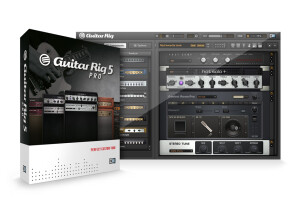
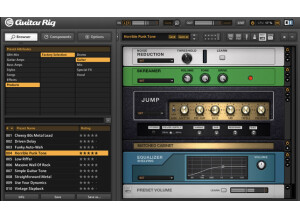
    Guitar Rig 5 is the ultimate guitar effects VST / amp simulator I've ever used. With an easy-to-navigate interface and a plethora of diverse sounds, Guitar Rig 5 is a formidable beast in any guitarists arsenal. Not to mention the customization capabilities are both fun and educational. SUITABILITY/PERFORMANCE Guitar Rig 5 works exceptionally well in my DAW. In applying additional FX to Guitar Rig, I experience no CPU spikes, just a killer tone I'm grateful to have at such a low price. Not trying to make this a sales pitch or anything, I've just used this program extensively for several albums, and hundreds of songs by now, I imagine. I use it exclusively for solo guitar recordings. OVERALL OPINION The best part about Guitar Rig 5 is the ease of use. This is the best alternative I've found to recording microphone-to-amplifier. That process can be tedious, and microphones are expensive - this I can plug right into my audio interface and get the sound and levels I want with way less of a hassle. I highly recommend Guitar Rig 5.

  • « Another letdown »

    Let me start by saying I have tried literally every guitar amp sim out there. I have a lot of tube amps and being a studio engineer I really wish I could sell some of them. So my search for the perfect amp sim has gone on for a while. I have been using Guitar Rig since version 3 and with every version I have hoped that it would get better. So far it's definitely been in the good but not great camp. Install is quick. Sometimes it can have issues with audio compatibility and crashing. All I can say about that is...it happens. It's not a deal breaker or anything. But NI needs to work on this particular program's stability. It's only gotten worse over the years unfortunately. GR5 crashed ALL the time. SUITABILITY/PERFORMANCE I use it with a variety of instrument preamps going through firewire. Usually I bring it up in Cubase. It doesn't get used very often because frankly I don't think it sounds quite good enough for my tracks. Well sometimes it does, but rarely. It performs with a reasonably low amount of hiccups. My CPU runs it easily. OVERALL OPINION Here's the deal with GR5. It gets a few things right. The interface is by far my favorite of any soft based amp sim. Everything is very interactive and visual. The audio and control layout is made up so that you can navigate everything very quickly and get things done a lot quicker than most other amp sims where a lot of simple tasks end up taking a while. Guitar rig has always done a good job of making you feel like all the gear was right in front of you. So that's great. The sound quality is another story. The effects are generally pretty good. Some of the more analog ones fall a bit short but the overdrives/reverbs/mods effects are mostly spot on. I would know because I have used most of the "real life" gear. Most of the effects are at least usable and some of them get even higher marks. Only a handful are just utterly bad. But there's so many...it's a non issue. The cab sims are great too. They tend to be pretty accurate most of the time. Mic placement options are good. Just like in real life, you have to play with placement and stuff. So it's fair. Now the amps...this is where Guitar Rig has fallen short for me. SOME of them are pretty spot on. The AC30, Fenders, and the rectifier are pretty darn close. The rest are garbage. The Uberschall sounds nothing like my uberschall. The marshalls are a gritty mess. They sound flubby and harsh all at the same time. The Orange and Hiwatt sims sound vaguely like their counterparts but are mostly just bad. It's very difficult to get good sounds out of any of them and I have spent 30 minutes on amp settings just fighting to get a tone that isn't awful. If only the amps were good, this would be a pretty solid soft sim. Unfortunately the most important element at work is a miss. So I can't give a good rating. To be fair, almost all the soft synths I've tried have been pretty bad. The only good amp sim I've played is the axe-fx which of course isn't software. Sorry guys. Maybe next time.

  • « Improved Sound and a Plethora of Effects & Tools »

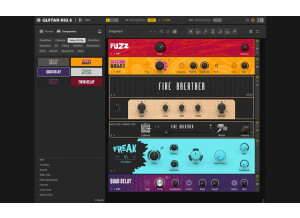
    Guitar Rig 6 is a software package that allows for stand-alone playing (connect a computer to a speaker system for live playing) or within a DAW for recording. Easy to download and install, the stand-alone version opens by clicking the icon, or you can drag and drop the program into an audio track’s FX bin within a DAW. There are over 1,000 presets that can be utilized as is, or edited or new ones created from scratch. When selecting one of the premade presets, you select the ‘instrument’ (e.g., bass, vocals, guitar, keys, etc.), and a list will be provided of the more appropriate choices. There still are hundreds listed just for guitar, and so you can narrow your selection further by selecting a genre (e.g., metal, pop, country), tone characteristics (clean, crunch, metal, ambient) or FX category (e.g., modulation, reverb, delay). So far, this is straight forward, and do realize that I’m basing my review and opinion on not having worked with previous Guitar Rig versions. I have used other VST plug-ins, although I found them somewhat sterile sounding (which may not be a surprise since that experience is at least a decade old). However, based on forum discussions, many people have found previous versions of Guitar Rig good for home practice and perhaps some general recording, but that the program lacked liveliness, insofar as the sound of the amps and cabs were concerned. I have no opinion on that, but I can say that I am impressed with the amps and cabs in version 6. Can one compare the amps and cabs with Guitar Rig 6 to a real amp, or perhaps the sounds from an Axe-Fx or Kemper? I don’t think they are that far removed, thanks in part to the new machining technology and the custom cab IRs by Ownhammer and 3 Sigma Audio. But even if the real amp and the other modelers are better (more so for crunch and hi-gain, as the cleans are sublime), as some demo gear personnel have suggested, there are a few recommendations I would like to make. The program includes various dynamics, two of which I really like. First is the Transient Master (select ‘Zep Room’) and the other is the VC76 model (select ‘Electric Guitar’); run each separately and together, since they both are complimentary. With either or both in place, listen to the comparison and how much more alive a preset can sound (I did not do this on the demo, but do download the free demo version and give it a try). However, adding either or both tends to increase the gain or drive, and so the amp may have to be adjusted down to some degree to maintain the same amount of hair. Once these are in place, I find the Guitar Rig 6 presets sound exceptional (better) and ideal for both live and recording purposes. The flexibility of Guitar Rig 6 also is superb, allowing you to drag and drop as many effects as you want, stack cabinets and customize to your heart’s content. One feature I want to bring up is the cab/mic customization, including use of the Control Room Pro, which provides eight custom setups with 27 cabinets, up to 16 microphones and up to three mic positions (including room mics). If that wasn’t enough, select the ‘general’ control room that provides its own presets, but allows you to combine classic cabinets with up to eight mics (positioned by studio expert Peter Weihe) – each mic has its own fader that integrates into an 8-track mixer so that you can blend them as desired. Now, for those who were not impressed with previous version amps and cabs, there is no argument that a Guitar Rig strength is its effects. There are many standard delays, reverbs and modulations, but what makes this package so awesome is the wide array of custom presets that includes dozens of unique, strange, beautiful and sometimes weird effects that would be impossible, or darn near so, to reproduce with other programs or hardware. Another strength is the studio tools, such as allowing you to adjust the mid and side channels of a mix or split the signal into high and low frequencies. Other tools include a sequencer, oscillator and multi-step envelope, as well as rack tools (recording tape deck, tuner and a macro control center with up to 16 parameters that can be configured as knobs and buttons). Without hesitation, for the price of Guitar Rig 6, which is about the same as some pricier pedals on the market, you get a huge amount of gear and flexibility that can be applied to any instrument, without even utilizing the amps and cabs. You then can use one of the amps with your own cab IRs, or other amp plug-in amps with the Ownhammer and 3 Sigma Audio IRs included with Guitar Rig 6. Overall, there is a lot to this program, both pre-developed and available for customization. And with a free trial download, there is nothing to lose.

  • « A must-have »

    I first approached Guitar Rig when I was taking my first steps in mixing and mastering, and even then it was quite easy for me to load the plugin and get it to work on Nuendo or as a Standalone. I've tried it in a good number of PCs with no compatibility issues. The only problem that may arise, as with every software of the kind, is compatibility issues between your sound card, and the ASIO drivers. The graphic nature of Guitar Rig makes the manual almost useless, in my opinion. The fact that the pedals and boxes are stacked as in a visible traditional guitar rack helps to easily put order to long chains of effects. As for the software itself if doesn't have much options or menus to deal with, so you'll find yourself mastering Guitar Rig in a short time without ever resorting to the manual. You can work with presets or build a whole set of FX from scratch. Most of the times, for practicing, quick demo recordings, etc, the presets will be more than enough (there are a good deal and they are quite the first thing you get access to). SUITABILITY/PERFORMANCE Performance is amazing. I've only found issues with Guitar Rig when I've really overloaded my computer. That being said, it puts a strain on any DAW to run more than a couple of GR instances, or running instances with tons of effects. I've been using Guitar Rig since GR3, and the quality of the software improved dramatically with the fourth version, as did the sound and the available effects. I've never gotten the Rig Control (the pedal that was made particularly for this piece of software) but I understand you can replace it with any MIDI pedal. In any case, the Rig Control was especially designed for this, so it should work best. OVERALL OPINION The sound is nice and some of the presets are really well crafted. The ironic titles give away the kind of sound that they should recreate, and I was surprised to see how many actually nailed it. I think that Guitar Rig is an amazing tool because of its simplicity. I've tried other guitar software before, but I've only stuck with GR and Amplitube. I actually work with a combination of Guitar Rig and Amplitube: after the initial surprise at the sheer amount of effect GR offers wears down, you'll find that some of them sound a kind of plastic. It is essential to be willing to tweak the knobs a little bit if you are willing to get something near to a professional sound. It is also essential to understand that, while GR may excel when it comes to quick recordings and such, you will need to use it in combination with other software in order to get a high standard sound.

  • « Huge fan of Guitar Rig »

    When Native Instruments Guitar Rig 1 came out, I was very excited to get it. It has come along ways since version one but still version 1 was what set the ground floor for everything after that. When I purchased it , it came with a Rig Kontrol foot pedal /controller to give the real feel of a foot pedal. I did have some issues with getting the foot pedal to work right on my Windows computer at the time; I think I was running Windows XP. I had to jump through all sorts of loops to get it to work right but after about 30 minutes of trouble shooting I had it figured it. But the software installed great and I was able to load up the plug in without any issues. SUITABILITY/PERFORMANCE There are a bunch of presets that are copied from major songs in Guitar Rig, I didn’t like using them because they sound so identical to the actual sound of the song it felt like I was copying but it definitely would use the presets to build off of and create something new from. The cabinet and microphone can be altered in different settings with the microphone positioning giving a completely different sound. The amps that inspired Guitar Rig 1 are the Mesa/Boogie Rectifier and the Marshal Plexi 50W. OVERALL OPINION When Guitar Rig 2 came out I was able to have both of them installed simultaneously because they were two completely different programs. But when version 3 came out for some reason it got installed over version 1 and 2 which I was very upset about because I lost all of my custom presets and never got them back. Now I am running Guitar Rig 5 and love using. It is one of my favorite plug ins of all times, I use it on my instrument and drum tracks to try out new things. I do wish Native Instruments to spend some time creating presets that are not so based off of “popular” songs because sometimes I feel like they overdue it. But none the less, this is one of my favorite plug ins to work with.

  • « The software is really all you need »

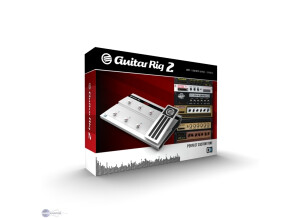
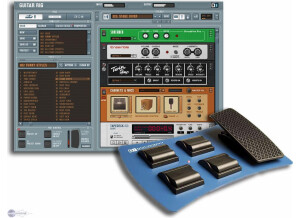
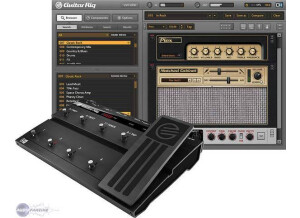
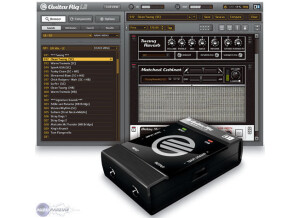
    The Rig Kontrol is a hardware interface to be used with Guitar Rig software. It includes audio in/out as well as midi in/out. It connects with USB to a computer, and then can be used to control functions in Guitar Rig. In the software, you just have to right-click 'learn' and then step on the pedal that you want to control that function. The pedal comes with 6 assignable foot switches. There is one 'variable' foot pedal (think wah-wah, or volume pedal). The variable pedal also has a switch that can be used to activate/deactivate the variable foot pedal. Therefore, relatively realistic experiences can be achieved for wah-wah effects in the Guitar Rig software if you combine the on/off switch with the variable foot pedal. Rig Kontrol also has analog in and out connections if you don't have a different audio interface. The headphone jack will also be a convenient aspect to some users that just want to use Rig Kontrol with the stand-alone Guitar Rig software outside a DAW. SUITABILITY/PERFORMANCE My opinion of the Kontrol hardware is largely based on the fact that two switches stopped working after about a year of ownership. This definitely made me feel like the unit was poorly made. I liked that the pedal was made of metal because a lot of other multi-effects pedals were made of plastic as that time (Line 6, Boss, Digitech, etc). However, the fact that the switches stopped functioning was a huge disappointment. Rather than pay the money to get them fixed, I mostly just stopped using them. OVERALL OPINION I purchased the Kontrol Edition of Guitar Rig 2 a long time ago. I used the hardware for a while in my studio. It was nice to switch on/off virtual stomp-boxes, control wah-wah effects, and select different presets. After playing with it for a while, there isn't a whole lot of utility of the hardware in the studio. I basically have used the hardware as a MIDI interface for the past few years, and nothing more. I have never liked the idea of using a computer for guitar effects when gigging. I prefer to use hardware (POD HD) with internal DSP so I don't have to worry about buffering by a CPU that causes delay. Guitar Rig is a great piece of software, but my opinion is that the hardware isn't all that necessary or reliable.

  • « Effect that does more than it says on the tin. »

    This effect has worked fine in every DAW I have ever used, including FL Studio, Ableton Live and Cubase 5. It is extremely simple to install as usual with VST's, and is easy to function through the mixer. The GUI of the effect is very simple too as the presets come in categories that are easily recognisable including real life song presets. These are some of the best lifelike guitar effects I have ever heard from software and sound very good on other instruments such as drums. There is even a drum section for the effects. SUITABILITY/PERFORMANCE This program works extremely well, however the performance can be a turn off for anyone with a slow computer. I had problems running this on my Pentium 1.8ghz processor, however it ran like a dream on my Core 2 Quad 2.5GHZ. Multiple instances of this effect on a slower computer will cause extreme slowdown in the DAW and maybe even crash. I have had crashes a few times even on my faster computer because of the complexity readily available from the presets in this program. I have been using it for around a year now. OVERALL OPINION I do love this effect though, it allows much more than just a guitar effect. You can use the presets on normal instruments and still have a nice sounding gritty effect. The delay and reverb effects from this too are extremely nice sounding and can fit right in place with most instruments. I love the presets that come with it that come straight from real industry songs and offer instant emulation of the guitars from famous songs. Knowing what I do now i would DEFINATELY purchase this VST, as there is lots of songs that I have made that depend on it! I love the gritty sound that it delivers on instruments and even drums and wouldn't consider ever losing it.

  • moosers's review

    Installing Native Instruments Guitar Rig 2 was easy and was done without any problems. It is easy to install on either a PC or Mac systems, as I have done it on both. I haven't had any compatibility issues running it with both Logic and Cubase, as well as stand alone. I haven't had access to a manual so I don't if it would have helped me learn the program better or not. SUITABILITY/PERFORMANCE I run Guitar Rig 2 with a Mac Book Pro that has 2.2 Ghz Intel Core 2 Duo processor and 4 GB of RAM. I use this mostly as a stand alone program, but also use it a lot in Logic and used to use it Cubase SX 2.0 a lot. Except for a little latency sometimes, I have never had a problem using this in any of those situations. Running a few of these at once will undoubtedly make your computer run a bit slower, but when used in moderation I have never had a problem with it. OVERALL OPINION I've been using Guitar Rig 2 for about two years, and I used Guitar Rig 1 for awhile before using this one. Overall, I think Guitar Rig 2 is a very useful program. The sounds range in quality as I think the delay and modulation effects are much better than the overdrive ones. I'm not a fan of digital distortion, and as good as Guitar Rig 2 is, it is no exception here. The price is somewhat reasonable as it is an extensive piece of software. It is more in depth than other guitar modeling programs like Amplitube, and is comparable to some of the other ones in its price range. You can get almost any type of guitar sound you can think of - overdrives, delays, reverbs, phasers, and everything else. The quality of the effects ranges, but overall Guitar Rig 2 is a great piece of software which plenty of practical applications.

  • Audiofanzine FR's review

    (Originally written by Seith/translated from Audiofanzine FR) Easy installation, no problems. No incompatibility problems, everything worked immediately. Extremely easy configuration and huge possibilities!!! User's manual? No need for it! The sound is simply incredible! I own a Joemeek twinQ and I compared both possibilities (with the Joemeek and directly into Guitar Rig 3). Result: when the guitar is directly connected to the sound card, the sound is awesome! It really improved from Guitar Rig 2, especially the distortion sound. It's incredible! I found the sound I needed... It sounds much better than moderate hardware solutions... SUITABILITY/PERFORMANCE My computer is a Dual Core e4400 with 3 GB RAM and Vista. The sound card is a PCI Echo Layla 3G. Excellent performance. The software is not too resource hungry. I haven't had a single crash. OVERALL OPINION I've only had it for a short time but it's more than enough to realize that I can throw my Korg AX3000G into the garbage can... The price is ok...